
Walfront STC-3028
Walfront STC-3028 Digital Temperature and Humidity Controller User Manual
Model: STC-3028 | Brand: Walfront
Konec produktuview
The Walfront STC-3028 is a microcomputer intelligent digital display thermostat designed for precise temperature and humidity control. It features a dual display for simultaneous temperature and humidity readings and comes with an integrated sensor. This controller is suitable for a wide range of applications requiring automatic switching of refrigeration and heating devices.

Obrázek: Přední strana view of the Walfront STC-3028 controller with its integrated temperature and humidity sensor. The display shows current temperature and humidity readings.
Klíčové vlastnosti
- Odolná konstrukce: Features an ABS flame retardant plastic shell for enhanced safety and longevity.
- Duální displej: Microcomputer intelligent digital display thermostat with dual display for both temperature and humidity.
- Wide Range Control: Offers a wide temperature measuring and controlling range, along with an integrated sensor for accurate readings.
- Vysoká přesnost: Large and clear digital display ensures high accuracy in temperature and humidity measurement and control.
- Všestranná aplikace: Ideal for automatic switching of refrigeration and heating devices in various settings, such as seafood machines and cooling water machines.
Specifikace
| Atribut | Hodnota |
|---|---|
| Značka | Walfront |
| Číslo modelu | STC-3028 |
| Zdroj napájení | 12V (as per current product variant) |
| Materiál | ABS+elektronické součástky |
| Hmotnost položky | 5.3 unce (0.15 kilogramů) |
| Rozměry produktu | 5.11 x 4.28 x 3.54 palce |
| Typ zobrazení | Digitální |
| Speciální funkce | Temperature Measuring and Controlling |
| Používání | Suitable for automatic switching of refrigeration and heating devices such as seafood machines and cooling water machines |
| UPC | 739904722113 |

Image: Detailed dimensions of the STC-3028 controller and its external sensor, showing measurements in both millimeters and inches.
Nastavení a zapojení
Proper wiring is crucial for the safe and effective operation of the STC-3028 controller. Refer to the diagrams below for common wiring configurations.
Schémata zapojení:

Image: Wiring diagrams for the STC-3028. Diagram 1 shows an independent power supply for the load, while Diagram 2 illustrates a shared power supply for the controller and the load. Connections for power, sensor, heating, and cooling outputs are clearly marked.
Důležitá poznámka: Ensure all connections are secure and correctly polarized, especially for 12V and 24V models. Consult a qualified electrician if you are unsure about the wiring process.
Návod k obsluze
The STC-3028 features a user-friendly interface with clear digital displays and intuitive buttons for setting temperature and humidity parameters.

Obrázek: Detail view of the STC-3028's front panel, labeling the temperature display, humidity display, work indicators, and adjustment buttons for both temperature and humidity settings.
Parametry nastavení:
- Počáteční zobrazení: The screen initially shows the current temperature and relative humidity (RH%).
- Setting Start Temperature:
- Stiskněte tlačítko Zvýšení teploty (▲) button to display the current start temperature.
- Stiskněte a podržte Zvýšení teploty (▲) button again until the display blinks. This indicates edit mode.
- Použijte Zvýšení teploty (▲) a Snížení teploty (▼) buttons to adjust the desired start temperature. Holding the button will scroll numbers faster.
- Setting Stop Temperature:
- Stiskněte tlačítko Snížení teploty (▼) button to display the current stop temperature.
- Stiskněte a podržte Snížení teploty (▼) button again until the display blinks.
- Použijte Zvýšení teploty (▲) a Snížení teploty (▼) tlačítky pro nastavení požadované teploty vypnutí.
- Wait a few seconds for the device to exit edit mode and save settings.
- Setting Start Relative Humidity (RH%):
- Stiskněte tlačítko Humidity Up (▲) button to display the current start RH%.
- Stiskněte a podržte Humidity Up (▲) button again until the display blinks.
- Použijte Humidity Up (▲) a Humidity Down (▼) buttons to adjust the desired start RH%.
- Setting Stop Relative Humidity (RH%):
- Stiskněte tlačítko Humidity Down (▼) button to display the current stop RH%.
- Stiskněte a podržte Humidity Down (▼) button again until the display blinks.
- Použijte Humidity Up (▲) a Humidity Down (▼) buttons to adjust the desired stop RH%.
- Wait a few seconds for the device to exit edit mode and save settings.
Řídicí logika: The controller's action (heating/cooling or humidification/dehumidification) depends on the relationship between the start and stop values.
- If Start Temperature < Stop Temperature: Controls a heater.
- If Start Temperature > Stop Temperature: Controls a cooler/fan.
- Similar logic applies to RH% for humidification or dehumidification.
Aplikace
The Walfront STC-3028 is a versatile device suitable for various environments requiring precise temperature and humidity regulation.
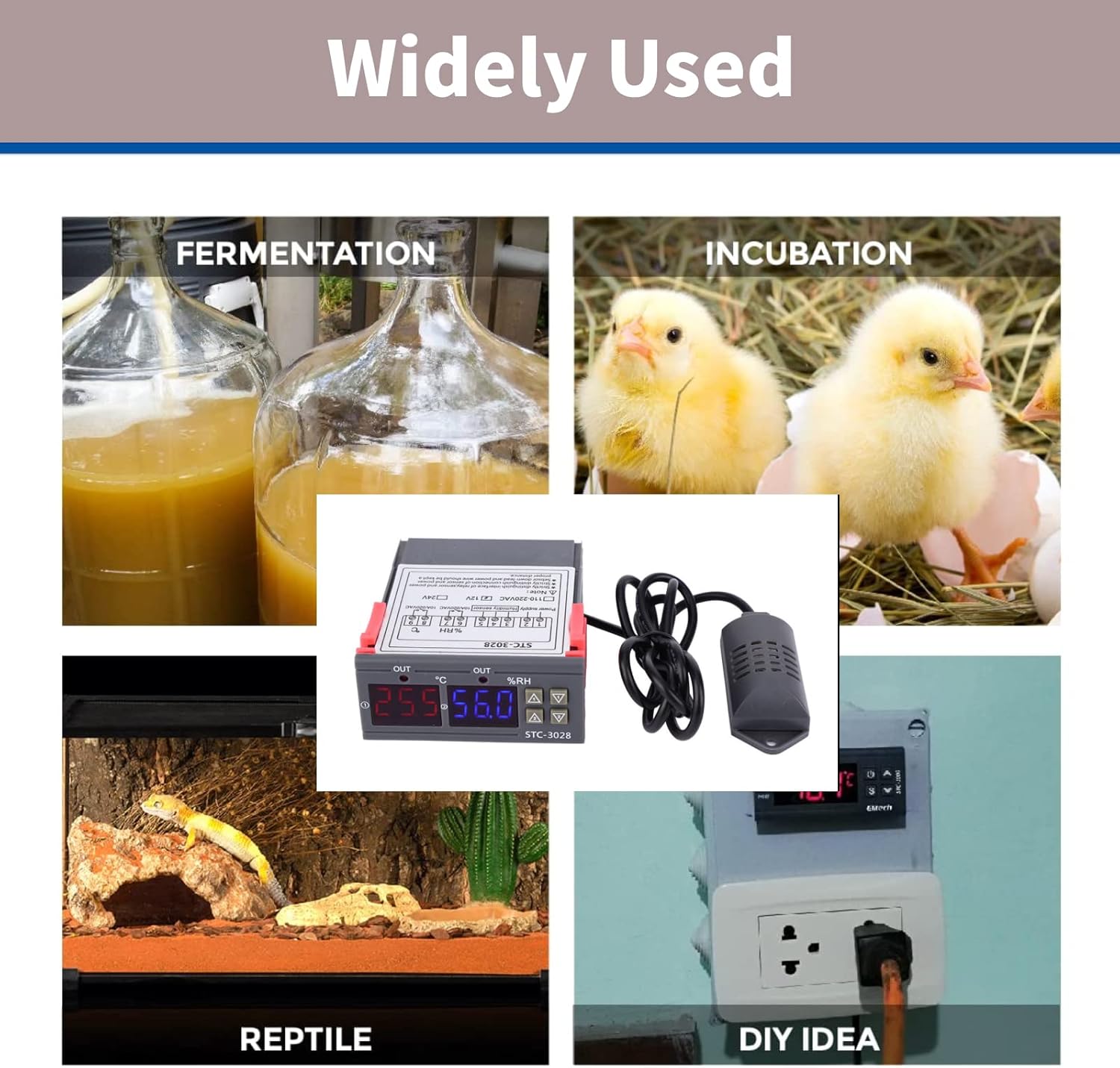
Image: Collage showing diverse applications for the STC-3028, including fermentation, incubation (chickens), reptile habitats, and general DIY temperature/humidity control setups.
- Inkubátory: Maintain stable temperature and humidity for hatching eggs.
- skleníky: Regulate climate for optimal plant growth.
- Reptile Habitats: Ensure appropriate environmental conditions for exotic pets.
- Fermentační procesy: Control temperature for brewing, yogurt making, etc.
- Storage Facilities: Manage conditions for sensitive goods.
- DIY projekty: Integrate into custom climate control systems.

Image: The STC-3028 controller positioned within a greenhouse environment, illustrating its use in agricultural climate control.
Údržba
To ensure the longevity and accurate performance of your Walfront STC-3028 controller, follow these general maintenance guidelines:
- Čištění: Regularly wipe the unit with a soft, dry cloth. Avoid using abrasive cleaners or solvents.
- Péče o senzor: Keep the integrated sensor clean and free from dust or debris. Do not immerse the sensor in liquids unless it is specifically designed for such use.
- Podmínky prostředí: Operate the controller within its specified temperature and humidity ranges. Avoid exposing it to extreme temperatures, direct sunlight, or high moisture environments.
- Kontroly připojení: Pravidelně kontrolujte všechna kabelová spojení, abyste se ujistili, že jsou bezpečná a bez koroze.
- Napájení: Ensure the power supply matches the controller's voltage requirements (e.g., 12V for this model) to prevent damage.
Odstraňování problémů
If you encounter issues with your STC-3028 controller, consider the following common troubleshooting steps:
| Problém | Možná příčina | Řešení |
|---|---|---|
| Display is blank or unit does not power on. | Žádné napájení, nesprávná hlasitosttage, or loose wiring. | Check power connections. Verify power supply voltage matches unit requirements (12V). Ensure all wires are securely connected. |
| Nepřesné údaje o teplotě/vlhkosti. | Sensor is dirty, damaged, or improperly placed. | Clean the sensor. Inspect sensor cable for damage. Ensure sensor is in the correct environment for measurement and not obstructed. |
| Controller not activating heating/cooling/humidification/dehumidification. | Incorrect parameter settings, faulty wiring to load, or load device malfunction. | Review your start and stop temperature/humidity settings. Check wiring to the controlled device. Test the controlled device independently. |
| Displej zobrazuje chybový kód. | Sensor fault or internal error. | Refer to the specific error code in a more detailed product manual if available. Often indicates a sensor disconnection or malfunction. Reconnect or replace sensor. |
If the problem persists after attempting these steps, contact customer support or a qualified technician.
Záruka a podpora
Walfront products are manufactured to high quality standards. For information regarding warranty coverage, technical support, or replacement parts, please refer to the contact information provided with your purchase or visit the official Walfront webUschovejte si účtenku jako doklad o koupi pro případné reklamace.
Pro další pomoc můžete navštívit Walfront Store on Amazon.
Ask a question about this manual
Ask about setup, troubleshooting, compatibility, parts, safety, or missing instructions. Manuals+ will review the question and use this page’s manual context to help answer it.