
Zavedení
Thank you for choosing the GTRACING GT890MF Gaming Chair. This manual provides detailed instructions for the assembly, operation, maintenance, and troubleshooting of your new gaming chair. Please read this manual carefully before use to ensure proper function and longevity of the product. Keep this manual for future reference.
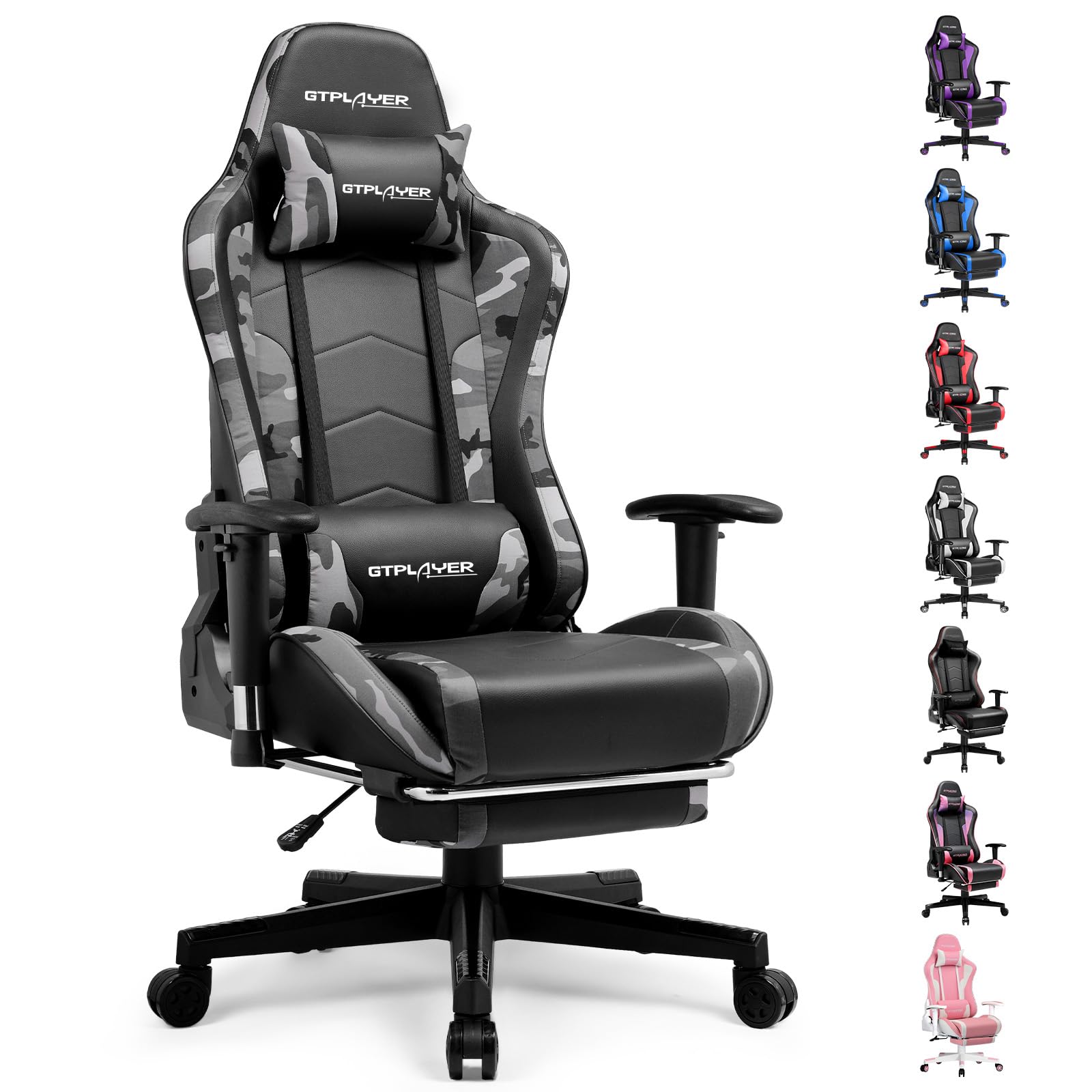
Image: The GTRACING GT890MF Gaming Chair, featuring a camouflage pattern, footrest, and integrated Bluetooth speakers, set up in a gaming environment.
Bezpečnostní informace
- Pouze pro vnitřní použití.
- Maximální nosnost: 300 liber. Nepřekračujte tento limit.
- Use caution when adjusting chair height and recline to prevent injury.
- Ensure all screws and bolts are tightened securely before use and periodically check for looseness.
- Keep hands and fingers clear of moving parts during adjustments.
- Nestůjte na židli.
Nastavení a montáž
Assembly is required for this chair. Please follow the steps below carefully. It is recommended to have two people for assembly.
Obsah balení

Image: An exploded diagram showing all components of the GTRACING GT890MF Gaming Chair, including the backrest, seat, armrests, base, wheels, gas lift, and footrest.
Montážní kroky
- Attach the Armrests: Securely fasten the armrests to the seat base using the provided screws. Ensure they are oriented correctly.
- Připojení opěradla k sedadlu: Align the backrest with the seat mechanism and attach it using the designated bolts.
- Nainstalujte opěrku nohou: Zasuňte opěrku nohou do určených otvorů pod sedadlem.
- Sestavte základnu: Insert the casters (wheels) into the star base. Place the gas lift cylinder into the center hole of the star base.
- Připevnění sedadla k základně: Carefully place the assembled seat and backrest onto the gas lift cylinder, ensuring it is seated firmly.
- Připevnění opěrky hlavy a bederních polštářů: Position the headrest and lumbar support pillows as desired.
Návod k obsluze
Nastavení židle
- Nastavení výšky sedadla: Pull the lever located under the right side of the seat upwards to raise or lower the seat. Release the lever at the desired height.
- Sklon opěradla: Pull the lever on the right side of the chair upwards to recline the backrest. Lean back to the desired angle (90 to 160 degrees) and release the lever to lock it in place.
- Nastavení loketní opěrky: The armrests are multi-directional. Use the buttons or levers on the armrests to adjust their height, pivot, and slide forward/backward.
- Prodloužení opěrky nohou: Pull the footrest out from under the seat when desired. Push it back in when not in use.
Image: The GTRACING GT890MF Gaming Chair demonstrating its backrest recline function, adjustable from 90 degrees for work to 155 degrees for resting.

Obrázek: Detailní záběr view of the GTRACING GT890MF Gaming Chair's adjustable multi-directional armrests, highlighting their ability to move up, down, and pivot for optimal positioning.
Provoz Bluetooth reproduktoru
Your GTRACING GT890MF chair is equipped with dual Bluetooth 5.1 speakers for an immersive audio experience.
- Zapnutí: Locate the power button for the Bluetooth speakers, typically on the side or back of the chair. Press and hold to power on. A sound or indicator light will confirm activation.
- Režim párování: The speakers will automatically enter pairing mode when powered on for the first time, or if no device is connected. An indicator light will usually flash.
- Připojit zařízení: On your smartphone, tablet, or other Bluetooth-enabled device, go to Bluetooth settings and search for available devices. Select "GTPLAYER" or a similar name to connect.
- Přehrávání zvuku: Once connected, audio from your device will play through the chair's speakers. Adjust volume from your connected device.
- Vypnout: Press and hold the power button again to turn off the speakers.

Image: The GTRACING GT890MF Gaming Chair with a visual representation of sound waves emanating from the integrated Bluetooth speakers in the headrest area.

Image: A detailed diagram illustrating the dual Bluetooth 5.1 speakers within the GTRACING GT890MF Gaming Chair, highlighting features like clear treble, stereo sound, HiFi audio, and dust prevention.

Image: A user seated in the GTRACING GT890MF Gaming Chair, with an illustration showing how the chair's Bluetooth speakers can connect to various devices like PC/TV, PS4/PS5/XBOX, and other Bluetooth 5.1 enabled devices. A separate USB Bluetooth transmitter is shown as an option for non-Bluetooth devices.
Údržba
- Čištění: Otřete dočista s reklamouamp cloth. Avoid harsh chemicals or abrasive cleaners that may damage the faux leather upholstery.
- Inspekce: Pravidelně kontrolujte všechny šrouby a vruty, zda jsou pevně utažené. V případě potřeby je dotáhněte.
- Péče o kolečka: Pro zajištění plynulého otáčení udržujte kolečka bez vlasů a nečistot.
- Skladování: Store the chair in a dry, cool place away from direct sunlight to prevent material degradation.
Odstraňování problémů
| Problém | Možná příčina | Řešení |
|---|---|---|
| Židle se nedá nastavit na výšku | Páka plynového zvedáku není zajištěna nebo je plynový zvedák vadný. | Ensure the lever is fully pulled. If issue persists, contact support for gas lift replacement. |
| Opěradlo se nedá sklopit/zablokovat | Recline lever not engaged or mechanism obstructed. | Ensure the recline lever is fully pulled/released. Check for obstructions in the recline mechanism. |
| Bluetooth speakers not pairing | Speakers not powered on, out of range, or already paired to another device. | Ensure speakers are charged and powered on. Move device closer to chair. Disconnect from other devices. Try restarting both chair speakers and your device. |
| Židle se kymácí | Uvolněné šrouby nebo nerovná montáž. | Zkontrolujte a utáhněte všechny montážní šrouby. Ujistěte se, že židle stojí na rovném a plochém povrchu. |
Specifikace
- Název modelu: GT890MF
- Značka: GTRACING
- Barva: Maskovat
- Materiál: Faux Leather, Foam Fill, Steel Frame
- Rozměry produktu (H x Š x V): 20.87 cm x 21.65 cm x 53.15 cm
- Výška sedáku: Adjustable, up to 22.04 inches
- Hloubka sedadla: 20.87 palců
- Hmotnost položky: 47 libry
- Maximální hmotnost Doporučení: 300 libry
- Styl zad: Solid Back, Reclining (90 to 160 degrees)
- Speciální vlastnosti: Adjustable Height, Adjustable Lumbar, Ergonomic Design, Foot Rest, Rolling Casters, Dual Bluetooth 5.1 Speakers
- Shromáždění: Požadovaný

Image: A diagram illustrating the key dimensions of the GTRACING GT890MF Gaming Chair, including overall height, width, and depth.

Image: A detailed diagram showing various dimensions of the GTRACING GT890MF Gaming Chair, including seat height, armrest height, and backrest height, along with maximum load capacity (330 lbs) and recommended user height (6.2 ft).
Záruka a podpora
GTRACING offers a worry-free purchase experience for your gaming chair.
- 30denní politika: Free replacement or refund within 30 days of purchase.
- 1-letá záruka: Free replacement or repair within 1 year of purchase for manufacturing defects.
For any questions, suggestions, or support needs, please feel free to contact our customer service team. We are dedicated to ensuring customer satisfaction.

Image: A group of customer service representatives wearing headsets, symbolizing available support.