
1. Úvod
Thank you for choosing the tectake Gaming Chair Model 403209. This ergonomic office and computer chair is designed to provide comfort and support for both focused work and intense gaming sessions. Featuring a robust construction, thick padding, adjustable armrests, and a continuously adjustable gas lift, this chair ensures a comfortable seating experience. The five smooth-rolling double casters are floor-friendly and highly wear-resistant. This manual provides essential information for assembly, operation, maintenance, and troubleshooting to ensure optimal use and longevity of your chair.

Image 1.1: The tectake Gaming Chair Model 403209 in a typical usage environment.
2. Bezpečnostní pokyny
- Před montáží a použitím si pečlivě přečtěte všechny pokyny.
- Uchovávejte veškerý obalový materiál mimo dosah dětí, abyste předešli nebezpečí udušení.
- Před použitím se ujistěte, že jsou všechny šrouby a vruty bezpečně utažené. Pravidelně kontrolujte a v případě potřeby dotahujte.
- Nestůjte na židli. Používejte ji pouze k sezení.
- Nepoužívejte židli, pokud jsou některé díly poškozené nebo chybí. Pro náhradní díly kontaktujte zákaznickou podporu.
- Nevystavujte židli přímému slunečnímu záření nebo extrémním teplotám, abyste zabránili degradaci materiálu.
- Maximální nosnost: 120 kg (264 liber). Nepřekračujte tento limit.
- Židli používejte na rovném povrchu, aby se nepřevrhla.
3. Obsah balení
Before assembly, please ensure all components are present and undamaged. If any parts are missing or damaged, do not proceed with assembly. Contact tectake customer service for assistance.
- Opěradlo
- Sedadlo
- Armrests (2x)
- Hvězdná základna
- Kolečka (5x)
- plynový zvedací válec
- Gas lift cover
- Mechanická deska
- Bederní opěrný polštář
- Polštářek na krk
- Sada hardwaru (šrouby, podložky, imbusový klíč)
- Návod k montáži (tato příručka)

Obrázek 3.1: Přední strana view of the chair, illustrating the main components.
4. Montážní návod
Pro správnou montáž pečlivě dodržujte tyto kroky. Doporučuje se židli sestavit na měkkém a čistém povrchu, aby nedošlo k jejímu poškození.
- Připevněte kolečka k hvězdicové základně: Vložte všechna pět koleček do otvorů na konci hvězdicového podstavce, dokud bezpečně nezacvaknou na místo.
- Vložte plynový zvedák: Vložte plynový zvedací válec do středového otvoru hvězdicové základny. Zakryjte plynový zvedací válec teleskopickým plastovým krytem.
- Připevnění desky mechanismu k sedadlu: Align the mechanism plate with the pre-drilled holes on the underside of the seat. Ensure the front of the mechanism plate faces the front of the seat. Secure with screws provided in the hardware kit.
- Připevnění loketních opěrek k sedadlu: Secure the armrests to the sides of the seat using the provided screws. Do not overtighten initially, allow for minor adjustments.
- Připevnění opěradla k sedáku: Align the backrest with the mounting brackets on the seat. Secure with screws. Once all screws are in place, tighten all armrest and backrest screws firmly.
- Připojení sestavy sedadla k plynovému zvedáku: Carefully place the assembled seat and backrest onto the gas lift cylinder, ensuring the central hole of the mechanism plate aligns with the top of the gas lift. Press down firmly to secure.
- Připevnění polštářů: Place the lumbar support cushion and neck cushion onto the chair. The lumbar cushion typically attaches with straps around the backrest, and the neck cushion can be positioned as desired.
5. Návod k obsluze
Your tectake Gaming Chair offers several adjustment options for personalized comfort.
5.1. Nastavení výšky
To adjust the chair height, locate the lever on the right side, beneath the seat (Image 5.1). While seated, pull the lever up to lower the chair. To raise the chair, stand up and pull the lever up. Release the lever to lock the height.

Image 5.1: Control levers for chair adjustments.
5.2. Sklon opěradla
To recline the backrest, pull the lever on the left side of the chair (Image 5.1). Lean back to the desired angle (88-125 degrees) and release the lever to lock the position. To return the backrest to an upright position, pull the lever and lean forward slightly.

Image 5.2: Illustration of the backrest recline mechanism.
5.3. Nastavení loketní opěrky
The armrests are height-adjustable. Locate the button or lever on the side of each armrest (Image 5.3). Press or lift it and move the armrest up or down to your preferred height. Release the button/lever to lock the armrest in place.

Image 5.3: Armrest height adjustment feature.
5.4. Lumbar and Neck Cushion Adjustment
The lumbar and neck cushions are removable and adjustable. The lumbar cushion can be moved up or down along the backrest to provide support where you need it most (Image 5.4). The neck cushion can be positioned for optimal head and neck support.

Image 5.4: Lumbar cushion adjustment for personalized support.
5.5. Swivel and Casters
The chair features a 360-degree swivel function for easy movement. The five double casters (Image 5.5) are designed for smooth gliding on various floor types, providing mobility within your workspace.
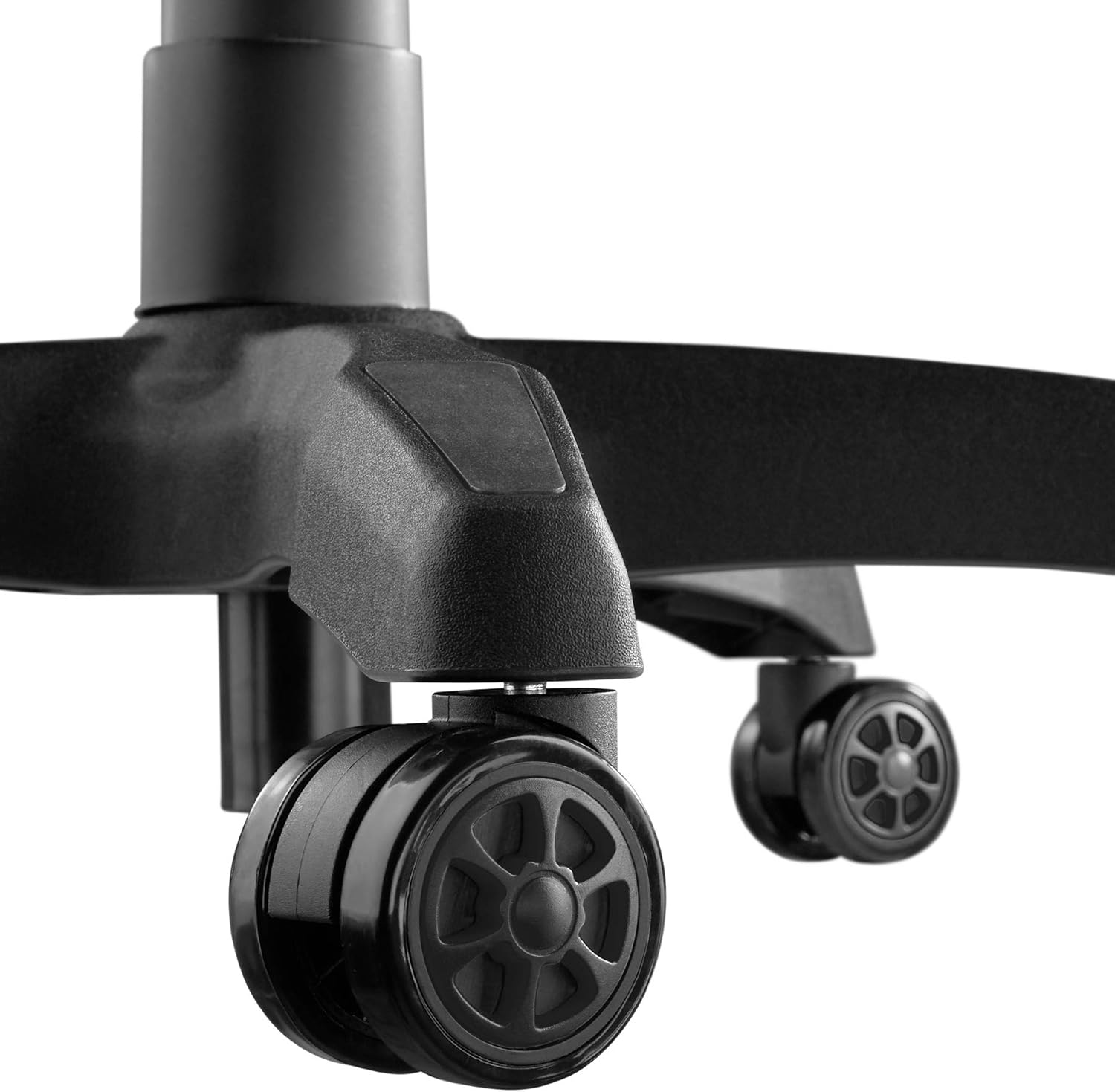
Image 5.5: Durable double casters for smooth mobility.
6. Údržba
6.1. Čištění
- Povrch židle otřete měkkým hadříkemamp tkanina.
- Na odolné skvrny použijte jemný mýdlový roztok a ihned setřete čistým hadříkem.amp hadříkem, poté důkladně osušte.
- Avoid using abrasive cleaners, solvents, or harsh chemicals, as these can damage the PU/PVC material.
- Regularly vacuum or wipe the casters to remove dust and debris that could hinder smooth movement.
6.2. Obecná péče
- Pravidelně kontrolujte všechny šrouby a vruty, zda jsou pevně utažené. V případě potřeby je dotáhněte, aby byla zachována stabilita a bezpečnost.
- Avoid placing heavy objects on the armrests or backrest when not seated.
- Keep the chair away from sharp objects that could puncture or tear the upholstery.
7. Řešení problémů
| Problém | Možná příčina | Řešení |
|---|---|---|
| Židle se kymácí nebo je nestabilní. | Uvolněné šrouby nebo nerovná podlaha. | Zkontrolujte a utáhněte všechny montážní šrouby. Ujistěte se, že židle stojí na rovném a vodorovném povrchu. |
| Židle se nedá nastavit na výšku. | Gas lift lever not engaged or gas lift cylinder faulty. | Ensure the height adjustment lever is fully pulled. If the issue persists, the gas lift may need replacement. Contact support. |
| Kolečka se neotáčejí hladce. | Nečistoty zachycené v kolečkách nebo poškozená kolečka. | Clean casters to remove hair, dust, or other debris. If damaged, replace casters. |
| Opěradlo se nedá sklopit ani zaaretovat. | Recline lever not engaged or mechanism faulty. | Ensure the recline lever is fully pulled/released. Check for any obstructions in the mechanism. |
| Vrzavé zvuky. | Volné spoje nebo tření mezi součástmi. | Utáhněte všechny šrouby. V případě potřeby naneste malé množství silikonového maziva na pohyblivé části, vyhněte se čalounění. |
8. Specifikace

Image 8.1: Key dimensions of the tectake Gaming Chair.
| Funkce | Detail |
|---|---|
| Číslo modelu | 403209 |
| Celkové rozměry (Š x H x V) | Přibližně 68 x 69 x 117.5 - 125 cm (26.8 x 27.2 x 46.3 - 49.2 palce) |
| Výška sedu | Přibližně 42.5 - 50 cm (16.7 - 19.7 palce) |
| Rozměry sedadla (Š x H) | Přibližně 51 x 50 cm (20.1 x 19.7 palce) |
| Tloušťka sedadla | Přibl. 8 cm (3.1 palců) |
| Lumbar Cushion Dimensions (W x D x H) | Přibližně 29 x 7.5 x 19 cm (11.4 x 3.0 x 7.5 palce) |
| Neck Cushion Dimensions (W x D x H) | Přibližně 26 x 10 x 17.5 cm (10.2 x 3.9 x 6.9 palce) |
| Výška opěradla | Přibl. 81 cm (31.9 palců) |
| Úhel sklonu opěradla | 88 - 125 stupňů |
| Armrest Dimensions (W x D) | Přibližně 7.5 x 28 cm (3.0 x 11.0 palce) |
| Výška loketní opěrky od podlahy | Přibližně 57 - 71.5 cm (22.4 - 28.1 palce) |
| Armrest Height Adjustment Range | Přibl. 7 cm (2.8 palců) |
| Star Base Diameter | Přibl. 70 cm (27.6 palců) |
| Caster Diameter/Width | Přibližně 6 cm / 5.6 cm (2.4 palce / 2.2 palce) |
| Maximální nosnost | 120 kg (264 lb) |
| Hmotnost | Přibl. 19 kg (41.9 lb) |
| Materiál | Polyurethane (PU), Polyvinyl Chloride (PVC), Plastic |
| Barva | Černý |
9. Záruka a podpora
For warranty information, replacement parts, or technical support, please refer to the purchase documentation or contact tectake customer service directly. Keep your proof of purchase for any warranty claims.
Contact information for tectake can typically be found on their official webwebu nebo prostřednictvím prodejce, u kterého byl produkt zakoupen.