
1. Úvod
This manual provides detailed instructions for the proper use, setup, and maintenance of your boAt Airdopes 131 Bluetooth Truly Wireless Earbuds. Please read this manual thoroughly before using the product to ensure optimal performance and longevity.

Image 1.1: The boAt Airdopes 131 Truly Wireless Earbuds in Midnight Blue, shown with their charging case.
2. Co je v krabici
Ověřte, zda jsou v balení produktu přítomny všechny níže uvedené položky:
- 1 x boAt Airdopes 131 Truly Wireless Earbuds (Left and Right)
- 1 x nabíjecí pouzdro
- 1 x USB nabíjecí kabel typu C
- 1 x Uživatelská příručka
- 2 x Additional Ear Tips (various sizes)
3. Konec produktuview
The boAt Airdopes 131 are designed for a seamless audio experience. Key features include:
- Skutečně bezdrátový design: Freedom from cables for unrestricted movement.
- Bluetooth v5.0: Stabilní a efektivní bezdrátové připojení.
- IWP™ Technology: Instant Wake N' Pair for automatic connection upon opening the case.
- 13mm dynamické ovladače: For immersive sound quality.
- Multifunction Button Control: Easy management of music, calls, and voice assistant.
- Vestavěný mikrofon: For clear stereo calling.
- Nabíjecí port typu C: For convenient charging of the case.
- Podpora hlasového asistenta: Quick access to your device's voice assistant.

Image 3.1: An illustration of the boAt Airdopes 131 charging case with an earbud, highlighting features like IWP Technology, Bluetooth V5.0, 650mAh battery, Type-C charging, Instant Voice Assistant, and Multifunction Controls.
4. Nastavení
4.1 Nabíjení zařízení
Before initial use, ensure both the charging case and earbuds are fully charged.
4.1.1 Nabíjení pouzdra
- Připojte nabíjecí kabel USB typu C k nabíjecímu portu na pouzdře.
- Druhý konec kabelu připojte k napájecímu adaptéru USB (není součástí balení) nebo k portu USB počítače.
- LED indikátory na pouzdře budou zobrazovat stav nabíjení. Úplné nabití obvykle trvá přibližně 1.5 hodiny.
4.1.2 Nabíjení sluchátek
- Vložte sluchátka do příslušných slotů v nabíjecím pouzdře.
- Ensure the case has sufficient charge or is connected to a power source.
- The earbuds will begin charging automatically. The LED indicators on the earbuds will confirm charging status.

Image 4.1: The boAt Airdopes 131 earbuds illustrating the ASAP Charge feature, providing 90 minutes of playback from a 5-minute charge.
The Airdopes 131 offer up to 3 hours of playback per earbud charge and an additional 12 hours with the charging case. With ASAP™ Charge, 5 minutes of charging can provide up to 90 minutes of playback.
4.2 Initial Pairing (IWP™ Technology)
The Airdopes 131 feature Instant Wake N' Pair (IWP™) Technology for quick and effortless connection.
- Ensure the earbuds are inside the charging case and the case is charged.
- Otevřete víko nabíjecího pouzdra. Sluchátka se automaticky zapnou a přejdou do režimu párování.
- Na smartphonu nebo zařízení s podporou Bluetooth otevřete nastavení Bluetooth.
- Hledat "Airdopes 131" in the list of available devices and select it to connect.
- Once connected, you will hear an audio prompt, and the LED indicators on the earbuds will change.

Image 4.2: A visual representation of the IWP Technology, showing a smartphone displaying a pairing notification for "Airdopes 131" as the charging case lid is opened.
4.3 Connecting to a New Device
To connect to a different device, first disconnect from the currently paired device. Then, follow the initial pairing steps (Section 4.2) to connect to the new device.
5. Návod k obsluze
The Airdopes 131 feature intuitive multifunction button controls on each earbud.
5.1 Zapnutí/vypnutí
- Zapnutí: Open the charging case lid (IWP™ Technology) or long-press the Multifunction Button on both earbuds for 3 seconds.
- Vypnout: Place the earbuds back into the charging case and close the lid, or long-press the Multifunction Button on both earbuds for 5 seconds.
5.2 Ovládání hudby
- Přehrát/pozastavit: Single tap the Multifunction Button on either earbud.
- Další skladba: Double tap the Multifunction Button on the right earbud.
- Předchozí skladba: Double tap the Multifunction Button on the left earbud.
5.3 Ovládání hovorů
- Přijmout/ukončit hovor: Single tap the Multifunction Button on either earbud.
- Odmítnout hovor: Long press the Multifunction Button on either earbud for 2 seconds.
5.4 Hlasový asistent
Activate your device's voice assistant (e.g., Google Assistant, Siri) with a single press.
- Aktivovat Voice Assistant: Single press the Multifunction Button on either earbud.
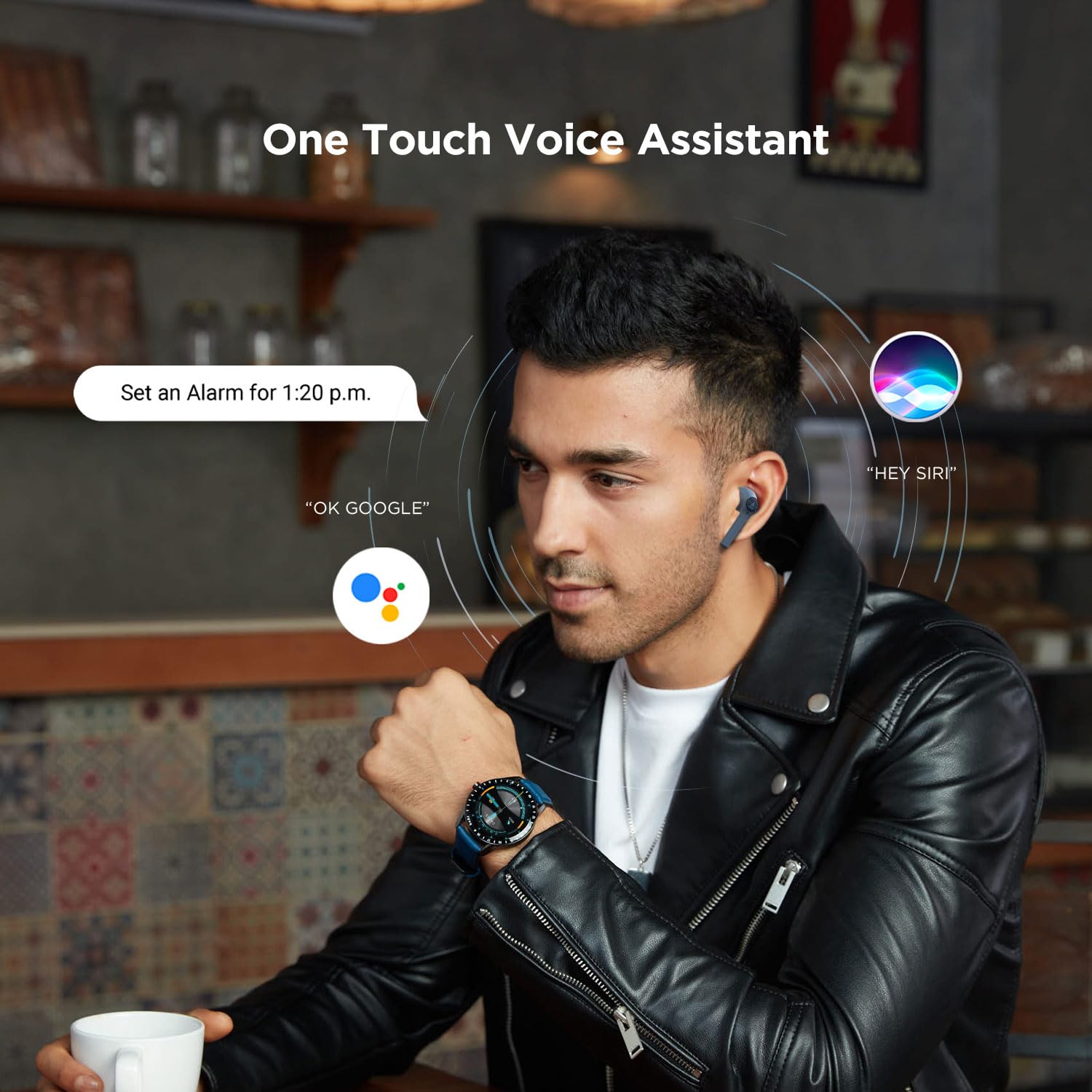
Image 5.1: A user interacting with a voice assistant via the boAt Airdopes 131 earbuds, demonstrating the "One Touch Voice Assistant" feature.
6. Údržba
Proper maintenance ensures the longevity and optimal performance of your Airdopes 131.
6.1 Čištění
- K čištění sluchátek a nabíjecího pouzdra použijte měkký, suchý hadřík, který nepouští vlákna.
- Nepoužívejte agresivní chemikálie, čisticí rozpouštědla ani silné čisticí prostředky.
- Zabraňte vniknutí vlhkosti do jakýchkoli otvorů.
6.2 Skladování
- Pokud sluchátka nepoužíváte, uložte je do nabíjecího pouzdra, aby byla chráněna a zůstávala nabitá.
- Přístroj skladujte na chladném a suchém místě, mimo dosah extrémních teplot a přímého slunečního záření.
6.3 Péče o baterii
- To preserve battery life, charge the device regularly, even if not in frequent use.
- Vyhněte se častému úplnému vybíjení baterie.
7. Řešení problémů
If you encounter issues with your Airdopes 131, refer to the following common solutions:
| Problém | Řešení |
|---|---|
| Sluchátka se nespárují se zařízením. |
|
| Funguje pouze jedno sluchátko. |
|
| Nabíjecí pouzdro se nenabíjí. |
|
| Nízká hlasitost nebo špatná kvalita zvuku. |
|
8. Specifikace
| Funkce | Detail |
|---|---|
| Název modelu | Airdopes 131 |
| Technologie připojení | Bluetooth |
| Technologie bezdrátové komunikace | Skutečně bezdrátové |
| Verze Bluetooth | 5.0 |
| Dosah Bluetooth | 10 metrů |
| Typ zvukového ovladače | Dynamický měnič (13 mm) |
| Frekvenční rozsah | 20Hz-20kHz |
| Životnost baterie sluchátek | Až 3 hodin na jedno nabití |
| Celková doba přehrávání (s pouzdrem) | Až 12 hodin |
| Doba nabíjení (pouzdro) | Přibližně 1.5 hodin |
| Nabíjecí port | USB Type-C |
| Formát mikrofonu | Vestavěný |
| Typ ovládání | Multifunction Button, Voice Control |
| Úroveň odolnosti proti vodě | Vodě odolný |
| Hmotnost položky | 7 gramů (sluchátka) |
| Rozměry produktu | 5.3 x 2.5 x 2.5 cm |
| Materiál | Plast |
| Kompatibilní zařízení | iOS, Android, Windows |
9. Záruka a podpora
For warranty information and customer support, please refer to the official boAt webwebu nebo se přímo obraťte na jejich zákaznický servis.
- Oficiální Webmísto: Navštivte Obchod boAt na Amazonu pro informace o produktech a podporu.
- Služby zákazníkům: Contact boAt customer support for technical assistance, warranty claims, or service inquiries.

Image 9.1: A smartphone displaying the boAt Hearables App with a QR code for scanning and exploring. The app offers features like streaming music, listening to audiobooks, and accessing user help guides. Scan the QR code to access the app: https://l.ead.me/bdAX6k