
Zavedení
Thank you for choosing the DEPSTECH D04 1080P HD Webkamera. Tato příručka obsahuje základní informace pro nastavení, provoz a údržbu vaší webcam to ensure optimal performance. The D04 webcam is designed to deliver sharp, crystal-clear video and natural audio for various applications, including video conferencing, online teaching, streaming, and gaming.
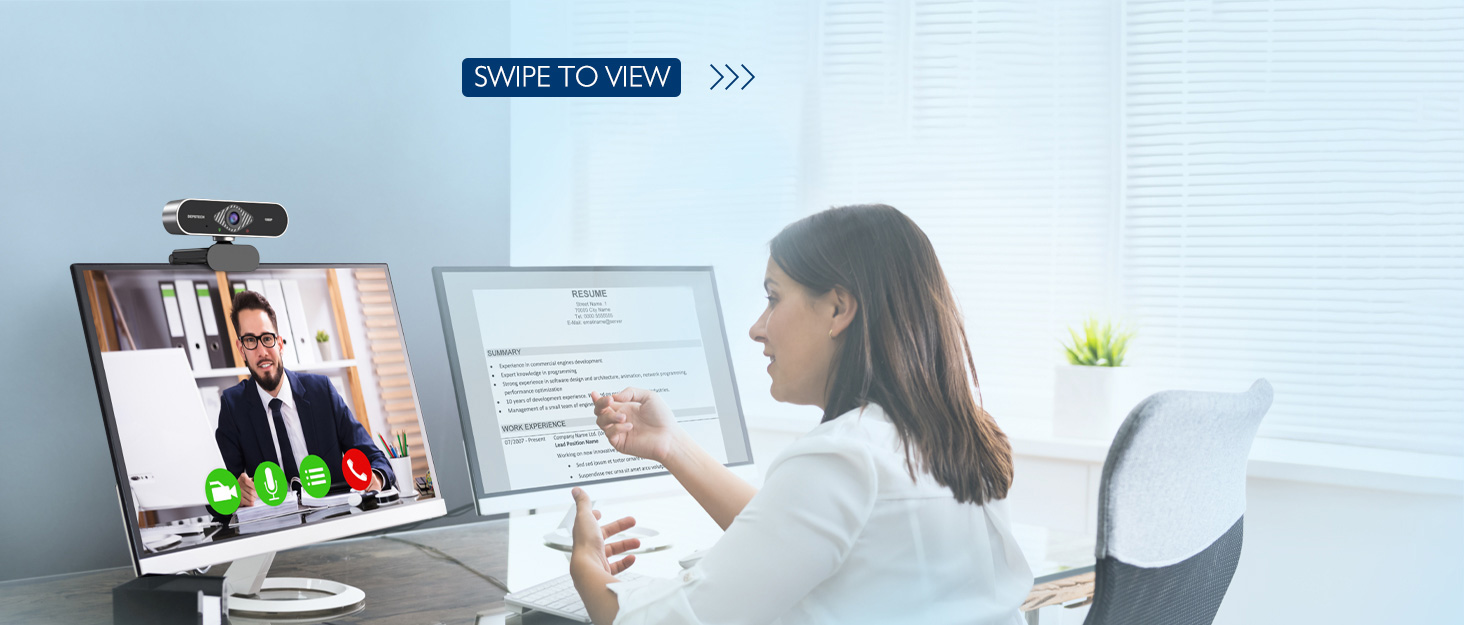
Image: DEPSTECH D04 Webcam in use for a video conference.
Klíčové vlastnosti:
- Video v plném HD rozlišení 1080P: Delivers sharp and crystal-clear video at 30 frames per second with a 6-layer glass HD lens and 1/2.9” CMOS image sensor.
- Stereo Microphone with Noise Reduction: Features an automatic noise reduction function for clearer and more natural sound, even in noisy environments.
- Automatic Light Correction & HDR: Ensures excellent video quality even in dimly lit conditions.
- Zapoj a hraj: No additional drivers or software required for most operating systems.
- Široká kompatibilita: Works with MAC OS, Windows XP/7/8/10, and popular applications like Skype, YouTube, Yahoo!, and Zoom.
Obsah balení
- DEPSTECH D04 Webvačka
- Mini stativ
- Ochrana osobních údajů
- Uživatelská příručka
Pokyny pro nastavení
1. Placement of the Webvačka
DEPSTECH D04 webcam features a flexible mounting clip that allows it to be placed on various devices or surfaces.
- Na obrazovce monitoru/notebooku: Otevřete klip a umístěte webcam on top of your monitor or laptop screen. Adjust the angle so the camera is stable and facing you.
- Na stativu: Připojte webcam to the included mini tripod using the universal screw mount at the bottom of the clip. Place the tripod on a flat surface.
- Na rovném povrchu: The clip can also be folded to create a stand, allowing the webcam to sit directly on your desk or shelf.

Obraz: Webcam mounted on a laptop screen.

Obraz: Webcam mounted on a tripod.
2. Připojení Webvačka
DEPSTECH D04 webcam is a plug-and-play device, requiring no additional driver installation for most operating systems.
- Připojte kabel USB z webcam to an available USB port on your computer (desktop or laptop).
- Wait for your operating system to automatically detect and install the device. This usually takes a few seconds.
- Once detected, the webcam is ready for use with your preferred video communication or recording software.
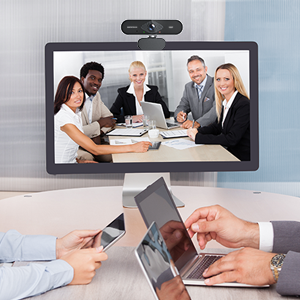
Image: USB connection for the webvačka.
Návod k obsluze
1. Pomocí Webcam with Software
After connecting, your DEPSTECH D04 webcam will be recognized as a standard video and audio input device by most applications.
- Open your desired video conferencing, streaming, or recording application (e.g., Zoom, Skype, OBS, YouTube, Facetime).
- Navigate to the application's settings or preferences, usually under 'Audio' and 'Video' sections.
- Select "DEPSTECH D04 Webcam" or "USB 2.0 Camera" as your video input device.
- Select "USB 2.0 Camera Audio" as your microphone input device.
- Adjust video and audio settings as needed within the application.

Image: User engaged in a video call with the webvačka.
2. Ochrana osobních údajů
The webcam includes a privacy cover for enhanced security and peace of mind. Slide the cover over the lens when the webcam is not in use to prevent accidental recordings or unauthorized access.

Obraz: Webcam with the privacy cover closed.
3. Kontrolky
The webcam features indicator lights to show its status:
- Zelené světlo: Indicates the camera is active and in use by an application.
- Červené světlo: Označuje webcam is powered on and connected.
Údržba
To ensure the longevity and optimal performance of your DEPSTECH D04 webvačky, dodržujte tyto pokyny pro údržbu:
- Čištění objektivu: Gently wipe the lens with a soft, lint-free cloth. Avoid using harsh chemicals or abrasive materials that could scratch the lens.
- Čištění těla: K čištění vnějších částí používejte měkký, suchý hadřík webvačka.
- Skladování: Pokud se nepoužívá, zejména po delší dobu, uložte jej webcam in a clean, dry place. Use the privacy cover to protect the lens.
- Vyhněte se extrémním podmínkám: Nevystavujte webVystavujte extrémním teplotám, vlhkosti nebo přímému slunečnímu záření.
Odstraňování problémů
If you encounter issues with your DEPSTECH D04 webvačky, viz následující běžná řešení:
- WebKamera nebyla detekována:
- Zkuste připojit webkameru k jinému USB portu na vašem počítači.
- Restartujte počítač.
- Ujistěte se, že je kabel USB pevně připojen.
- Check your operating system's device manager (Windows) or System Information (Mac) to see if the webkamera je uvedena.
- Žádné video/Černá obrazovka:
- Make sure the privacy cover is open.
- Ověřte, že webV nastavení aplikace je jako vstupní video zařízení vybrána kamera.
- Zavřete a znovu otevřete aplikaci.
- Žádný zvuk/Špatná kvalita zvuku:
- Ensure "USB 2.0 Camera Audio" is selected as the microphone input in your application's settings.
- Zkontrolujte nastavení zvuku počítače a ujistěte se, že je mikrofon zapnutý a není ztlumený.
- Adjust the microphone input volume in your application or system settings.
- Špatná kvalita videa:
- Ensure you have adequate lighting in your environment. The webcam has auto light correction, but good ambient light helps.
- Vyčistěte webvačková čočka.
- Check your internet connection speed if streaming or video conferencing.
Specifikace
| Značka | DEPSTECH |
| Číslo modelu | D04 |
| Rozlišení záznamu videa | 1080p |
| Rychlost snímání obrazu | 30 snímků za sekundu |
| Technologie fotosenzoru | CMOS (1/2.9” CMOS image sensor) |
| Typ zaměření | Pevné zaostření |
| Typ objektivu | Široký úhel |
| Technologie připojení | USB |
| Podporovaný formát zvuku | Stereo |
| Speciální funkce | Auto Light Correction, Noise Canceling Microphone, Tripod and Privacy Cover Included |
| Kompatibilita operačního systému | Mac OS, Windows XP/7/8/10 |
| Barva | Černý |
Informace o záruce
DEPSTECH D04 Webkamera je dodávána s 1 rok záruka from the date of purchase. This warranty covers manufacturing defects and ensures the product is free from defects in material and workmanship under normal use. Please retain your proof of purchase for warranty claims. The warranty does not cover damage caused by misuse, accident, unauthorized modification, or external causes.
Podpora
For further assistance, technical support, or warranty inquiries, please contact DEPSTECH customer service. You can typically find contact information on the official DEPSTECH webwebu nebo prostřednictvím prodejce, u kterého jste produkt zakoupili.
Please have your model number (D04) and proof of purchase ready when contacting support.