
1. Konec produktuview
The Billboard BB425 Gaming Headset is designed for an immersive audio experience across various gaming platforms. It features a boom microphone for clear communication, enhanced bass for rich sound, and convenient in-line controls for volume adjustment and instant muting. The headset is lightweight and adjustable, ensuring a comfortable fit during extended use, and comes with a durable fabric cord.
- Výložníkový mikrofon: Pro jasnou hlasovou komunikaci.
- Vylepšené basy: Nabízí bohatý zvukový zážitek.
- Ovládání přímo v síti: Easily adjust volume and mute the microphone.
- Nastavitelný design: Lightweight and comfortable for prolonged gaming sessions.
- Durable Fabric Cord: Designed for longevity.
2. Pokyny k nastavení
Follow these steps to connect your Billboard BB425 Gaming Headset to your device.
- Identifikujte konektory: The headset features a single 3.5mm TRRS jack for combined audio and microphone functionality. An included Y-splitter cable separates this into two 3.5mm TRS jacks: one for audio output (typically green) and one for microphone input (typically pink).
- For Devices with a Single 3.5mm Port (e.g., most laptops, gaming controllers, smartphones):
- Plug the headset's single 3.5mm TRRS jack directly into your device's combined audio/microphone port.
- For Devices with Separate Audio and Microphone Ports (e.g., most desktop PCs):
- Connect the headset's single 3.5mm TRRS jack into the female end of the Y-splitter cable.
- Plug the audio output jack (often green) of the Y-splitter into your device's audio output port.
- Plug the microphone input jack (often pink) of the Y-splitter into your device's microphone input port.
- Upravit Fit: Place the headset over your ears and adjust the headband for a comfortable and secure fit. Position the boom microphone near your mouth for optimal voice pickup.
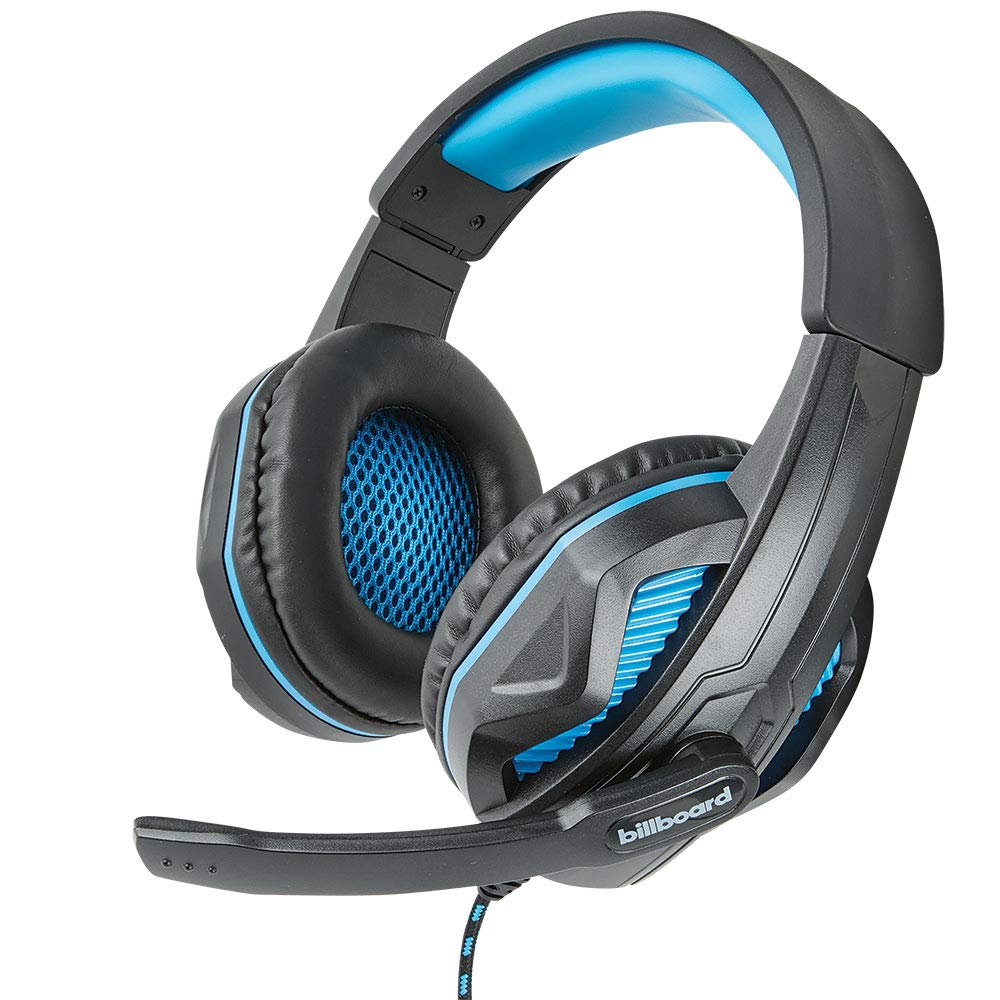
Image: The Billboard BB425 Gaming Headset's braided cable, in-line control unit, and the included Y-splitter cable with two 3.5mm TRS jacks for separate audio and microphone connections.
3. Návod k obsluze
The in-line control unit provides easy access to essential audio functions.
- Ovládání hlasitosti: Use the scroll wheel on the in-line control unit to adjust the audio volume. Scroll up to increase volume and down to decrease it.
- Ztlumení mikrofonu: The in-line control unit features a switch to mute or unmute the microphone. Slide the switch to the "OFF" position to mute your microphone, and to the "ON" position to enable it.
- Boom Microphone Adjustment: The flexible boom microphone can be positioned closer or further from your mouth to optimize voice clarity.
4. Údržba a péče
Správná péče prodlouží životnost vašich sluchátek.
- Čištění: K otření sluchátek použijte měkký, suchý hadřík. V případě náušníků použijte mírněamp Lze použít hadřík s jemným mýdlem, ale před použitím se ujistěte, že je zcela suchý. Nepoužívejte agresivní chemikálie ani abrazivní čisticí prostředky.
- Skladování: Sluchátka skladujte na čistém a suchém místě mimo dosah extrémních teplot a přímého slunečního záření. Zabraňte zamotání kabelu.
- Zacházení: Netahejte za kabel, abyste odpojili sluchátka. Vždy pevně uchopte zástrčku. Zabraňte pádu sluchátek z náruče nebo jejich vystavení silným nárazům.
5. Řešení problémů
If you encounter issues with your Billboard BB425 Gaming Headset, refer to the following common solutions.
- Žádný zvuk nebo nízká hlasitost:
- Ensure the headset's 3.5mm jack(s) are fully inserted into the correct port(s) on your device.
- Check the in-line volume control wheel and adjust it to an audible level.
- Verify your device's audio output settings. Ensure the headset is selected as the default playback device.
- Vyzkoušejte sluchátka s mikrofonem s jiným zařízením, abyste vyloučili problém s konkrétním zařízením.
- Mikrofon nefunguje:
- Ensure the microphone mute switch on the in-line control unit is in the "ON" position.
- If using the Y-splitter, ensure the microphone jack (typically pink) is correctly plugged into your device's microphone input port.
- Check your device's microphone input settings. Ensure the headset microphone is selected as the default recording device and that its input volume is not muted or set too low.
- Vyzkoušejte mikrofon s jinou aplikací nebo zařízením.
- Static or Distorted Audio:
- Ujistěte se, že všechna připojení jsou bezpečná a bez prachu nebo nečistot.
- Try connecting the headset to a different audio port or device to check if the issue persists.
- Avoid placing the cable near strong electromagnetic interference sources.
6. Specifikace
| Funkce | Detail |
|---|---|
| Název modelu | BB425 |
| Značka | Billboard |
| Technologie připojení | Kabelové |
| Jack pro sluchátka | Zásuvka 3.5 mm |
| Umístění uší | Přes ucho |
| Form Factor | Na uchu |
| Kompatibilní zařízení | Gaming Consoles, Desktops, Laptops, Telephones |
| Speciální funkce | Enhanced bass |
| Typ ovládání | In-line control (Volume, Mute) |
| Funkce kabelu | Retractable, Durable Fabric Cord |
| Materiál | Plast |
| Barva | Černý |
| Rozměry produktu | 25.15 x 22.86 x 8.89 cm |
| Hmotnost položky | 386 g |
| Jsou vyžadovány baterie | Žádný |
7. Informace o záruce
This product is covered by a manufacturer's warranty. For specific details regarding warranty coverage, duration, and terms, please refer to the warranty card included with your product or visit the official Billboard webUschovejte si účtenku jako doklad o koupi pro případné reklamace.
8. Zákaznická podpora
If you require further assistance or have questions not addressed in this manual, please contact Billboard customer support. Contact information can typically be found on the product packaging or the official Billboard webmísto.
Výrobce: Pouzdra a příslušenství ESI