
Zavedení
Thank you for choosing the Perixx PERIBOARD-317 Backlit USB Keyboard. This full-size wired keyboard is designed for comfortable daily typing, featuring large print keys and white LED backlighting for enhanced visibility in various lighting conditions. Its low-profile keys offer a quiet and responsive typing experience. This manual provides essential information for setting up, operating, maintaining, and troubleshooting your keyboard.
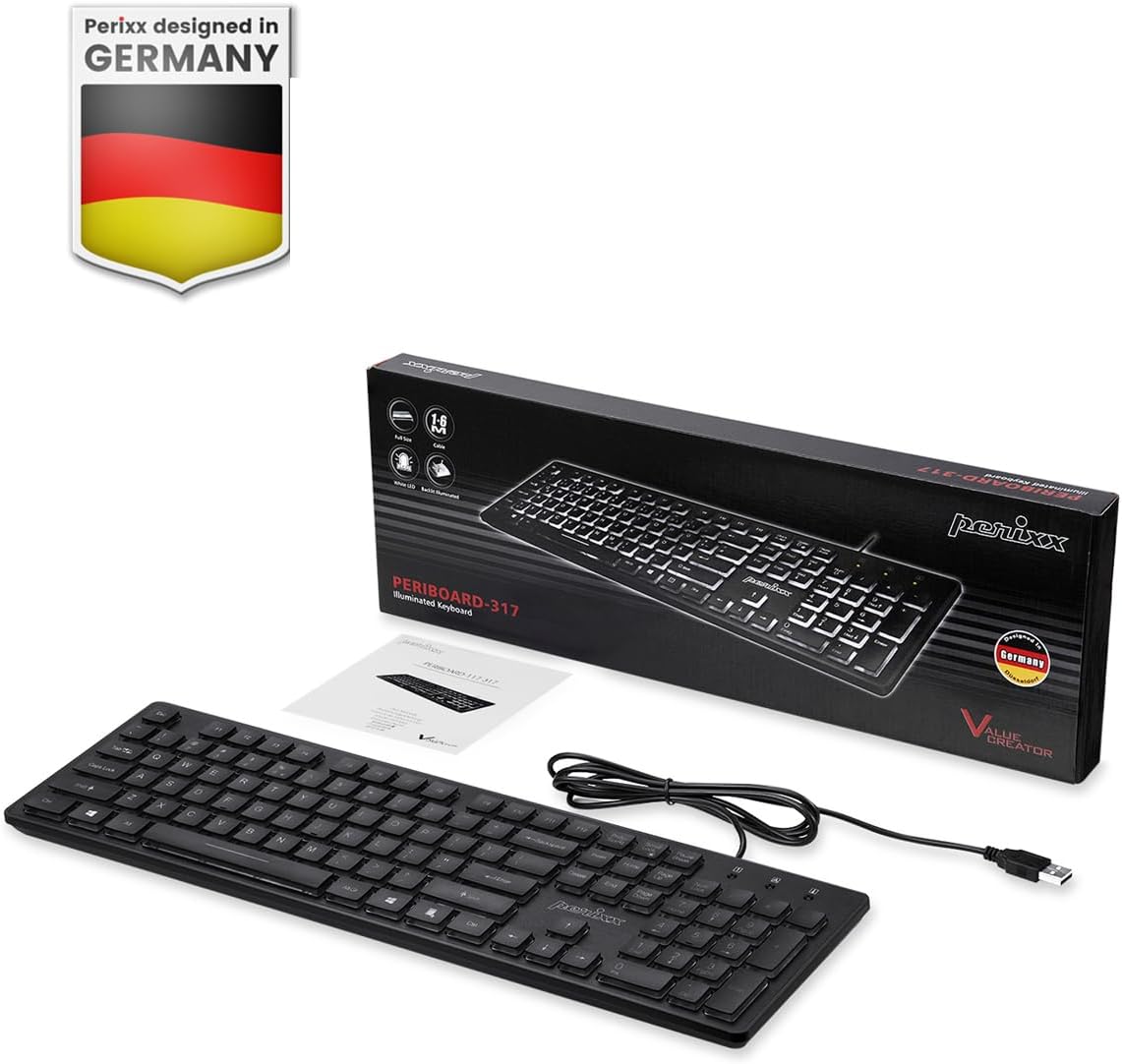
Image: Perixx PERIBOARD-317 keyboard and its contents.
1. Nastavení
1.1 Obsah balení
- Perixx PERIBOARD-317 Keyboard
- Uživatelská příručka
1.2 Systémové požadavky
- Compatible with Windows 7, 8, 10, and 11.
- Dostupný port USB-A.
1.3 Připojení klávesnice
- Unpack the Perixx PERIBOARD-317 keyboard from its packaging.
- Vyhledejte v počítači volný port USB-A.
- Plug the USB-A cable of the keyboard into the USB-A port on your computer.
- The keyboard is plug-and-play; no additional drivers or software installation is required. Your computer will automatically detect and configure the device.

Image: Connecting the Perixx PERIBOARD-317 keyboard via USB.
2. Návod k obsluze
2.1 Základy psaní
The Perixx PERIBOARD-317 features a standard full-size Italian QWERTY layout with 105 keys. The large print characters on the keys are designed for improved visibility, making typing easier for users with visual impairments or in low-light environments.

Image: Large print keys for enhanced visibility.
2.2 ovládání podsvícení
The keyboard is equipped with a bright, uniformly distributed white LED backlight. This feature allows for comfortable typing in dimly lit conditions.
- Turning On/Off the Backlight: Locate the backlight control key (often indicated by a sun or light bulb icon, or a dedicated function key combination). Press this key to toggle the backlight on or off.
- Nastavení jasu: If available, use the designated brightness control keys (often function keys combined with Fn) to increase or decrease the backlight intensity.

Image: White LED backlighting for clear visibility.

Image: Easy typing in low-light conditions with the illuminated keys.
2.3 Scroll Lock and Backlight Interaction
Please note the interaction between the backlight and the Scroll Lock function:
- When the backlight is active, the Scroll Lock function is disabled.
- When the backlight is turned off, the Scroll Lock function is enabled.
2.4 Zkušenosti s psaním
Nízký profíkfile keys with wider surfaces provide a responsive, quiet, and precise typing experience. The high-quality ABS key printing is designed to resist wear, and the membrane switches are rated for 5 million keystrokes.

Image: Quiet and responsive typing experience.

Obrázek: Low-profile chiclet keys for comfortable typing.
3. Údržba
3.1 Čištění klávesnice
Pro zachování výkonu a vzhledu klávesnice:
- Před čištěním odpojte klávesnici od počítače.
- Použijte měkký hadřík, který nepouští vlákna dampKlávesy a povrch otřete vodou nebo jemným čisticím roztokem.
- Nestříkejte tekutiny přímo na klávesnici.
- Pro odstranění prachu a nečistot mezi klávesami použijte stlačený vzduch.
3.2 Skladování
Pokud klávesnici delší dobu nepoužíváte, skladujte ji v suchém prostředí mimo dosah extrémních teplot a přímého slunečního záření.
4. Řešení problémů
4.1 Klávesnice nereaguje
- Ujistěte se, že je kabel USB bezpečně zapojený do portu USB klávesnice i počítače.
- Zkuste zapojit klávesnici do jiného USB portu na počítači.
- Restartujte počítač.
- Otestujte klávesnici na jiném počítači, abyste zjistili, zda je problém s klávesnicí nebo s počítačem.
4.2 Podsvícení nefunguje
- Ensure the backlight is turned on using the dedicated backlight control key.
- Check if the brightness level is set too low. Adjust it using the brightness control keys.
- Verify that the Scroll Lock function is not interfering (refer to section 2.3).
4.3 Keys Not Registering or Repeating
- Vyčistěte postižené klávesy podle pokynů v části Údržba.
- Ensure no debris is lodged under the keycap.
- If the issue persists, it may indicate a hardware problem. Refer to the Warranty and Support section.
5. Specifikace
| Funkce | Detail |
|---|---|
| Značka | Perixx |
| Název modelu | PERIBOARD-317 IT B |
| Číslo modelu | 11629 |
| Technologie připojení | USB (kabelové) |
| Popis klávesnice | Full-size, Backlit |
| Doporučená použití | Daily use, study |
| Speciální funkce | Backlit (White LED), Large Print Keys |
| Keyboard Backlight Color Support | Jednobarevné |
| Rozměry produktu (D x Š x V) | 44L x 12.9W x 2.7H cm |
| Zdroj napájení | Elektrický kabel |
| Typ přepínače | Linear (Membrane) |
| Rozložení klávesnice | QWERTY (Italian) |
| Počet klíčů | 105 |
| Kompatibilní operační systémy | Windows 7, 8, 10, 11 |
| Materiál bydlení | ABS plast |
| Hmotnost položky | 530 gramů |
| Výrobce | Perixx |
| Číslo dílu výrobce | PB-317IT-11629 |
| Země původu | Čína |
6. Záruka a podpora
6.1 Informace o záruce
The Perixx PERIBOARD-317 keyboard is covered by a limited 24-month warranty from the date of purchase. This warranty covers manufacturing defects and workmanship under normal use.
6.2 How to Obtain Support
For warranty claims, technical assistance, or product inquiries, please visit the official Perixx website. Warranty replacement requests (RMA) are generally processed within 48-72 hours.
Pro více informací navštivte: www.perixx.com

Image: Perixx - Designed in Germany.