
Avant AV7730
Uživatelská příručka k přenosnému odpařovacímu chladiči vzduchu Avant
Model: AV7730
Zavedení
Thank you for choosing the Avant Portable Evaporative Air Cooler. This manual provides important information regarding the safe operation, installation, maintenance, and troubleshooting of your new appliance. Please read this manual thoroughly before use and keep it for future reference.
This evaporative air cooler is designed to provide cooling, humidification, and air purification, offering a comfortable environment in your home or office.
Bezpečnostní pokyny
- Always place the unit on a stable, level surface to prevent water spillage.
- Neponořujte spotřebič, kabel ani zástrčku do vody nebo jiných kapalin.
- Ujistěte se, že napájecí zdroj odpovídá objtaguvedené na štítku s výkonem (230 V).
- Před čištěním, plněním nebo prováděním jakékoli údržby odpojte jednotku ze zásuvky.
- Udržujte spotřebič mimo dosah dětí a domácích zvířat.
- Neblokujte vstup ani výstup vzduchu.
- Spotřebič nepoužívejte, pokud je poškozen napájecí kabel nebo zástrčka.
- Pouze pro vnitřní použití.
Konec produktuview
Familiarize yourself with the components of your Avant Portable Evaporative Air Cooler.

Obrázek 1: Přední strana view of the Avant Portable Evaporative Air Cooler, showing the air outlet and water level indicator.

Obrázek 2: Detailní přední strana view highlighting the Avant logo and air grille.

Obrázek 3: Zadní view of the unit, showing the removable filter panel and water tank access.
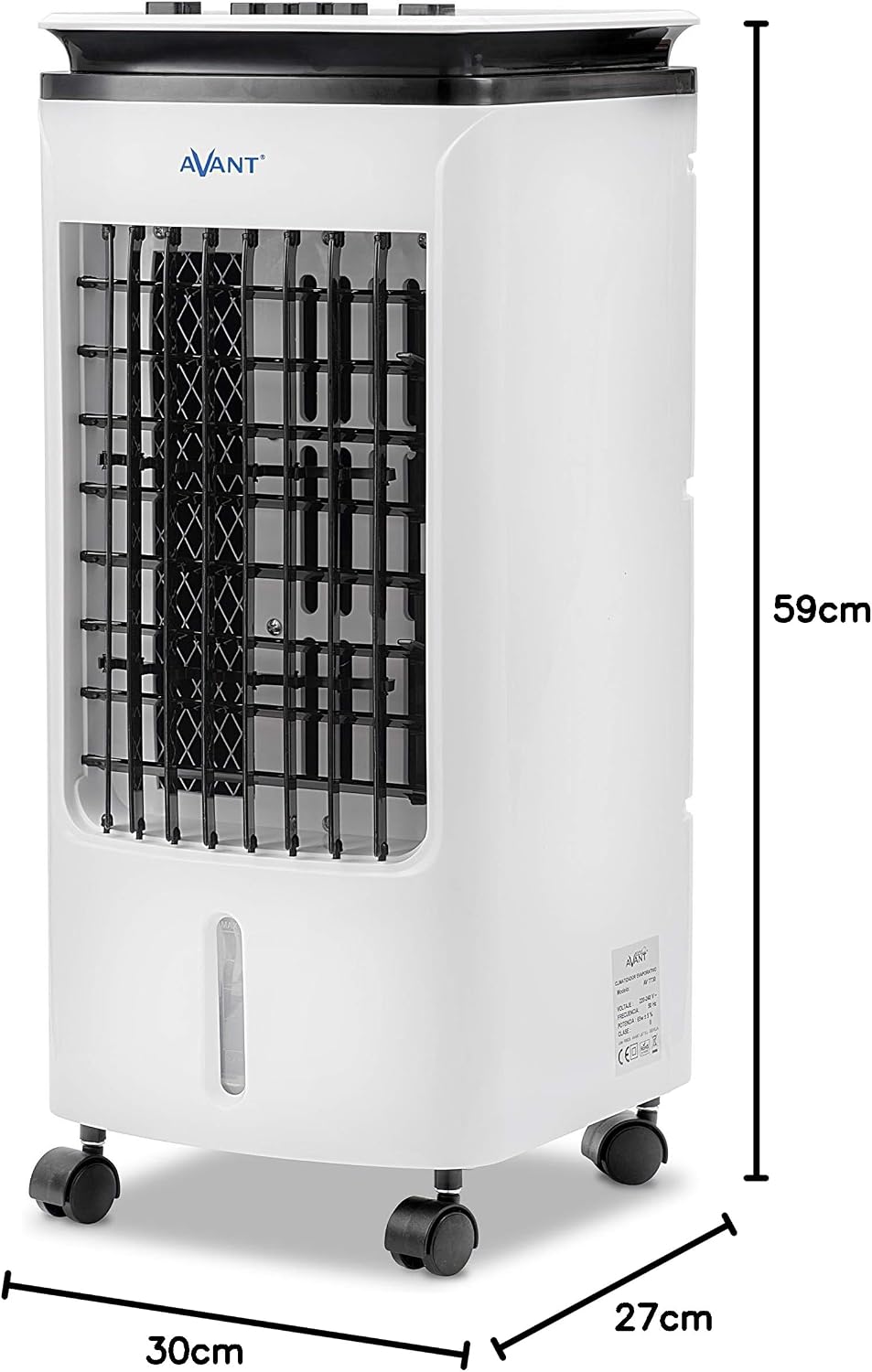
Figure 4: Product dimensions: 59cm height, 30cm width, 27cm depth.
Nastavení
1. Vybalování
Carefully remove the air cooler from its packaging. Retain the packaging materials for future storage or transport if needed. Check for any signs of damage. If the unit is damaged, do not operate it and contact customer support.
2. Umístění
Place the air cooler on a firm, level surface. Ensure there is adequate space around the unit for proper airflow. The unit is equipped with wheels for easy mobility.

Obrázek 5: Přample of proper placement in a room, ensuring clear space for air circulation.
3. Naplnění vodní nádrže
The unit has a 4-liter water tank. For cooling and humidification, fill the tank with clean water. You can add ice packs (included) to the water tank for enhanced cooling effect.
- Locate the water tank access at the rear of the unit.
- Carefully pour water into the tank, ensuring not to exceed the "MAX" fill line.
- The water tank is integrated and not removable for filling. Use a pitcher or similar container to pour water.

Figure 6: Image collage demonstrating how to access the filter, fill the water tank, and view ovládací panel.
4. Připojení napájení
Zapojte napájecí kabel do standardní elektrické zásuvky (230 V AC).
Návod k obsluze
Ovládací panel
Ovládací panel se nachází na horní straně jednotky.

Obrázek 7: Detailní view tlačítek ovládacího panelu.
- Cooler ON/OFF: Press to activate or deactivate the evaporative cooling function. When activated, water is pumped from the tank to moisten the cooling pad, providing a cooler airflow. Note: "No water use is prohibited" indicates a safety feature or warning related to operating the cooler function without water. Ensure sufficient water in the tank before activating.
- Speed (Low, Mid, High): Press the respective button to select the desired fan speed.
- Nízký: For quiet operation and gentle airflow.
- Střední: For moderate cooling and airflow.
- Vysoký: For maximum cooling and airflow.
- Swing ON/OFF: Press to activate or deactivate the automatic oscillation of the vertical louvers, distributing air across a wider area.
Provozní režimy
The unit functions as a fan, a cooler (humidifier), and an air purifier.

Figure 8: The Avant Air Cooler offers 3-in-1 functionality: cooling, humidifying, and purifying the air.
- Režim ventilátoru: The unit operates as a standard fan, circulating air without humidification. Select your desired fan speed.
- Cooler Mode (Evaporative Cooling & Humidification): Activate the "Cooler" function. This mode uses water evaporation to cool and humidify the air. Ensure the water tank is filled.
- Čištění vzduchu: The unit's filter system helps to purify the air by trapping dust and other particles.
Údržba
Pravidelná údržba zajišťuje optimální výkon a prodlužuje životnost vašeho vzduchového chladiče. Před čištěním vždy odpojte jednotku ze zásuvky.
1. Čištění nádrže na vodu
To prevent mold and mildew growth, clean the water tank regularly, especially if the unit is not used for extended periods. The water tank is integrated and cannot be fully removed, requiring careful cleaning.
- Odpojte jednotku.
- Drain any remaining water from the tank. The unit must be tilted or carefully moved to a drain for complete emptying.
- Wipe the inside of the tank with a soft cloth and a mild detergent solution.
- Rinse thoroughly with clean water, ensuring no detergent residue remains.
- Před opětovným naplněním nebo uložením jednotky nechte nádrž zcela vyschnout.
2. Cleaning the Cooling Pad/Filter
The cooling pad (evaporative filter) should be cleaned periodically to maintain efficiency.

Figure 9: The cooling pad is accessible from the rear panel for cleaning or replacement.
- Odpojte jednotku.
- Open the rear panel to access the cooling pad.
- Carefully remove the cooling pad.
- Rinse the cooling pad under running water to remove dust and mineral deposits. For stubborn deposits, soak in a mild descaling solution (e.g., vinegar and water) for 30 minutes, then rinse thoroughly.
- Allow the cooling pad to air dry completely before reinserting it into the unit.
- Close the rear panel securely.
3. Čištění exteriéru
Otřete vnější část jednotky měkkým, damp tkanina. Nepoužívejte abrazivní čisticí prostředky nebo rozpouštědla.
4. Skladování
If storing the unit for an extended period, ensure the water tank and cooling pad are completely dry. Store the unit in a cool, dry place, preferably in its original packaging.
Odstraňování problémů
Než kontaktujete zákaznickou podporu, přečtěte si prosím následujícího průvodce řešením běžných problémů.
| Problém | Možná příčina | Řešení |
|---|---|---|
| Jednotka se nezapne. | Žádné napájení. | Zkontrolujte, zda je napájecí kabel bezpečně zapojený do funkční zásuvky. |
| Žádný chladný vzduch/zvlhčování. | Water tank is empty or low. Cooler function not activated. Cooling pad is dry or clogged. | Fill the water tank. Press the "Cooler" button. Clean or replace the cooling pad. |
| Slabé proudění vzduchu. | Air inlet/outlet blocked. Fan speed set too low. | Ensure nothing is obstructing the air vents. Increase fan speed. |
| Nepříjemný zápach. | Stagnant water in tank. Dirty cooling pad. | Drain and clean the water tank thoroughly. Clean the cooling pad. Use fresh water. |
| Jednotka je hlučná. | Unit not on a level surface. Internal components vibrating. | Ensure the unit is on a flat, stable surface. If noise persists, contact customer support. |
Specifikace
| Číslo modelu | AV7730 |
| Rozměry (V x Š x H) | 59 x 30 x 27 cm |
| Hmotnost | 5.09 kg |
| Spotřeba energie | 65 W |
| svtage | 230V AC |
| Kapacita vodní nádrže | 4 litrů |
| Doporučená oblast pokrytí | Až 20 metrů čtverečních |
| Barva | Bílý |
| Zahrnuté komponenty | Kola |
Záruka a podpora
For warranty information, please refer to the documentation provided at the time of purchase. If you encounter any issues not covered in this manual or require further assistance, please contact Avant customer support.
You can find contact details on the official Avant webwebu nebo prostřednictvím svého prodejce.
Ask a question about this manual
Ask about setup, troubleshooting, compatibility, parts, safety, or missing instructions. Manuals+ will review the question and use this page’s manual context to help answer it.