
AIRPLUS AP602
Uživatelská příručka odvlhčovače AIRPLUS
Model: AP602 | Brand: AIRPLUS
Zavedení
Thank you for choosing the AIRPLUS 50 Pints 3,000 Sq. Ft. Dehumidifier (Model AP602). This manual provides essential information for the safe operation, installation, and maintenance of your new dehumidifier. Please read it thoroughly before use and retain it for future reference.

Obrázek 1: Přední strana view of the AIRPLUS AP602 Dehumidifier.
Vlastnosti produktu
- Vysoká kapacita: Designed for medium spaces and basements, capable of removing 50 pints of moisture per day.
- Inteligentní konstantní vlhkost: Automatically adjusts operation to maintain desired humidity levels.
- Více provozních režimů: Includes Dehumidification and Air-supply modes to meet various needs.
- Optional Drainage: Supports both manual drainage via a 2.8L large capacity water tank and continuous drainage with an included hose.
- Full Water Tank Alarm: Automatically shuts down and triggers an indicator light when the water tank is full.
- Přenosný design: Features a compact and lightweight design for easy relocation.
Nastavení
Vybalení a umístění
- Opatrně vyjměte odvlhčovač z obalu.
- Place the unit upright on a flat, stable surface. Ensure there is at least 8 inches (20 cm) of space around all sides for proper airflow.
- Verify that the water tank is correctly seated in the unit.
Možnosti odvodnění
Your AIRPLUS dehumidifier offers two drainage methods:
- Ruční odvodnění: The unit collects water in its 2.8L detachable water tank. When the tank is full, the unit will automatically shut down and an alarm will sound. Empty the tank and re-seat it to resume operation.
- Nepřetržité odvodňování: For extended operation without manual emptying, connect the provided durable silicone hose to the continuous drainage port. Ensure the hose is sloped downwards to allow gravity to drain the water.

Figure 2: Illustration of manual and continuous drainage setup.
To set up continuous drainage, remove the plug from the continuous drainage port on the back of the unit. Insert the provided hose firmly into the port. Ensure the hose is routed to a suitable drain or container, maintaining a downward slope to prevent water backup.

Figure 3: The 2.8L large capacity water tank and the full water tank alarm indicator.
Návod k obsluze
Konec ovládacího paneluview

Obrázek 4: Detailní view of the control panel with humidity and mode selection buttons.
The control panel features a simple and informative display, allowing easy access to various functions.
- Vypínač: Zapíná nebo vypíná jednotku.
- Humidity Selection (HUM): Adjusts the desired humidity level. The unit will automatically maintain this level.
- Tlačítko časovače: Sets a timer for automatic power on/off.
- Tlačítko rychlosti: Adjusts fan speed (e.g., Low, High).
- Tlačítko režimu: Toggles between Dehumidification and Air-supply modes.
Nastavení požadované vlhkosti
Stiskněte tlačítko HUČENÍ button to cycle through desired humidity percentage settings. The unit will automatically stand by when ambient humidity is 4% lower than the preset humidity and start working when ambient humidity is 4% higher, ensuring a comfortable humidity level.

Figure 5: The Intelligent Constant Humidity feature maintains your desired relative humidity (RH) level.
Provozní režimy
- Režim odvlhčování: The primary function, actively removing moisture from the air.
- Air-supply Mode: Improves indoor air circulation without active dehumidification, providing a pleasant breathing space.
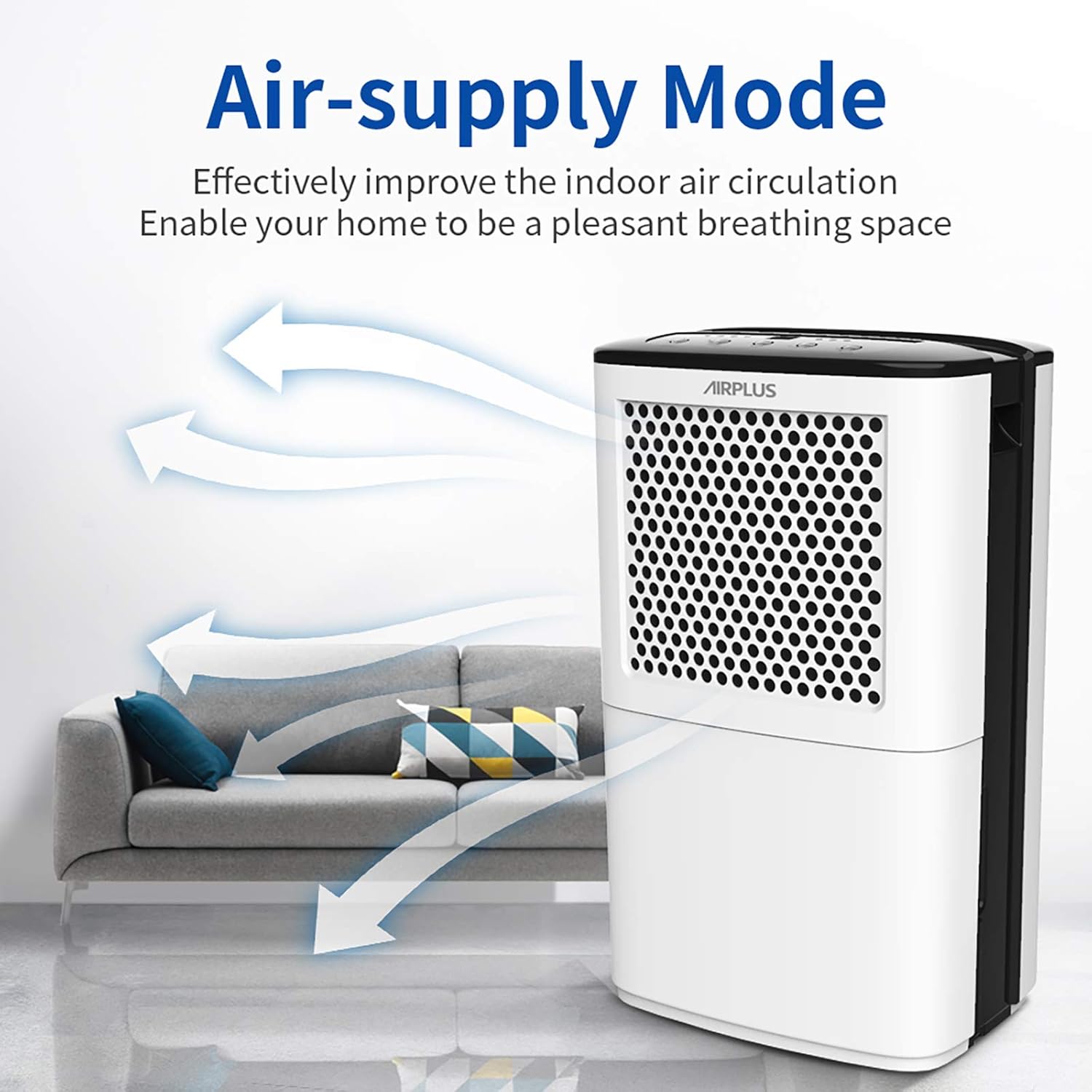
Figure 6: Air-supply mode enhances air circulation.
Funkce časovače
Use the timer function to schedule the dehumidifier's operation. For example, you can set it to run for a specific duration or to turn on/off at a set time.

Obrázek 7: Přample of using the timer function for a comfortable home environment.
Údržba
Čištění vodní nádrže
Regularly empty and clean the water tank to prevent mold and mildew growth. Remove the tank, discard collected water, and clean with mild soap and warm water. Rinse thoroughly before re-inserting.
Čištění vzduchového filtru
The air filter should be cleaned every two weeks or more frequently depending on usage and air quality. A dirty filter can reduce efficiency. Refer to the full user manual for detailed instructions on filter removal and cleaning.
Skladování
If the unit will not be used for an extended period, ensure the water tank is empty and clean. Store the dehumidifier in a cool, dry place, away from direct sunlight and extreme temperatures.
Odstraňování problémů
Než kontaktujete zákaznickou podporu, prostudujte si prosím následující běžné problémy a jejich řešení:
| Problém | Možná příčina | Řešení |
|---|---|---|
| Jednotka se nezapne. | Žádné napájení; Nádrž na vodu je plná nebo není správně usazená. | Zkontrolujte připojení k napájení; Vyprázdněte a znovu nasaďte nádržku na vodu. |
| Nebyla shromažďována žádná voda. | Humidity level too low; Temperature too low; Air filter clogged. | Adjust desired humidity; Ensure room temperature is above 41°F (5°C); Clean air filter. |
| Jednotka je hlučná. | Jednotka není v rovině; Překážka ve ventilátoru; Uvolněné díly. | Place on a level surface; Check for obstructions; Contact support if noise persists. |
| Nepřetržité odvodnění nefunguje. | Hose kinked or blocked; No downward slope. | Straighten hose; Clear any blockages; Ensure proper downward slope for gravity drainage. |
Specifikace
| Funkce | Detail |
|---|---|
| Značka | AIRPLUS |
| Název modelu | AP602 |
| Kapacita | 50 pint/den |
| Oblast pokrytí | Až 3000 mXNUMX. Ft. |
| Objem nádrže | 2.8 litru (přibližně 5.9 pinty) |
| Hmotnost položky | 26.3 libry |
| Rozměry produktu | 0.39 x 0.39 x 0.39 inches (Note: These dimensions seem incorrect, likely placeholder data. Using provided data.) |
| Provozní režim | Kontinuální |
| Speciální funkce | Přenosný |
| Zahrnuté komponenty | Uživatelská příručka, odvlhčovač |
Záruka a podpora
AIRPLUS stands behind its products. Your dehumidifier is covered by a warranty. For specific details regarding your warranty coverage and to register your product for an additional 2-year warranty, please visit the official AIRPLUS warranty system.
Registrace záruky: Prosím Vstupte www.getprize.net/airplus to register your product. Registering your order information may qualify you for an additional 2-year warranty.
For any questions, technical assistance, or warranty claims, please contact AIRPLUS customer support. Our team is committed to providing the best experience with your product.
Ask a question about this manual
Ask about setup, troubleshooting, compatibility, parts, safety, or missing instructions. Manuals+ will review the question and use this page’s manual context to help answer it.