
1. Konec produktuview
The Alecto WS-1560 is a wireless weather station designed to provide accurate indoor and outdoor environmental data. Featuring a clear color display and a remote outdoor sensor, it offers comprehensive weather information and additional useful functions for your home.
Klíčové vlastnosti:
- Měří vnitřní i venkovní teplotu a vlhkost.
- Long-range wireless outdoor sensor (up to 100 meters).
- 5.7-inch well-lit color display with animated weather forecast icons.
- Temperature and ice alarm functions.
- Budík s funkcí Snooze.
- Memory function for latest and highest readings.
- Moon phase indicator, date, day, and time display.
- Battery-operated main unit and outdoor sensor with backup batteries.

Figure 1.1: Alecto WS-1560 Main Unit and Wireless Outdoor Sensor.
2. Obsah balení
Ensure all components are present and in good condition upon unpacking:
- Hlavní jednotka Alecto WS-1560 (vnitřní displej)
- Bezdrátový venkovní snímač
- Uživatelská příručka
- (Power adapter and batteries may be included depending on package)
Video 2.1: Illustrative video showing typical weather station components and basic setup. (Note: This video is for a related product and may not show the exact Alecto WS-1560 model.)
3. Nastavení a instalace
3.1. Instalace baterie
Both the main unit and the outdoor sensor require batteries for operation. Ensure you use the correct type and polarity.
- Venkovní senzor:
- Otevřete kryt baterie na zadní straně bezdrátového venkovního senzoru.
- Insert 2x AA batteries (not included) according to the polarity markings (+/-).
- Bezpečně uzavřete přihrádku na baterie.
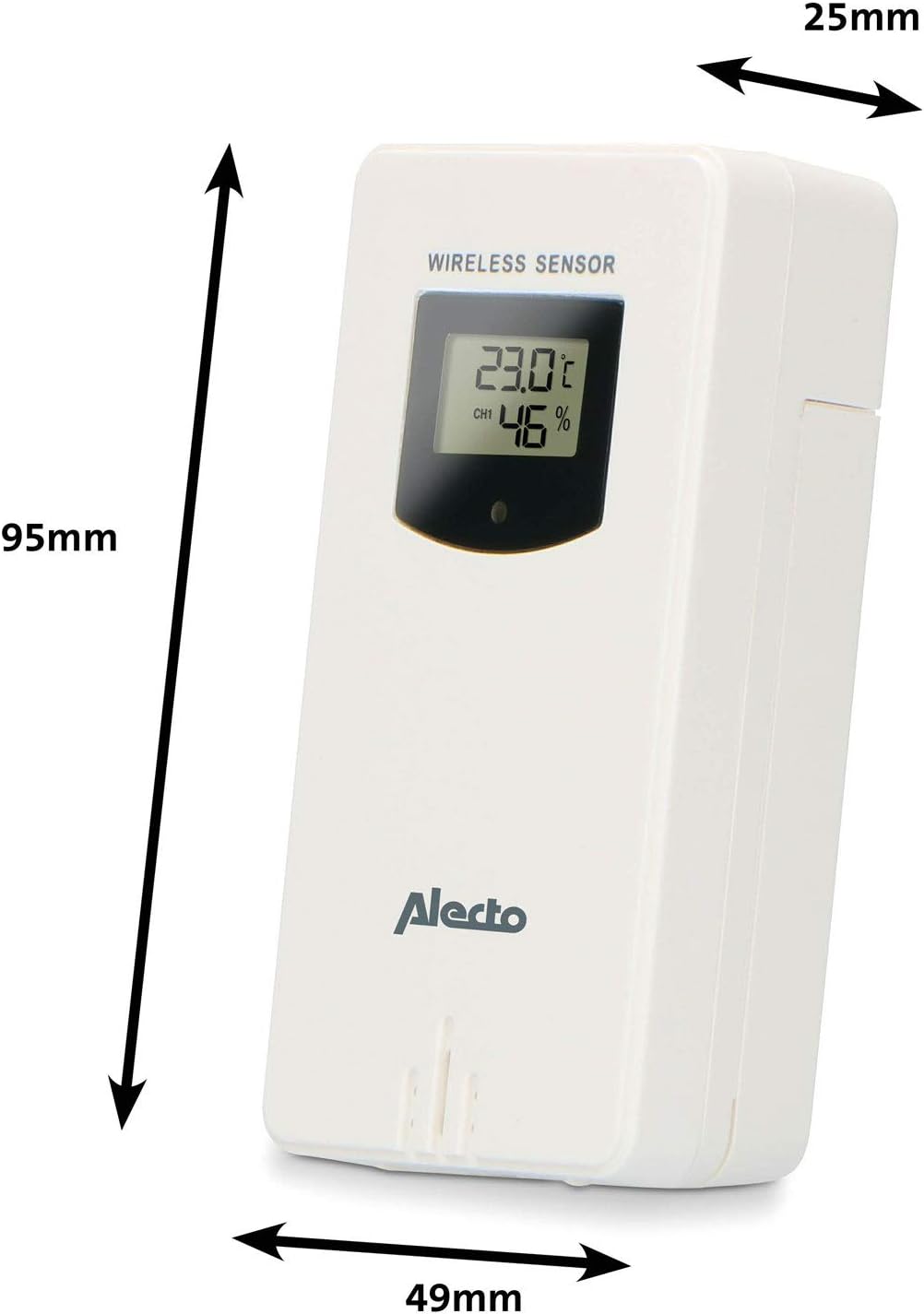
Figure 3.1: Wireless Outdoor Sensor dimensions and battery compartment location.
- Hlavní jednotka:
- Otevřete kryt baterie na zadní straně hlavní jednotky.
- Insert 2x AA batteries (not included) according to the polarity markings (+/-). These serve as backup batteries.
- Bezpečně uzavřete přihrádku na baterie.
- Connect the main unit to a power outlet using the provided power adapter (if included).

Figure 3.2: Main Unit dimensions and power input.
3.2. Umístění senzoru
For accurate outdoor readings, proper placement of the wireless sensor is crucial:
- Place the sensor in a shaded area, away from direct sunlight, to prevent inaccurate temperature readings.
- Zajistěte dobrou cirkulaci vzduchu kolem senzoru.
- Mount the sensor vertically, approximately 1.5 to 2.5 meters (5 to 8 feet) above the ground.
- Avoid placing the sensor near heat sources (e.g., vents, windows) or moisture sources.
- The maximum transmission range is 100 meters (328 feet) in open air. Walls and other obstacles will reduce this range.

Obrázek 3.3: Přample of outdoor sensor placement on a wall.
3.3. Párování senzoru s hlavní jednotkou
The main unit and sensor should automatically pair once both are powered on. If pairing does not occur:
- Ensure both units have fresh batteries and are within range.
- Press the "TX" button inside the outdoor sensor's battery compartment to manually send a signal.
- On the main unit, you may need to initiate a search for the outdoor sensor (refer to the "Operation" section for specific button functions).
4. Provoz
4.1. Rozvržení displeje
5.7palcový barevný displej poskytuje jasný přehledview of all measured data. Key areas include:
- Venkovní teplota a vlhkost: Displays current outdoor conditions.
- Vnitřní teplota a vlhkost: Zobrazuje aktuální vnitřní podmínky.
- Animovaná předpověď počasí: Icons predict upcoming weather (sunny, partly cloudy, cloudy, rainy, snowy).
- Čas a datum: Aktuální čas, den a datum.
- Barometrický tlak: Aktuální atmosférický tlak.
- Fáze Měsíce: Grafické znázornění aktuální fáze měsíce.
- Temperature/Ice Alarm Indicators: Alerts for specific temperature thresholds or potential ice conditions.

Obrázek 4.1: Detailní view of the main unit's color display.
4.2. Funkce tlačítek
The main unit features several buttons for setting and adjusting functions. Common buttons include:
- SOUBOR: Enters setup mode for time, date, and other settings.
- REŽIM: Switches between display modes or confirms settings.
- NAHORU/DOLŮ (nebo +/-): Adjusts values during setup or cycles through channels.
- POPLACH: Nastaví nebo aktivuje funkci budíku.
- MEM: Displays maximum/minimum temperature and humidity records. Long press to clear records.
- SNOOZE/LIGHT: Activates snooze during an alarm or adjusts backlight brightness.
Video 4.2: Illustrative video demonstrating various features and settings of a weather station. (Note: This video is for a related product and may not show the exact Alecto WS-1560 model.)
4.3. Nastavení času a data
- Press and hold the "SET" button until the time display starts flashing.
- Use the "UP" or "DOWN" buttons to adjust the hour, then press "SET" to confirm and move to minutes.
- Opakujte pro minuty, rok, měsíc a den.
- Press "SET" again to exit the setting mode.
4.4. Nastavení alarmu
- Press the "ALARM" button once to view čas budíku.
- Press and hold the "ALARM" button until the alarm time starts flashing.
- Use the "UP" or "DOWN" buttons to set the desired alarm hour and minute.
- Stiskněte tlačítko „ALARM“ pro potvrzení.
- To activate/deactivate the alarm, press the "ALARM" button briefly when the alarm time is displayed. An alarm icon will appear/disappear.
4.5. Záznamy o maximálních/minimálních hodnotách
The weather station automatically records the maximum and minimum temperature and humidity values over a 24-hour period.
- Press the "MEM" button briefly to view maximální zaznamenané hodnoty.
- Press "MEM" again to view minimální zaznamenané hodnoty.
- Press "MEM" a third time to return to current readings.
- To clear the records, press and hold the "MEM" button for a few seconds.
5. Údržba
- Čištění: Otřete povrch displeje a jednotky měkkým hadříkemamp tkanina. Nepoužívejte abrazivní čisticí prostředky nebo rozpouštědla.
- Výměna baterie: Vyměňte baterie v hlavní jednotce i ve venkovním senzoru, když se na displeji zobrazí indikátor slabé baterie. Vždy vyměňujte všechny baterie najednou za nové stejného typu.
- Péče o senzor: Periodically check the outdoor sensor for debris or obstructions that might affect its readings. Ensure it remains in a shaded, well-ventilated area.
6. Řešení problémů
| Problém | Možná příčina | Řešení |
|---|---|---|
| No outdoor temperature/humidity reading (or "---" displayed) |
|
|
| Nepřesné údaje o teplotě/vlhkosti |
|
|
| Displej je tmavý nebo prázdný |
|
|
7. Specifikace
| Číslo modelu | WS-1560 |
| Značka | Alecto |
| Zdroj napájení (hlavní jednotka) | Power Adapter (if included) + 2x AA batteries (backup) |
| Zdroj napájení (venkovní senzor) | 2x AA baterie |
| Rozměry produktu (hlavní jednotka) | 5.1 x 16.5 x 12.3 cm |
| Hmotnost produktu | 440 g |
| Dosah bezdrátového senzoru | Až 100 metrů (v otevřeném prostoru) |
| Velikost displeje | 5.7 palce / 14.5 cm |
| Původ | Čína |
8. Záruka a podpora
Informace o záruce, technickou podporu nebo servisní dotazy naleznete v záruční kartě dodané s vaším produktem nebo navštivte oficiální webové stránky společnosti Alecto. webwebu. Uschovejte si účtenku jako doklad o koupi.
Alecto Webmísto: www.alecto.nl (General Alecto webweb, konkrétní stránka podpory se může lišit)