
Zavedení
The Aerocool Duo 12 Pro Pack provides an advanced cooling solution for your computer system, featuring three 120mm Addressable RGB (ARGB) fans, an H66F RGB fan hub, and a remote control. This system is designed to enhance both the aesthetic and thermal performance of your PC with vibrant lighting and efficient airflow.
This manual provides detailed instructions for the installation, operation, and maintenance of your Aerocool Duo 12 Pro Pack to ensure optimal performance and longevity.
Obsah balení
Před zahájením instalace se prosím ujistěte, že balení obsahuje všechny komponenty:
- 3 x Aerocool Duo 12 ARGB 120mm Fans
- 1 x H66F RGB Fan Hub
- 1 x Dálkové ovládání
- Montážní šrouby
- Cables for connection (6-pin fan connectors, 5V ARGB connector)
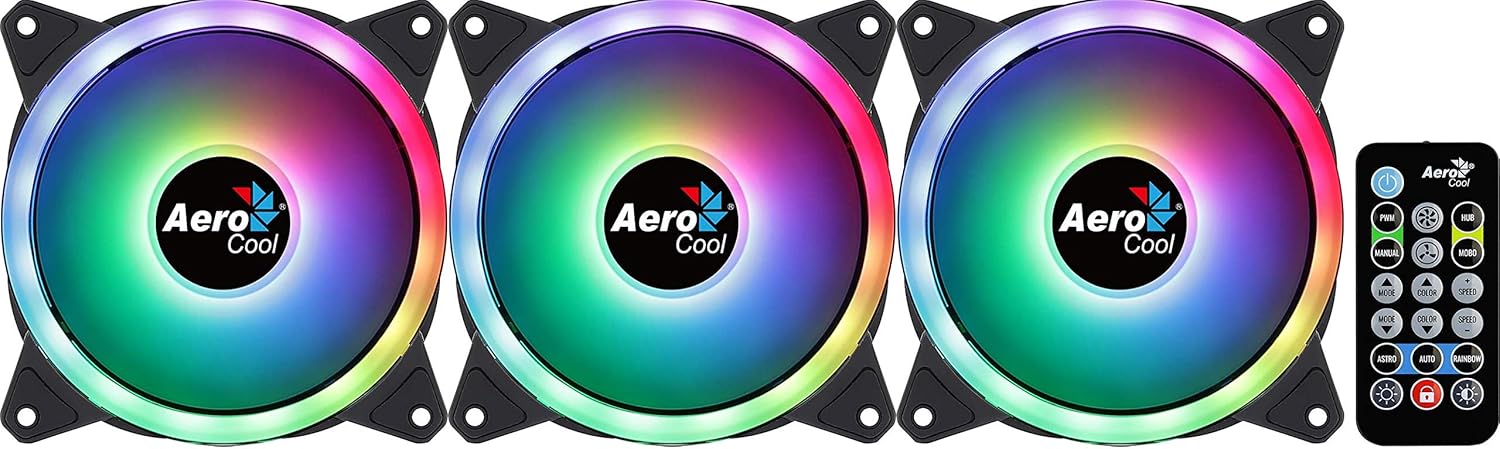
Image: The Aerocool Duo 12 Pro Pack showing three ARGB fans and the included remote control.
Nastavení a instalace
Follow these steps to properly install your Aerocool Duo 12 Pro Pack fans and hub into your computer system.
1. Prepare Your System
- Ujistěte se, že je počítač vypnutý a odpojený od zásuvky.
- Open your computer case to access the internal components.
2. Install the Fans
- Identify suitable 120mm fan mounting locations within your PC case (e.g., front, top, rear).
- Position each fan in the desired location, ensuring correct airflow direction (typically, the side with the frame supports is the exhaust side).
- Každý ventilátor upevněte pomocí dodaných montážních šroubů. Antivibrační podložky v rozích ventilátoru pomáhají snižovat hluk.
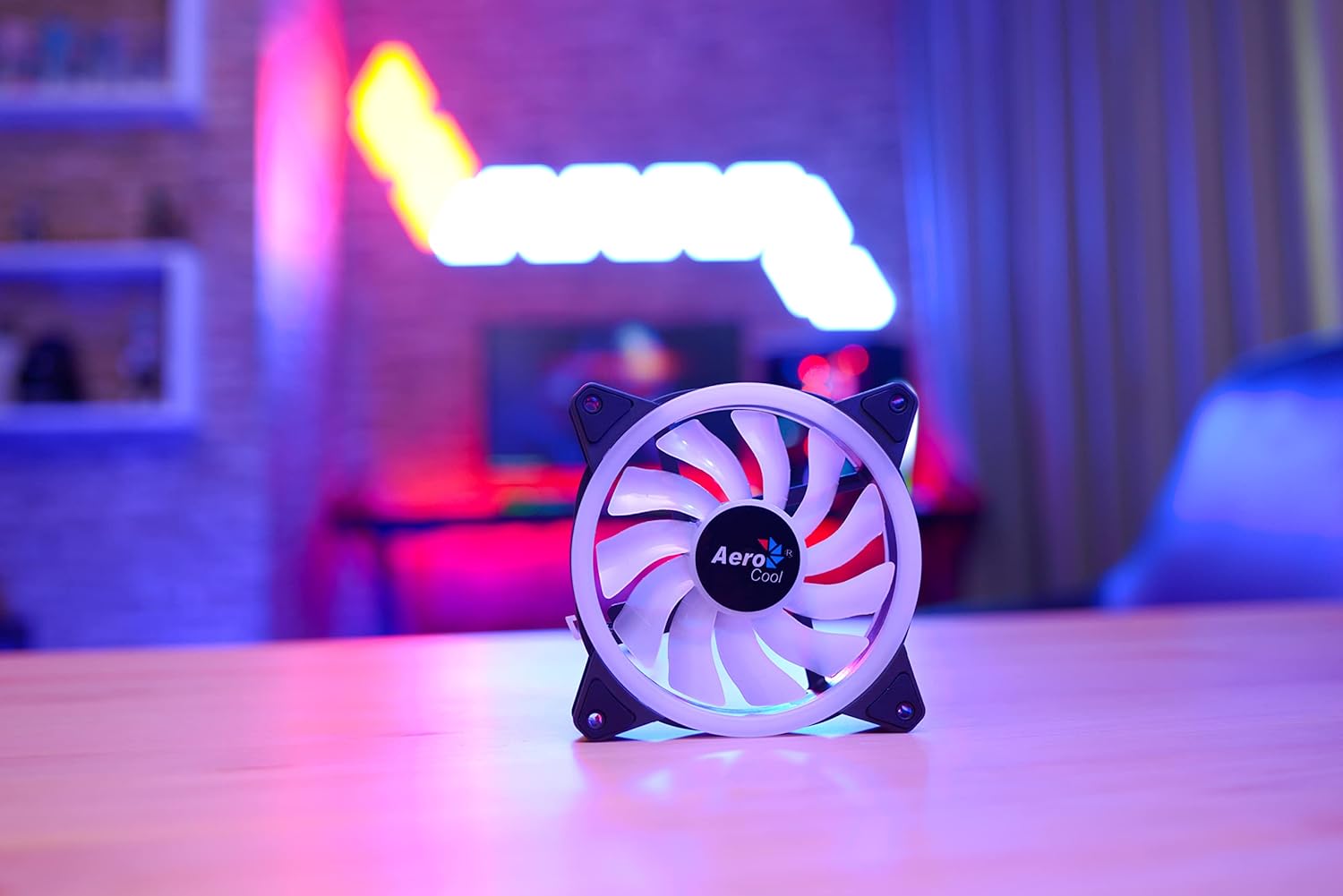
Image: A single Aerocool Duo 12 ARGB fan, highlighting its curved blades and anti-vibration pads.
3. Connect to the H66F RGB Fan Hub
- Locate a suitable mounting spot for the H66F RGB Fan Hub inside your case, away from moving parts and heat sources.
- Connect each 6-pin fan cable from the Aerocool Duo 12 fans to the corresponding 6-pin ports on the H66F RGB Fan Hub. The hub supports up to six 6-pin ARGB fans.
- Connect the 5V ARGB connector from the H66F hub to a compatible 5V ARGB header on your motherboard (if you wish to synchronize lighting with your motherboard's software).
- Connect the SATA power connector from the H66F hub to an available SATA power cable from your power supply unit (PSU). This provides power to the hub and connected fans/LEDs.

Image: The Aerocool Duo 12 Pro fans, H66F RGB fan hub, and remote control arranged on a desk, illustrating the components of the system.
Návod k obsluze
Once installed, you can control the fan speed and lighting effects using the included remote control or compatible motherboard software.
Pomocí dálkového ovládání
The remote control allows for easy adjustment of lighting modes, colors, and fan speeds without needing to open your PC case or use software.
- Vypínač: Turns the LED lighting on or off.
- Tlačítko PWM: Cycles through fan speed modes (e.g., Silent, Standard, Performance).
- Tlačítko MODE: Changes the ARGB lighting effect mode.
- BAREVNÉ tlačítko: Selects static colors or color cycling effects.
- Tlačítka SPEED +/-: Upravuje rychlost dynamických světelných efektů.
- BRIGHTNESS +/- Buttons: Adjusts the brightness of the LED lighting.
- Tlačítko AUTO: Initiates an automatic cycle through all available lighting effects.
Motherboard Synchronization
If the H66F hub is connected to a 5V ARGB header on a compatible motherboard, you can control the lighting effects through your motherboard's RGB software (e.g., ASUS Aura Sync, MSI Mystic Light Sync, Gigabyte RGB Fusion, ASRock Polychrome Sync). This allows for synchronized lighting across your entire system.
Údržba
Regular maintenance ensures optimal performance and extends the lifespan of your Aerocool Duo 12 Pro fans.
- Čištění: Periodically clean the fan blades and frames to remove dust buildup. Use compressed air or a soft, dry cloth. Ensure the system is powered off and unplugged before cleaning.
- Antivibrační podložky: The integrated anti-vibration pads are designed for durability. Inspect them occasionally for wear and tear, though replacement is rarely needed.
- Správa kabelů: Ensure all cables are neatly routed and secured to prevent interference with fan blades or other components, which can cause noise or damage.
Odstraňování problémů
If you encounter issues with your Aerocool Duo 12 Pro Pack, refer to the following common problems and solutions:
Ventilátory se netočí
- Připojení napájení: Verify that the H66F RGB Fan Hub's SATA power connector is securely connected to your PSU.
- Připojení ventilátoru: Ensure all 6-pin fan cables are firmly connected to the H66F hub.
- Funkce centra: Check if the hub itself is receiving power (some hubs have an indicator LED).
RGB osvětlení nefunguje nebo je nesprávné
- Připojení ARGB: Confirm the 5V ARGB connector from the H66F hub is correctly plugged into a compatible 5V ARGB header on your motherboard (not a 12V RGB header, which can cause damage).
- Dálkové ovládání: Ensure the remote control has a working battery and is pointed towards the hub or a clear line of sight. Try pressing the power button on the remote.
- Software základní desky: If using motherboard software, ensure it is up-to-date and correctly configured to control the ARGB header.
- Ovládací tlačítko LED: If your system has an external LED control button connected to the hub, try using it to cycle through effects.
Nadměrný hluk
- Montáž: Ensure fans are securely mounted and not vibrating against the case. The anti-vibration pads should minimize this.
- překážky: Zkontrolujte, zda nějaké kabely nebo předměty nebrání otáčení lopatek ventilátoru.
- Nahromadění prachu: Clean the fans as described in the Maintenance section.
- Rychlost ventilátoru: Adjust fan speed using the remote control or motherboard software to a lower setting if noise is a concern.
Specifikace
| Funkce | Detail |
|---|---|
| Značka | AeroCool |
| Model | DUO12PRO |
| Velikost ventilátoru | 120 mm |
| Typ napájecího konektoru | 6pinový (pro připojení ventilátorů k rozbočovači) |
| Napájecí konektor rozbočovače | SATA |
| ARGB konektor | 5V ARGB (3-pin) |
| svtage | 5 Volts (LEDs), 12 Volts (Fan Motor) |
| Způsob chlazení | Vzduch |
| Kompatibilní zařízení | Stolní počítače |
| Úroveň hluku | 19.7 decibelů (dB) |
| Maximální rychlost otáčení | 2000 ot./min |
| Materiál | Polykarbonát |
| Hmotnost položky | 420 Grams (Total Pack) |
| LEDs per Fan | 18 (Double RGB LED Ring) |
Záruka a podpora
Aerocool products are manufactured to high-quality standards. In the unlikely event of a defect, please refer to the following information.
- Záruční doba: The EU spare part availability duration is 2 years. Please check your local retailer or Aerocool's official website for specific warranty terms in your region.
- Technická podpora: For technical assistance, troubleshooting beyond this manual, or warranty claims, please contact Aerocool customer support through their official webmísto.
- Doklad o koupi: Uschovejte si doklad o koupi pro ověření záruky.