
Zavedení
The Razer Viper Ultimate is a high-performance lightweight wireless gaming mouse designed for professional-grade performance. It features an ultra-fast wireless technology, a 20,000 DPI optical sensor for precise tracking, optical mouse switches for rapid actuation, and an ambidextrous design with programmable buttons. This manual provides essential information for setting up, operating, maintaining, and troubleshooting your device.
Nastavení
To begin using your Razer Viper Ultimate mouse, follow these steps for initial connection and charging.
1. Počáteční připojení
Your Razer Viper Ultimate mouse can be connected wirelessly via its USB dongle or wired using the included Speedflex cable.
- Bezdrátový režim: Insert the USB wireless dongle into an available USB port on your computer. The mouse will automatically connect.
- Kabelový režim: Connect the Razer Speedflex cable to the micro-USB port on the front of the mouse and to a USB port on your computer. The mouse will function as a wired device and charge simultaneously.
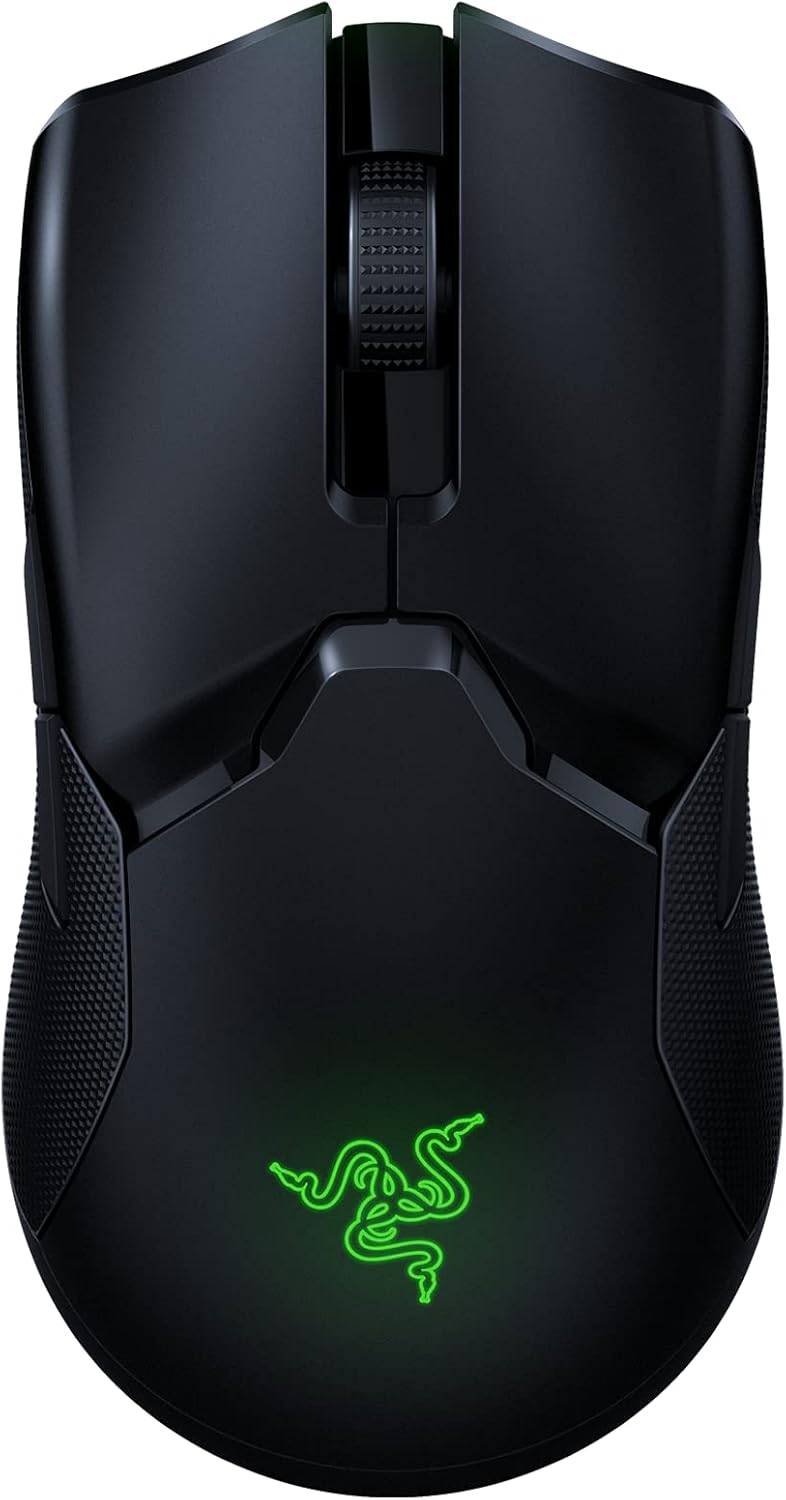
Image: Razer Viper Ultimate Lightweight Wireless Gaming Mouse in Classic Black. This image displays the sleek, ambidextrous design of the mouse.
2. Nabíjení myši
The mouse can be charged via the Speedflex cable or an optional charging dock (if purchased separately).
- Přes USB kabel: Connect the Speedflex cable to the mouse and your computer. The mouse will charge while in use or standby.
- Via Charging Dock: Place the mouse onto the Razer charging dock, ensuring the charging contacts align. The dock will indicate charging status.
Video: An unboxing and setup guide for the Razer Viper Ultimate. This video demonstrates how to connect the wireless dongle and charge the mouse.
Video: A review highlighting the features and setup of the Razer Viper Ultimate. This video shows the mouse components and initial connection process.
3. Razer Synapse 3 Software
For full customization of your mouse's settings, including DPI, button assignments, and Chroma lighting, download and install Razer Synapse 3 from the official Razer webTento software je kompatibilní s operačními systémy Windows.
Ovládání myši
The Razer Viper Ultimate is engineered for high-performance gaming with several key features.
1. Klíčové vlastnosti
- Lehký design: Weighing only 74g, the mouse offers effortless control and swift movements.
- Bezdrátové sluchátka Razer HyperSpeed: Experience ultra-low latency and interference reduction for true wireless freedom.
- 20K DPI Optical Sensor: The Focus+ optical sensor provides industry-leading 99.6% resolution accuracy for precise tracking.
- Optické spínače myši: Actuate button presses at the speed of light for rapid response and enhanced durability.
- 8 programovatelných tlačítek: Customize buttons for complex macro functions via Razer Synapse 3.
- Oboustranný design: Suitable for both left and right-handed users with accessible buttons on both sides.
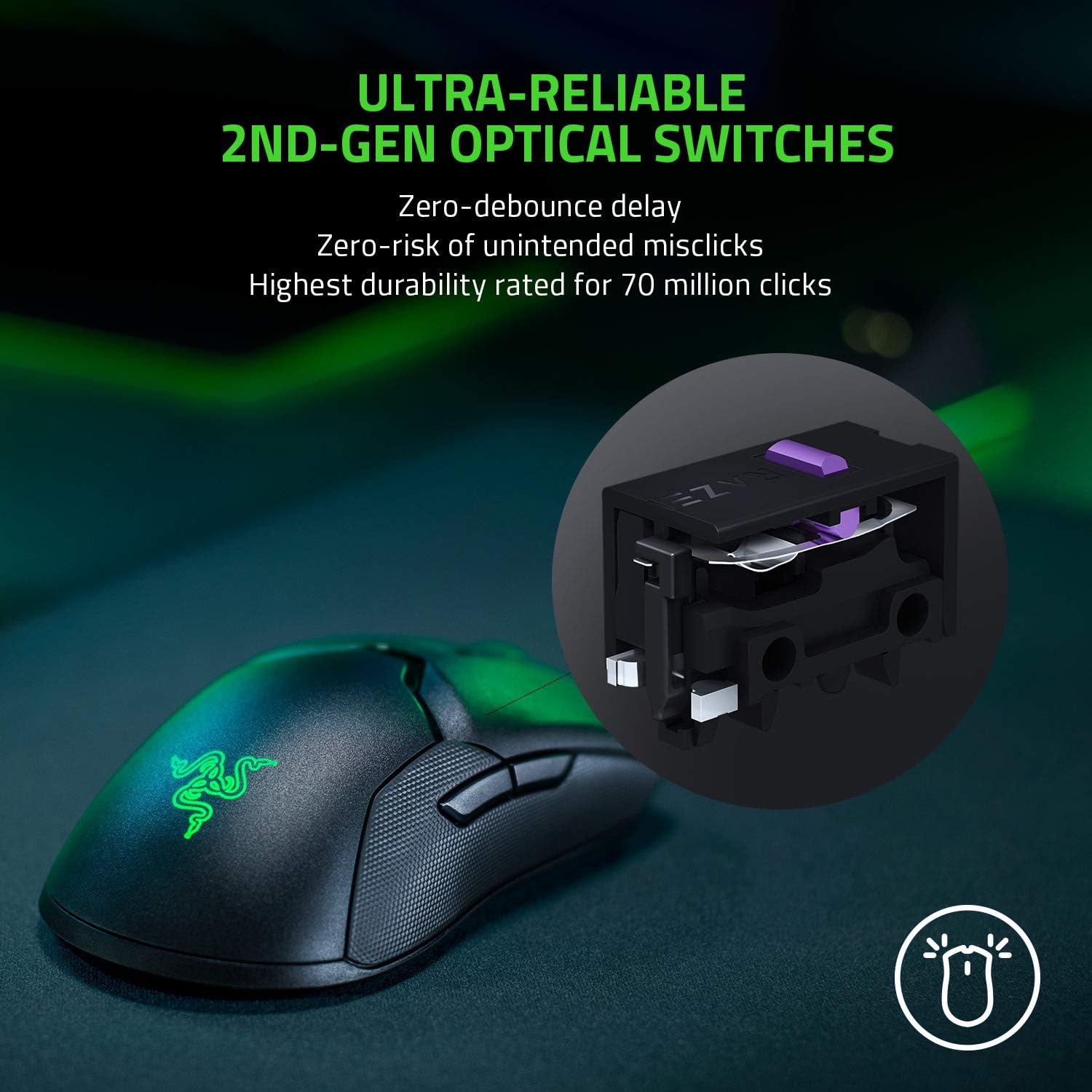
Image: Ultra-Reliable 2nd-Gen Optical Switches. This image illustrates the internal optical switch mechanism, emphasizing zero-debounce delay and high durability.

Image: Fastest Wireless Technology. This image highlights the mouse's wireless capabilities, noting it's 3x faster than competitors with up to 70 hours of gameplay.
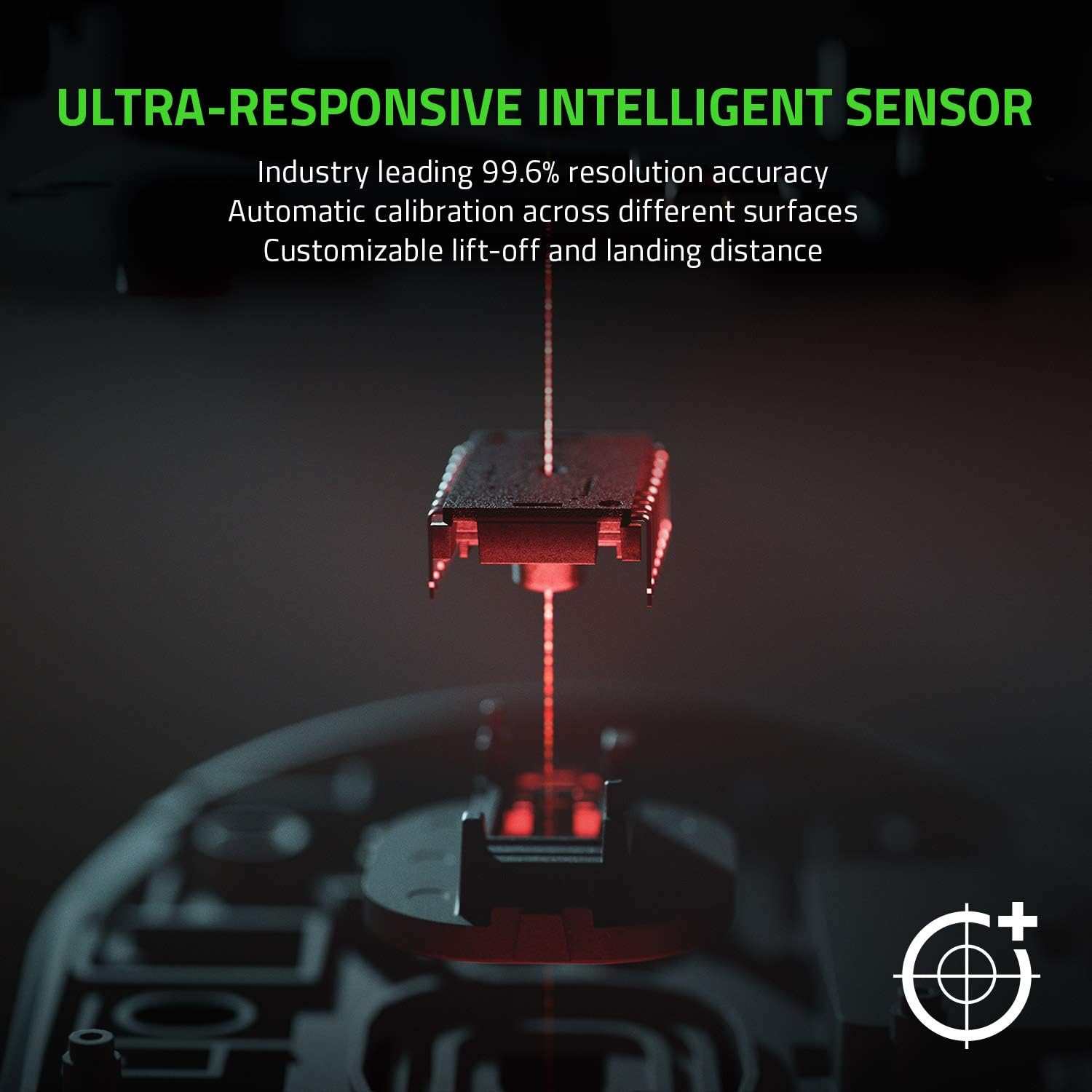
Image: Ultra-Responsive Intelligent Sensor. This image shows the optical sensor's precision, with 99.6% resolution accuracy and customizable lift-off distance.
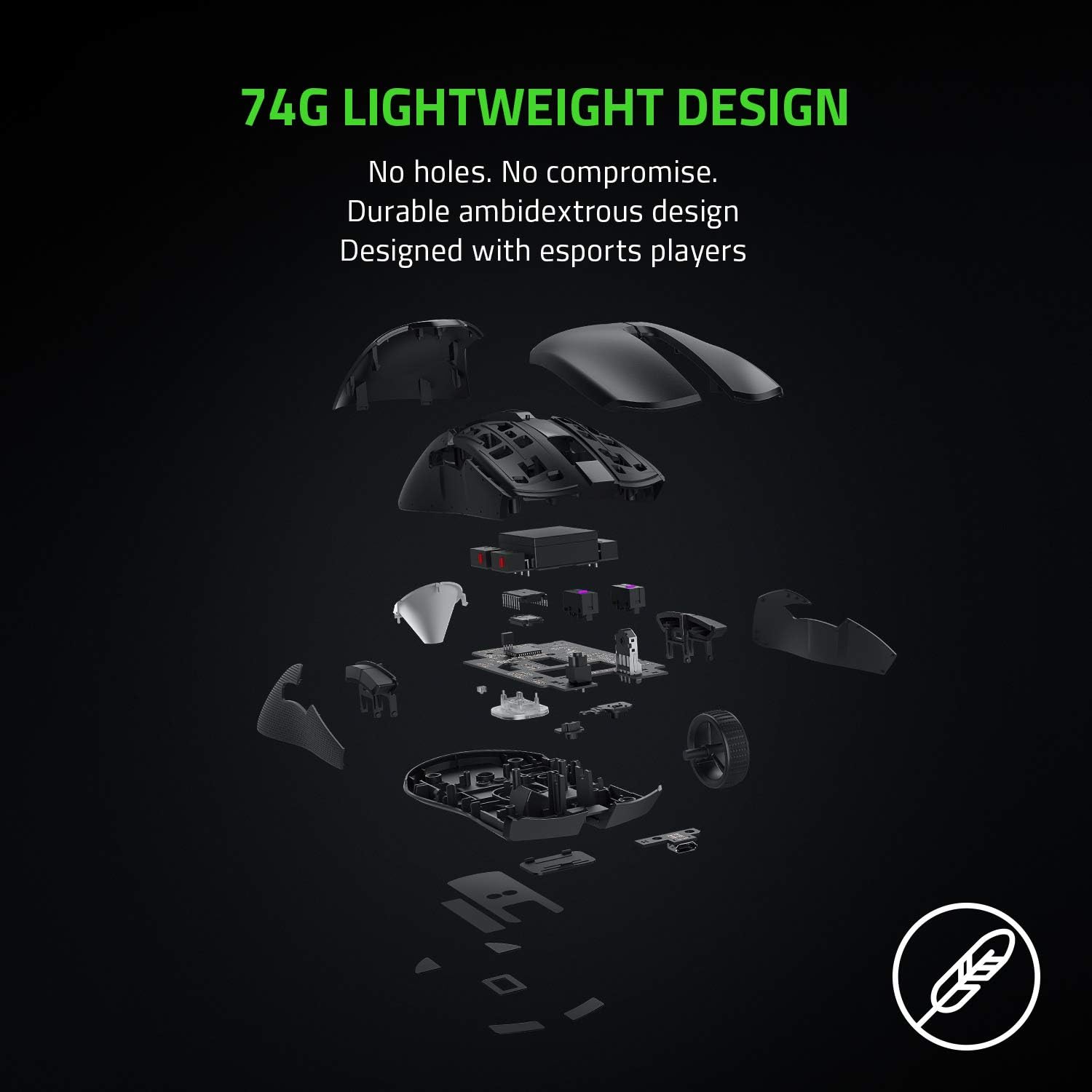
Image: 74g Lightweight Design. An exploded view of the mouse components demonstrates its lightweight and durable ambidextrous design without drilled holes.
2. Nastavení DPI
The DPI (Dots Per Inch) sensitivity can be adjusted using the dedicated button located on the underside of the mouse. You can cycle through pre-set DPI stages or customize them further using Razer Synapse 3.
Video: Podrobný popisview of the Razer Viper Ultimate, showcasing its features and performance during gameplay. This video provides insights into the mouse's responsiveness and design.
Údržba
To ensure the longevity and optimal performance of your Razer Viper Ultimate mouse, follow these maintenance guidelines:
- Čištění: Použijte měkký hadřík, který nepouští vlákna dampened with water to clean the mouse surface. Avoid harsh chemicals or abrasive materials.
- Péče o senzor: Keep the optical sensor on the underside of the mouse clean and free from dust or debris. Use a cotton swab with a small amount of rubbing alcohol if necessary.
- Výdrž baterie: Avoid fully discharging the battery frequently. For best results, charge the mouse regularly, especially after long gaming sessions.
Odstraňování problémů
If you encounter any issues with your Razer Viper Ultimate mouse, try the following steps:
- Žádné připojení: Ensure the USB wireless dongle is securely plugged into your computer. If using wired mode, check the micro-USB cable connection. Try a different USB port.
- Zpoždění nebo odpojení: Ensure the mouse is fully charged. Move the USB wireless dongle closer to the mouse or away from other wireless devices to reduce interference.
- DPI Issues: Verify that Razer Synapse 3 is installed and updated. Check your custom DPI settings within the software.
- Software nerozpoznává myš: Reinstall Razer Synapse 3. Ensure your operating system is up to date.
Specifikace
| Funkce | Detail |
|---|---|
| Značka | Razer |
| Název modelu | ultimátní zmije |
| Číslo modelu | RZ01-03050200-R3U1 |
| Barva | Klasická černá |
| Technologie připojení | 2.4 GHz Wireless, USB |
| Technologie detekce pohybu | Optický |
| Mouse Maximum Sensitivity | 20000 Dots per Inch (DPI) |
| Množství tlačítek | 8 |
| Orientace rukou | Obouruký |
| Průměrná životnost baterie | 70 hodiny |
| Hmotnost položky | 0.17 libry |
| Rozměry položky d x š | 4.98"D x 2.61"Š |
| Hardwarová platforma | PC |
Informace o záruce
The Razer Viper Ultimate Lightweight Wireless Gaming Mouse comes with a 2letá záruka výrobce. Please retain your proof of purchase for warranty claims. For detailed terms and conditions, refer to the official Razer warranty policy.
Podpora
For further assistance, technical support, or to download the latest drivers and software (Razer Synapse 3), please visit the official Razer support webwebu. Další pomoc naleznete také v sekci Často kladené otázky a na komunitních fórech.
Oficiální podpora Razeru: www.razer.com/support