
1. Úvod
The Cloud b Tranquil Turtle is designed to create a calming and soothing environment, helping children fall asleep with its unique light projection and gentle sounds. This manual provides essential information for setup, operation, and maintenance of your Tranquil Turtle.

Figure 1: Cloud b Tranquil Turtle Nightlight (Pink)
2. Vlastnosti produktu
- Projekce oceánských vln: Projects moving ocean waves onto the ceiling, creating a serene underwater effect.
- Uklidňující zvuky: Offers two calming audio options: a gentle melody and whispering waves.
- Nastavitelná nastavení: Allows for customization of light brightness and wave movement to suit individual preferences.
- Automatické vypnutí: Features a 23-minute timer that automatically turns off the light and sound to conserve battery power and promote deep sleep.
- Měkké plyšové tělo: The turtle's body is made from a soft, comforting plush material.
- Long-Life LEDs: Equipped with LEDs that do not heat up, ensuring safety.
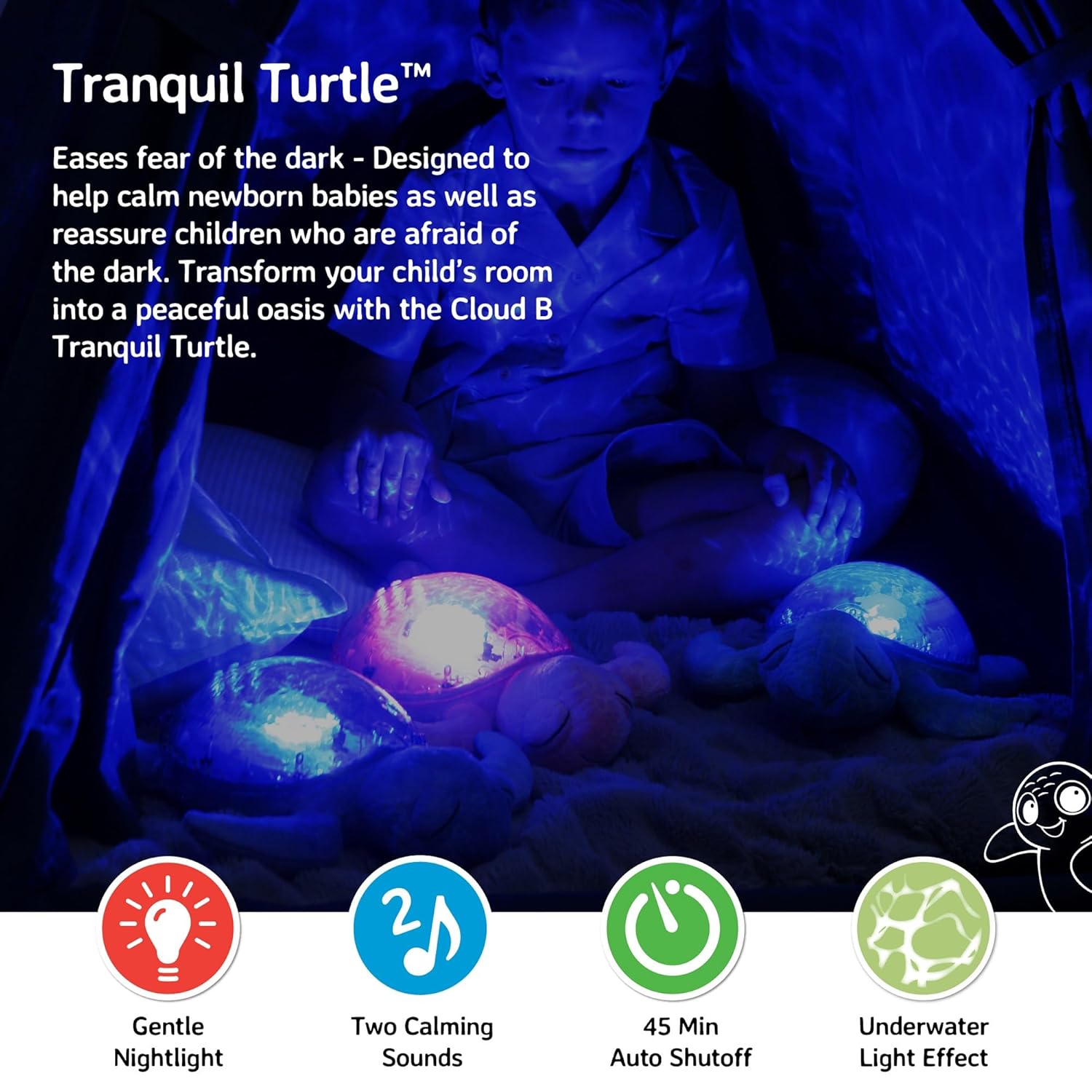
Figure 2: Ocean wave projection in a child's room
3. Obsah balení
Ujistěte se, že v balení jsou přítomny všechny položky:
- 1 x Cloud b Tranquil Turtle Nightlight
- 3 x AA baterie (předinstalované nebo přiložené samostatně)
4. Nastavení
4.1 Instalace baterie
The Tranquil Turtle requires 3 AA batteries. These are typically included with your purchase.
- Locate the battery compartment on the underside of the turtle. It is covered by a fabric flap secured with Velcro.
- Open the fabric flap to reveal the plastic battery cover.
- Using a Phillips head screwdriver, unscrew the small screw on the battery cover.
- Odstraňte kryt baterie.
- Vložte 3 baterií typu AA a dbejte na správnou polaritu (+/-) vyznačenou uvnitř přihrádky.
- Nasaďte kryt baterie a zajistěte jej šroubem.
- Zavřete látkovou klopu.

Figure 3: Battery compartment and controls on the underside
4.2 Počáteční umístění
Place the Tranquil Turtle on a flat surface in the room where it will be used. For optimal projection, place it on the floor or a low table in the center of the room.
5. Návod k obsluze
The control buttons are located on the turtle's plastic shell.
5.1 Zapnutí/vypnutí
Stiskněte tlačítko Tlačítko napájení (usually marked with a power symbol) on the turtle's shell to turn the unit on or off.
5.2 Projekce světla
The Tranquil Turtle projects a calming underwater light effect. You can adjust the light's characteristics:
- Jas: Use the brightness adjustment wheel/switch (located near the battery compartment on the underside) to increase or decrease the intensity of the projected light.
- Wave Movement: Stiskněte tlačítko Wave Movement Button (often marked with a wave symbol) to toggle between static and moving ocean wave projections.

Figure 4: Control buttons on the turtle's shell
5.3 Zvukové režimy
The Tranquil Turtle offers two soothing sound options:
- Gentle Melody: A soft, calming musical tune.
- Whispering Waves: Realistic ocean wave sounds.
Stiskněte tlačítko Tlačítko režimu zvuku (often marked with a music note) to switch between these two sounds. Use the Tlačítka hlasitosti (marked with '+' and '-') to adjust the sound level.
5.4 Automatické vypnutí
The Tranquil Turtle is designed to automatically shut off after 23 minutes. This feature helps ensure a completely dark and quiet environment for optimal sleep and conserves battery life.
Video 1: Tranquil Turtle Demo Video (Seller-provided demonstration of features)
This video demonstrates the light projection, sound options, and overall functionality of the Tranquil Turtle.
6. Údržba
6.1 Čištění
To clean your Tranquil Turtle, gently wipe the surface with a damp cloth. Do not immerse the unit in water or use harsh cleaning agents, as this may damage the electronic components.
6.2 Výměna baterie
When the light dims or sounds become distorted, it's time to replace the batteries. Follow the battery installation steps in Section 4.1.
7. Řešení problémů
| Problém | Možná příčina | Řešení |
|---|---|---|
| Žádné světlo ani zvuk | Batteries are dead or incorrectly installed; Power switch is off. | Replace batteries, ensuring correct polarity; Ensure the main power switch (on underside) is in the 'ON' position. |
| Světlo je slabé | Low battery power; Brightness setting is too low. | Replace batteries; Adjust the brightness wheel/switch to a higher setting. |
| Waves are not moving | Wave movement setting is off. | Press the Wave Movement Button to activate movement. |
| Zvuk je zkreslený nebo příliš slabý | Low battery power; Volume setting is too low. | Replace batteries; Use the Volume Buttons to increase the sound level. |
8. Specifikace
- Rozměry produktu: 11.02 x 9.84 x 4 palce
- Hmotnost položky: 1.21 libry
- Číslo modelu: CB7423-PK
- Typ materiálu: Plastic (shell), Plush (body)
- Zdroj napájení: 3 AA baterie (součástí balení)
- Časovač automatického vypnutí: 23 minut
- Země/oblast původu: Čína
9. Záruka a podpora
Cloud b products are manufactured with high-quality materials and undergo rigorous testing. For information regarding warranty coverage or product support, please visit the official Cloud b store or contact their customer service directly.