
Zavedení
This manual provides comprehensive instructions for the safe and efficient use of your Marmitek Power SE Wi-Fi Smart Plug. This smart plug allows you to control connected electrical devices remotely via the Smart me app, manually, or through voice commands with compatible smart assistants. Please read this manual thoroughly before use and retain it for future reference.

Obrázek 1: Přední strana view of the Marmitek Power SE Wi-Fi Smart Plug (Type G), showing the socket and integrated power button.
Bezpečnostní pokyny
Před použitím zařízení si důkladně přečtěte tyto pokyny a uschovejte je pro budoucí použití.
- Nevystavujte výrobek extrémně vysokým nebo nízkým teplotám, silným zdrojům světla nebo přímému slunečnímu záření.
- Tento výrobek není hračka. Uchovávejte mimo dosah dětí.
- Never open the product; the device may contain parts with deadly voltage.
- Opravy nebo servis by měl provádět pouze kvalifikovaný personál.
- Nepřipojujte více prodlužovacích kabelů k sobě.
- Během používání nezakrývejte prodlužovací kabel.
- Prodlužovací kabel je odpojen pouze od napájení.
- Pouze pro použití v suchých místnostech.
Konec produktuview
The Marmitek Power SE is a compact Wi-Fi smart plug designed for Type G sockets. It allows you to transform any standard electrical appliance into a smart device, controllable from your smartphone or through voice commands.

Figure 2: Detailed frontal view of the smart plug, highlighting the Type G socket and the integrated manual power button.
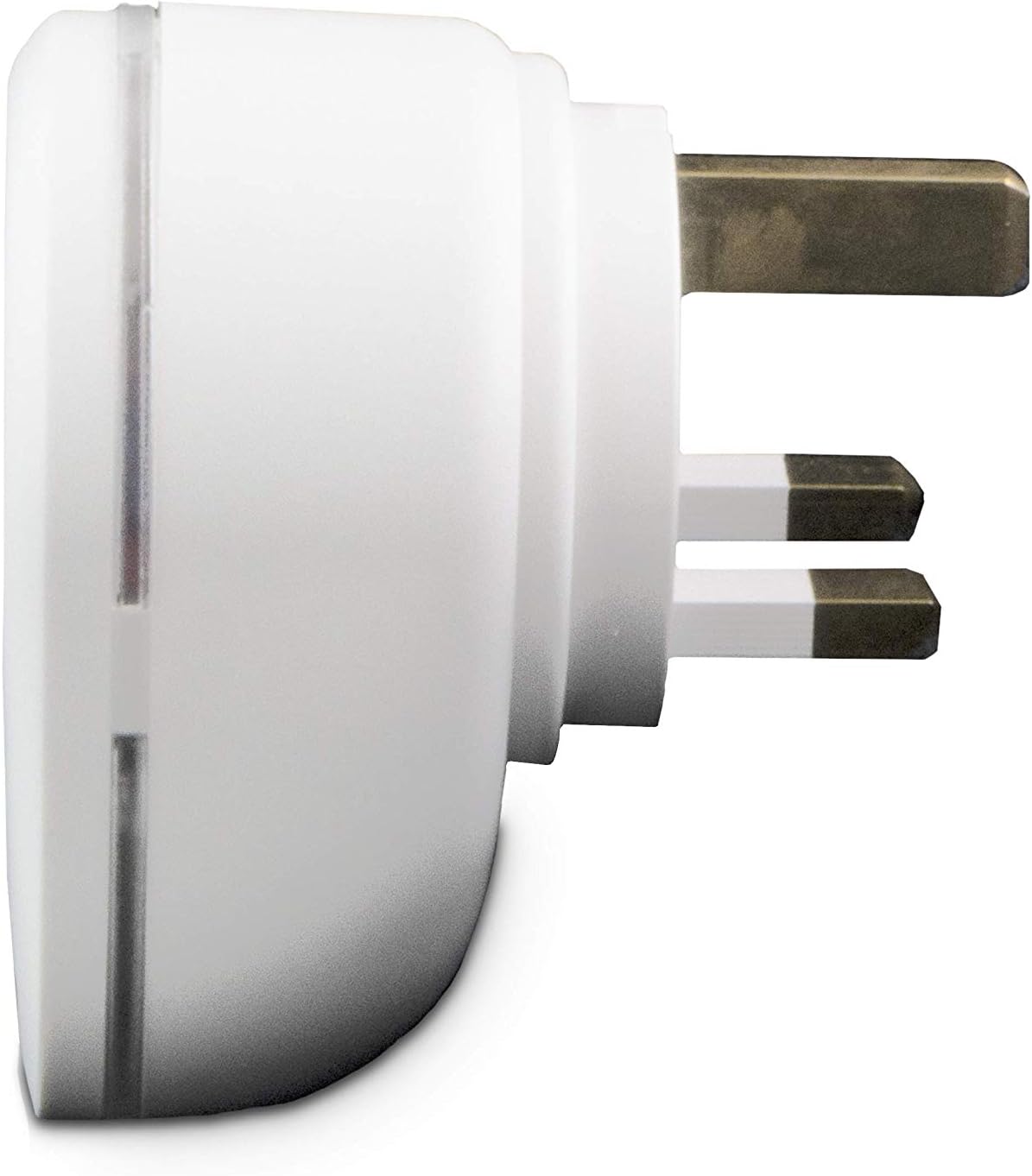
Obrázek 3: Boční profíkfile of the smart plug, illustrating the robust Type G plug pins for secure connection.

Figure 4: Product packaging, showing key features and compatibility information.
Nastavení
- Download the Smart me App: Hledat "Smart me" in your smartphone's app store (iOS or Android) and download the application.
- Zapojte zařízení: Insert the Marmitek Power SE Wi-Fi Smart Plug into a standard Type G wall socket. Ensure the socket is functioning correctly.
- Zahájit párování: Open the Smart me app. Follow the on-screen instructions to add a new device. The app will guide you through the process of connecting the smart plug to your home Wi-Fi network (2.4 GHz only). The smart plug is designed for "Plug & Play" setup, requiring no additional gateway.
- Potvrdit připojení: Once successfully paired, the indicator light on the smart plug will confirm its connection status, and the device will appear in your Smart me app.

Figure 5: The Smart me app logo, essential for controlling your Marmitek smart devices.
Ovládání chytré zásuvky
Ruční provoz
The Marmitek Power SE features a physical button on its front. Press this button once to manually switch the connected appliance ON or OFF. The indicator light will change to reflect the current status.
App Control (Smart me App)
Once connected to the Smart me app, you can control your plug from anywhere in the world using your smartphone or tablet. The app allows you to:
- Zapnutí/vypnutí: Toggle the power to the connected device instantly.
- Nastavit rozvrhy: Program the plug to turn on or off at specific times or days.
- Create Automations: Link the Power SE with other Marmitek Smart me devices (e.g., cameras or sensors) to trigger actions. For example, turn on a light when motion is detected.

Figure 6: Remote control of the smart plug via the Smart me app on a smartphone.
Hlasové ovládání
The Marmitek Power SE is compatible with Amazon Alexa and Google Assistant. To enable voice control:
- Propojit účty: In your Alexa or Google Home app, enable the "Smart me" skill/action and link your Marmitek account.
- Objevte zařízení: Ask your voice assistant to discover new devices.
- Používejte hlasové příkazy: You can now use commands like "Alexa, turn on the living room lamp" or "Hey Google, turn off the fan."

Figure 7: The Smart me ecosystem, showing how the smart plug integrates with other devices and voice assistants.
Údržba
To ensure the longevity and proper functioning of your Marmitek Power SE smart plug, follow these simple maintenance guidelines:
- Čištění: Disconnect the smart plug from the power outlet before cleaning. Use a soft, dry cloth to wipe the surface. Do not use liquid cleaners or abrasive materials.
- Skladování: If storing the device, ensure it is kept in a dry environment, away from extreme temperatures and direct sunlight.
- Inspekce: Periodically check the plug and socket for any signs of damage or wear. If any damage is observed, discontinue use and contact support.
Odstraňování problémů
| Problém | Možná příčina | Řešení |
|---|---|---|
| Zařízení se nepřipojuje k Wi-Fi | Incorrect Wi-Fi password, 5 GHz network, weak signal, or device not in pairing mode. | Ensure correct 2.4 GHz Wi-Fi password. Move the plug closer to the router. Reset the plug to pairing mode (refer to app instructions). |
| App cannot control the plug | No internet connection, plug offline, or app issue. | Check your phone's internet connection. Verify the plug's indicator light for connection status. Restart the Smart me app. |
| Hlasové ovládání nefunguje | Smart me skill/action not enabled, accounts not linked, or incorrect device name. | Ensure the "Smart me" skill/action is enabled and accounts are linked in your Alexa/Google Home app. Use the exact device name configured in the Smart me app. |
| Plug is unresponsive | Napájenítage, porucha zařízení. | Check the power supply to the socket. Unplug the device for 10 seconds and plug it back in. If issues persist, contact customer support. |
Specifikace
| Číslo modelu | _08517 |
| Značka | Marmitek |
| Barva | Bílý |
| Zásuvka napájení | 1x 100-240 V socket |
| Max. Výstup | 3450 W |
| Max. Proud | 15 Amps |
| svtage | 100-240 VAC 50/60 Hz |
| Typ konektoru | Typ G |
| Typ zástrčky | Typ G |
| Bezdrátová technologie | Wi-Fi 2.4 GHz |
| Pohotovostní proud | < 0.5 W |
| Rozměry produktu (V x Š x H) | 7.2 x 5.2 x 7.2 cm |
| Hmotnost | 140 g |
| Specifikace splněna | IEC |

Figure 8: Technical specifications and compliance markings for the Marmitek Power SE.
Záruka a podpora
The Marmitek Power SE Wi-Fi Smart Plug comes with a 2-letá záruka od data nákupu. Uschovejte si prosím doklad o koupi pro případné reklamace.
For technical support, troubleshooting assistance, or warranty inquiries, please visit the official Marmitek website or contact their customer service department. You can find more information at: www.marmitek.com

Figure 9: Marmitek brand logo.