
1. Úvod
The Walfront YB26VA USB Detector is a compact and versatile device designed to measure the voltage, current, and battery capacity of USB-powered devices. It features a dual LED display for clear, simultaneous readings, making it an essential tool for monitoring the performance of mobile phones, tablet computers, power banks, and other USB devices.
2. Bezpečnostní informace
- Před použitím zařízení si pečlivě přečtěte všechny pokyny.
- Nevystavujte zařízení vlhkosti, dešti ani extrémním teplotám.
- Nepokoušejte se zařízení rozebírat ani upravovat. Mohlo by dojít ke zrušení záruky a k ohrožení bezpečnosti.
- Ujistěte se, že zvtage and current of the connected devices are within the specified operating limits of the YB26VA detector.
- Uchovávejte mimo dosah dětí.
3. Konec produktuview
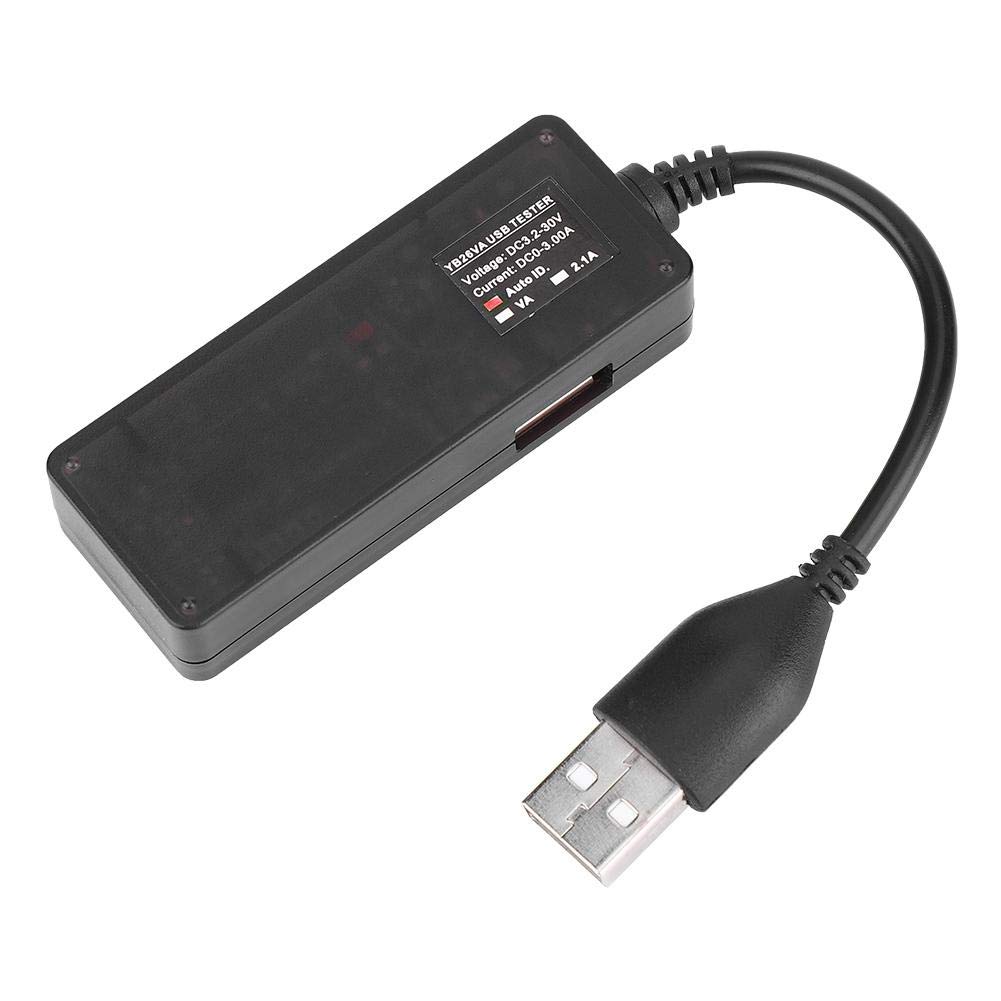
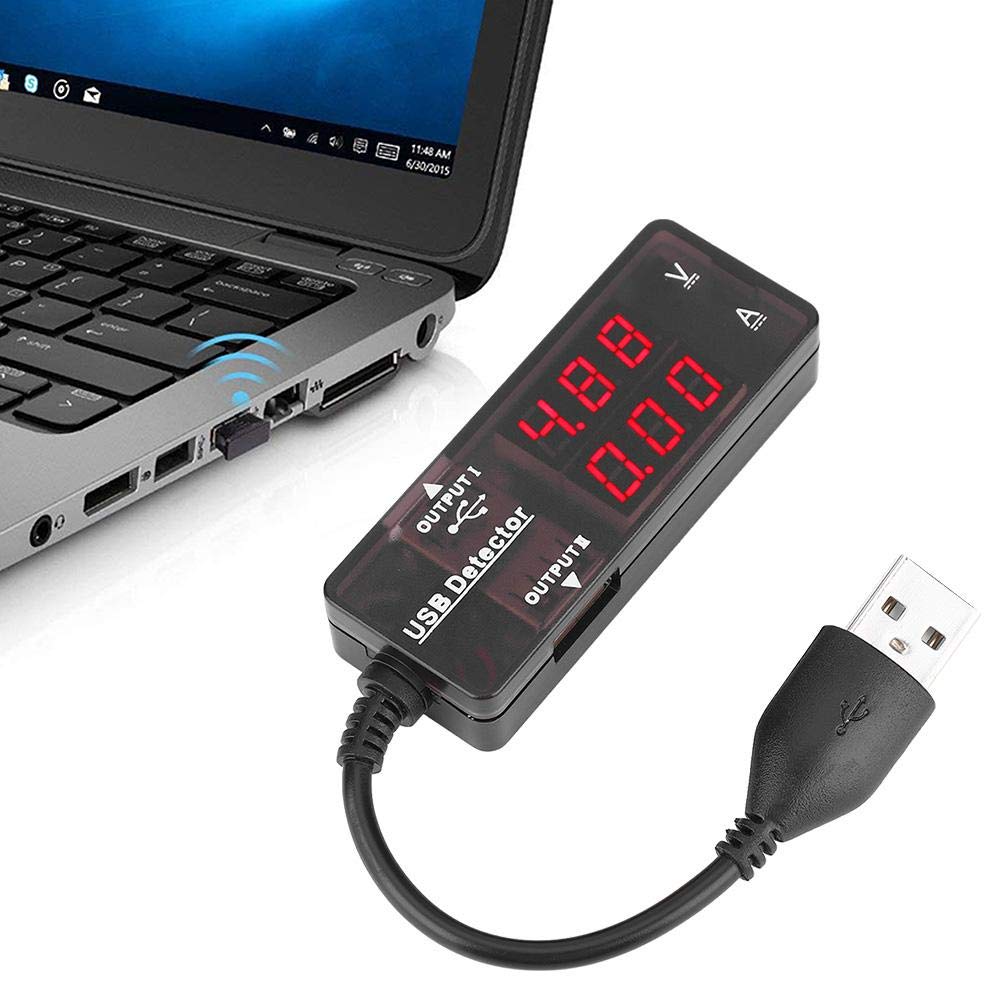
The YB26VA USB Detector features a male USB-A plug for input, a female USB-A port for output, and a dual LED display that shows real-time voltage and current measurements. The device is designed for ease of use and portability.

4. Specifikace
| Funkce | Specifikace |
|---|---|
| Model | YB26VA |
| Napájecí zdroj Voltage | 3.2 V - 15 V |
| Testujte proud | 0A - 3A (Up to 10A peak) |
| Přesnost měření | 0.1% +/-3 Digit |
| Pracovní proud | <20 mA |
| Režim zobrazení | 0.28 palcová LED |
| Délka prodlužovacího kabelu USB | ≥120 mm |
| Míra měření | ≥500mS/Time |
| Pracovní teplota | -10 °C až 65 °C |
| Pracovní vlhkost | Žádná kondenzace |
| Pracovní tlak | 80-106 kPa |
| Hmotnost položky | 32 g |
5. Nastavení
- Připojte ke zdroji napájení: Insert the male USB-A plug of the YB26VA USB Detector into a USB power source. This can be a USB wall charger, a power bank, a computer's USB port, or any other compatible USB power output.
- Připojte své zařízení: Plug the USB charging cable of your mobile phone, tablet, or other USB device into the female USB-A output port of the YB26VA USB Detector.
- Zapnutí: The detector will automatically power on and display readings once connected to a live USB power source.
6. Návod k obsluze
Once the YB26VA USB Detector is set up, it will immediately begin displaying real-time measurements:
- svtage Displej (V): The upper LED display shows the current voltage ve voltech (V).
- Zobrazený proud (A): The lower LED display shows the current flowing through the device in Amperes (A).
- Smart Recognition Chip: The built-in smart recognition chip automatically selects the most suitable and safe charging current for your connected mobile phone or tablet, optimizing charging efficiency.
- Alternativní displej: The device can alternately display capacity and power, providing comprehensive monitoring capabilities.
- Kompatibilita s více zařízeními: The detector can be used with most mobile phones, mobile power supplies, tablet computers, and other USB devices. It supports simultaneous monitoring of two mobile phones if the power source allows.

7. Údržba
- Udržujte zařízení čisté a suché. K otření povrchu používejte měkký, suchý hadřík.
- Zabraňte pádu zařízení nebo jeho vystavení silným nárazům.
- Nepoužívejte abrazivní čisticí prostředky ani rozpouštědla, protože by mohly poškodit casing nebo displej.
- Pokud zařízení nepoužíváte, skladujte jej na chladném a suchém místě.
8. Řešení problémů
| Problém | Možná příčina | Řešení |
|---|---|---|
| Žádný displej/Zařízení se nezapíná | No power from USB source, faulty connection, or device malfunction. | Ensure the USB detector's male plug is fully inserted into a working USB power source. Try a different USB port or power source. Check the connected device's cable. |
| Incorrect or fluctuating readings | Loose connections, faulty USB cable, or device drawing unstable power. | Verify all USB connections are secure. Try a different USB cable for the connected device. Ensure the power source is stable. |
| Device not charging through detector | Insufficient power from source, faulty cable, or device incompatibility. | Ensure the USB power source provides enough current for your device. Try a different charging cable. Some devices may have specific charging requirements. |
9. Informace o záruce
For specific warranty details regarding your Walfront YB26VA USB Detector, please refer to the documentation provided at the time of purchase or contact the retailer directly. Warranty terms typically cover manufacturing defects under normal use conditions.
10. Podpora
Should you require technical assistance, have questions about the product, or need to report an issue, please contact Walfront customer support through their official website or the customer service channels of the retailer from whom you purchased the product. Please have your product model (YB26VA) and purchase details ready when contacting support.