
1. Úvod
This manual provides essential instructions for the safe and effective use of your Stack-On PDS-1800-E Small Drawer Safe. Please read all instructions carefully before operating the safe. Keep this manual for future reference.
2. Bezpečnostní informace
- Do not store backup keys inside the safe. Always keep backup keys in a secure location away from the safe.
- Ensure the safe is mounted securely to prevent unauthorized removal.
- Keep the electronic keypad dry and clean.
- This safe is designed for security against theft, not fire or water damage, as it is not fire or water resistant.
3. Obsah balení
- Stack-On PDS-1800-E Small Drawer Safe
- Backup keys (2)
- Montážní materiál (šrouby)
- Návod k použití
4. Nastavení
4.1. Instalace baterie
The electronic lock requires batteries for operation. Locate the battery compartment, typically on the inside of the safe door. Insert the required number of AA batteries, ensuring correct polarity. Close the compartment cover securely.
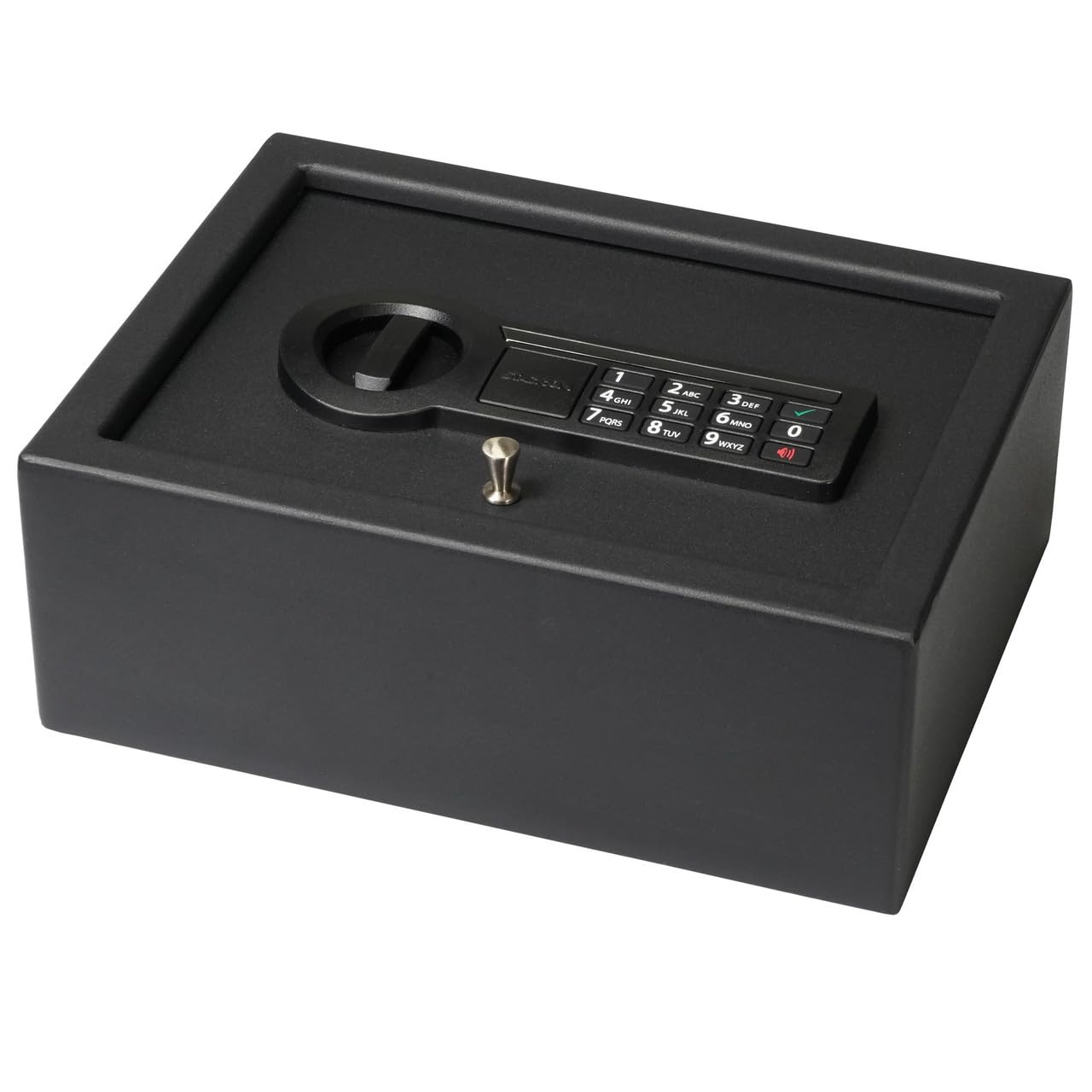
Obrázek: Přední strana view of the safe, showing the electronic keypad and the manual lock. This is where you will interact with the safe for daily use.
4.2. Nastavení počátečního kódu
- With the safe door open, press the red reset button located on the inside of the door. The yellow light on the keypad will illuminate.
- Enter a new 3-8 digit code on the keypad.
- Press the 'A' or '#' button to confirm. The yellow light will turn off, and a green light will flash, indicating the code has been set.
- Před zavřením dveří vyzkoušejte nový kód s otevřenými dveřmi.
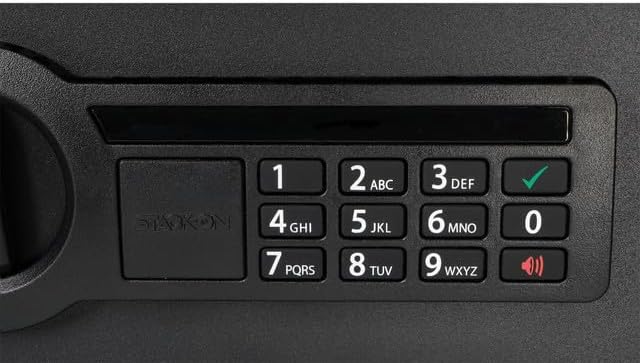
Obrázek: Podrobný view of the electronic keypad, highlighting the numbered buttons and the 'A' (or checkmark) and 'B' (or speaker) buttons used for operation and setting codes.
4.3. Montáž trezoru
The safe features pre-drilled holes for secure mounting. Use the included hardware to fasten the safe to a stable surface, such as inside a drawer, cabinet, or to a desk. Ensure the mounting location is flat and provides adequate support.

Image: The safe positioned inside a drawer, illustrating how it can be discreetly stored and mounted within furniture.
5. Návod k obsluze
5.1. Opening with Electronic Lock
- Zadejte svůj 3–8místný osobní kód.
- Press the 'A' or '#' button. The green light will illuminate.
- Do 5 sekund otočte knoflíkem ve směru hodinových ručiček a otevřete dvířka trezoru.
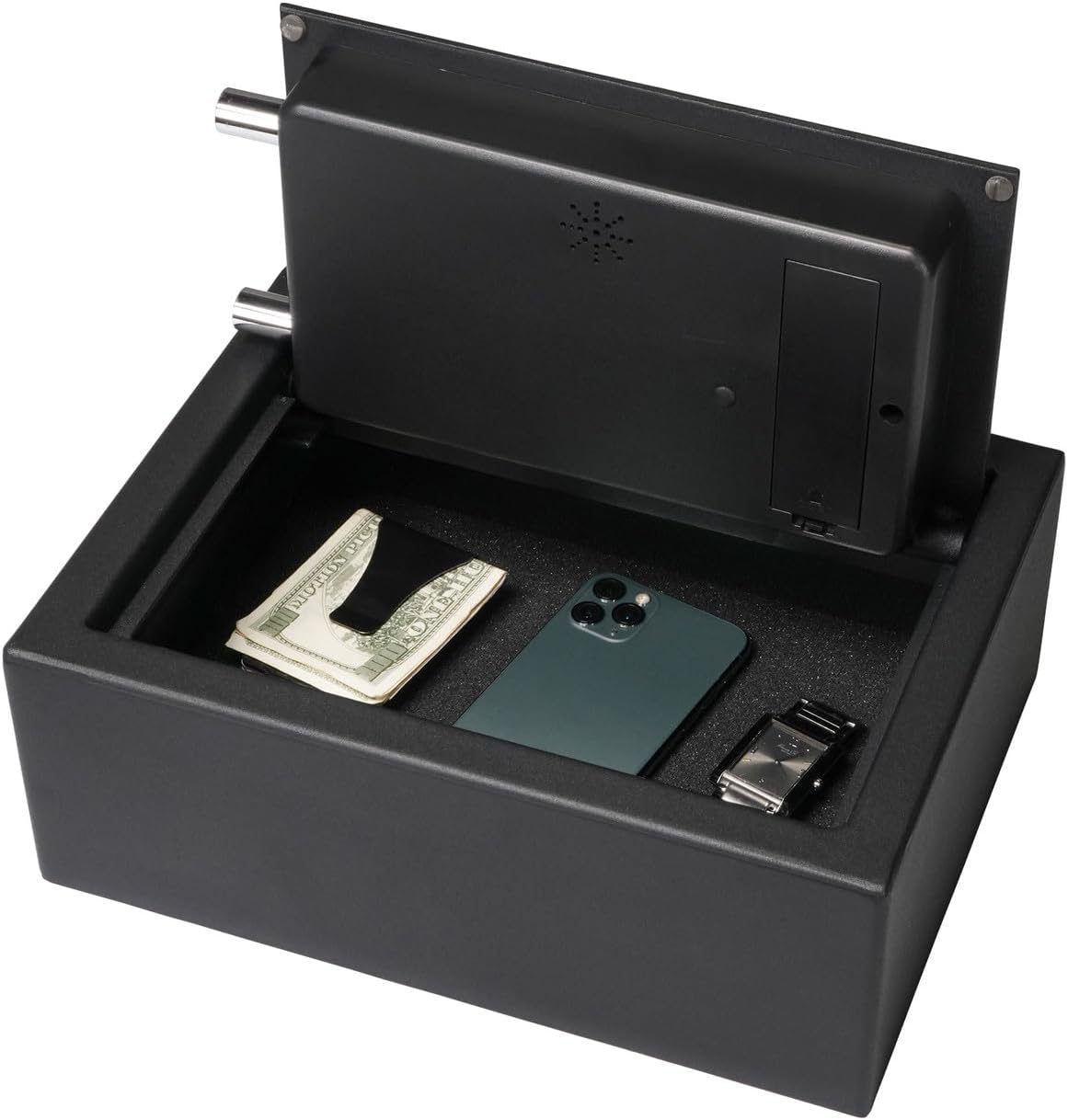
Image: The safe opened, showing its interior with a soft, foam-padded lining and various items stored inside.
5.2. Opening with Backup Key
In case of forgotten code or battery failure, the safe can be opened using the backup key.
- Remove the cover plate over the manual lock cylinder, usually located in the center of the knob.
- Insert the backup key into the lock cylinder.
- Turn the key clockwise while simultaneously turning the knob clockwise to open the safe.
- Remove the key once the safe is open.
5.3. Changing Your Code
To change your personal code, follow the same steps as '4.2. Initial Code Setting' while the safe door is open.

Image: A close-up of the safe's locking mechanism, showing the two steel live-action bolts that secure the door when closed.
6. Údržba
6.1. Výměna baterie
When the batteries are low, the red light on the keypad will flash, or the safe may not respond to code entry. Replace all batteries with new AA alkaline batteries. Do not mix old and new batteries.
6.2. Čištění
Vnější povrch trezoru očistěte měkkým hadříkem.amp hadříkem. Nepoužívejte abrazivní čisticí prostředky ani rozpouštědla, která by mohla poškodit povrchovou úpravu nebo elektronické součástky.
7. Řešení problémů
| Problém | Možná příčina | Řešení |
|---|---|---|
| Trezor se neotevírá kódem. | Zadán nesprávný kód; slabé baterie. | Re-enter code carefully; replace batteries; use backup key. |
| Klávesnice nereaguje. | Vybité baterie. | Vyměňte baterie. |
| Door will not close properly. | Obstruction in door frame; locking bolts extended. | Clear any obstructions; ensure bolts are retracted before closing. |
8. Specifikace
- Číslo modelu: PDS-1800-E
- Značka: Stack-On
- Typ zámku: Electronic Combination Lock with Backup Key
- Materiál: Legovaná ocel
- Barva: Černý
- Rozměry produktu (H x Š x V): 30 cm x 8 cm x 6 cm
- Hmotnost položky: 17 libry
- Speciální vlastnosti: Anti-Theft, Concealed Hinges, Two Steel Live-Action Bolts, Foam-Padded Interior
- Typ montáže: Tabletop / Freestanding (Mounting hardware included)
- Úroveň odolnosti proti vodě: Není odolný vůči vodě
9. Záruka a podpora
Informace o záruce nebo technickou podporu získáte od oficiálního webnebo kontaktujte jejich zákaznický servis. Uschovejte si účtenku jako doklad o koupi.