
1. Úvod
Thank you for choosing the Techmade TM-W007C-NGR Hybrid Smartwatch. This manual provides essential information for setting up, operating, maintaining, and troubleshooting your device. Please read it carefully to ensure optimal performance and longevity of your smartwatch. The TM-W007C-NGR combines classic quartz watch aesthetics with modern digital smartwatch functionalities, offering a versatile and stylish experience.
2. Konec produktuview
The Techmade TM-W007C-NGR is a hybrid smartwatch designed for men, featuring a robust steel case and a comfortable green rubber strap. It integrates a precise quartz movement for traditional timekeeping with a digital display for smart features. Key functionalities include multi-functions, smartphone compatibility, and 3 ATM water resistance.

Obrázek 2.1: Přední strana view of the Techmade TM-W007C-NGR Hybrid Smartwatch.
Klíčové vlastnosti:
- Quartz pohyb: Reliable analog time display.
- Digitální displej: Integrated screen for smart notifications and data.
- Multifunkční: Access various smart features directly from your wrist.
- Vodotěsnost 3 ATM: Suitable for everyday use, including splashes and brief immersion.
- Odolná konstrukce: Steel case with a comfortable rubber strap.
- Kompatibilita se smartphony: Connects to your smartphone for enhanced features.
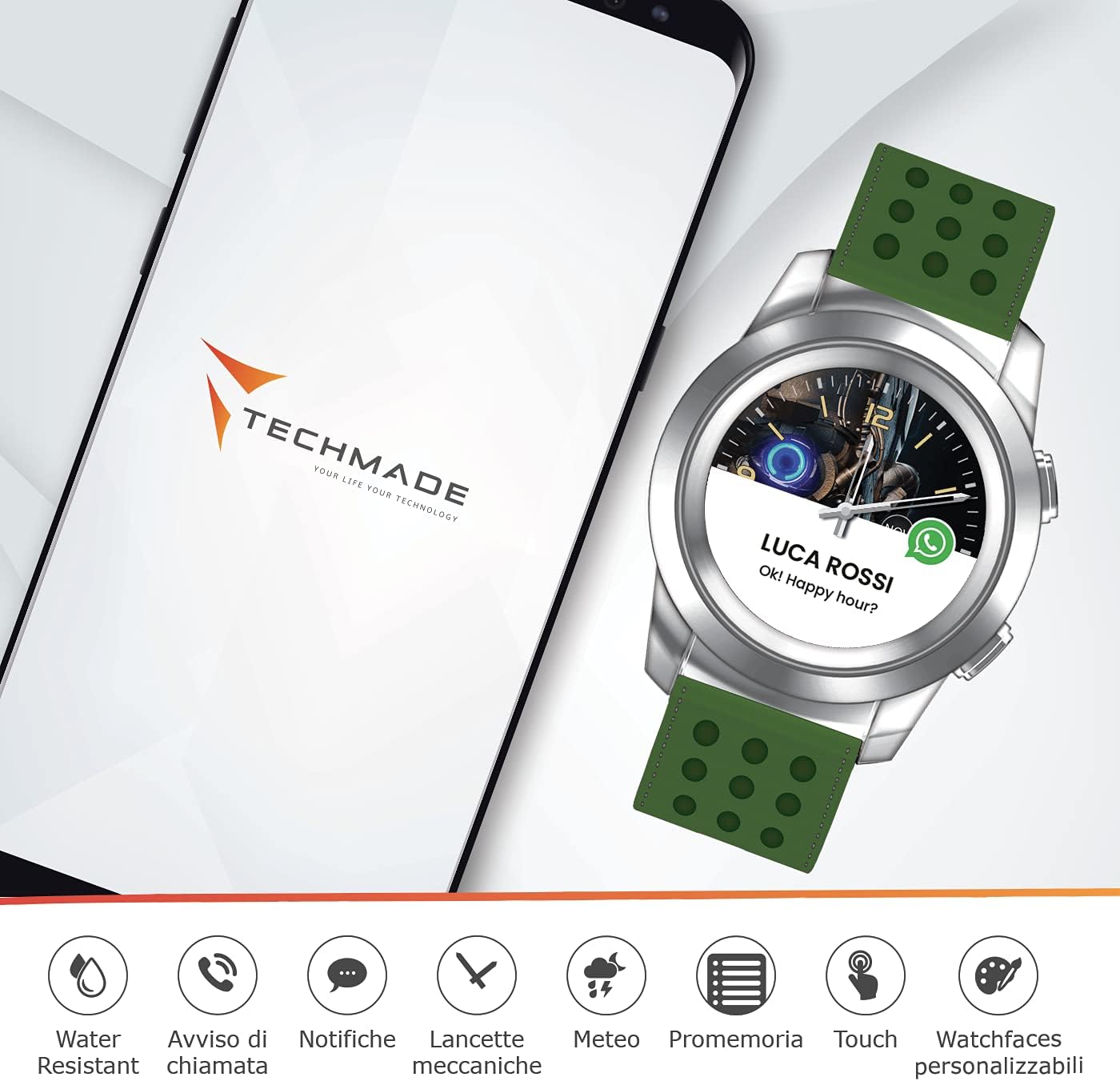
Figure 2.2: The smartwatch connected to a smartphone, illustrating various smart features like water resistance, call alerts, notifications, mechanical hands, weather, reminders, touch control, and customizable watch faces.

Obrázek 2.3: Rozložený view illustrating the hybrid nature of the watch, combining traditional watch mechanisms with digital components for features like heart rate monitoring, step counting, and battery status.
3. Nastavení
3.1 Počáteční nabíjení
Before first use, fully charge your smartwatch. Connect the charging cable to the designated charging port on the watch and plug the other end into a USB power adapter (not included) or a computer's USB port. A full charge typically takes approximately 2 hours.
3.2 Stažení a párování aplikace
- Stáhněte si aplikaci: Hledat the official Techmade smartwatch application in your smartphone's app store (Google Play Store for Android or Apple App Store for iOS). Install the application.
- Povolit Bluetooth: Ujistěte se, že je na vašem smartphonu povoleno Bluetooth.
- Otevřete aplikaci a spárujte: Open the Techmade app, create an account or log in, and follow the on-screen instructions to search for and pair with your TM-W007C-NGR smartwatch. You may need to confirm a pairing code on both devices.
3.3 Synchronizace času
Once paired, the smartwatch will automatically synchronize its time and date with your smartphone. If the time is incorrect, ensure your phone's time settings are accurate and try re-pairing the device.
4. Návod k obsluze
4.1 Základní navigace
The TM-W007C-NGR features a combination of physical buttons and a touch-sensitive digital display for navigation. Refer to the in-app guide for specific button functions and touch gestures.
- Boční tlačítka: Typically used for power on/off, returning to the home screen, or accessing specific functions.
- Digitální displej: Swipe left/right or up/down to navigate through menus and notifications. Tap to select items.
4.2 Oznámení
Once connected to your smartphone, the smartwatch can display notifications for calls, messages, and other app alerts. Configure which notifications you wish to receive through the Techmade app settings.
4.3 Přizpůsobení ciferníků
Personalize your smartwatch by changing the watch face. This can typically be done through the Techmade app or directly on the watch's digital display by long-pressing the screen or navigating to the watch face settings.
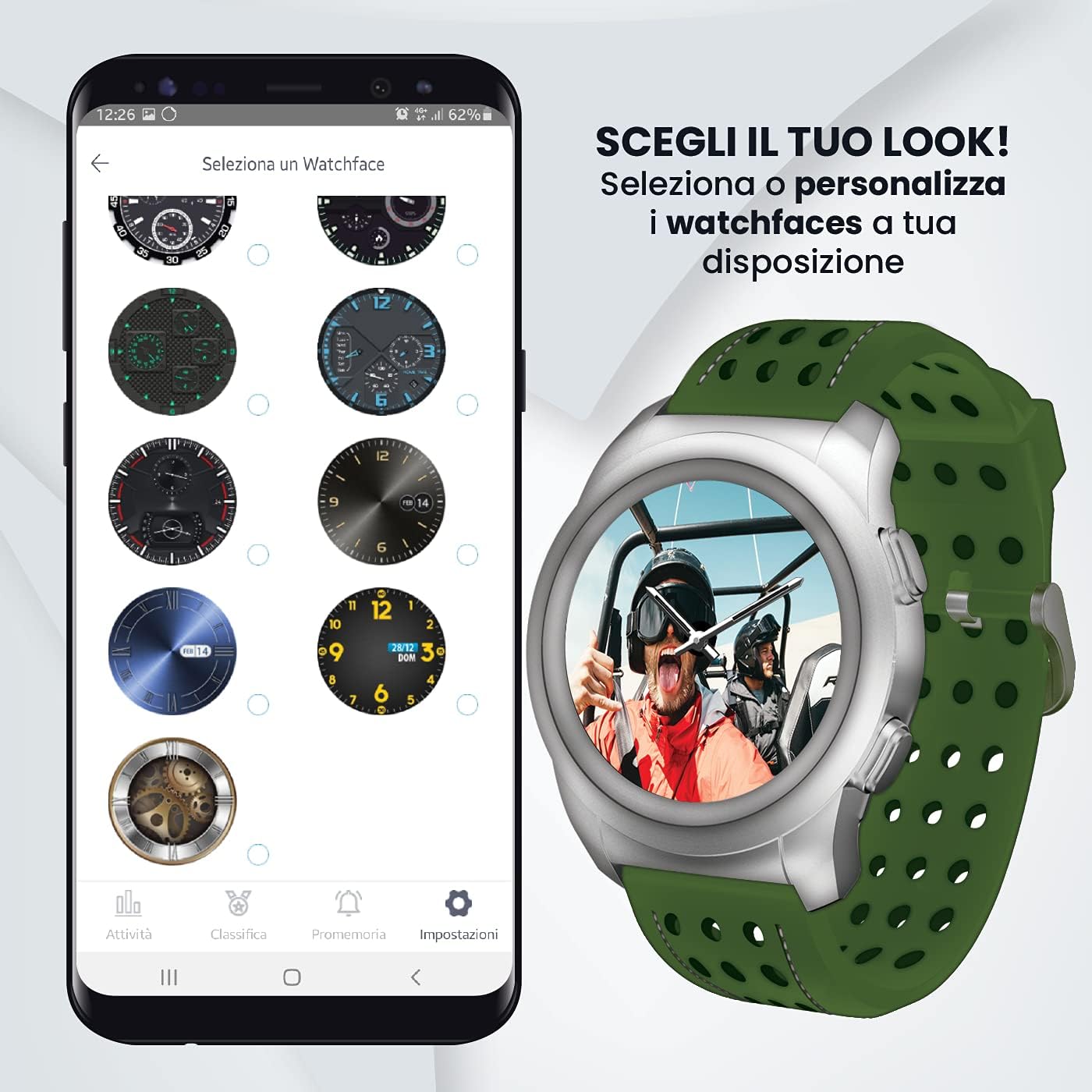
Figure 4.1: The Techmade app interface displaying a selection of customizable watch faces.
4.4 Další funkce
Explore additional features such as activity tracking, weather updates, and reminders via the smartwatch's menus and the companion app. Refer to the app's help section for detailed instructions on each function.
5. Údržba
5.1 Čištění
Chcete-li chytré hodinky vyčistit, jemně otřete pouzdro a řemínek měkkým hadříkem.amp cloth. Avoid using harsh chemicals, abrasive materials, or strong detergents, as these can damage the finish or internal components. Ensure the watch is dry before charging.
5.2 Voděodolnost
The TM-W007C-NGR is rated for 3 ATM (30 meters) water resistance. This means it is suitable for daily use, splashes, rain, and brief immersion in water. It is ne recommended for swimming, diving, or showering with hot water, as steam and high pressure can compromise the seals.

Figure 5.1: The smartwatch demonstrating its water resistance capabilities.
5.3 Péče o baterii
To prolong battery life, avoid extreme temperatures. Charge the device regularly and avoid letting the battery completely drain for extended periods. If storing the watch for a long time, ensure it has at least a 50% charge.
6. Řešení problémů
6.1 Zařízení se nezapíná
- Ujistěte se, že jsou hodinky plně nabité. Připojte je k nabíječce alespoň na 30 minut.
- Stiskněte a podržte tlačítko napájení po dobu 10–15 sekund pro pokus o vynucený restart.
6.2 Nelze spárovat se smartphonem
- Verify Bluetooth is enabled on your smartphone and the watch.
- Ujistěte se, že hodinky jsou v dosahu Bluetooth vašeho telefonu (obvykle 10 metrů).
- Restartujte chytrý telefon i chytré hodinky.
- Vymažte mezipaměť Bluetooth v telefonu (Android) nebo zařízení zapomeňte v nastavení Bluetooth (iOS) a zkuste spárování zopakovat.
6.3 Inaccurate Time or Data
- Check if the watch is properly connected to the app and your smartphone.
- Ensure your smartphone's time and date settings are correct.
- Synchronize data manually through the app if available.
6.4 App Not Functioning Correctly
- Ujistěte se, že je aplikace aktualizována na nejnovější verzi.
- Clear the app's cache and data (Android) or reinstall the app.
- Check your phone's operating system for updates.
7. Specifikace
| Značka | Technologicky vyrobené |
| Číslo modelu | TM-W007C-NGR |
| Hnutí | Křemen |
| Typ zobrazení | Digitální |
| Voděodolnost | 3 bankomatů (30 metrů) |
| Materiál pouzdra | Ocel |
| Materiál popruhu | Pryž |
| Barva řemínku | Zelený |
| Kompatibilní zařízení | Smartphone |
| Země původu | Itálie |
8. Záruka a podpora
Your Techmade TM-W007C-NGR Hybrid Smartwatch is covered by a manufacturer's warranty. Please refer to the warranty card included with your purchase for specific terms and conditions, including warranty duration and coverage details. For technical support, service, or further inquiries, please visit the official Techmade webnebo kontaktujte jejich oddělení zákaznických služeb.
Oficiální Webmísto: www.techmade.eu