
1. Úvod a konecview
The NJOY Echo Pro 3000 is a high-performance Uninterruptible Power Supply (UPS) designed to provide reliable power protection for critical electronic equipment. This online double-conversion UPS delivers a pure sine wave output, ensuring compatibility and stable power for sensitive devices. With a capacity of 3000 VA / 2400 W, it is suitable for business PCs, office lighting, banking applications, commercial environments, and medical equipment. This manual provides essential information for the safe and efficient installation, operation, and maintenance of your NJOY Echo Pro 3000 UPS.
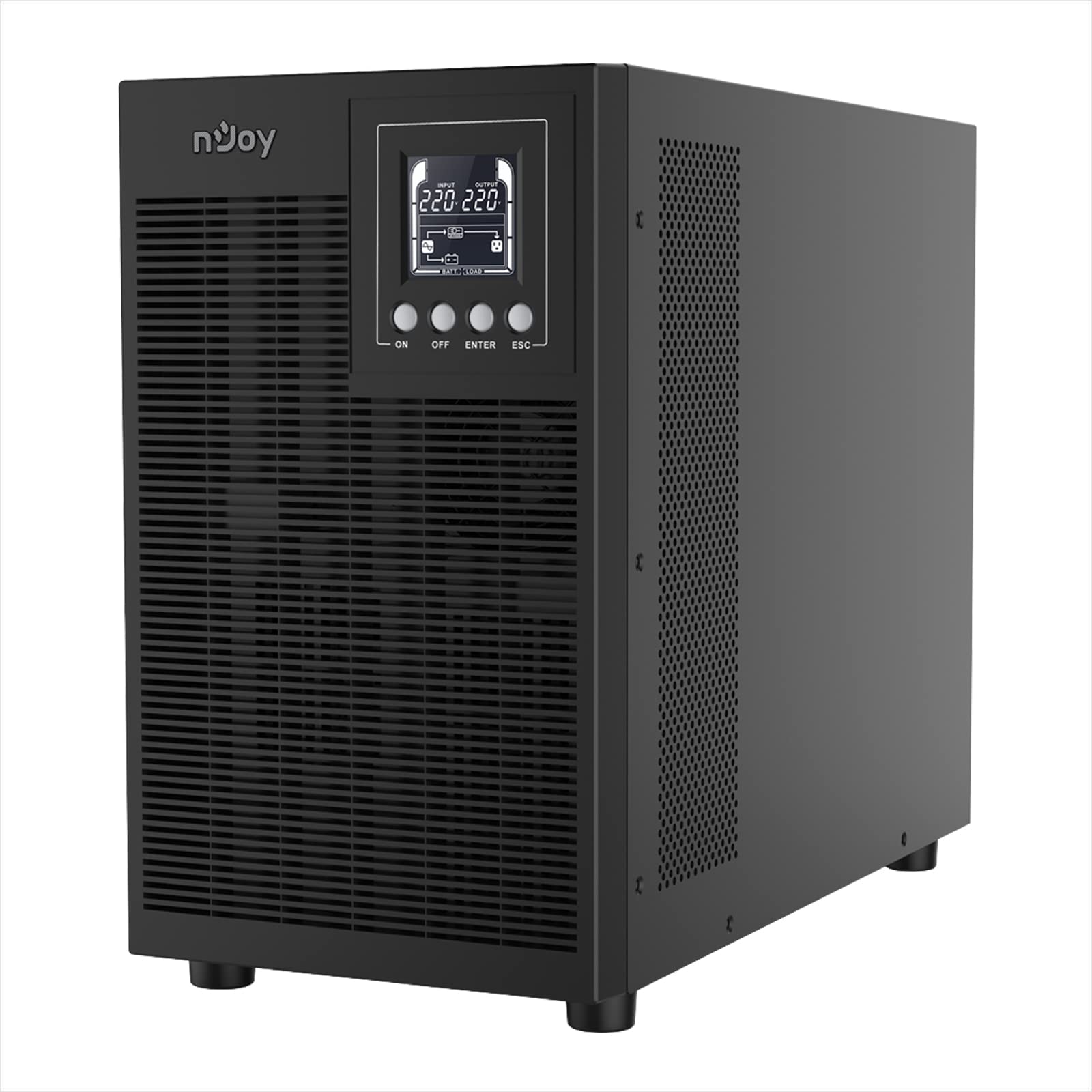
Obrázek 1: Přední view of the NJOY Echo Pro 3000 UPS, showing the LCD display and control buttons.
2. Vlastnosti produktu
- Double Conversion Online Technology: Provides continuous, high-quality power by converting incoming AC power to DC and then back to AC, isolating connected equipment from utility power fluctuations.
- Výstup čisté sinusové vlny: Ensures the highest degree of compatibility with active electronics, delivering clean power without harmonic distortion or electrical noise, which extends equipment lifespan.
- Advanced Software Management: Includes specialized software for remote access, monitoring UPS status, scheduling power on/off, and performing battery tests. It allows for automatic actions in case of power events.
- HID USB Port: Allows monitoring of battery levels and adjustment of settings even when the main power is off.
- SNMP Slot (Optional): Supports an optional SNMP card for remote monitoring and management of connected devices over networks, providing real-time notifications for potential issues.
- Účinný chladicí systém: Features optimized fan size and a temperature-based rotation speed controller, resulting in low noise levels (less than 35.6 dB at full load, 30.3 dB at half load).
- Více výstupů: Equipped with 4 Schuko outlets for connecting various devices.

Obrázek 2: Visual summary of key features including online double conversion, pure sine wave, and USB HID.
3. Pokyny k nastavení
- Rozbalení: Carefully remove the UPS from its packaging. Inspect for any shipping damage. Retain packaging for future transport.
- Umístění: Place the UPS in a clean, dry, and well-ventilated area, away from direct sunlight, heat sources, and excessive dust. Ensure ambient temperature is between 0°C and 40°C and humidity is 0-90% (non-condensing).
- Počáteční nabíjení: Before initial use, connect the UPS to a standard AC power outlet for at least 8 hours to ensure the internal batteries are fully charged.
- Spojovací zařízení:
- Connect your critical devices (computers, monitors, printers, etc.) to the 4 Schuko output sockets on the rear panel of the UPS.
- Ensure the total load does not exceed the UPS's capacity (2400W).
- Connecting Communication Cables:
- For monitoring and management, connect the UPS to your computer using the provided USB or RS232 cable.
- If using an optional SNMP card, install it into the designated slot and connect it to your network.
- Připojení napájení: Connect the UPS's AC input cable to a grounded wall outlet.

Obrázek 3: Rear panel of the NJOY Echo Pro 3000 UPS, illustrating connection points: 1. RS232 Interface, 2. Schuko Outputs, 3. Input Circuit Breaker, 4. Fans, 5. SNMP Slot, 6. EPO (Emergency Power Off), 7. USB Interface, 8. AC vstup.
4. Návod k obsluze
4.1 Zapnutí/vypnutí
- Zapnutí: Press and hold the "ON" button on the front panel until the UPS beeps and the LCD display illuminates.
- Vypnutí: Press and hold the "OFF" button until the UPS shuts down. Ensure all connected equipment is safely powered down first.
LCD displej 4.2
The LCD display provides critical information about the UPS status, including:
- Load capacity percentage
- Úroveň nabití baterie
- Operating mode (AC mode, Battery mode, Eco mode)
- Vstupní/výstupní objemtage a frekvence
4.3 Eko režim
The UPS features an Eco Mode to improve energy efficiency. In Eco Mode, the UPS operates with a transfer time of 4ms. Refer to the software management section for details on enabling or disabling this mode.
4.4 Správa softwaru
Utilize the specialized software to gain remote access and comprehensive control over your Echo Pro UPS. The software allows you to:
- Monitor the operational status of the UPS in real-time.
- Schedule power-on, power-off, and battery test routines.
- Configure UPS settings and parameters.
- Receive real-time notifications and set up automatic actions during power events (e.g., safe shutdown of connected systems).

Obrázek 4: Screenshot of the UPS management software, showing current status and configuration options.
5. Údržba
- Péče o baterie: The UPS uses 6 sealed, leak-proof VRLA lead-acid batteries (GP07122L). For optimal battery life, ensure the UPS is kept within the recommended operating temperature range and avoid frequent deep discharges. Batteries have a 1-year warranty.
- Čištění: Keep the UPS exterior clean and free from dust. Use a dry, soft cloth. Do not use liquid or aerosol cleaners. Ensure ventilation openings are clear.
- Podmínky prostředí: Operate the UPS within the specified environmental conditions: temperature 0-40°C and humidity 0-90% (non-condensing).
- Pravidelné testování: Periodically perform battery self-tests using the management software to ensure battery health.
6. Řešení problémů
If you encounter issues with your NJOY Echo Pro 3000 UPS, consider the following general troubleshooting steps:
- No Power/UPS Not Turning On:
- Check if the AC input cable is securely connected to both the UPS and the wall outlet.
- Verify that the wall outlet is supplying power.
- Check the Input Circuit Breaker on the rear panel; reset if tripped.
- Ensure the batteries are sufficiently charged.
- UPS Beeping Continuously/Alarm:
- This usually indicates the UPS is operating on battery power due to a utility power failure. Save your work and safely shut down connected equipment if the power outage je prodloužené.
- An alarm might also indicate an overload condition. Reduce the load connected to the UPS.
- Consult the LCD display or management software for specific error codes or warnings.
- Připojené zařízení není napájeno:
- Ujistěte se, že je UPS zapnutá.
- Check that devices are securely plugged into the UPS output sockets.
- Ověřte, zda UPS není v přetížení.
- Problémy se softwarovou komunikací:
- Check USB/RS232 cable connections.
- Ensure the correct drivers are installed for the communication interface.
- For SNMP, verify network connectivity and configuration.
Pokud problémy přetrvávají i po vyzkoušení těchto kroků, kontaktujte prosím zákaznickou podporu.
7. Technické specifikace
| Funkce | Specifikace |
|---|---|
| Model | UPOL-OL300EP-CG01B |
| Kapacita (VA/W) | 3000 VA / 2400 W |
| Typ UPS | Online Double Conversion |
| Jmenovitý vstupní objemtage | 220-240 VAC |
| Vstupní objemtage Dosah | 80 – 300 VAC |
| Jmenovitá frekvence | 50 Hz ~ 60 Hz |
| Frekvenční rozsah | 40 Hz ~ 70 Hz |
| Ochrana proti přepětí | 565 joulů |
| Transfer Time (AC-DC) | Nula |
| Transfer Time (Eco Mode) | 4 ms |
| Výstupní zásuvky | 4x Schuko |
| Typ baterie | 6 x GP07122L (Sealed, Leak-proof VRLA Lead-Acid) |
| Doba zálohování baterie | 25% load: 18 min; 50% load: 7 min; 75% load: 2 min; 100% load: 1 min |
| Komunikační porty | HID USB, RS232, EPO, SNMP Slot |
| Provozní vlhkost | 0 – 90 % (nekondenzující) |
| Provozní teplota | 0 – 40 °C |
| Úroveň hluku | Less than 35.6 dB (full load), 30.3 dB (half load) |
| Rozměry produktu (DxŠxV) | 416 x 196 x 342 mm |
| Hmotnost produktu | 27.08 kg |
| Kompatibilní zařízení | Computer, Monitor, Printer, Notebook, Pellet Stove |
| Materiál | Polykarbonát (PC) |

Obrázek 5: Battery runtime performance of the NJOY Echo Pro 3000 UPS at various load percentages.
8. Záruka a podpora
The NJOY Echo Pro series comes with a 3-letá záruka for the UPS unit and a 1-letá záruka for the internal batteries. This warranty covers defects in materials and workmanship under normal use.
For any assistance, technical support, or warranty claims, please contact NJOY customer service. Our professional customer service team is dedicated to providing prompt and quality support before, during, and after your purchase.
Please have your product model number (UPOL-OL300EP-CG01B) and purchase date available when contacting support.