
1. Úvod
This manual provides instructions for the ZdalaMit XRT136 Replacement Remote Control. This remote is designed to function as a direct replacement for your original Vizio Smart TV remote without requiring any programming or pairing.
Compatible Vizio Smart TV Models:
- M657-G0
- M557-G0
- PX65-G1
- P659-G1
- P759-G1
- D60-F3
2. Obsah balení
Ujistěte se, že v balení jsou přítomny všechny položky:
- 1 x ZdalaMit XRT136 Replacement Remote Control
3. Nastavení
3.1 Instalace baterie
Dálkový ovladač vyžaduje k provozu dvě (2) alkalické baterie typu AAA (nejsou součástí balení).
- Najděte přihrádku na baterie na zadní straně dálkového ovladače.
- Posuňte kryt přihrádky na baterie dolů a otevřete jej.
- Vložte dvě nové baterie AAA a ujistěte se, že kladný (+) a záporný (-) pól správně odpovídají označením uvnitř přihrádky.
- Zasuňte kryt přihrádky na baterie zpět na místo, dokud bezpečně nezacvakne.

Obrázek: Zpět view of the XRT136 remote control, illustrating the battery compartment location.
Once batteries are installed, the remote is ready for use. No programming or pairing is required.
4. Návod k obsluze
To operate your Vizio Smart TV, point the ZdalaMit XRT136 remote control directly at the television's infrared receiver. Press the desired buttons to control your TV's functions.

Obrázek: Přední strana view of the XRT136 remote control, displaying the layout of all buttons.
4.1 Klíčové funkceview
The remote features standard television control buttons, including:
- Vypínač: Zapíná nebo vypíná televizor.
- Vstupní tlačítko: Selects video input sources (HDMI, AV, etc.).
- Navigační tlačítko (nahoru, dolů, vlevo, vpravo, OK): Pro navigaci v menu a výběr.
- Zvýšení/Snížení hlasitosti: Nastavuje hlasitost televizoru.
- Kanál nahoru/dolů: Mění televizní kanály.
- Tlačítko ztlumení: Ztiší zvuk televize.
- Numerická klávesnice (0-9): For direct channel entry.
- Back/Exit Buttons: Navigates back in menus or exits current functions.
- Menu/Info Buttons: Accesses TV menus and displays information.
- Vyhrazená tlačítka aplikací: Quick access to streaming services (e.g., VUDU, Netflix, Amazon, Xumo, Crackle, iHeartRadio).

Image: A user holding the XRT136 remote control, demonstrating typical usage by pointing it at a television.
5. Údržba
5.1 Čištění
To clean the remote control, use a soft, dry cloth. Do not use liquid cleaners, sprays, or abrasive materials, as these may damage the remote's surface or internal components.
5.2 Péče o baterii
- Replace batteries when the remote's performance diminishes or stops working.
- Nekombinujte staré a nové baterie ani různé typy baterií.
- Pokud dálkový ovladač nebudete delší dobu používat, vyjměte baterie, abyste zabránili jejich vytečení.
- Použité baterie zlikvidujte v souladu s místními předpisy.
6. Řešení problémů
6.1 Dálkové ovládání nereaguje
- Zkontrolujte baterie: Ujistěte se, že jsou baterie vloženy správně se správnou polaritou (+/-).
- Vyměňte baterie: If the batteries are old or depleted, replace them with two new AAA alkaline batteries.
- Přímá viditelnost: Ensure there are no obstructions between the remote control and the TV's infrared receiver. Point the remote directly at the TV.
- Vzdálenost: Confirm you are within the effective operating range (up to 33 feet).
6.2 Omezená funkčnost
- Verify that your Vizio Smart TV model is listed under the compatible models in Section 1.
- Some advanced TV features or smart functions may require the original remote or specific TV settings. This remote is designed for primary control functions.
7. Specifikace
| Značka | ZdalaMit |
| Název modelu | XRT136 (Mfr Part Number: fghea-593) |
| Kompatibilní zařízení | Vizio Smart Televisions (M657-G0, M557-G0, PX65-G1, P659-G1, P759-G1, D60-F3) |
| Technologie připojení | Infračervený |
| Typ ovladače | Ovládání tlačítkem |
| Počet tlačítek | 18 |
| Napájení | 2 x 1.5V AAA alkalické baterie |
| Maximální dosah | 33 10 stop (XNUMX XNUMX metrů) |
| Rozměry položky (D x Š x V) | 6.75" x 1.79" x 0.55" (17.15 cm x 4.55 cm x 1.4 cm) |
| Hmotnost položky | 1.6 unce (45 gramů) |
| Speciální funkce | Ergonomický design |
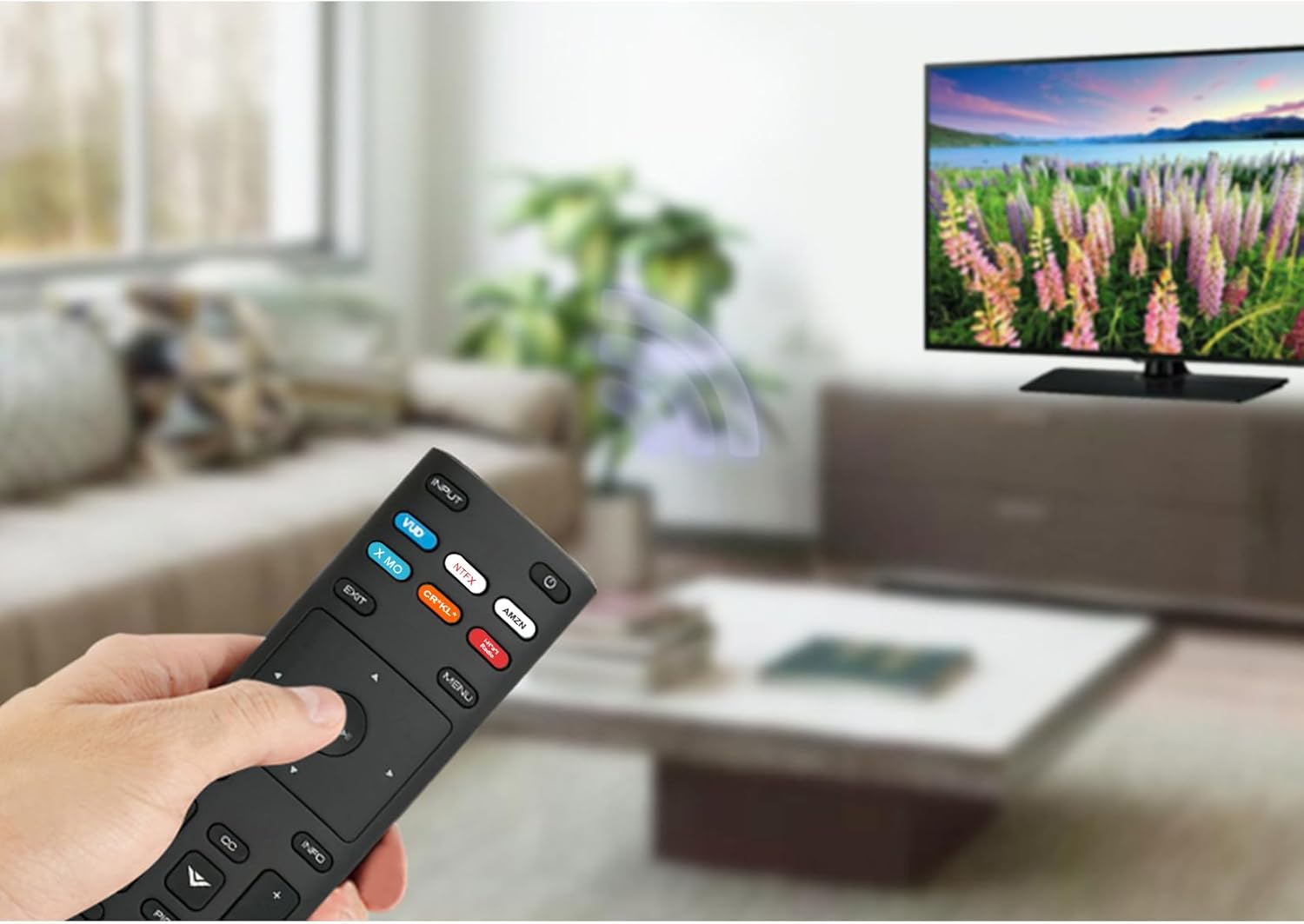
Image: The XRT136 remote control with its physical dimensions highlighted.
8. Informace o záruce
This ZdalaMit product comes with a 1-letá záruka from the date of purchase. This warranty covers manufacturing defects under normal use. It does not cover damage caused by misuse, accidents, unauthorized modifications, or battery leakage.
9. Podpora
If you encounter any issues or have questions regarding your ZdalaMit XRT136 Replacement Remote Control that are not addressed in this manual, please contact the seller or manufacturer for assistance. Provide your product model (XRT136) and a detailed description of the issue for efficient support.