
1. Úvod
This manual provides detailed instructions for the setup, operation, and maintenance of your HP S1000 Wireless Mouse. Please read this manual thoroughly before using the product to ensure proper functionality and to maximize your user experience.
The HP S1000 Wireless Mouse is designed for reliable and comfortable use, featuring a 2.4 GHz wireless connection, 1600 DPI optical tracking, and a symmetrical design suitable for both left and right-handed users.
2. Obsah balení
Ověřte prosím, zda jsou v balení produktu přítomny všechny položky:
- HP S1000 Wireless Mouse
- USB Receiver (dongle)
- 1 AA Battery (may be pre-installed or included separately)
- Rychlý průvodce (tento návod)
3. Pokyny k nastavení
Follow these steps to set up your HP S1000 Wireless Mouse:
- Nainstalujte baterii:
Locate the battery compartment on the underside of the mouse. Open the cover, insert the provided AA battery, ensuring correct polarity (+/-), and close the cover securely.
- Připojte USB přijímač:
Remove the USB receiver from its storage slot, usually located within the battery compartment. Plug the USB receiver into an available USB port on your computer. Your computer should automatically detect and install the necessary drivers.

Illustration showing the HP S1000 Wireless Mouse's 2.4 GHz wireless connection and the included USB dongle for stable connectivity.
- Zapnutí myši:
If your mouse has a power switch (usually on the underside), slide it to the 'ON' position. The mouse should now be ready for use.
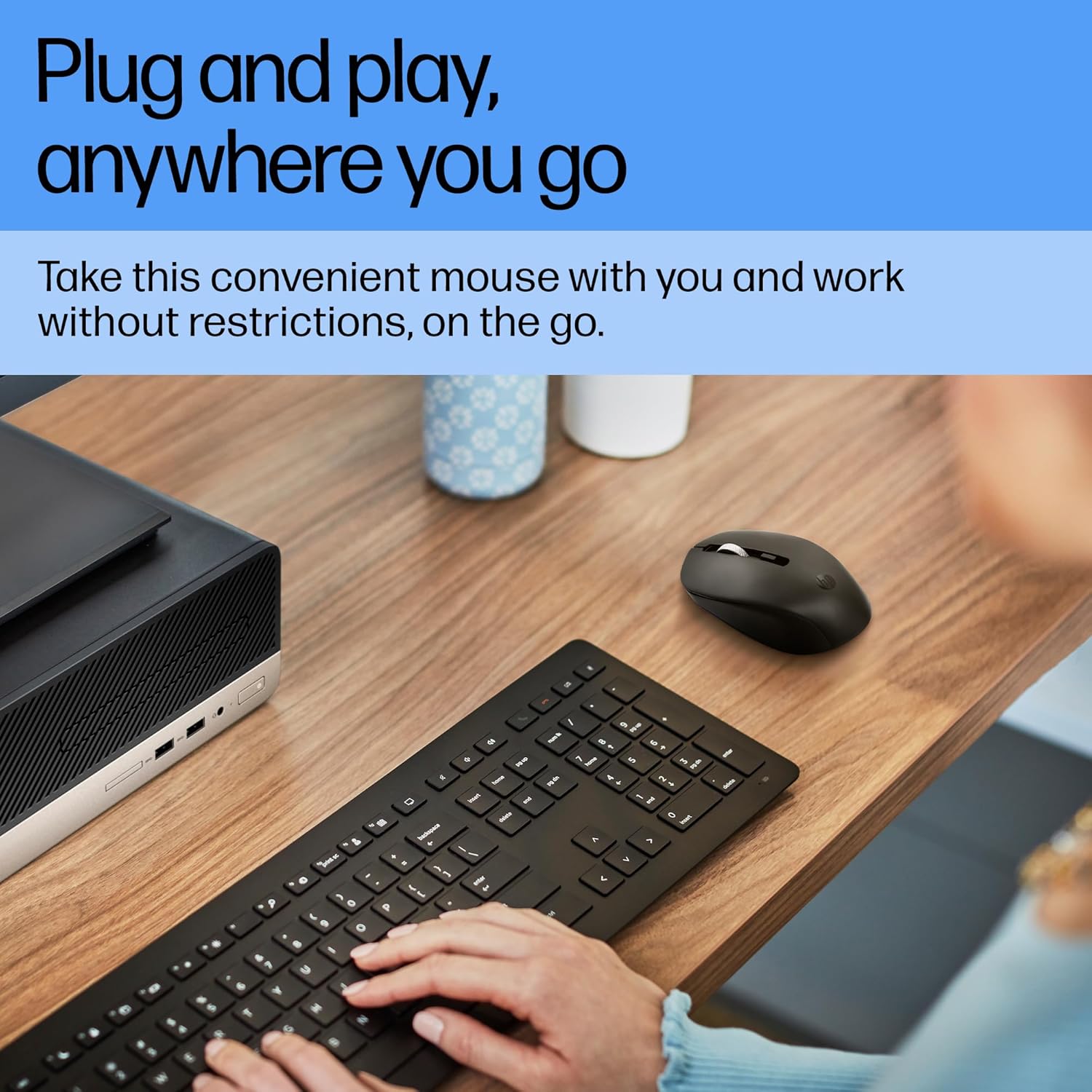
A user operating the HP S1000 Wireless Mouse next to a laptop and keyboard, emphasizing its portability and ease of use.
4. Návod k obsluze
The HP S1000 Wireless Mouse offers intuitive control for various tasks:
- Levé kliknutí: Stisknutím levého tlačítka vyberete položky, otevřete filenebo aktivovat funkce.
- Klikněte pravým tlačítkem myši: Stisknutím pravého tlačítka zobrazíte kontextové nabídky nebo konkrétní možnosti.
- Rolovací kolečko: Otáčením kolečka nahoru nebo dolů můžete procházet dokumenty a web stránky. Rolovací kolečko funguje také jako prostřední tlačítko.
- Nastavení DPI: The mouse features an optical sensor with up to 1600 DPI for precise tracking. While there isn't a dedicated DPI button, the mouse is optimized for smooth and responsive cursor movement across various surfaces.
- Tiché kliknutí: The mouse is designed with silent click technology, reducing noise during use.
- Symetrický design: Its symmetrical shape ensures comfortable use for both left-handed and right-handed individuals.
- Kompatibilita napříč operačními systémy: The mouse is compatible with Windows 7, 8, 10, Mac OS, and Chrome OS.

Detailed diagram of the HP S1000 Wireless Mouse, labeling its key features including silent clicks, 1600 DPI optical sensor, USB dongle, cross-OS compatibility, and symmetrical design.
5. Údržba
Proper care and maintenance will extend the life of your mouse:
- Čištění: K čištění myši použijte měkký, suchý hadřík. V případě odolných nečistot lehceamphadřík vodou. Nepoužívejte agresivní chemikálie ani abrazivní čisticí prostředky.
- Výměna baterie: When the mouse performance degrades or it stops responding, replace the AA battery. Ensure to dispose of old batteries responsibly according to local regulations.
- Skladování: When not in use for extended periods, turn off the mouse (if it has a power switch) and store the USB receiver in its designated slot to prevent loss.
6. Řešení problémů
If you encounter issues with your HP S1000 Wireless Mouse, refer to the following common solutions:
- Myš nereaguje:
- Zkontrolujte, zda je myš zapnutá.
- Vyměňte baterii AA za novou.
- Ujistěte se, že je USB přijímač bezpečně zapojený do funkčního USB portu v počítači.
- Zkuste zapojit USB přijímač do jiného USB portu.
- Přesuňte myš blíže k USB přijímači, abyste vyloučili rušení nebo problémy s dosahem.
- Choppy or Inconsistent Movement:
- Vyčistěte optický senzor na spodní straně myši.
- Ujistěte se, že myš používáte na vhodném povrchu. Vyhněte se vysoce reflexním nebo průhledným povrchům.
- Zkontrolujte, zda nedochází k možnému rušení bezdrátové sítě jinými zařízeními.
- USB Receiver Not Detected:
- Restartujte počítač.
- Try the USB receiver in another computer to determine if the issue is with the receiver or the computer's USB ports.
If these steps do not resolve the issue, please contact HP customer support for further assistance.
7. Specifikace
| Funkce | Specifikace |
|---|---|
| Značka | HP |
| Model | S1000 |
| Technologie připojení | Bezdrátové připojení 2.4 GHz (USB přijímač) |
| Detekce pohybu | Optický |
| DPI | Až 1600 XNUMX DPI |
| Speciální funkce | Silent Clicks, Symmetrical Design |
| Zdroj napájení | Napájení z baterie |
| Typ baterie | 1 x AA baterie |
| Průměrná životnost baterie | Up to 24 Months (varies with usage) |
| Kompatibilita operačního systému | Windows 7, Windows 8, Windows 10, Mac OS, Chrome OS |
| Rozměry (DxŠxV) | 13.1 x 8.1 x 0.1 cm (přibližně) |
| Hmotnost položky | 100 g |
| Barva | Černý |
8. Záruka a podpora
Informace o záruce:
The HP S1000 Wireless Mouse comes with a 1-year limited warranty from the date of purchase. This warranty covers manufacturing defects under normal use. Please retain your proof of purchase for warranty claims.
Zákaznická podpora:
For technical assistance, warranty claims, or further inquiries, please visit the official HP support website or contact HP customer service in your region. Refer to the HP webweb s nejaktuálnějšími kontaktními informacemi a zdroji podpory.