
1. Úvod
This manual provides comprehensive instructions for the installation, operation, and maintenance of your Paulmann 79808 Amaris LED Panel. This ultra-flat LED panel, measuring 595 x 295 mm, offers versatile lighting options including warm white, cool white, and RGBW color control. It is compatible with Zigbee 3.0 for seamless integration into your smart home system. Please read this manual carefully before installation and use, and retain it for future reference.

Figure 1: Paulmann Amaris LED Panel product packaging.
2. Bezpečnostní informace
- Před instalací, údržbou nebo čištěním se ujistěte, že je odpojeno napájení.
- Instalaci musí provést kvalifikovaný elektrikář nebo kompetentní osoba v souladu s místními elektrotechnickými předpisy.
- Produkt žádným způsobem neupravujte. Neoprávněné úpravy mohou vést ke ztrátě záruky a představovat bezpečnostní riziko.
- Tento výrobek je určen pouze pro vnitřní použití.
- Avoid direct exposure to water or high humidity.
- Do not cover the LED panel with insulating material or other objects that may impede heat dissipation.
- Světelný zdroj tohoto svítidla není vyměnitelný; po skončení životnosti světelného zdroje je nutné vyměnit celé svítidlo.
3. Obsah balení
Před zahájením instalace ověřte, zda jsou všechny komponenty přítomny a nepoškozené.
- 1x Paulmann Amaris LED Panel (Model 79808)
- 1x LED Driver (Power Supply Unit)
- 1x montážní držák
- Návod k instalaci (tento dokument)

Figure 2: Included components of the Paulmann Amaris LED Panel.
4. Nastavení a instalace
The Paulmann Amaris LED Panel is designed for ceiling mounting. Follow these steps for secure installation.
4.1 Rozměry
The panel measures 595 mm in length, 295 mm in width, and has a height of 52 mm.

Obrázek 3: Rozměry produktu pro plánování instalace.
4.2 Montážní kroky
- Příprava: Ujistěte se, že hlavní přívod proudu do instalačního prostoru je vypnut jističem.
- Označení: Umístěte montážní konzolu na strop na požadované místo a označte body pro vrtání.
- Vrtání: Drill holes at the marked points. Use appropriate drill bits and wall plugs for your ceiling material.
- Bezpečný držák: Attach the mounting bracket securely to the ceiling using screws.
- Elektrické připojení: Connect the LED driver to the 230V AC mains supply. This panel does not require an external transformer. Ensure correct wiring (Live, Neutral, Earth) according to local regulations.
- Připojení panelu k ovladači: Plug the LED panel's connector into the LED driver's output.
- Připojit panel: Carefully lift the LED panel and hook it onto the mounting bracket. Secure the panel to the bracket, ensuring it is flush with the ceiling.
- Závěrečná kontrola: Once the panel is securely mounted and wired, restore power to the circuit.
5. Návod k obsluze
The Paulmann Amaris LED Panel offers various lighting functionalities through its Smart Home Zigbee compatibility.
5.1 Základní obsluha
Once installed and powered, the panel can be controlled via a compatible Zigbee gateway and associated control devices (e.g., remote control, smartphone app).
- Zapnuto/Vypnuto: Use your Zigbee controller or app to switch the panel on or off.
- Stmívání: Adjust the brightness level from 1% to 100% via your control device.
5.2 Color Temperature Adjustment (Tunable White)
The panel allows you to adjust the white light color temperature to suit your preference or activity.
- Rozsah: Adjust the white light from 2700 Kelvin (warm white) to 6500 Kelvin (daylight white).
- Řízení: Use the color temperature slider or presets in your Zigbee app or remote control.
5.3 RGBW Color Selection
Explore a wide spectrum of colors to create different ambiances in your room.
- Paleta barev: Select any color from the RGBW color palette available in your Zigbee app.
- Efekty: Some Zigbee systems may offer pre-programmed color effects or scenes.

Figure 4: The LED panel's capability to display a wide range of RGBW colors.

Obrázek 5: Přample of ambient lighting using the panel's RGBW features.
6. Smart Home Integration (Zigbee)
The Paulmann Amaris LED Panel is Zigbee 3.0 compatible, allowing integration into various smart home ecosystems.
6.1 Zigbee Compatibility
Zigbee is a wireless communication protocol that enables devices from different manufacturers to connect and communicate within a smart home network.

Figure 6: Zigbee logo, signifying smart home integration capabilities.
6.2 Pairing with a Zigbee Gateway
To control your LED panel via a smartphone app or voice assistant, you need a compatible Zigbee gateway (e.g., Philips Hue Bridge, Amazon Echo with built-in Zigbee hub, Google Nest Hub).
- Zapnutí: Ensure the LED panel is powered on.
- Nastavení brány: Follow the instructions for your specific Zigbee gateway to put it into pairing mode.
- Objevte zařízení: Initiate a device search within your gateway's app. The LED panel should be discovered as a new light device.
- Přiřadit: Assign the discovered LED panel to a room or group within your smart home app for easy control.
The panel is ready for Amazon Alexa and Google Assistant integration when connected to a compatible Zigbee 3.0 gateway.

Figure 7: Smart lighting control options with Zigbee 3.0 gateway.
7. Údržba
Regular maintenance ensures optimal performance and longevity of your LED panel.
- Čištění: Před čištěním odpojte napájení. Použijte měkký, suchý nebo lehce navlhčený hadřík.amp cloth to wipe the surface of the panel. Do not use abrasive cleaners, solvents, or harsh chemicals.
- Inspekce: Periodically check for any loose connections or physical damage. If any damage is found, disconnect power and contact support.
- Světelný zdroj: LED světelný zdroj je integrovaný a nelze jej vyměnit uživatelem.
8. Řešení problémů
If you encounter issues with your Paulmann Amaris LED Panel, refer to the following troubleshooting guide:
| Problém | Možná příčina | Řešení |
|---|---|---|
| Panel se nezapne. | No power supply; Loose wiring; Faulty driver. | Check circuit breaker. Ensure all connections are secure. Contact support if driver is suspected faulty. |
| Cannot connect to Zigbee gateway. | Panel not in pairing mode; Gateway too far; Interference. | Ensure panel is powered on. Bring gateway closer. Check for other wireless devices causing interference. Reset panel (refer to gateway manual for specific reset procedure if needed). |
| Barvy jsou nesprávné nebo nekonzistentní. | Software glitch; Calibration issue. | Restart the panel by cycling power. Check for firmware updates for your Zigbee gateway. |
| Panel flickers. | Unstable power supply; Incompatible dimmer (if not using smart dimming). | Ensure stable power. This panel is designed for smart dimming via Zigbee; do not use with external conventional dimmers. |
9. Specifikace
Detailed technical specifications for the Paulmann 79808 Amaris LED Panel.
| Značka | Paulman |
| Číslo modelu | 79808 |
| Rozměry (D x Š x V) | 59.5 x 29.5 x 5.2 cm |
| Hmotnost | 2.24 kg |
| Materiál | Kov |
| Styl | Moderní |
| Tvar | Square (Rectangular Panel) |
| svtage | 230 voltů |
| Zdroj napájení | AC |
| Typ žárovky | LED |
| Světelný tok | 2300 lm |
| Žárovkový ekvivalent | 142 wattů |
| Teplota barev | 2700K (Warm White) to 6500K (Daylight White) |
| Speciální funkce | Dimmable, RGBW Color Control, Smart Home Zigbee 3.0 Compatible |
| Průměrný život | 30,000 hodiny |
| Třída energetické účinnosti | F |
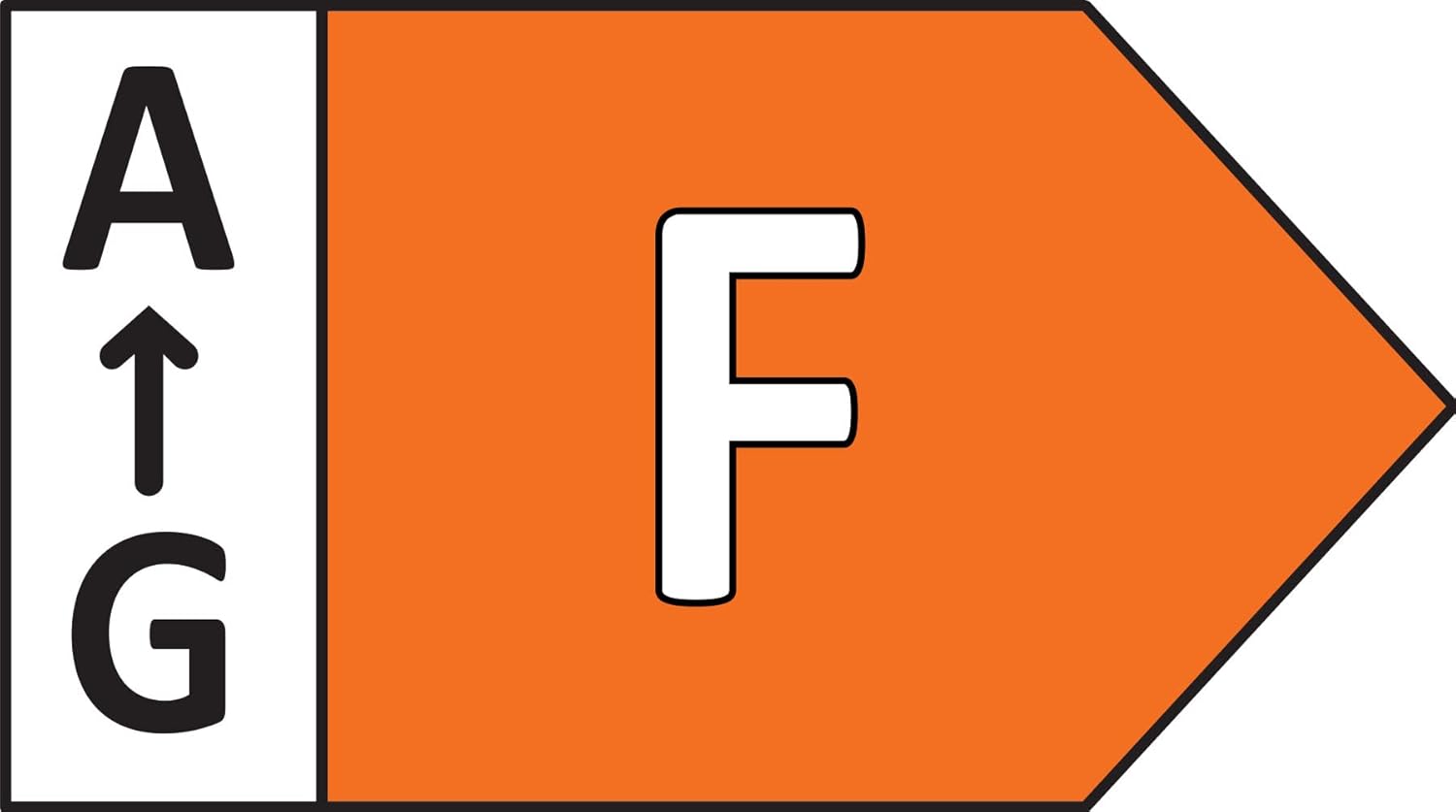
Figure 8: Energy efficiency rating of the Paulmann Amaris LED Panel.
10. Záruka a podpora
Paulmann provides a commitment to quality for its products.
- Dostupnost náhradních dílů: Náhradní díly jsou k dispozici po dobu 1 roku od data zakoupení.
- Zákaznická podpora: For technical assistance, warranty claims, or further inquiries, please contact Paulmann customer service through their official webstránky nebo vašeho prodejce.