
Zavedení
This manual provides detailed instructions for the setup, operation, and maintenance of your LTC Nimbleback LK-301 Low Profile Mechanical Keyboard. Please read this manual thoroughly before using the product to ensure proper functionality and to maximize your user experience.

Image: The LTC Nimbleback LK-301 Low Profile Mechanická klávesnice, ukázkaasing jeho kompletní rozvržení a elegantní design.
Vlastnosti produktu
- Low Profile Mechanické spínače: Equipped with responsive and comfortable white mechanical switches.
- Duální konektivita: Supports both Bluetooth 3.0 wireless and wired USB Type-C connections.
- Přepínání více zařízení: Seamlessly switch between up to three connected Bluetooth devices.
- Rozložení 96 kláves: A compact layout that retains essential keys, including a numeric keypad.
- Bílé podsvícení: Features white backlighting with 17 different modes, adjustable brightness, and speed.
- RGB Side Lighting: Customizable RGB lighting on the sides of the keyboard.
- Odolná konstrukce: Built with an all-metal frame for enhanced durability and a premium feel.
- Tenký a lehký design: Ideal for portability and comfortable use.
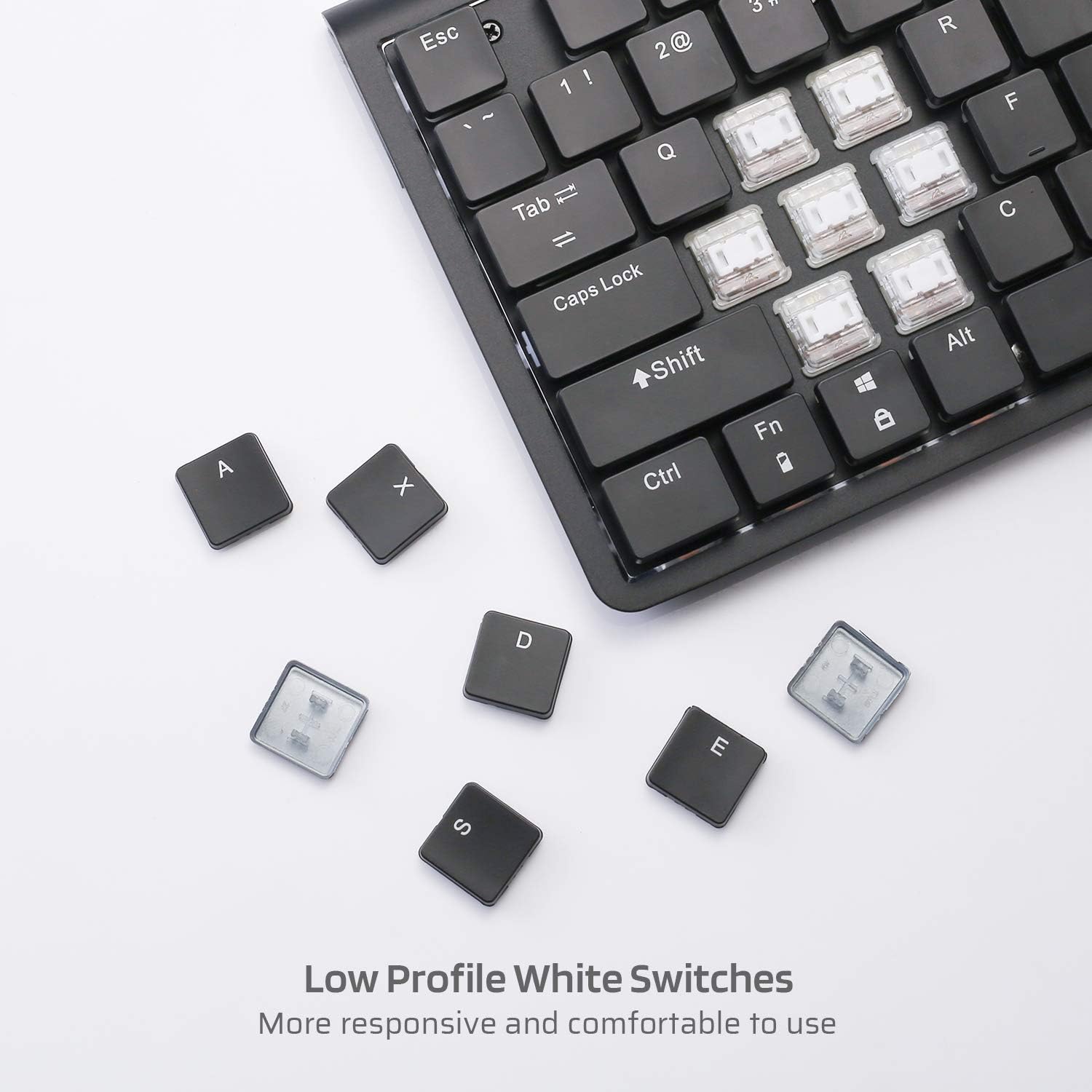
Obrázek: Detail view of the low profile white mechanical switches, highlighting their design.
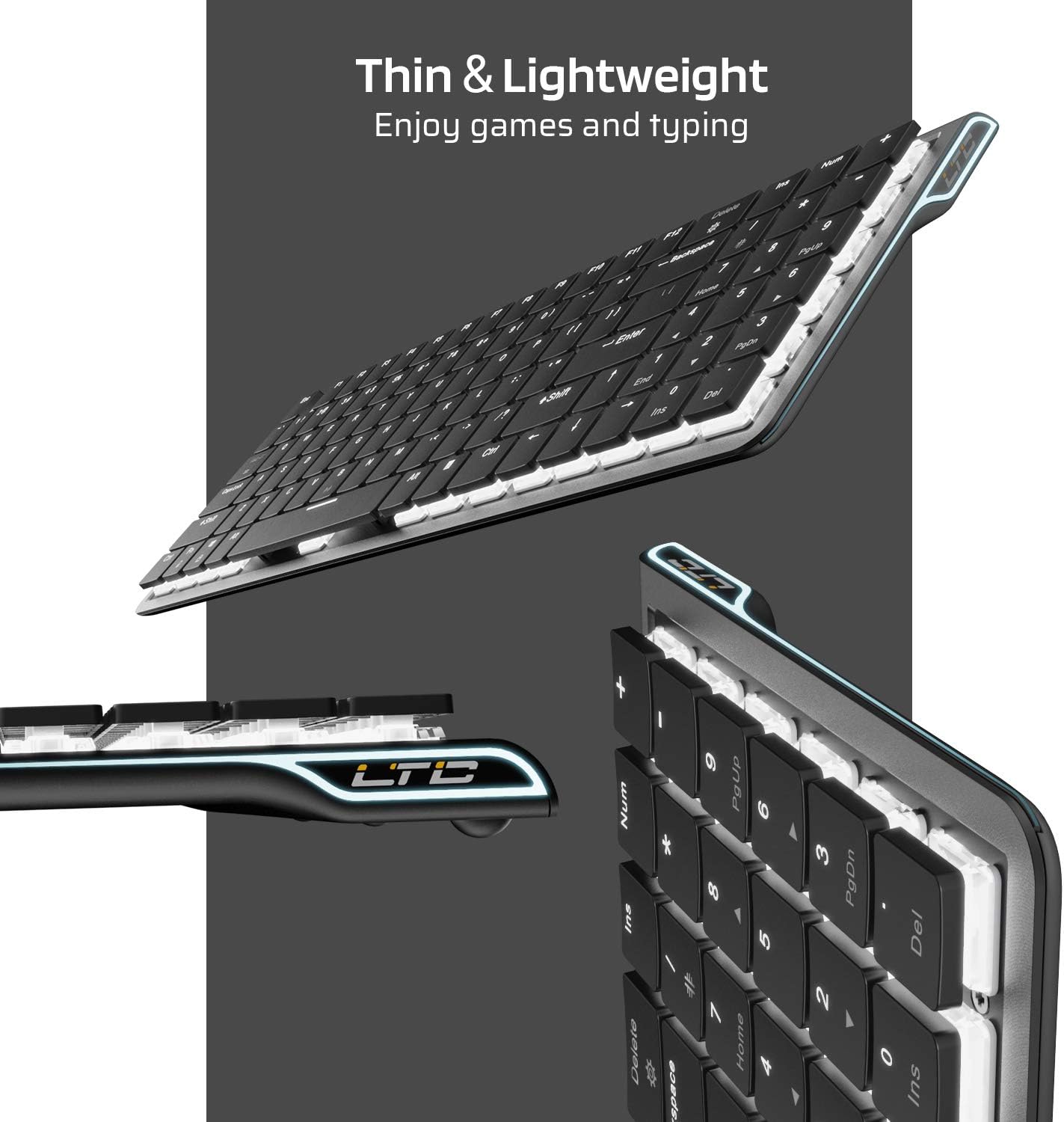
Obrázek: Boční view of the keyboard, emphasizing its thin and lightweight profile.
Pokyny pro nastavení
Drátové připojení
- Vyhledejte kabel USB typu C, který je součástí balení.
- Connect one end of the USB Type-C cable to the port on the keyboard.
- Připojte druhý konec kabelu k volnému portu USB na počítači.
- Klávesnice bude automaticky rozpoznána a připravena k použití.
Bezdrátové připojení Bluetooth
- Nejprve se ujistěte, že je klávesnice nabitá nebo připojená přes USB-C.
- Locate the ON/OFF switch on the underside of the keyboard and slide it to the 'ON' position.
- Stiskněte Fn + Tab to switch the keyboard to wireless mode. The keyboard's backlight will blink twice to indicate wireless mode.
- To select a Bluetooth device slot, press Fn + Q, Fn + Wnebo Fn + E. The corresponding key will blink slowly.
- To enter pairing mode, long-press Fn+B for 3 seconds. The selected Bluetooth key (Q, W, or E) will blink quickly, indicating it is ready to pair.
- On your device (computer, tablet, or mobile phone), enable Bluetooth and search for available devices. Select "LTC Nimbleback LK-301" from the list.
- Once paired, the selected Bluetooth key will stop blinking and remain steadily lit.

Image: Illustration showing both wireless Bluetooth 3.0 and wired USB Type-C connection options for the keyboard.

Image: The keyboard connected to multiple devices (smartphone, tablet, laptop), demonstrating its multi-device switching capability.
Video: Overview of the LTC Nimbleback LK-301 Low Profile Mechanical Keyboard, demonstrating its features and design. This video is provided by AceGadget.
Návod k obsluze
Ovládání podsvícení
- Změna režimu podsvícení: Stiskněte Fn+Delete to cycle through 17 different white backlight modes.
- Pre-set Backlight Modes:
- Stiskněte Fn + 1 for FPS (First-Person Shooter) backlight mode.
- Stiskněte Fn + 2 for LOL (League of Legends) backlight mode.
- Stiskněte Fn + 3 for Office backlight mode.
- Upravit jas podsvícení: Stiskněte Fn + šipka nahoru pro zvýšení jasu a Fn + šipka dolů ke snížení jasu.
- Upravit rychlost podsvícení: Stiskněte Fn + šipka vpravo to increase animation speed, and Fn + šipka doleva pro snížení rychlosti animace.
Side RGB Lighting Control
- Change Side Light Mode/Color: Stiskněte Fn + /? (located on the numeric keypad) to cycle through various RGB side lighting effects and colors.
Video: Podrobný popisview of the LTC Nimbleback LK-301 Low Profile Mechanical Keyboard, including demonstrations of its backlighting and side RGB effects. This video is provided by AngelPGC Store.
Údržba
Abyste zajistili dlouhou životnost a optimální výkon klávesnice, dodržujte tyto pokyny pro údržbu:
- Čištění: Use a soft, dry cloth to wipe down the keyboard surface. For deeper cleaning, use compressed air to remove dust and debris from between the keycaps. Avoid using harsh chemicals or abrasive materials.
- Skladování: When not in use, store the keyboard in a cool, dry place away from direct sunlight and extreme temperatures. The included fabric bag can be used for protection during storage or travel.
- Expozice tekutin: Avoid spilling liquids on the keyboard. In case of accidental spills, immediately disconnect the keyboard, turn it off, and allow it to dry completely before attempting to use it again.
Odstraňování problémů
Keyboard Not Responding (Wired Mode)
- Ujistěte se, že je kabel USB typu C bezpečně připojen ke klávesnici i k počítači.
- Zkuste připojit klávesnici k jinému USB portu na počítači.
- Otestujte klávesnici na jiném počítači, abyste vyloučili problémy specifické pro systém.
Keyboard Not Connecting (Bluetooth Mode)
- Verify that the keyboard's ON/OFF switch is in the 'ON' position.
- Ensure the keyboard is in wireless mode (Fn + Tab).
- Confirm that the correct Bluetooth device slot is selected (Fn + Q/W/E).
- Re-enter pairing mode by long-pressing Fn+B po dobu 3 sekund.
- Check your device's Bluetooth settings to ensure Bluetooth is enabled and the keyboard is visible or already paired. Try removing and re-pairing the device.
- Ujistěte se, že je baterie klávesnice dostatečně nabitá.
Backlight Not Working or Dim
- Adjust the brightness using Fn + šipka nahoru.
- Přepínejte režimy podsvícení pomocí Fn+Delete to see if a different mode activates the lights.
- Ensure the keyboard battery has sufficient charge, as low battery can affect backlight performance.
Specifikace
| Funkce | Detail |
|---|---|
| Číslo modelu | LK-301 |
| Technologie připojení | Bluetooth 3.0, USB typu C (kabelové) |
| Popis klávesnice | Mechanická herní klávesnice |
| Speciální funkce | Bluetooth, Lighting (White Backlit, RGB Side), Wireless |
| Barva | Černý |
| Materiál | Kov |
| Hmotnost položky | 1.76 libry (přibližně 0.8 kg) |
| Rozměry balení | 15.28 x 6.3 x 2.2 palce |
| Zahrnuté komponenty | USB Receiver (Note: USB Type-C cable is also included for wired connection and charging) |
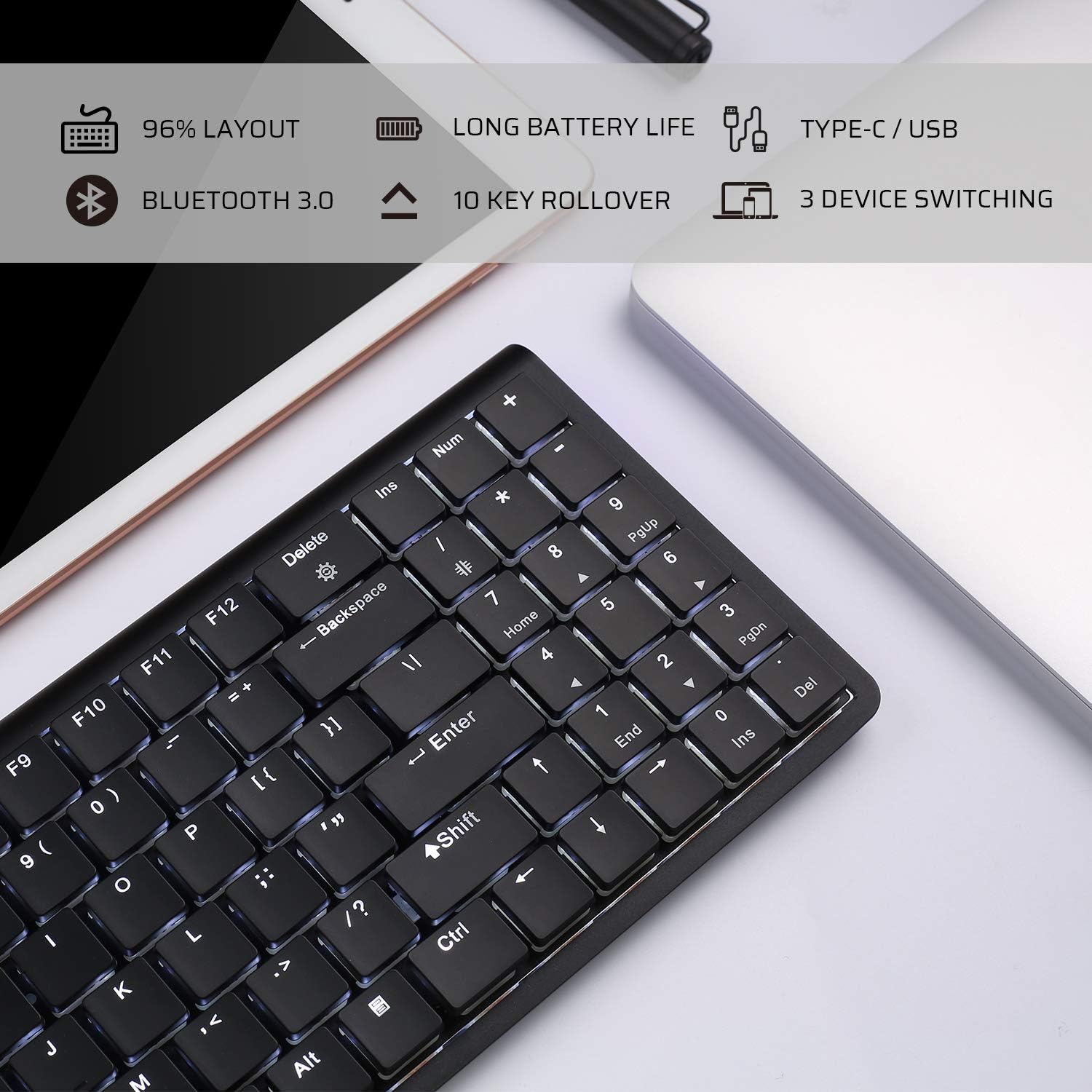
Image: An infographic highlighting key features such as 96% layout, long battery life, Type-C/USB, Bluetooth 3.0, 10-key rollover, and 3-device switching.
Záruka a podpora
For warranty information and customer support, please refer to the warranty card included in your product packaging or visit the official LTC webUschovejte si účtenku jako doklad o koupi pro případné reklamace.