
1. Úvod
Thank you for choosing the Alomejor Digital Drum Metronome Practice Pad. This device is designed to assist drummers and musicians in developing precise rhythm and tempo. It features a digital LCD screen, multiple practice modes, and an earphone jack for private practice sessions. Please read this manual thoroughly before using the product to ensure proper operation and longevity.
Obsah balení:
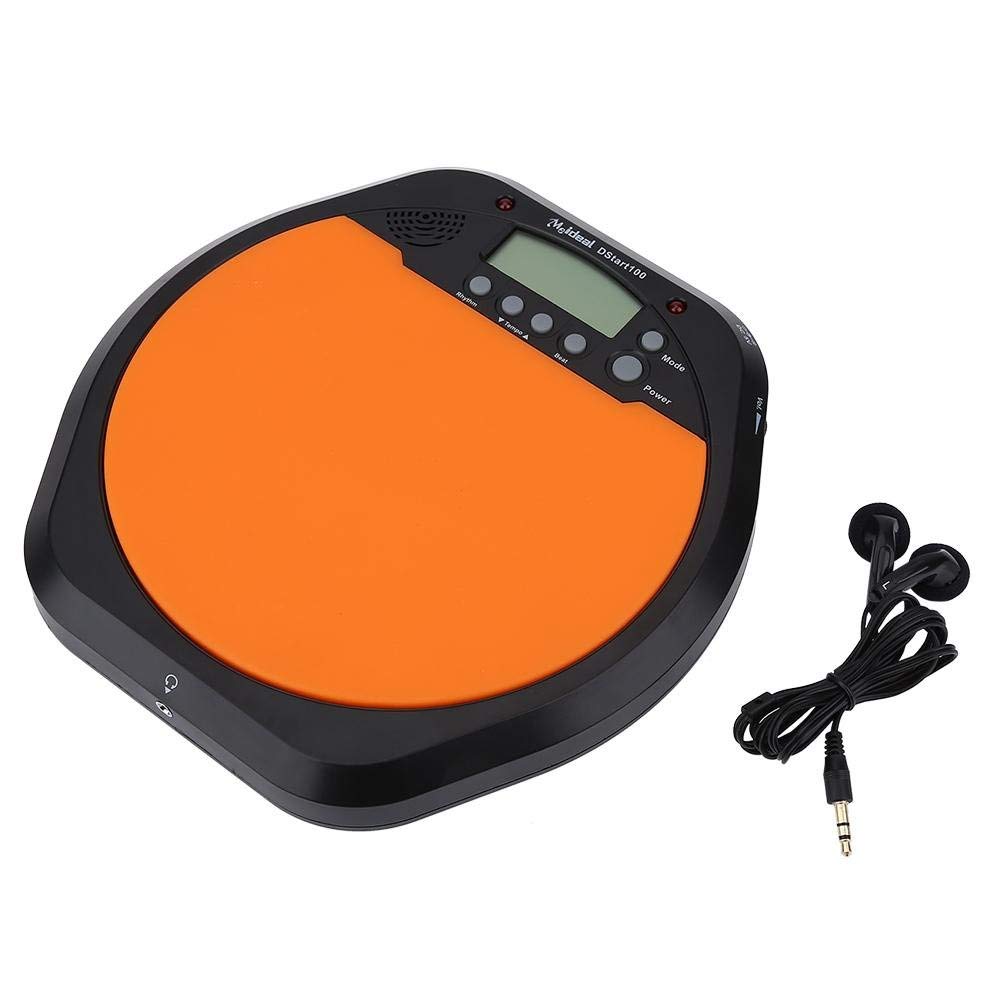
- 1 x Digital Drum Metronome Practice Pad
- 1 x sluchátko
- (2 x AAA batteries not included)
2. Vlastnosti produktu
- Multifunkční design: Offers various modes for comprehensive rhythm training.
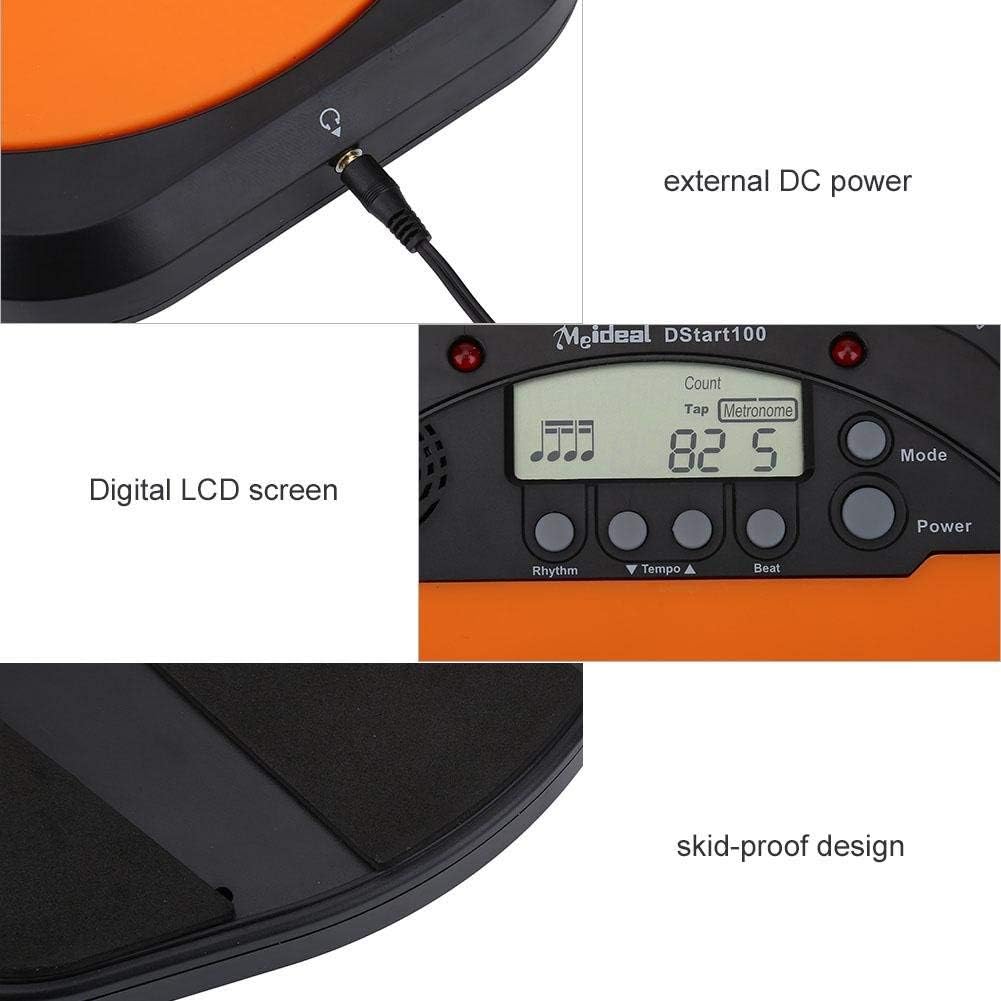
- Digitální LCD obrazovka: Provides clear visual feedback for tempo, rhythm, and count.
- Funkce klepnutí: Allows users to test and set their ideal tempo or match a song's tempo.
- Realistic Drum Feel: Engineered to provide a responsive surface similar to a real drum.
- Sluchátkový konektor: Enables silent practice, ideal for use in various environments without disturbing others.
- External DC Power Option: Supports external power supply for extended use (adapter not included).
- Odolná konstrukce: Features anti-shock and anti-slip design for stability and longevity.


3. Nastavení
3.1 Instalace baterie
- Locate the battery compartment on the underside of the practice pad.
- Otevřete kryt bateriového prostoru.
- Vložte dvě (2) baterie typu AAA a dbejte na správnou polaritu (+/-).
- Bezpečně zavřete kryt bateriového prostoru.

3.2 Připojení napájení
- Napájení baterie: Once batteries are installed, the device is ready for use.
- External DC Power (Optional): For continuous use, connect a compatible DC power adapter (not included) to the external DC power port located on the side of the unit.

3.3 Připojení sluchátek
To practice silently, plug the included earphone into the 3.5mm headphone jack located on the side of the practice pad.

4. Návod k obsluze
4.1 Zapnutí/vypnutí
- Stiskněte tlačítko Moc tlačítko pro zapnutí zařízení.
- Stiskněte a podržte Moc tlačítko pro vypnutí zařízení.
4.2 Výběr režimu
Stiskněte tlačítko Režim button to cycle through the available practice modes:
- Metronome Mode: Provides a steady click for tempo practice.
- Režim klepání: Allows you to tap a rhythm, and the device will display the calculated tempo.
- Režim počítání: Helps in practicing specific counts or measures.

4.3 Adjusting Tempo and Rhythm
- Použijte Tempo ▲ a Tempo ▼ buttons to increase or decrease the metronome's tempo (BPM).
- Použijte Rytmus button to change the rhythm pattern.
- Použijte Porazit button to adjust the beat subdivision.
The LCD screen will display the current tempo, rhythm, and beat settings.
5. Údržba
- Čištění: Wipe the surface of the practice pad with a soft, dry cloth. Do not use abrasive cleaners or solvents.
- Skladování: Přístroj skladujte na chladném a suchém místě mimo dosah přímého slunečního záření a extrémních teplot.
- Péče o baterie: Pokud zařízení nebudete delší dobu používat, vyjměte baterie, abyste zabránili jejich vytečení.
- Vyhněte se dopadu: While designed to be shockproof, avoid dropping the device or subjecting it to strong impacts.
6. Řešení problémů
| Problém | Možná příčina | Řešení |
|---|---|---|
| Zařízení se nezapne. |
|
|
| No sound from speaker/earphones. |
|
|
| Tap function is inaccurate. |
|
|
7. Specifikace
| Značka | Alomejor |
| Číslo modelu | Alomejorrxzdnhs6e2 |
| Barva | Černá/Oranžová |
| Materiál | Plast |
| Rozměry (přibližně) | 207 x 206 x 29 mm (8.15 x 8.11 x 1.14 palce) |
| Hmotnost (přibližně) | 496 g (1.1 lb) |
| Rozsah tempa | 30-280 úderů za minutu |
| Napájení | 2 x AAA batteries (not included) or external DC power (adapter not included) |
8. Záruka a podpora
Alomejor products are designed for quality and performance. While specific warranty details are not provided in this manual, please refer to your purchase documentation or contact the retailer for information regarding warranty coverage and customer support.
For any issues or inquiries, please contact Alomejor customer service through the platform where you purchased the product.