
Zavedení
This manual provides instructions for the safe operation and maintenance of your DBPOWER U818A WIFI Drone. The U818A is a remote-controlled quadcopter equipped with a 720P HD camera for real-time video transmission. It features altitude hold and headless mode, designed for ease of use, making it suitable for beginners.
Please read this manual thoroughly before operating the drone to ensure proper function and to prevent damage or injury.
Bezpečnostní informace
- Take a 10-minute break after each flight to allow the motors to cool down.
- Dron vždy provozujte v otevřených a volných prostorách, mimo dosah lidí, zvířat a překážek.
- Nelétejte v blízkosti letišť, elektrického vedení nebo omezeného vzdušného prostoru.
- Před každým letem se ujistěte, že všechny vrtule jsou bezpečně upevněny a nepoškozené.
- Chraňte prsty a vlasy před rotujícími vrtulemi.
- Nepracujte za silného větru nebo nepříznivých povětrnostních podmínek.
- U mladších uživatelů se doporučuje dohled dospělé osoby.
Obsah balení
Ověřte, zda jsou v balení obsaženy všechny níže uvedené položky:
- 1 x DBPOWER U818A FPV WIFI Drone with 720P HD Camera
- 1 x 2.4 GHz dálkové ovládání
- 2 x LiPo 3.7V 350mAh Batteries (for drone)
- 1x USB nabíječka
- 1 x Čtečka karet
- 1 x 4 GB karta Micro SD
- 4 x náhradní vrtule
- 1 x Uživatelská příručka
- 1 x Průvodce rychlým startem
Nastavení
1. Charging the Drone Batteries
- Connect the LiPo battery to the USB charger.
- Plug the USB charger into a USB power source (e.g., computer, USB wall adapter).
- The indicator light on the charger will show charging status (refer to charger instructions for specific light patterns).
- Charging typically takes approximately 60-90 minutes per battery.
2. Instalace baterií dálkového ovládání
- The remote control requires 4 x AA batteries (not included).
- Otevřete přihrádku na baterie na zadní straně dálkového ovladače.
- Vložte baterie se správnou polaritou (+/-).
- Zavřete přihrádku na baterie.
3. Installing Propellers (if necessary)
- Ensure propellers are correctly matched to their respective motor shafts (usually marked A and B).
- Securely attach each propeller.
4. Vložení karty Micro SD
- Locate the Micro SD card slot on the drone.
- Insert the provided 4GB Micro SD card until it clicks into place.
5. Párování dronu s dálkovým ovládáním
- Umístěte dron na rovný a rovný povrch.
- Connect the drone battery. The drone's LED lights will flash.
- Zapněte dálkové ovládání.
- Zatlačte levý joystick (plyn) úplně nahoru a poté úplně dolů.
- The drone's LED lights will become solid, indicating successful pairing.
6. App Installation and Wi-Fi Connection (for FPV)
- Download the 'Flyingsee' or 'UDIRC FPV' app from your smartphone's app store (iOS or Android).
- Zapněte dron.
- On your smartphone, go to Wi-Fi settings and connect to the drone's Wi-Fi network (usually named 'UDIRC' followed by numbers/letters).
- Otevřete aplikaci pro view the live camera feed and access app-based controls.
Návod k obsluze
Základní ovládání letu
- Vzlet/přistání jedním tlačítkem: Stiskněte určené tlačítko na dálkovém ovladači pro automatický vzlet nebo přistání.
- Plyn (levý joystick): Zatlačte nahoru pro výstup, zatáhněte dolů pro sestup.
- Směrové ovládání (pravý joystick): Zatlačením dopředu/dozadu dron pohnete vpřed/dozadu. Zatlačením doleva/doprava dron pohnete doleva/doprava.
- Stáčení (levý joystick vlevo/vpravo): Push left/right to rotate the drone counter-clockwise/clockwise.

Image: One-Button Take-Off/Landing feature for simplified operation.
Režim držení nadmořské výšky
The advanced barometer allows the drone to maintain a stable altitude automatically, simplifying control for beginners and enabling stable photography.

Image: Altitude Hold Mode for stable flight and photography.
Bezhlavý režim
In Headless Mode, the drone's orientation is relative to the pilot, not the drone's front. This means pushing the right joystick forward will always make the drone fly away from you, regardless of which way the drone is facing. This simplifies control, especially for beginners.
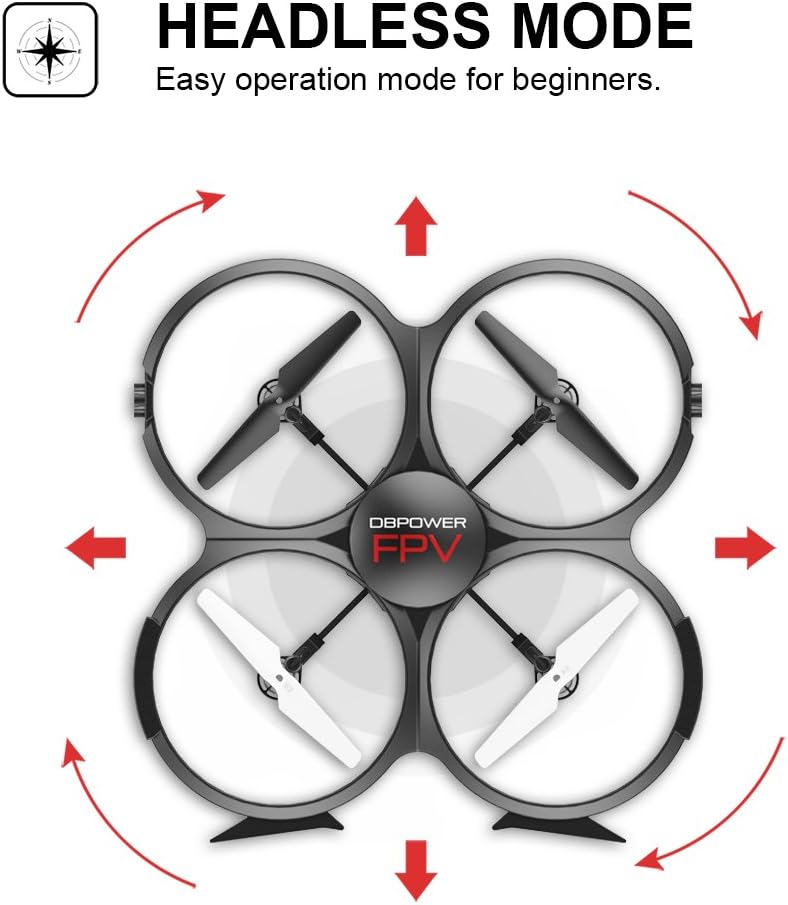
Image: Headless Mode for easier directional control.
3D Flips & Rolls
The drone supports automatic 360-degree flips. Consult the remote control diagram in the quick start guide for the specific button or joystick combination to activate this function.

Image: 3D Flip & Rolls feature for aerial maneuvers.
720P HD Camera and FPV (First Person View)
The integrated 720P HD camera captures photos and videos. Through Wi-Fi real-time transmission, you can view the live feed on your smartphone via the dedicated app. This allows for capturing aerial footage and photos directly to the Micro SD card or your phone.

Image: 720P HD WIFI Camera for capturing high-definition aerial views.
Režim gravitace indukce
When using the smartphone app, Gravity Induction Mode allows you to control the drone's forward/backward/left/right movement by tilting your mobile phone.
Alarm nízkého výkonu
When the drone's battery is low, the remote control will emit an audible beep to alert you to fly the drone back and land it, preventing loss of control due to power depletion.

Image: Low Power Alarm feature on the remote control.
Režimy ovládání
The drone can be controlled using either the included 2.4 GHz remote control or via the dedicated smartphone application, offering flexibility in operation.
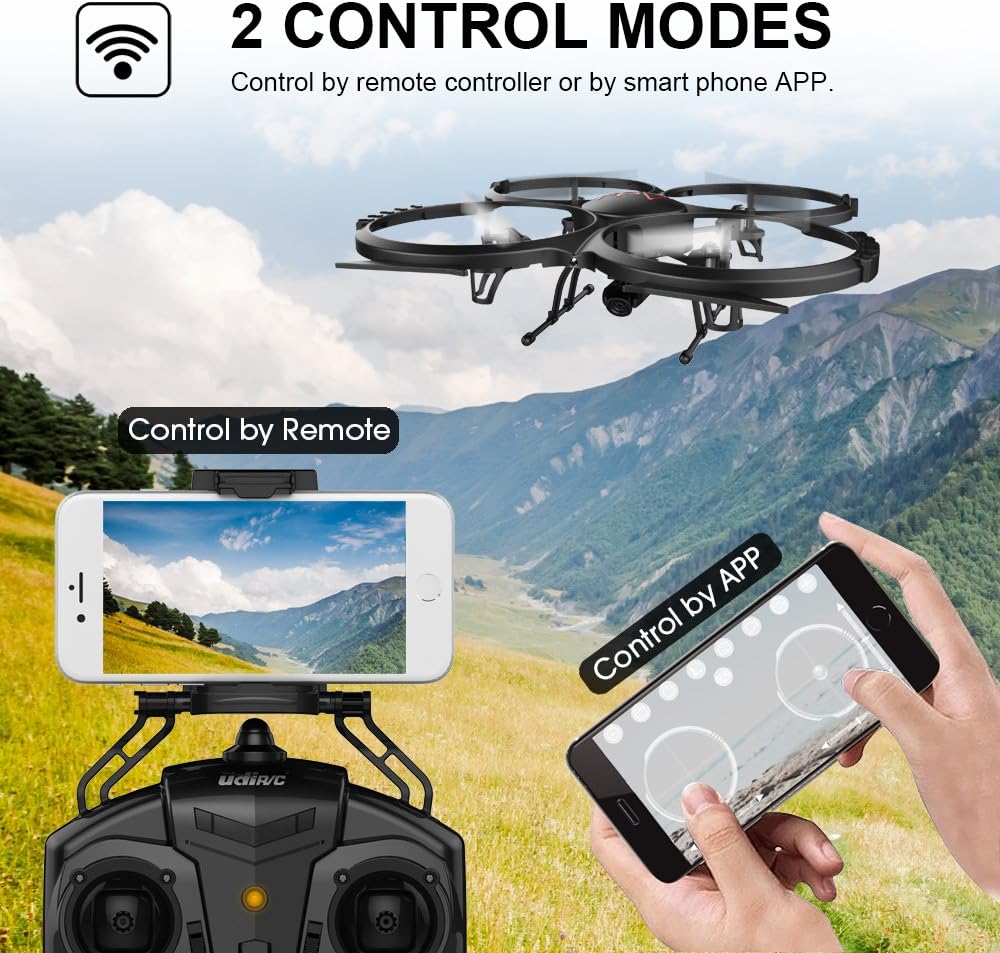
Image: Two Control Modes: Remote Control and Smartphone App.
3D View Mode (VR Headset Support)
The drone's FPV feed can be used with a compatible VR headset (not included) for an immersive 3D viewing experience during flight.

Image: 3D View Mode with optional VR headset for immersive flight.
Údržba
Výměna vrtule
- If a propeller is damaged, replace it immediately with a spare propeller from the package.
- Ensure the new propeller is correctly oriented and securely fastened.
Čištění
- K čištění těla dronu a objektivu fotoaparátu použijte měkký, suchý hadřík.
- Avoid using liquids or solvents that could damage electronic components.
Chlazení motoru
- Allow motors to cool for at least 10 minutes after each flight to prolong their lifespan.
Odstraňování problémů
- Dron nereaguje: Ensure the drone and remote control are fully charged and properly paired. Check for any obstructions to the propellers.
- Nestabilní let: Recalibrate the drone on a flat surface. Check if propellers are damaged or incorrectly installed. Avoid flying in windy conditions.
- Žádný FPV přenos: Ensure your smartphone is connected to the drone's Wi-Fi network and the app is open. Check for strong Wi-Fi interference.
- Krátká doba letu: Ensure batteries are fully charged. Flight time can be affected by aggressive flying, wind, and cold temperatures.
- Driftování dronu: Use the trim buttons on the remote control to adjust for minor drifts.
Specifikace
| Funkce | Detail |
|---|---|
| Značka | DBPOWER |
| Číslo modelu | U818A WIFI |
| Rozlišení záznamu videa | 720p |
| Technologie připojení | Wi-Fi |
| Úroveň dovedností | Nejsou vyžadovány žádné zkušenosti |
| Formát záznamu videa | MP4 |
| Typ ovládání | Dálkové ovládání |
| Materiál | Plast |
| Složení baterie | Lithium-iontová |
| Baterie dálkového ovládání | 4 x AA (nejsou součástí balení) |
| Rechargeable Drone Batteries | 2 x 3.7V 350mAh LiPo (included) |
| Typ média | Micro SD (4 GB součástí balení) |
Záruka a podpora
The DBPOWER U818A WIFI Drone comes with a 1-year warranty.
For any issues or technical assistance, please contact our support team via Amazon messaging. Our technical support team will provide the best possible solution.