
Zavedení
This manual provides detailed instructions for the operation and maintenance of your Wendry RXTX10 Bluetooth Audio Receiver Transmitter. This versatile device allows you to wirelessly transmit audio from non-Bluetooth sources to Bluetooth headphones/speakers, or receive audio from Bluetooth-enabled devices on traditional wired audio systems. Please read this manual thoroughly before use to ensure proper functionality and to maximize your experience.
Konec produktuview

Image: The Wendry RXTX10 Bluetooth Audio Receiver Transmitter, showing its compact black design with control buttons and ports.
Klíčové vlastnosti
- Easy operation for both audio transmission and reception.
- Bluetooth emission mode: Transmit audio from devices like TVs, CD players, or MP3 players to Bluetooth speakers or headsets.
- Bluetooth receiving mode: Stream music from mobile phones to traditional home audio systems.
- Supports volume control and track switching (last/next song).
- Integrated receiver and transmitter functionality in one device.
- Low-latency technology for real-time audio synchronization, suitable for online games, TV, and movies.
- Built-in rechargeable battery for extended working time.
Obsah balení

Image: The RXTX10 device shown alongside its USB charging cable and 3.5mm audio cable.
- 1 x Wendry RXTX10 Audio Receiver and Transmitter
- 1 x 3.5 mm audio kabel
- 1 x USB nabíjecí kabel
- 1 x Uživatelská příručka (tento dokument)
Specifikace
| Funkce | Detail |
|---|---|
| Verze Bluetooth | 4.2 |
| Podpora protokolů | A2DP, AVRCP |
| Podpora dekódování | MP3, WAV, WMA, APE |
| Přenosová vzdálenost | Approx. 10 meters (32.8 ft) in open space |
| Pracovní doba | Až 8 hodin |
| Odstup signálu od šumu | 95 dB |
| Vestavěná baterie | 300 XNUMX mAh |
| Technologie připojení | Bluetooth |
| Kompatibilní zařízení | Smartphones, Speakers, TVs, MP3 Players, CD Players |
| Typ konektoru | 3.5mm Jack, RCA (via adapter, not included) |
| Režim zvukového výstupu | Stereo |
| Hmotnost položky | 0.05 kilogramů (1.76 uncí) |
Nastavení
Nabíjení zařízení

Image: The RXTX10 device highlighting its built-in battery and charging capability.
- Connect the supplied USB charging cable to the micro USB port on the RXTX10.
- Connect the other end of the USB cable to a standard USB power adapter (5V) or a computer's USB port.
- The indicator light will show charging status (refer to LED indicator section for details, if available).
- Plné nabití obvykle trvá přibližně 2 hodiny a poskytuje až 8 hodin provozu.
Zapnutí/vypnutí
- Zapnutí: Stiskněte a podržte tlačítko napájení (ⓘ) přibližně 3 sekund, dokud se kontrolka nerozsvítí.
- Vypnutí: Stiskněte a podržte tlačítko napájení (ⓘ) for approximately 3 seconds until the indicator light turns off.
Návod k obsluze
Switching Modes (Receiver/Transmitter)
The RXTX10 supports both Receiver (RX) and Transmitter (TX) modes. The mode is typically indicated by a switch or button on the device. Ensure the device is in the correct mode for your intended use.
- Režim RX (přijímač): Used to receive Bluetooth audio from a smartphone, tablet, or computer and output it to a wired speaker, car stereo, or home audio system.
- Režim TX (vysílač): Used to transmit audio from a non-Bluetooth device (e.g., TV, CD player, MP3 player) to Bluetooth headphones or speakers.
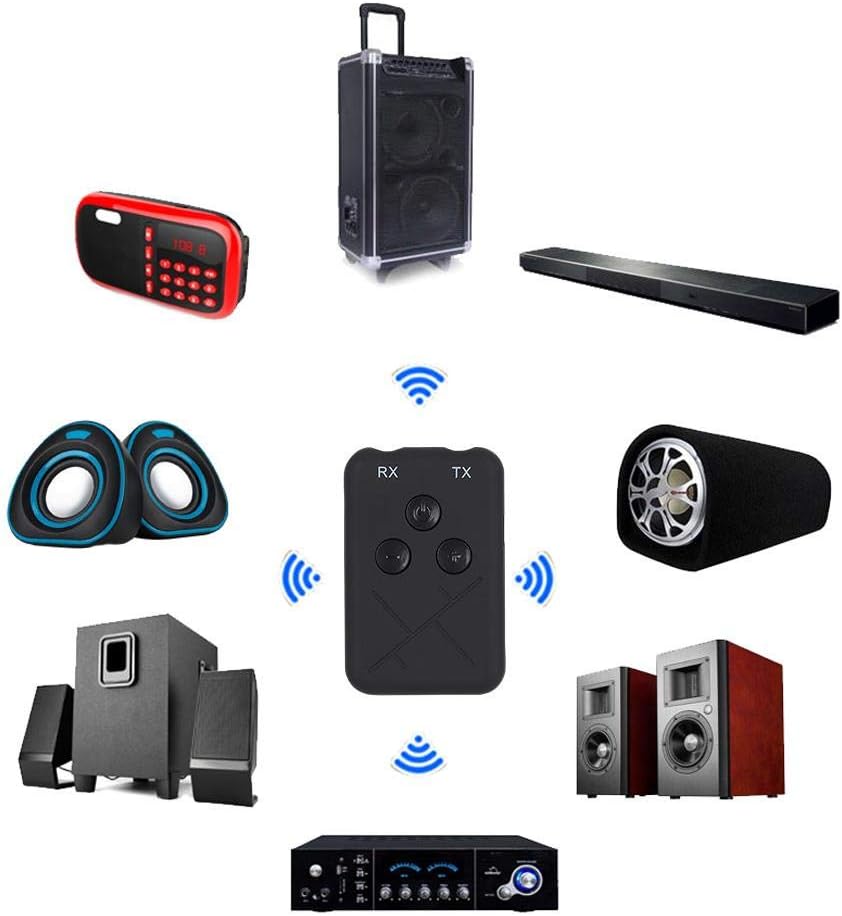
Image: The RXTX10 device centrally positioned, illustrating its connectivity to a range of audio equipment like speakers, soundbars, and amplifiers, indicating its dual receiver and transmitter capabilities.
Režim přijímače (RX)
- Ensure the RXTX10 is in RX mode.
- Connect the RXTX10 to your non-Bluetooth audio device (e.g., wired speakers, car stereo) using the 3.5mm audio cable.
- Power on the RXTX10. It will automatically enter pairing mode (indicator light will flash).
- On your Bluetooth-enabled device (smartphone, tablet), search for Bluetooth devices and select "RXTX10" to pair.
- Once paired, the indicator light will become solid. You can now stream audio from your Bluetooth device to your connected audio system.

Image: The RXTX10 device connected via a 3.5mm cable to a speaker, with a smartphone wirelessly streaming music to it, demonstrating receiver mode functionality.
Režim vysílače (TX)
- Ensure the RXTX10 is in TX mode.
- Connect the RXTX10 to your non-Bluetooth audio source (e.g., TV, CD player) using the 3.5mm audio cable.
- Power on the RXTX10. It will automatically enter pairing mode (indicator light will flash).
- Přepněte sluchátka nebo reproduktor Bluetooth do režimu párování.
- The RXTX10 will automatically search for and connect to nearby Bluetooth receiving devices. Once connected, the indicator light will become solid.
- Audio from your source device will now be transmitted wirelessly to your Bluetooth headphones or speaker.

Image: The RXTX10 device connected to a television, transmitting audio wirelessly to two speakers, highlighting its low-latency capability for synchronized sound with video.
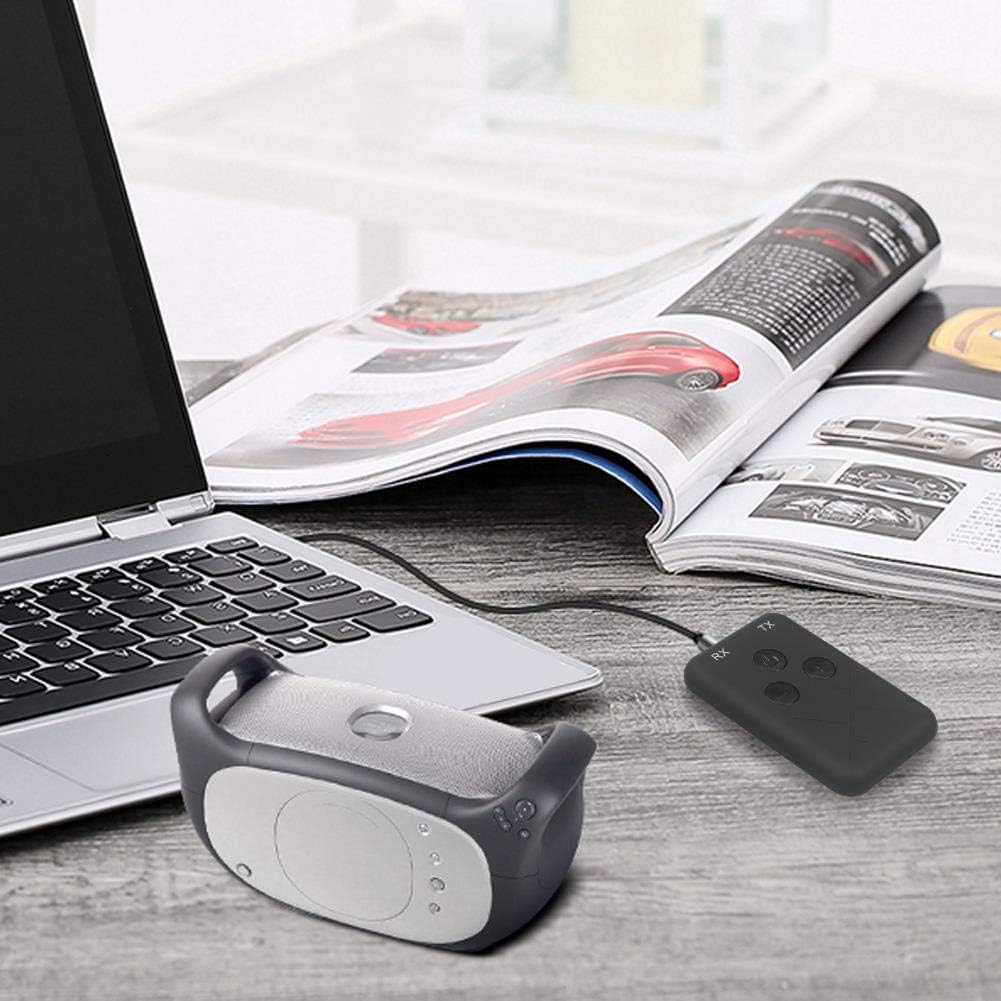
Image: The RXTX10 device connected to a laptop via a 3.5mm cable, transmitting audio to a nearby Bluetooth speaker, demonstrating its use with computers.
Volume Control and Song Switching
The RXTX10 features dedicated buttons for audio control:
- Zvýšit hlasitost: Stiskněte tlačítko + tlačítko.
- Snížit hlasitost: Stiskněte tlačítko - tlačítko.
- Další skladba: Dlouze stiskněte + button (functionality may vary based on connected device).
- Předchozí skladba: Dlouze stiskněte - button (functionality may vary based on connected device).
Údržba
- Udržujte zařízení suché. Vlhkost může poškodit vnitřní obvody.
- Nevystavujte zařízení extrémním teplotám.
- Zařízení čistěte měkkým, suchým hadříkem. Nepoužívejte agresivní chemikálie ani abrazivní čisticí prostředky.
- Pokud zařízení delší dobu nepoužíváte, skladujte jej na chladném a suchém místě.
- Zabraňte pádu zařízení nebo jeho vystavení silným nárazům.
Odstraňování problémů
| Problém | Možná příčina | Řešení |
|---|---|---|
| Zařízení se nezapne. | Slabá baterie. | Zařízení plně nabijte pomocí dodaného kabelu USB. |
| Cannot pair with another device. | Zařízení není v režimu párování; příliš daleko od sebe; rušení. | Ensure the RXTX10 is in the correct RX/TX mode and pairing mode (flashing indicator). Place devices closer. Turn off other Bluetooth devices. |
| Žádný zvukový výstup/vstup. | Incorrect cable connection; wrong mode; volume too low. | Check 3.5mm audio cable connections. Verify RXTX10 is in the correct RX/TX mode. Adjust volume on both the RXTX10 and the connected audio device. |
| Kvalita zvuku je špatná nebo přerušovaná. | Distance too great; obstacles; low battery. | Reduce distance between devices. Remove obstacles. Ensure the RXTX10 is fully charged. |
Záruka a podpora
For warranty information or technical support, please refer to the contact details provided with your purchase documentation or visit the official Wendry webUschovejte si doklad o koupi pro případné reklamace.
For further assistance, you may contact Wendry customer service via their official channels. Please have your model number (RXTX10) and purchase date ready.