
Zavedení
This manual provides essential information and instructions for the Easytry123 replacement remote control. This remote is designed to be compatible with various Hisense LCD LED HDTV models, specifically those that originally used the EN3A31 series remote. Please review this manual thoroughly before use.
Nastavení
Instalace baterie
Dálkový ovladač vyžaduje k provozu dvě (2) baterie typu AAA. Baterie nejsou součástí dálkového ovladače a je nutné je zakoupit samostatně.
- Najděte přihrádku na baterie na zadní straně dálkového ovladače.
- Posuňte kryt přihrádky na baterie dolů a sejměte jej.
- Vložte dvě baterie typu AAA a ujistěte se, že kladný (+) a záporný (-) pól správně shodují s označením uvnitř přihrádky.
- Nasaďte kryt přihrádky na baterie tak, že jej zasunete zpět na místo, dokud bezpečně nezacvakne.

This image illustrates the battery compartment located on the back of the remote control. The cover slides off to allow insertion of two AAA batteries.
Návod k obsluze
This replacement remote control is designed for immediate use with compatible Hisense televisions. No programming is typically required.
Kompatibilita
- Ensure your television model is listed as compatible with the Hisense EN3A31 series remote. Compatible models include LTDN42K320UWSEU, LTDN42K390XWSEU3D, and LTDN42K680XWSEU3D.
- While designed to replace the original, some advanced or specific functions of your original remote may not be fully supported by this replacement unit.
Základní funkce
Point the remote control directly at the infrared receiver on your television. Press the desired buttons to control functions such as power, volume, channel selection, and menu navigation.
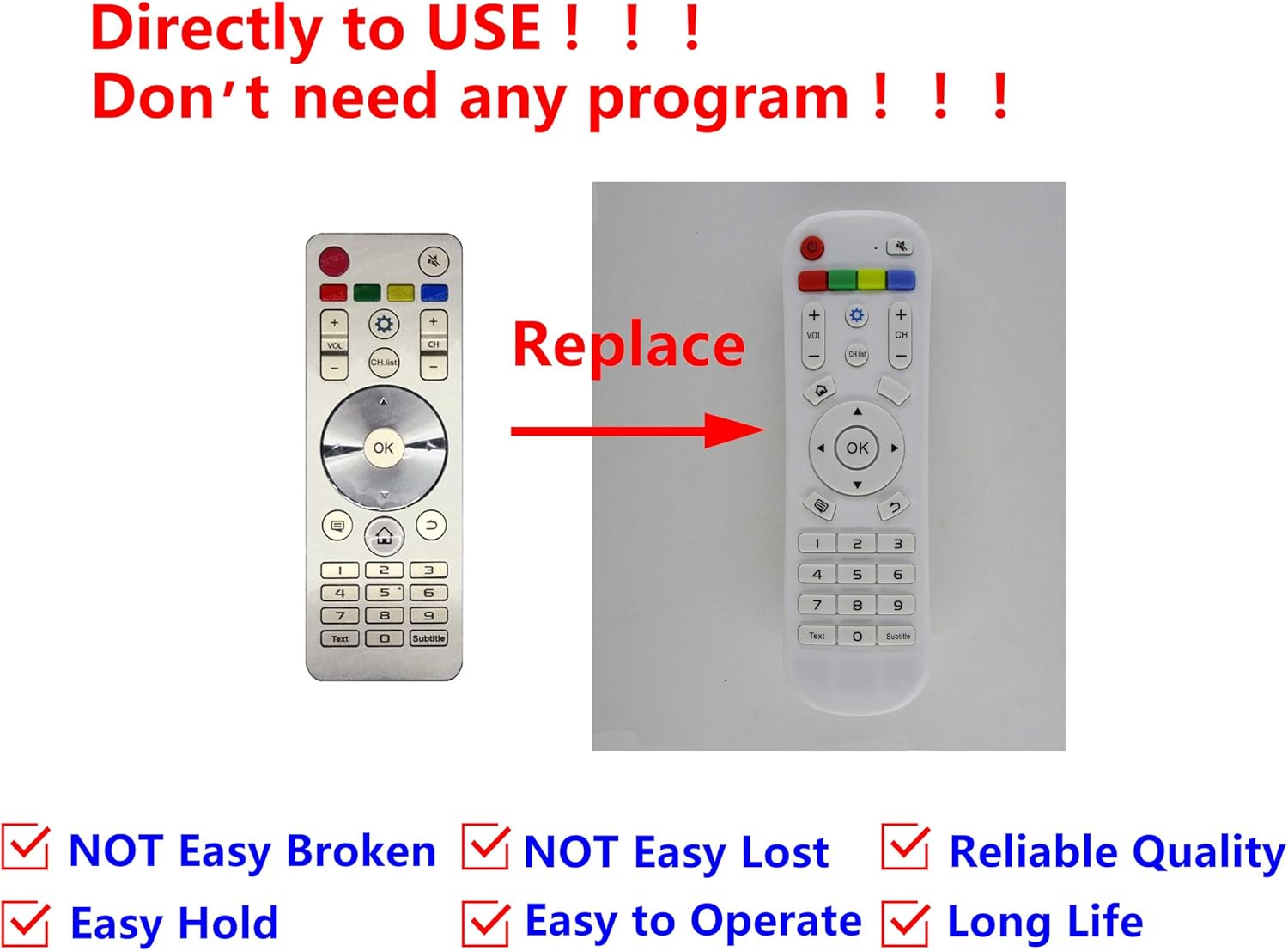
This image displays the Easytry123 replacement remote control, showing its button layout. It also includes a comparison to an original Hisense remote, indicating that the replacement is designed to function similarly.
Údržba
Čištění
Dálkový ovladač jemně otřete měkkým, suchým hadříkem. Nepoužívejte tekuté čisticí prostředky, abrazivní houbičky ani chemická rozpouštědla, protože by mohla poškodit povrch dálkového ovladače nebo jeho vnitřní součásti.
Péče o baterie
- Replace batteries when the remote's performance diminishes or stops working.
- Remove batteries if the remote control will not be used for an extended period to prevent leakage and potential damage.
- Použité baterie zlikvidujte zodpovědně v souladu s místními předpisy.
Odstraňování problémů
Dálkové nereaguje
- Zkontrolujte baterie: Ujistěte se, že jsou baterie vloženy správně se správnou polaritou (+/-) a nejsou vybité. V případě potřeby je vyměňte za nové baterie typu AAA.
- Přímá viditelnost: Make sure there are no obstructions between the remote control and the television's infrared receiver. The remote uses infrared technology, requiring a clear line of sight.
- Vzdálenost: Ujistěte se, že se nacházíte v efektivním provozním dosahu dálkového ovladače.
- TV kompatibilita: Double-check that your television model is indeed compatible with the EN3A31 series remote.
Specifikace
| Značka | Easytry123 |
| Modelová řada | EN3A31 |
| Kompatibilní zařízení | Hisense Televisions (e.g., LTDN42K320UWSEU, LTDN42K390XWSEU3D, LTDN42K680XWSEU3D) |
| Technologie připojení | Infračervený (IR) |
| Typ ovladače | Ovládání tlačítkem |
| Speciální funkce | Ergonomický design |
| Jsou vyžadovány baterie | 2 x AAA (nejsou součástí balení) |
Záruka a podpora
For any issues or questions regarding your Easytry123 replacement remote control, please contact the seller directly through your purchase platform. Specific warranty details may vary by retailer and purchase date.