
Zavedení
The UNITEK Y3035 Storage Drive Enclosure provides a convenient solution for connecting 2.5-inch or 3.5-inch SATA I/II/III Hard Disk Drives (HDDs) or Solid State Drives (SSDs) to your computer via a high-speed USB 3.0 interface. This enclosure allows you to utilize old hard drives as external storage, facilitating data recovery, backup, or expansion of your system's storage capacity.
Vlastnosti produktu
- Univerzální kompatibilita: Podporuje 2.5palcové a 3.5palcové pevné disky a SSD disky SATA I/II/III.
- Vysokorychlostní přenos dat: USB 3.0 (USB 3.1 Gen 1) interface offers data transfer rates up to 5Gbps. Backwards compatible with USB 2.0 and USB 1.1.
- Podpora UASP: Implements USB Attached SCSI Protocol for enhanced read and write speeds, improving performance by up to 30% compared to traditional USB 3.0.
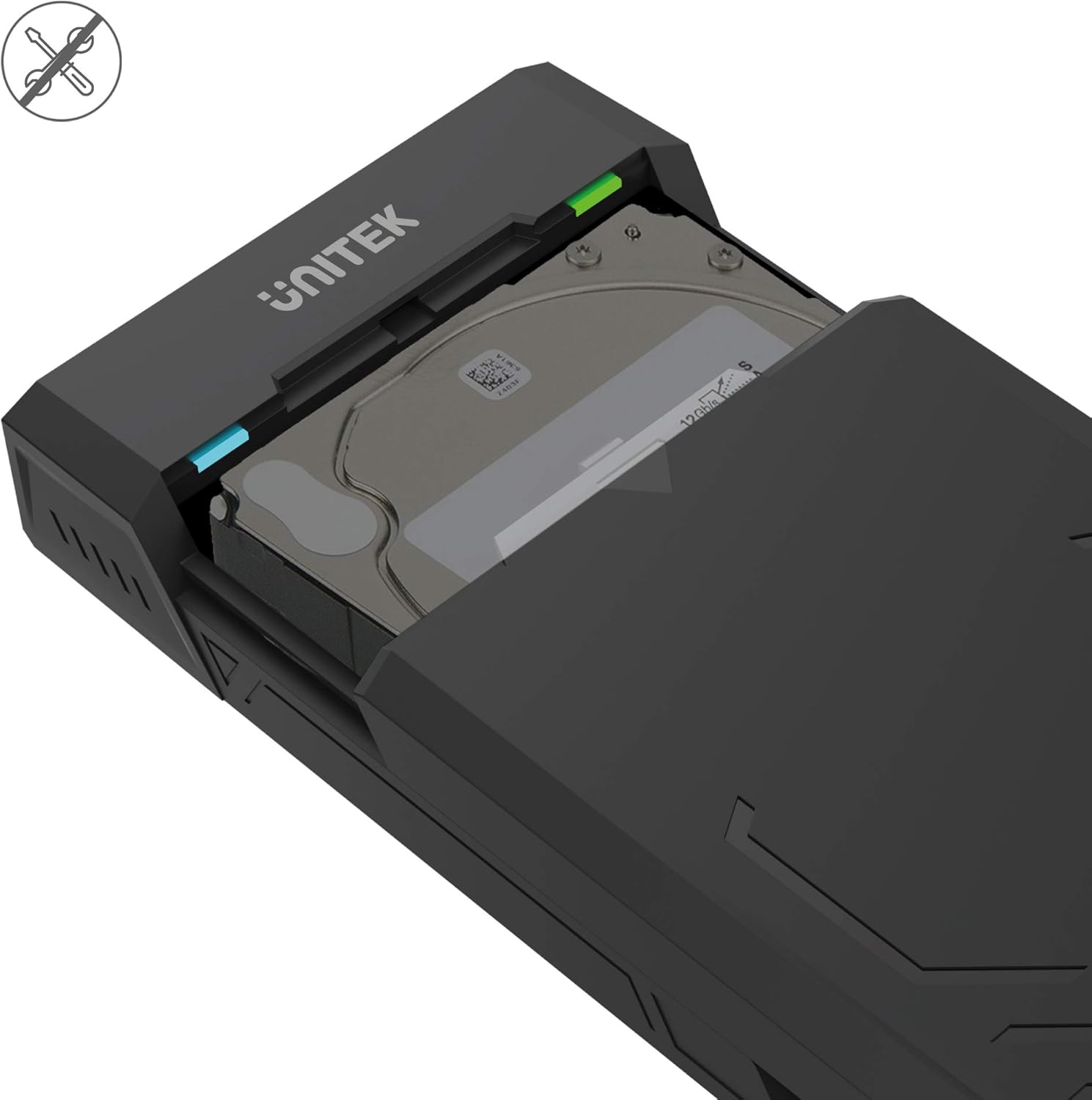
- Návrh bez použití nástrojů: Allows for quick and easy installation and removal of hard drives without the need for tools.
- Automatický režim spánku: Enters sleep mode after 30 minutes of inactivity to conserve energy and extend drive lifespan.
- Efektivní odvod tepla: Designed with ventilation openings to facilitate heat dissipation and maintain optimal operating temperatures.
- Plug & Play: No additional drivers are required for operation on most modern operating systems.

Obsah balení
Prosím, ověřte, zda jsou v balení přítomny všechny položky:
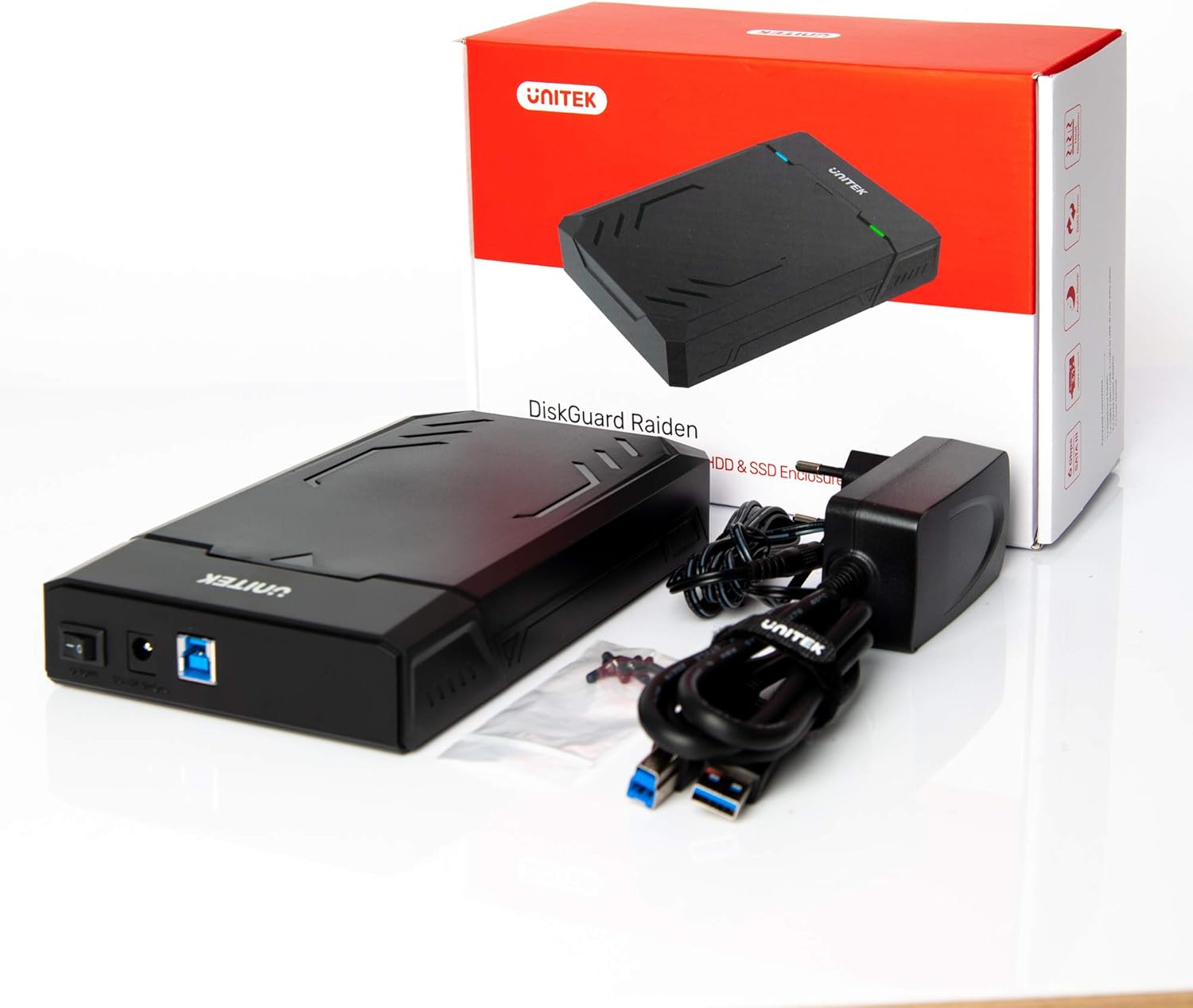
- UNITEK Y3035 Hard Drive Enclosure
- USB 3.0 datový kabel
- Power Adapter (for 3.5-inch HDDs or drives requiring external power)
Pokyny pro nastavení
Follow these steps to install your hard drive into the enclosure:
- Otevřete kryt: Gently slide open the top cover of the UNITEK Y3035 enclosure.
- Vložení pevného disku: Align your 2.5-inch or 3.5-inch SATA HDD/SSD with the SATA connector inside the enclosure. Carefully push the drive into the connector until it is firmly seated.
- Zavřete kryt: Slide the top cover back into place until it clicks securely.
- Připojte kabel USB: Connect one end of the provided USB 3.0 data cable to the enclosure's USB port and the other end to an available USB 3.0 port on your computer.
- Connect Power Adapter (if necessary): For 3.5-inch hard drives, or if your 2.5-inch drive requires additional power, connect the provided power adapter to the enclosure's power input and then to a wall outlet. 2.5-inch drives may be bus-powered by the USB port alone.
Návod k obsluze
Once connected, the UNITEK Y3035 enclosure operates as a standard external storage device.
- Automatická detekce: Your operating system should automatically detect the connected drive. If it's a new drive, you may need to initialize and format it through Disk Management (Windows) or Disk Utility (macOS) before use.
- Přístup k datům: The drive will appear as a removable storage device in 'My Computer' or 'Finder'. You can drag and drop files, or use it for backups and other storage tasks.
- Bezpečné odstranění: Always safely eject the drive from your operating system before disconnecting the USB cable or power adapter to prevent data corruption.
- Režim spánku: The enclosure will automatically enter sleep mode after approximately 30 minutes of inactivity. The drive will spin down, and the indicator light may change or turn off. It will resume operation when accessed again.


Údržba
To ensure the longevity and optimal performance of your UNITEK Y3035 enclosure:
- Čištění: K čištění vnější strany krytu používejte měkký, suchý hadřík. Nepoužívejte tekuté čisticí prostředky ani rozpouštědla.
- Prostředí: Keep the enclosure in a cool, dry place, away from direct sunlight, extreme temperatures, and high humidity.
- Zacházení: Handle the enclosure with care to prevent physical damage. Avoid dropping or subjecting it to strong impacts.
- Větrání: Ujistěte se, že větrací otvory nejsou zakryty, aby bylo možné správné odvádění tepla.
Odstraňování problémů
If you encounter issues with your UNITEK Y3035 enclosure, refer to the following common solutions:
- Disk nebyl detekován:
- Ensure the hard drive is correctly seated within the enclosure's SATA connector.
- Ověřte, zda je kabel USB bezpečně připojen k pouzdru i k počítači.
- If using a 3.5-inch HDD, confirm the power adapter is connected and receiving power.
- Zkuste připojit box k jinému USB portu na počítači.
- Test the enclosure with a different hard drive, or test the hard drive in another enclosure/system to isolate the issue.
- Zkontrolujte Správu disků (Windows) nebo Diskovou utilitu (macOS), zda je disk rozpoznán, ale není inicializován nebo naformátován.
- Pomalé přenosové rychlosti:
- Ensure the enclosure is connected to a USB 3.0 port on your computer. USB 2.0 ports will result in slower speeds.
- Verify that your operating system and drivers support USB 3.0 and UASP.
- The actual transfer speed can be affected by the performance of the installed hard drive.
- Kryt se náhodně odpojuje:
- Ensure the power adapter is providing stable power, especially for 3.5-inch drives.
- Check for loose USB cable connections.
- Avoid connecting the enclosure through unpowered USB hubs.
Specifikace
| Model | Y3035 |
| Značka | Unitek |
| Kompatibilní typy pohonů | 2.5-inch / 3.5-inch SATA I/II/III HDD/SSD |
| Hardwarové rozhraní | SATA 6.0 Gb/s, USB 3.0 (USB 3.1 Gen 1), USB 2.0, USB 1.1 |
| Rychlost přenosu dat | Až 5 gigabitů za sekundu (USB 3.0) |
| Množství podporovaných zařízení | 1 |
| Materiál pouzdra | Plast |
| Barva | Černý |
| Hmotnost položky | 270 gramů |
| Kompatibilní zařízení | Notebook, stolní počítač |
| Výrobce | Allterco Robotics EOOD |

Záruka a podpora
For warranty information, technical support, or further inquiries regarding your UNITEK Y3035 enclosure, please visit the official Unitek webnebo kontaktujte jejich oddělení zákaznických služeb. Podrobnosti lze obvykle nalézt na obalu produktu nebo na etiketě výrobce. webmísto.