
1. Úvod
This manual provides essential information for the safe and efficient operation of your iBall Thunder 2.1 Channel Bluetooth Multimedia Speaker. Please read this manual thoroughly before using the product and retain it for future reference.

Figure 1: iBall Thunder 2.1 Channel Bluetooth Multimedia Speaker system.
2. Obsah balení
Ověřte, zda jsou v balení obsaženy všechny níže uvedené položky:
- Subwoofer Speaker - 1 unit
- Satellite Speaker - 2 units
- Audio Cable - 1 unit
- Remote Control - 1 unit
- User Manual - 1 unit
3. Nastavení
Follow these steps to set up your iBall Thunder 2.1 speaker system:
- Umístění: Position the subwoofer on a stable, flat surface. Place the two satellite speakers on either side of the subwoofer for optimal stereo sound.
- Připojení satelitních reproduktorů: Connect the satellite speakers to the "OUTPUT" ports on the rear of the subwoofer using the provided cables. Ensure a secure connection.
- Připojení zdroje zvuku:
- For wired connection, use the audio cable to connect your device (e.g., smartphone, tablet, computer) to the "INPUT" ports on the rear of the subwoofer.
- For wireless Bluetooth connection, refer to the "Operating Instructions" section.
- Připojení napájení: Plug the power cable into a standard AC power outlet.
- Zapnutí: Flip the power switch on the rear of the subwoofer to the "ON" position.
Figure 2: Rear panel connections of the subwoofer.
4. Návod k obsluze
4.1 Zapnutí/vypnutí
To power on or off the speaker system, use the power switch located on the rear panel of the subwoofer.
4.2 Výběr režimu
The speaker system supports multiple playback options. Use the "Mode" button on the remote control or the control panel on the subwoofer to switch between Bluetooth (BT), USB, SD/MMC, AUX, and FM radio modes.
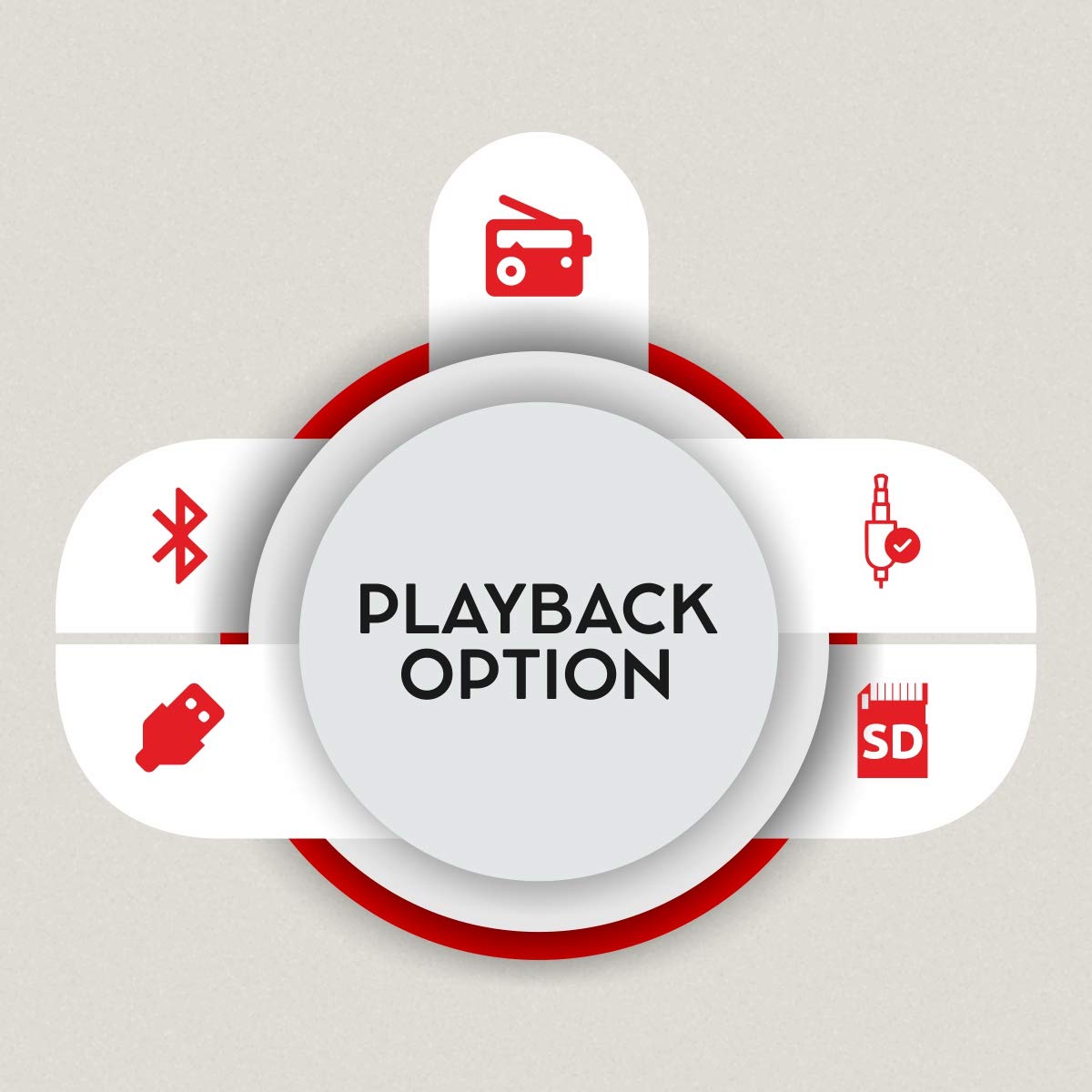
Figure 3: Available playback options.
4.3 Párování Bluetooth
- Switch the speaker system to Bluetooth mode. The display will show "BT" and the indicator light will flash, indicating it's ready for pairing.
- Na svém zařízení (chytrém telefonu, tabletu) povolte Bluetooth a vyhledejte dostupná zařízení.
- Select "iBall Thunder" from the list of devices.
- Once paired, the indicator light will stop flashing, and you will hear a confirmation tone.
4.4 USB/SD/MMC Playback
Vložte USB disk nebo SD/MMC kartu obsahující audio files into the respective slot on the subwoofer. The system will automatically switch to USB/SD/MMC mode and begin playback. Use the remote or control panel to navigate tracks.
4.5 FM rádio
In FM mode, the system will automatically scan and save available radio stations. Use the remote control to change stations.
5. Konektivita
The iBall Thunder 2.1 speaker system offers versatile connectivity options:
- Bluetooth: Wireless connection for smartphones, tablets, and other Bluetooth-enabled devices.
- USB: Play audio directly from USB flash drives.
- Karta SD/MMC: Play audio directly from SD or MMC memory cards.
- AUX (Auxiliary Input): Wired connection for devices via a 3.5mm audio jack.
- FM rádio: Built-in FM tuner for radio broadcasts.
6. Ovládací prvky
The speaker system can be controlled via the integrated control panel on the subwoofer or the included remote control.
6.1 Subwoofer Control Panel
- Volič hlasitosti: Upravuje hlavní hlasitost.
- Přehrát/pozastavit: Spustí nebo pozastaví přehrávání.
- Předchozí další: Přeskočí na předchozí nebo další skladbu/stanici.
- režim: Switches between input sources (BT, USB, SD/MMC, AUX, FM).
6.2 Dálkové ovládání
The remote control provides full functionality for convenient operation:
- Zapnutí/vypnutí
- Výběr režimu
- Zvýšení/snížení hlasitosti
- Přehrát/Pozastavit
- Předchozí/Další stopa
- Ovládání basů
- Ovládání výšek
- Ztlumit
- Numeric Keypad for direct track/station selection

Figure 4: Remote control for iBall Thunder 2.1 Speaker.
7. Specifikace
| Funkce | Popis |
|---|---|
| Název modelu | iBall Thunder |
| Číslo modelu | IBALL_THUNDER_2.1 |
| Typ reproduktoru | 2.1 Channel Multimedia Speaker System (Subwoofer with 2 Satellite Speakers) |
| Režim zvukového výstupu | Stereo |
| Total Audio Wattage (RMS) | 40 Watts (Subwoofer: 20W, Satellites: 10W x 2) |
| Frekvenční odezva | 55 Hz ~ 20 kHz |
| Poměr signálu k šumu (S/N) | >= 70 dB |
| Technologie připojení | Bluetooth, USB, SD/MMC, Auxiliary (AUX), FM Radio |
| Bezdrátový typ | Bluetooth |
| Kontrolní metoda | Remote Control, Integrated Control Panel |
| Speciální funkce | RGB LED Illuminated Subwoofer, Bass and Treble Controls |
| Kompatibilní zařízení | Smartphone, Tablet, PC, MP3 Player |
| Zdroj napájení | AC (230 voltů) |
| Rozměry produktu (subwoofer) | 15H x 26.5Š x 26V centimetrů |
| Hmotnost položky | 4.17 kg |
| Barva | Černý |
| Země původu | Čína |
8. Údržba
Abyste zajistili dlouhou životnost a optimální výkon vašeho reproduktorového systému, dodržujte tyto pokyny pro údržbu:
- Čištění: K čištění povrchů reproduktorů používejte měkký, suchý hadřík. Nepoužívejte tekuté čisticí prostředky ani abrazivní materiály.
- Větrání: Ensure adequate ventilation around the subwoofer to prevent overheating. Do not block the ventilation ports.
- Skladování: Pokud reproduktory delší dobu nepoužíváte, skladujte je na chladném a suchém místě mimo dosah přímého slunečního záření a extrémních teplot.
- Vypnout: Always power off the system and unplug it from the power outlet before cleaning or performing any maintenance.
9. Řešení problémů
If you encounter issues with your iBall Thunder 2.1 speaker system, refer to the following common problems and solutions:
| Problém | Možná příčina | Řešení |
|---|---|---|
| Žádná síla | Napájecí kabel není připojen; Vypínač je vypnutý. | Ensure power cable is securely plugged in; Turn the power switch to "ON". |
| Žádný zvuk | Volume too low; Incorrect input mode; Loose audio cables; Device not playing audio | Increase volume; Select correct input mode (BT, AUX, USB, SD, FM); Check all cable connections; Ensure audio is playing on the connected device. |
| Chyba párování Bluetooth | Reproduktor není v režimu párování; Bluetooth zařízení vypnuto; Příliš daleko od reproduktoru | Ensure speaker is in BT mode and flashing; Enable Bluetooth on your device; Move device closer to the speaker (within 10 meters). |
| Špatný příjem FM | Slabý signál; Anténa není vysunutá | Adjust the position of the FM antenna; Try repositioning the speaker for better signal. |
| Dálkové ovládání nefunguje | Batteries drained; Obstruction between remote and speaker; Remote sensor blocked | Replace remote control batteries; Remove any obstructions; Ensure the remote sensor on the speaker is clear. |
10. Záruka a podpora
Záruka: A 1-year warranty is provided by the manufacturer from the date of purchase. Please retain your purchase receipt for warranty claims.
Zákaznická podpora: For any product-related complaints, feedback, or assistance, please contact iBall customer care. You can find contact details on the product packaging or the official iBall webmísto.
Manufacturer: iBall, 87, Mistry Industrial Complex, MIDC Cross Road "A" Andheri (E), Mumbai 400 093. Maharashtra India.
Toll-free No. 18002666409
E-mail: feedback@iball.co.in