
Zavedení
The GENAI Wireless Bluetooth Headset B112 provides a convenient and hands-free communication experience. This manual offers detailed instructions for setting up, operating, maintaining, and troubleshooting your headset to ensure optimal performance and longevity.
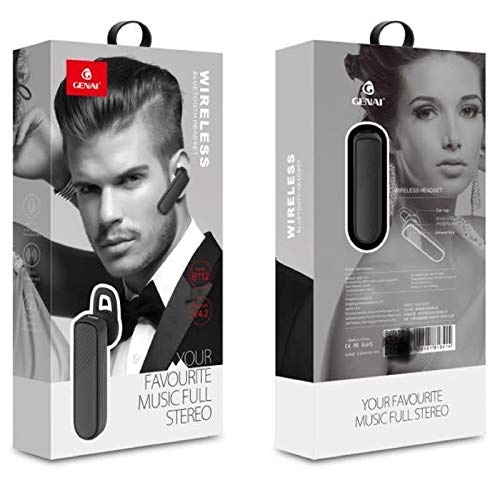
Image: GENAI Wireless Bluetooth Headset B112, main unit with ear hook.
Co je v krabici
Balíček produktu obsahuje následující položky:
- GENAI Wireless Bluetooth Headset B112
- Ušní polštářky
- Nabíjecí kabel (Micro USB)
Nastavení
1. Nabíjení náhlavní soupravy
- Connect the Micro USB charging cable to the charging port on the headset.
- Druhý konec nabíjecího kabelu připojte ke kompatibilnímu zdroji napájení USB (např. k portu USB počítače, síťovému adaptéru USB).
- Během nabíjení bude svítit kontrolka.
- Plné nabití obvykle trvá přibližně 2 hodin.
- Once fully charged, the indicator light may change color or turn off, depending on the model. Disconnect the charging cable.
2. Spárování se zařízením Bluetooth
- Ujistěte se, že je náhlavní souprava plně nabitá.
- Zapnutí: Press and hold the multi-function button (usually the main button) on the headset until the indicator light flashes, typically alternating blue and red, indicating pairing mode.
- Aktivujte Bluetooth: On your mobile phone or other Bluetooth-enabled device, go to the Bluetooth settings and ensure Bluetooth is turned on.
- Hledat Zařízení: Your device will scan for available Bluetooth devices. Look for "B112" or "GENAI B112" in the list.
- Připojit: Select "B112" or "GENAI B112" to initiate the pairing process. If prompted for a password, enter "0000" (four zeros).
- Once successfully paired, the indicator light on the headset will typically flash blue slowly, and you may hear a voice prompt confirming the connection.
3. Nošení headsetu
The GENAI B112 headset is designed for comfortable wear. Attach the ear hook if desired, and adjust it to fit securely over your ear. The ear cushions can be changed for a better fit.
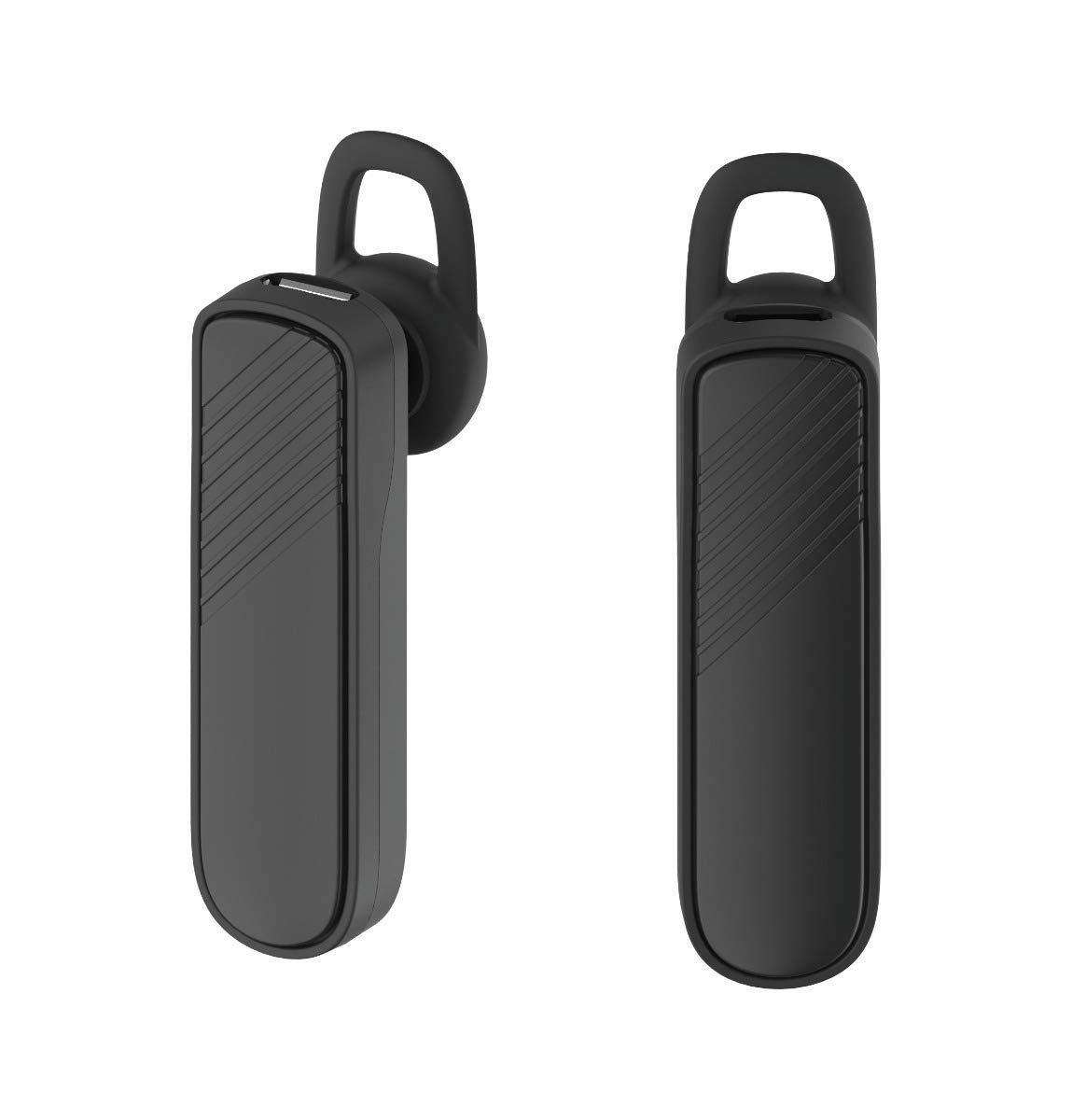
Obrázek: Dva views of the GENAI Wireless Bluetooth Headset B112, illustrating its design.
Návod k obsluze
- Zapnutí/vypnutí: Press and hold the multi-function button for approximately 3-5 seconds to power on or power off the headset. A voice prompt will confirm the action.
- Přijímání / ukončování hovorů: Press the multi-function button once to answer an incoming call. Press it again to end an active call.
- Odmítání hovorů: Stiskněte a podržte multifunkční tlačítko po dobu přibližně 2 sekund pro odmítnutí příchozího hovoru.
- Znovu vytočit poslední číslo: Dvojitým stisknutím multifunkčního tlačítka znovu vytočíte poslední volané číslo.
- Ovládání hlasitosti: Use the dedicated volume buttons (if present) or the multi-function button (depending on model variation) to adjust the call or music volume. Refer to your device's manual for specific button functions.
- Přehrávání hudby: When connected, you can play music from your paired device. The multi-function button may also control play/pause.
- Hlasové výzvy: The headset provides voice alerts for power on/off and pairing status.
Údržba
- Čištění: Use a soft, dry, lint-free cloth to clean the headset. Do not use harsh chemicals, cleaning solvents, or strong detergents.
- Skladování: When not in use, store the headset in a cool, dry place, away from extreme temperatures and direct sunlight.
- Péče o baterie: To prolong battery life, avoid fully discharging the battery frequently. Charge the headset regularly, even if not used for extended periods.
- Vystavení vodě: This headset is not waterproof. Avoid exposure to water, moisture, or rain.
Odstraňování problémů
- Sluchátka se nezapínají:
- Ujistěte se, že jsou sluchátka plně nabitá. Připojte je ke zdroji napájení a nechte je nabíjet alespoň 30 minut, než se je pokusíte znovu zapnout.
- Cannot pair the headset with my device:
- Ensure the headset is in pairing mode (indicator light flashing blue/red).
- Ujistěte se, že je na vašem zařízení povoleno Bluetooth.
- Keep the headset and your device within close proximity (within 1 meter) during pairing.
- Vypněte a zapněte sluchátka i zařízení a poté zkuste spárování znovu.
- If previously paired, try "forgetting" or "unpairing" the headset from your device's Bluetooth list and then re-pair.
- Žádný zvuk nebo nízká hlasitost:
- Zkontrolujte úroveň hlasitosti na sluchátkách i na spárovaném zařízení.
- Ensure the headset is properly connected to your device. Sometimes, the audio output might switch to the phone speaker.
- Zkuste restartovat obě zařízení.
- Sluchátka se často odpojují:
- Ujistěte se, že mezi sluchátky a zařízením nejsou žádné překážky.
- Pro snížení rušení se přibližte ke spárovanému zařízení.
- Zkontrolujte další aktivní zařízení Bluetooth, která by mohla způsobovat rušení.
- Ujistěte se, že je sluchátko dostatečně nabité.
Specifikace
| Název modelu | B112 |
| Technologie připojení | Bluetooth V4.2 |
| Nabíjecí port | Micro USB |
| Doba nabíjení | Přibližně 2 hodin |
| Doba hovoru | Až 20 hodin |
| Doba přehrávání hudby | Přibližně 20 hodin |
| Pohotovostní doba | Až 1000 hodin |
| Hmotnost položky | 30 g |
| Materiál | Plast |
| Speciální funkce | Earhook |
| Zahrnuté komponenty | Ušní polštářky |
| Kompatibilní zařízení | Android, iOS, Mi devices (Bluetooth-enabled smartphones) |
Informace o záruce
This GENAI Wireless Bluetooth Headset B112 comes with a 3měsíční záruka na výměnu from the date of purchase. Please retain your proof of purchase for warranty claims. This warranty covers manufacturing defects. Please note that this warranty does not include refunds.
Podpora
For further assistance, technical support, or warranty claims, please contact your retailer or the GENAI customer service department. Refer to the product packaging or the official GENAI webstránky pro kontaktní údaje.