
Zavedení
This manual provides essential instructions for the setup, operation, and maintenance of your Easytry123 Infrared Replacement Remote Control, model 410633. This remote is designed as a replacement for the Bose Soundlink Air Digital Music System. Please read this manual carefully before use to ensure proper functionality and to avoid potential issues.
Important: This is an infrared replacement remote. Ensure your original remote matches the appearance of this replacement and that your Bose Soundlink Air Digital Music System is compatible with infrared remote controls. Functionality may vary slightly compared to the original remote.
Konec produktuview
The Easytry123 Replacement Remote Control is a compact, black infrared remote featuring 12 buttons for controlling your Bose Soundlink Air Digital Music System. It operates using infrared technology, requiring a direct line of sight to the device.
Obrázek 1: Přední view of the Easytry123 replacement remote control. This image shows the sleek black design and the layout of the control buttons.
Nastavení
1. Instalace baterie
The remote control requires two (2) CR2 batteries (not included). Follow these steps to install the batteries:
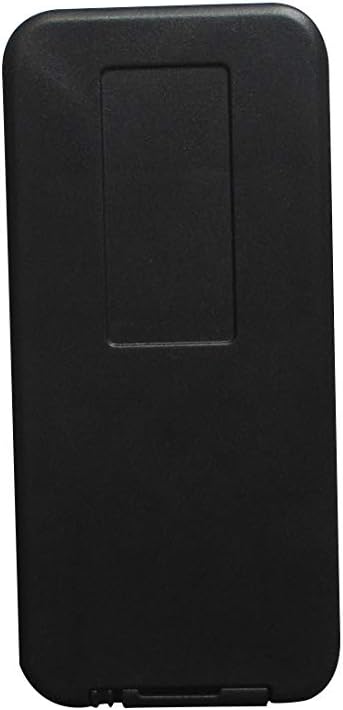
- Najděte přihrádku na baterie na zadní straně dálkového ovladače.
- Gently slide or pry open the battery cover.
- Insert two CR2 batteries, ensuring the positive (+) and negative (-) terminals match the diagrams inside the compartment.
- Nasaďte kryt baterie zpět, dokud bezpečně nezacvakne.

Obrázek 2: Zadní view of the remote control with the battery cover removed, showing the compartment for battery insertion.
Caution: Incorrect battery installation can damage the remote control. Do not mix old and new batteries, or different types of batteries.
Návod k obsluze
Once batteries are installed, the remote is ready for use. Point the remote control directly at your Bose Soundlink Air Digital Music System. Ensure there are no obstructions between the remote and the system.
- Vypínač: Stisknutím zapnete nebo vypnete systém.
- Zvýšení/Snížení hlasitosti: Upravte hlasitost zvuku.
- Výběr zdroje: Cycle through available audio sources (e.g., AirPlay, Aux).
- Přehrát/pozastavit: Ovládání přehrávání médií.
- Přeskočit stopu: Přeskočit na další nebo předchozí skladbu.
Refer to your Bose Soundlink Air Digital Music System's original manual for specific functions of each button if they are not immediately clear.
Údržba
Výměna baterie
Replace batteries when the remote's range decreases or it stops responding. Follow the battery installation steps outlined in the "Setup" section.
Čištění
Dálkový ovladač otírejte měkkým, suchým hadříkem. Nepoužívejte tekuté čisticí prostředky ani abrazivní materiály, protože by mohly poškodit povrch dálkového ovladače nebo jeho vnitřní součásti.
Skladování
Dálkový ovladač skladujte na chladném a suchém místě mimo dosah přímého slunečního záření a extrémních teplot. Pokud jej skladujete delší dobu, vyjměte baterie, abyste zabránili vytečení.
Odstraňování problémů
- Dálkové ovládání nereaguje:
- Zkontrolujte, zda jsou baterie správně vloženy a zda jsou dostatečně nabité. V případě potřeby je vyměňte.
- Ensure there is a clear line of sight between the remote's infrared emitter and the Bose Soundlink Air Digital Music System's receiver.
- Move closer to the system.
- Některé funkce nefungují:
- This replacement remote may not offer all functions identical to your original Bose remote. Verify the button functions against your system's original manual.
- Ensure your Bose Soundlink Air Digital Music System is fully compatible with this specific replacement model (410633).
Specifikace
| Značka | Easytry123 |
| Název modelu | 410633 |
| Technologie připojení | Infračervený |
| Kompatibilní zařízení | Bose Soundlink Air Digital Music System |
| Počet tlačítek | 12 |
| Typ baterie | CR2 (2 required) |
| Barva | Černý |
Podpora
If you encounter any issues or have questions regarding the Easytry123 Remote Control, please contact the seller for assistance. Provide your product model number (410633) and a detailed description of the issue for quicker support.