
UNIWA Alps F40
UNIWA Alps F40 User Manual
Rugged 4G Mobile Phone & Walkie-Talkie
Zavedení
This manual provides essential information for the safe and effective operation of your UNIWA Alps F40 device. Please read this manual thoroughly before using the device and keep it for future reference.
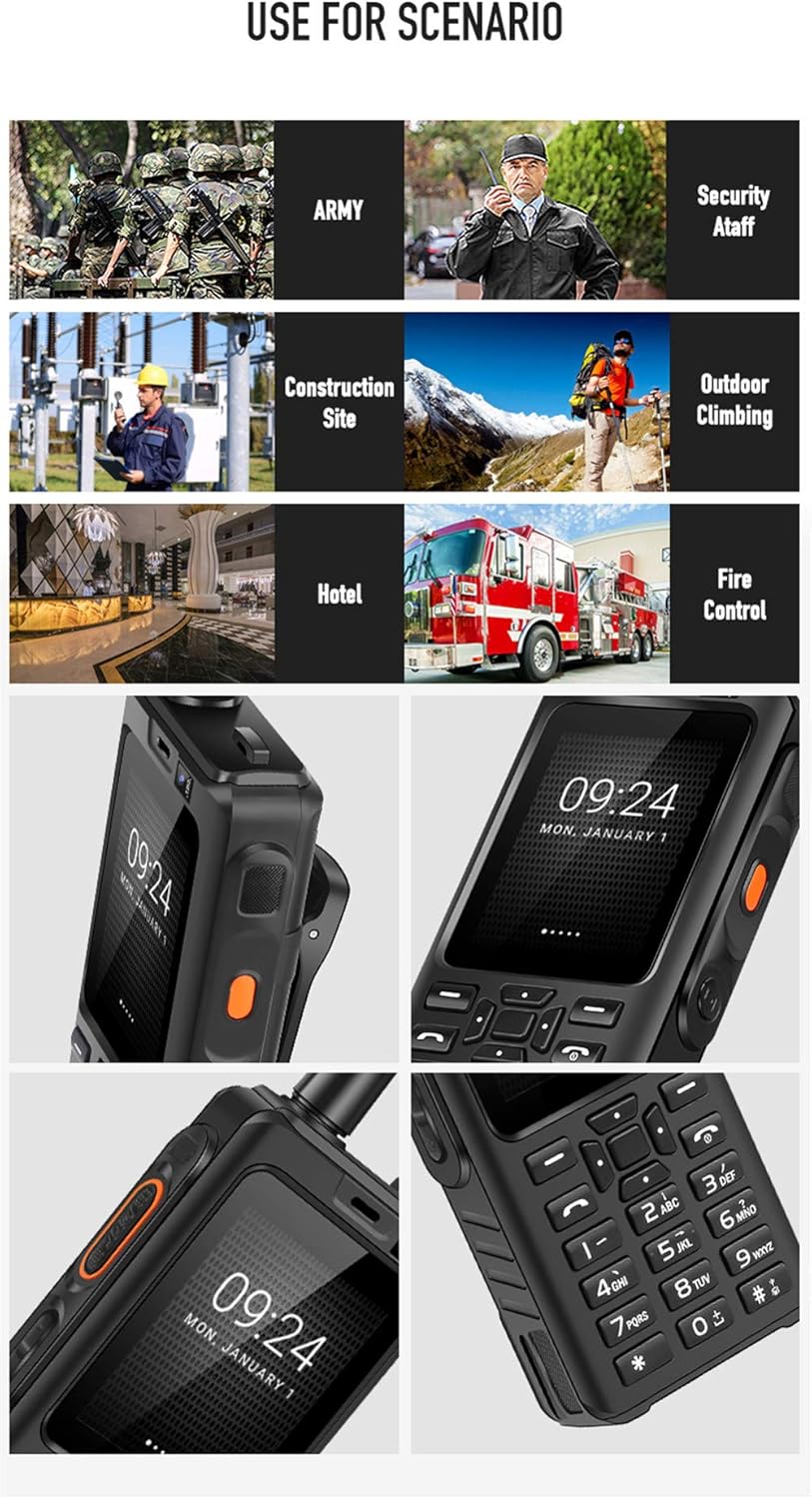
The UNIWA Alps F40 is a robust communication device combining the functionalities of a 4G mobile phone and a Push-to-Talk Over Cellular (POC) walkie-talkie. It is designed for durability and performance in challenging environments, featuring IP65 water resistance and a shock-proof build.
Obsah balení
Ujistěte se, že v balení jsou přítomny všechny položky:
- 1 x UNIWA Alps F40 Zello Walkie Talkie
- 1 x 4000 mAh Li-polymer Battery
- 1 x USB kabel
- 1 x USB napájecí adaptér
- 1x Spona na opasek
- 1 x Uživatelská příručka

Zařízení skončiloview
Familiarize yourself with the physical features of your UNIWA Alps F40.

- Zobrazit: 2.4palcová kapacitní dotyková obrazovka
- Klávesnice: Physical numeric and navigation keys
- Tlačítko PTT: Dedicated Push-to-Talk button for walkie-talkie function (typically orange)
- Anténa: Integrated for enhanced signal reception
- Fotoaparát: Rear 5MP, Front 0.3MP
- Reproduktor: High-volume loudspeaker for clear audio
- Belt Clip Slot: For attaching the included belt clip

Nastavení
1. Instalace SIM karty a baterie
- Power off the device and remove the back cover.
- Insert the SIM card(s) into the designated slot(s). The device supports dual SIM.
- Insert the 4000 mAh Li-polymer battery, ensuring proper alignment of the contacts.
- Replace the back cover and secure it firmly to maintain IP65 water resistance.
2. Nabíjení zařízení
- Connect the USB cable to the device's charging port.
- Connect the other end of the USB cable to the provided USB power adapter.
- Zapojte napájecí adaptér do elektrické zásuvky.
- Před prvním použitím nechte zařízení plně nabít. Indikátor nabíjení bude zobrazovat stav baterie.
Návod k obsluze
Zapnutí/vypnutí
- To power on: Press and hold the Power button until the UNIWA logo appears.
- Vypnutí: Stiskněte a podržte tlačítko Napájení a poté z možností vyberte možnost „Vypnout“.
Základní navigace
- Use the physical keypad for dialing numbers and text input.
- The 2.4-inch touchscreen supports touch gestures for navigating menus and applications.
- The device runs on Android 6.0, providing access to various applications.

Using the Walkie-Talkie (POC) Function
The UNIWA Alps F40 is optimized for Push-to-Talk Over Cellular (POC) communication, primarily through applications like Zello.
- Ensure the device has an active 4G network connection or is connected to Wi-Fi.
- Open the Zello application (pre-installed).
- Přihlaste se nebo si vytvořte účet.
- Vyberte požadovaný kanál nebo kontakt.
- Press and hold the dedicated PTT button on the side of the device to transmit your voice. Release to listen.

The device features a powerful loudspeaker (Φ32) for clear communication even in noisy environments.

Údržba a péče
- Čištění: Otřete zařízení měkkým, damp tkanina. Nepoužívejte agresivní chemikálie nebo abrazivní čisticí prostředky.
- Voděodolnost: The device is IP65 water-resistant. Ensure all ports and covers are securely closed to maintain this rating. Avoid submerging the device in water.
- Péče o baterie: To prolong battery life, avoid extreme temperatures. Charge the battery regularly and do not let it fully discharge for extended periods.
- Skladování: Přístroj skladujte na chladném a suchém místě mimo dosah přímého slunečního záření a extrémních teplot.

Odstraňování problémů
| Problém | Možná příčina | Řešení |
|---|---|---|
| Zařízení se nezapne. | Low battery; faulty battery; software issue. | Charge the device for at least 30 minutes. Ensure battery is correctly installed. Perform a hard reset (refer to advanced troubleshooting if needed). |
| Žádný síťový signál. | Out of network coverage; SIM card not properly inserted; network settings issue. | Move to an area with better coverage. Reinsert SIM card. Check APN settings in network settings. |
| Walkie-talkie function not working. | No internet connection; Zello app not logged in or configured; PTT button issue. | Ensure 4G or Wi-Fi is active. Verify Zello app login and channel selection. Restart the Zello app or the device. |
| Špatná kvalita zvuku. | Obstruction of speaker/microphone; low signal strength; environmental noise. | Clean speaker/microphone openings. Move to an area with stronger signal. Utilize the high-volume speaker in noisy environments. |
Specifikace
| Funkce | Detail |
|---|---|
| Model | UNIWA Alps F40 |
| Operační systém | Android 6.0 |
| Procesor | MTK6737M Quad Core, 1.1 GHz |
| BERAN | 1 GB |
| Interní úložiště | 8 GB |
| Zobrazit | 2.4-inch Capacitive Touchscreen, 320 x 240 resolution |
| Zadní kamera | 5 MP |
| Přední kamera | 0.3 MP |
| Baterie | 4000 mAh Li-polymer |
| Voděodolnost | IP65 |
| Síťová podpora | 2G/3G/4G (WCDMA) |
| Rozměry | 119 x 55 x 24.5 mm |
| Hmotnost | 188 gramů |
| Konektivita | USB, Wi-Fi, Bluetooth |
| Speciální funkce | Dedicated PTT button, Dual SIM support, Zello compatible |
Záruka a podpora
The UNIWA Alps F40 typically comes with a manufacturer's guarantee. Please refer to the warranty card included in your package for specific terms and conditions. For technical support or service inquiries, please contact your retailer or the official UNIWA support channels.
For further assistance, visit the official UNIWA website or contact customer service through the details provided in your product documentation.
Související dokumenty - Alps F40
 |
UNIWA BM008 Bluetooth Walkie-Talkie Microphone User Manual Comprehensive user manual for the UNIWA BM008 handheld Bluetooth walkie-talkie microphone. Includes setup, pairing instructions, button functions, specifications, and troubleshooting. |
 |
Manual del Usuario UNIWA F400: Guía Completa del Dispositivo Inteligente Rugged Guía completa del manual de usuario para el UNIWA F400, un intercomunicador PDA Android robusto con clasificación IP65. Descubra sus características, especificaciones técnicas, configuración inicial, funciones PoC y mantenimiento para comunicación profesional. |
 |
Uživatelská příručka UNIWA F400: Chytrý ruční interkom PDA Komplexní uživatelská příručka pro UNIWA F400, chytrý ruční interkom PDA s Androidem a krytím IP65. Mezi jeho vlastnosti patří komunikace PTT, GPS, odolná konstrukce, baterie s kapacitou 4350 mAh a operační systém Android 15. Podrobnosti o nastavení, funkcích, údržbě a specifikacích. Metadata dokumentu: Papír: Potahovaný papír 100G, Tisk: Oboustranný tisk, čtyřbarevný tisk, Způsob skládání: Spirálové skládání, Rozměr: 87*150 mm. |
 |
Declaración de Transparencia de Datos del Teléfono Móvil Walkie-Talkie 4G UNIWA F400 Información sobre la recopilación, uso y derechos de los usuarios de datos para el teléfono móvil walkie-talkie 4G UNIWA F400, en cumplimiento con las leyes de datos de la UE. |
 |
Dichiarazione di Trasparenza Data Act per Telefono Cellulare Walkie-Talkie 4G UNIWA F400 Questa dichiarazione di trasparenza, ai sensi del Data Act dell'UE, descrive la raccolta, il trattamento e i diritti relativi ai dati generati dal telefono cellulare walkie-talkie 4G UNIWA F400. |
 |
MXQ PRO Android TV Box: Čtyřjádrový 4K přehrávač médií Amlogic S905 Objevte MXQ PRO, výkonný chytrý televizní přijímač s operačním systémem Android 5.1.1, který je vybaven čtyřjádrovým procesorem Amlogic S905, grafickým procesorem Mali-450, podporou přehrávání 4K Ultra HD, dekódováním H.265 HEVC a rozsáhlou konektivitou pro vylepšenou domácí zábavu. |
Ask a question about this manual
Ask about setup, troubleshooting, compatibility, parts, safety, or missing instructions. Manuals+ will review the question and use this page’s manual context to help answer it.