
Greenlite 48145
Uživatelská příručka k žárovce Greenlite LED PAR38 s pohybovým senzorem
Model: 48145
Konec produktuview
The Greenlite LED PAR38 Motion Sensor Flood Light Bulb is designed for both indoor and outdoor use, providing efficient and bright illumination with integrated motion sensing capabilities. This 13W LED bulb is equivalent to a 100W incandescent bulb, offering 1050 lumens of 3000K Soft White light. It features an E26 medium base and is Energy Star certified, ensuring energy efficiency.
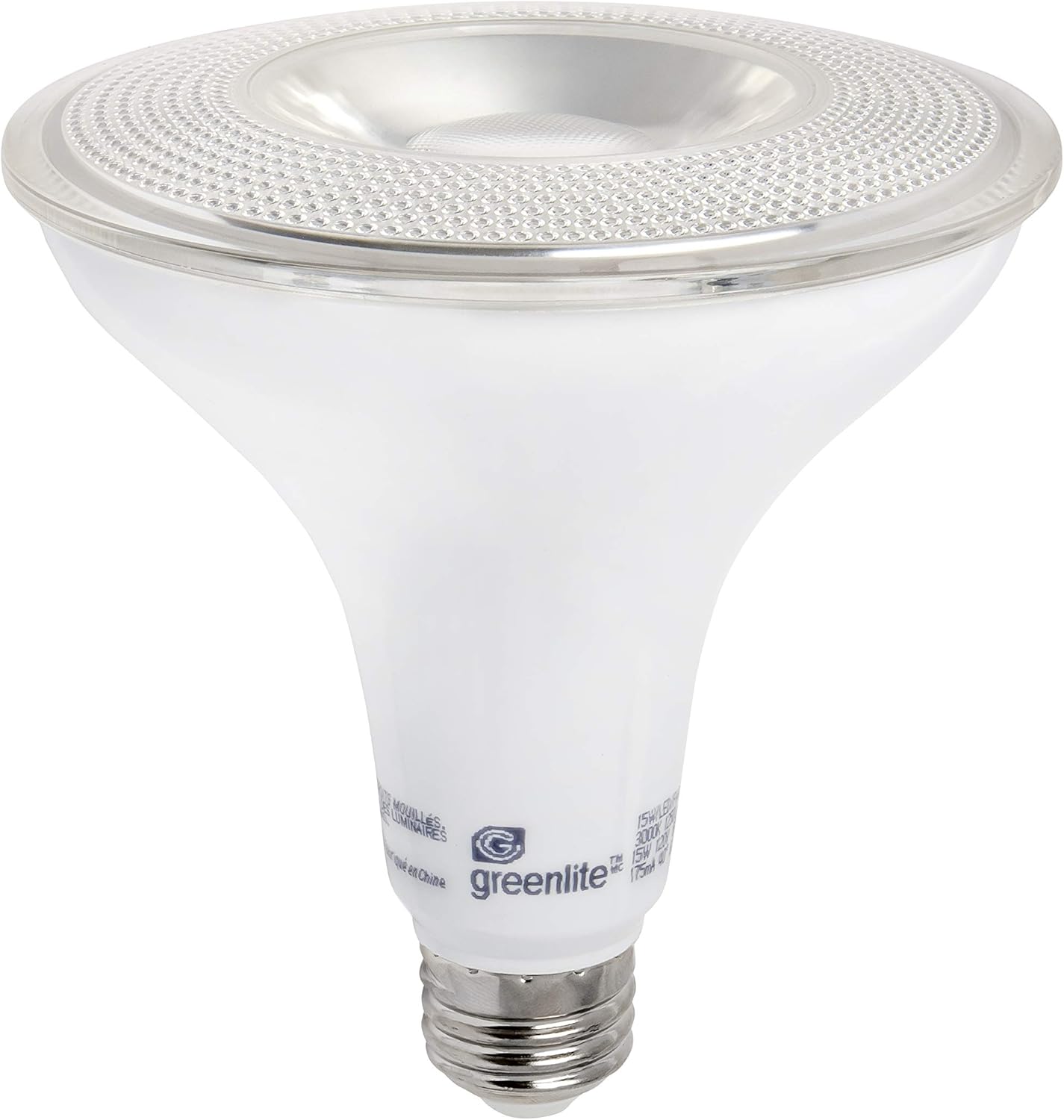
Image: The Greenlite LED PAR38 Motion Sensor Flood Light Bulb, showcasing its PAR38 shape and E26 medium base.

Image: Product packaging highlighting key features such as motion sensor, 13W PAR38, 100W equivalent, 1050 lumens, and Energy Star certification.
Bezpečnostní informace
- VAROVÁNÍ: Nebezpečí úrazu elektrickým proudem. Před instalací odpojte napájení.
- Nepoužívejte se stmívači. Tato žárovka není stmívatelná.
- Vhodné do vlhkých prostor.
- Ujistěte se, že svítidlo je dimenzováno na výkon žárovky.tage a velikost.
- Žárovku nerozebírejte.
- Toto zařízení není určeno pro použití s nouzovými východy.
Nastavení a instalace
- Vypnout: Before replacing an existing bulb or installing a new one, ensure the power to the light fixture is turned off at the circuit breaker or wall switch.
- Vyjměte starou žárovku: Carefully unscrew the old bulb from the fixture.
- Instalace nové žárovky: Screw the Greenlite LED PAR38 Motion Sensor Flood Light Bulb into the E26 medium base socket. Ensure it is securely tightened but do not overtighten.
- Zapnutí: Restore power to the fixture. The bulb will illuminate briefly as it initializes.
Důležitá poznámka: The motion sensor requires a brief warm-up period after power is applied. During this time, the bulb may remain on continuously before the motion sensing function becomes active. This can take up to an hour in some cases, as noted by user experiences.

Image: Dimensional drawing of the bulb, showing a width of 4.7 inches (119mm) and a height of 5.2 inches (132mm). Ensure your fixture can accommodate these dimensions.
Návod k obsluze
This Greenlite LED PAR38 bulb features an integrated motion sensor. It is designed to automatically turn on when motion is detected within its sensing range and turn off after a period of no motion. The bulb operates based on ambient light levels, typically activating only in low-light conditions (e.g., dusk to dawn) when motion is present.
- Automatický provoz: Once installed and powered, the bulb will automatically detect motion and ambient light.
- Detekce pohybu: The sensor detects movement within its field of view. Factors like distance, object size, and movement speed can affect detection.
- Automatické vypnutí: After motion ceases, the bulb will remain lit for a set period (typically a few minutes, non-adjustable) before turning off.
- Citlivost na světlo: The bulb is designed to operate in dark conditions. It will generally not activate during daylight hours, even if motion is detected.
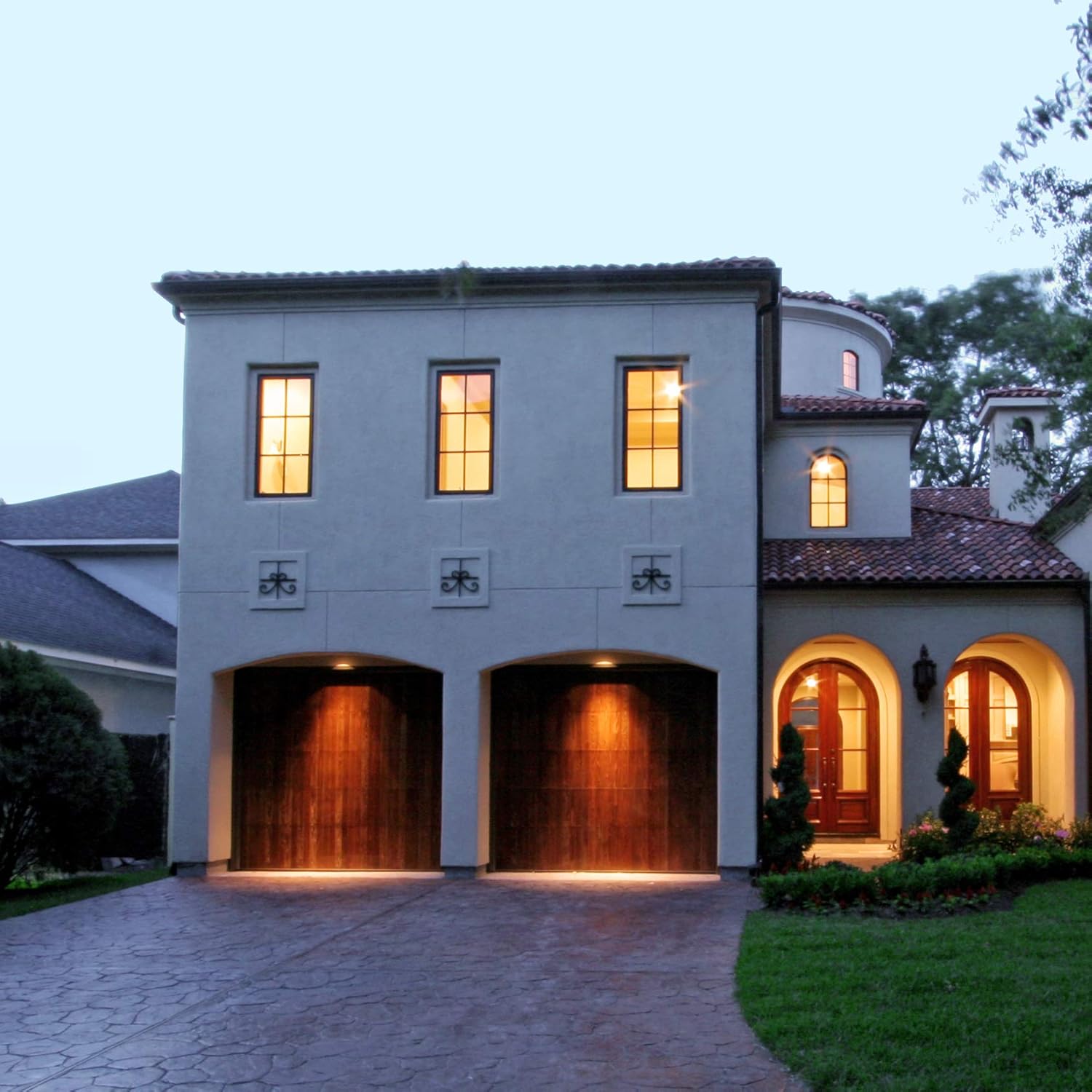
Obrázek: Bývalý/áample of the flood light bulbs installed in an outdoor setting, illuminating a driveway and garage area at night, demonstrating their effective coverage.
Údržba
- Čištění: Ensure the bulb is cool and power is off before cleaning. Wipe the bulb and sensor lens gently with a soft, dry cloth. Do not use liquid cleaners or abrasive materials.
- Inspekce: Pravidelně kontrolujte žárovku a svítidlo, zda nevykazují známky poškození nebo uvolněné kontakty.
- Žádné díly opravitelné uživatelem: Žárovka neobsahuje žádné součásti, které by mohl uživatel opravit. Nepokoušejte se ji otevírat ani opravovat.
Odstraňování problémů
| Problém | Možná příčina | Řešení |
|---|---|---|
| Žárovka se nezapne. | No power; Bulb not screwed in properly; Sensor blocked; Ambient light too high. | Check power supply and circuit breaker. Ensure bulb is securely tightened. Clear any obstructions from the sensor. Test in darker conditions. |
| Bulb stays on continuously. | Initial warm-up period; Constant motion detected; Sensor malfunction; Ambient light too low (sensor thinks it's always dark). | Allow up to an hour for initial warm-up. Ensure no continuous motion is in the sensor's field. Check for external light sources interfering with the sensor. If problem persists, bulb may be faulty. |
| Bulb turns on/off erratically. | Interference from moving objects (trees, traffic); Sensor sensitivity issues. | Adjust fixture angle if possible to minimize unwanted triggers. Ensure sensor is clean. |
| Světlo je příliš slabé nebo příliš jasné. | Incorrect bulb for application; Not designed for dimming. | This bulb is non-dimmable. Ensure it meets your brightness requirements (1050 lumens). |
Specifikace
| Funkce | Detail |
|---|---|
| Značka | Greenlite |
| Číslo modelu | 48145 |
| Typ světla | LED |
| Velikost tvaru žárovky | PAR38 |
| Wattage | 13 wattů |
| Ekvivalent Wattage | 100 wattů |
| Jas | 1050 XNUMX lumenů |
| Teplota barev | 3000 Kelvinů (měkká bílá) |
| Základna žárovky | E26 střední báze |
| svtage | 120 voltů |
| Vnitřní/venkovní použití | Uvnitř, venku |
| Speciální funkce | Motion Sensor, Shatter Resistant |
| Osvědčení | Energy Star, UL Listed, RoHS Compliant |
| Rozměry produktu | 4.73"Š x 5.15"V (119 mm x 132 mm) |
| Hmotnost položky | 6.1 uncí |

Image: The bulb displaying its motion sensor icon, Energy Star, UL Listed, and RoHS compliance logos, indicating its safety and efficiency certifications.
Záruka a podpora
Specific warranty details for the Greenlite LED PAR38 Motion Sensor Flood Light Bulb (Model 48145) are not provided in this manual. For warranty information, technical support, or customer service inquiries, please refer to the manufacturer's official website or contact Greenlite customer support directly.
Výrobce: Greenlite
Webmísto: www.greenlite.ca
Ask a question about this manual
Ask about setup, troubleshooting, compatibility, parts, safety, or missing instructions. Manuals+ will review the question and use this page’s manual context to help answer it.