
1. Úvod
Děkuji za nákupasing the Majority Scholars Compact DVD Player. This device is designed for versatile media playback, supporting multiple disc formats and regions. It features both HDMI and RCA connectivity for broad compatibility with various display devices, along with a USB port for playing digital media files. This manual provides essential information for setting up, operating, and maintaining your DVD player.
2. Bezpečnostní informace
- Nevystavujte jednotku dešti ani vlhkosti, abyste předešli požáru nebo úrazu elektrickým proudem.
- Zajistěte dostatečné větrání kolem jednotky. Neblokujte větrací otvory.
- Nepokládejte jednotku na nestabilní povrchy.
- Neotevírejte casing. Veškerý servis svěřte kvalifikovanému personálu.
- Odpojte jednotku během bouřky s blesky nebo pokud se delší dobu nepoužívá.
- Používejte pouze nástavce/příslušenství specifikované výrobcem.
3. Obsah balení
Zaškrtněte prosím políčko u následujících položek:
- Majority Scholars Compact DVD Player
- Dálkové ovládání
- HDMI kabel
- RCA AV kabel
- Napájecí adaptér
- Uživatelská příručka

Figure 3.1: Contents of the Majority Scholars DVD Player package.
4. Konec produktuview
4.1 Přední panel

Obrázek 4.1: Přední strana view of the DVD player.

Figure 4.2: Close-up of front panel controls and USB port.
The front panel includes the disc tray, a digital display, and essential control buttons such as Open/Close, Play/Pause, and Stop. A USB port is also located on the front for convenient access to digital media.
4.2 Zadní panel

Figure 4.3: Rear panel with connection ports.
The rear panel features the HDMI output for high-definition connection, RCA audio/video outputs for standard definition connections, and the power input port.
4.3 Dálkové ovládání
The included remote control provides full functionality for operating the DVD player from a distance. It requires two AAA batteries (not included).
5. Nastavení
5.1 Připojení k TV
You have two primary options for connecting your DVD player to a television:
- Připojení HDMI (doporučeno pro nejlepší kvalitu):
Connect one end of the supplied HDMI cable to the HDMI OUT port on the rear of the DVD player and the other end to an HDMI input port on your TV. Select the corresponding HDMI input on your TV using its remote control. - Připojení RCA (standardní rozlišení):
Connect the supplied RCA AV cable to the VIDEO OUT (yellow), AUDIO OUT L (white), and AUDIO OUT R (red) ports on the rear of the DVD player. Connect the other end of the cable to the corresponding AV input ports on your TV. Select the AV input on your TV using its remote control.
5.2 Připojení napájení
Connect the power adapter to the DC IN port on the rear of the DVD player, then plug the adapter into a standard electrical outlet.
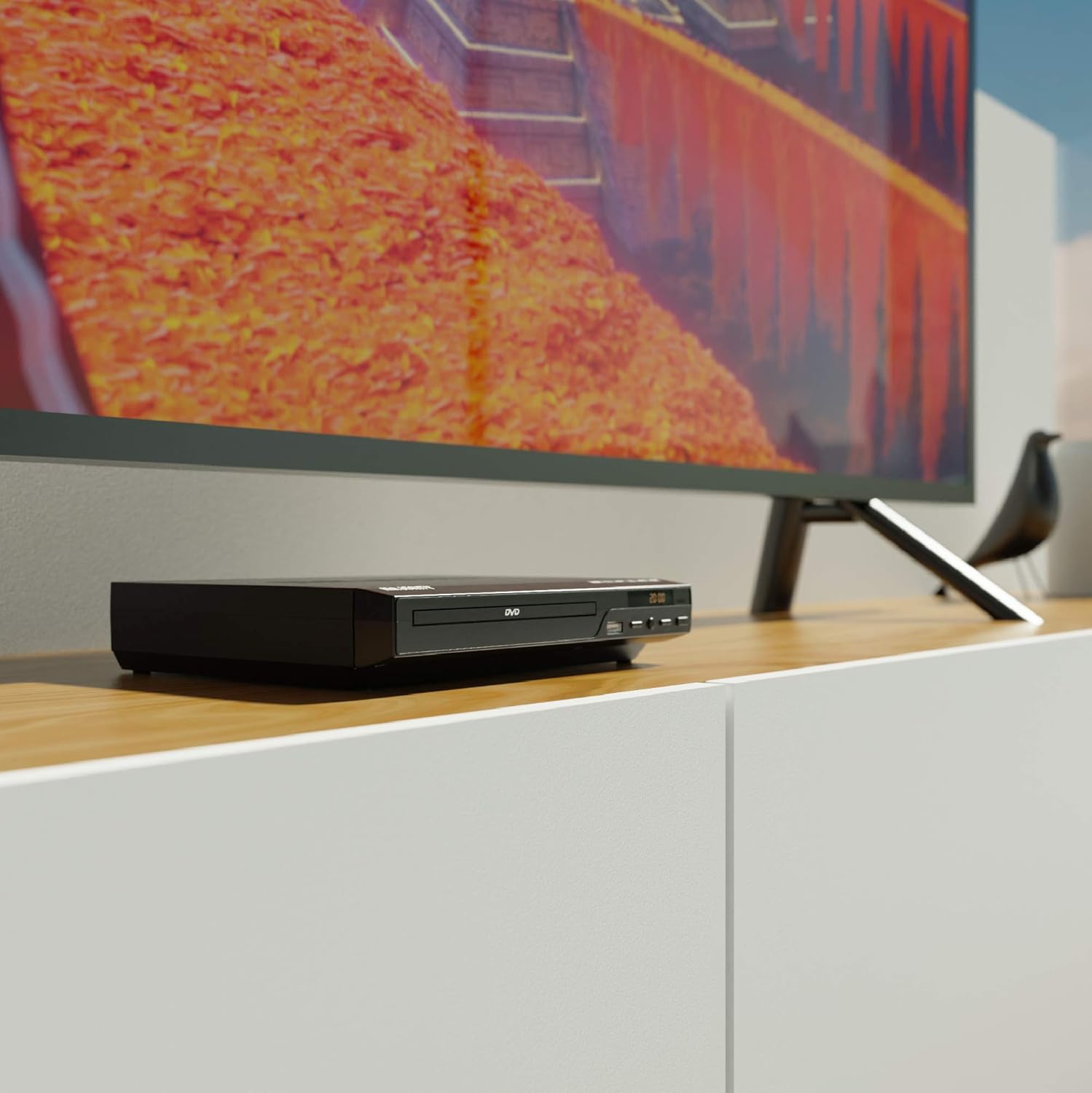
Figure 5.1: DVD player connected and ready for use.
6. Návod k obsluze
6.1 Základní přehrávání disků
- Power on the DVD player and your TV. Select the correct input source on your TV.
- Stiskněte tlačítko OTEVŘÍT/ZAVŘÍT tlačítko na předním panelu nebo dálkovém ovladači pro otevření přihrádky na disk.
- Opatrně vložte disk DVD nebo CD do mechaniky potištěnou stranou nahoru.
- Stiskněte tlačítko OTEVŘÍT/ZAVŘÍT button again to close the tray. The player will begin loading the disc.
- Playback should start automatically. If a menu appears, use the remote control's arrow keys and OK tlačítko pro navigaci.
- Použijte PLAY/PAUSE a ZASTÁVKA tlačítka na dálkovém ovladači nebo předním panelu pro ovládání přehrávání.
6.2 Přehrávání z USB
- Vložte USB flash disk do USB portu na předním panelu.
- The player should automatically detect the USB device and display its contents. If not, press the USB tlačítko na dálkovém ovladači.
- Procházejte svým files using the arrow keys on the remote and press OK to select and play media (e.g., videos, music, photos).
6.3 Multi-Region and PAL/NTSC Support
This DVD player is region-free, meaning it can play DVDs from all regions (1-6). It also features a built-in PAL/NTSC system, automatically converting video signals to match your TV's standard, ensuring compatibility with discs from different territories.
7. Údržba
- Čištění jednotky: Use a soft, dry cloth to clean the exterior of the DVD player. Do not use liquid cleaners or aerosol sprays.
- Čisticí disky: Disky otírejte od středu směrem ven měkkým hadříkem, který nepouští vlákna. Nedotýkejte se přehrávacího povrchu.
- Větrání: Ensure the ventilation slots on the player are not obstructed to prevent overheating.
8. Řešení problémů
| Problém | Možná příčina | Řešení |
|---|---|---|
| Žádná síla | Power cable not connected or outlet faulty. | Zkontrolujte připojení napájecího kabelu a zkuste jinou zásuvku. |
| Žádný obraz/zvuk | Incorrect TV input selected or connection cables loose. | Select the correct HDMI/AV input on your TV. Ensure cables are securely connected. |
| Chyba „Žádný disk“ | Disk je znečištěný, poškrábaný nebo nesprávně vložený. | Clean the disc. Ensure the disc is inserted label-side up. Try a different disc. |
| Dálkové ovládání nefunguje | Baterie jsou vybité nebo nesprávně vložené. Mezi dálkovým ovladačem a přehrávačem je překážka. | Replace batteries. Ensure line of sight to the player's sensor. |
| Disc playback skips or freezes | Disc is dirty or damaged. Player is on an unstable surface. | Clean the disc. Place the player on a stable, level surface. |
9. Specifikace
- Model: ojksfvx-1329
- Rozměry produktu: 8.86 x 7.48 x 1.77 palce
- Hmotnost položky: 1.5 libry
- Typ média: CD, DVD (Multi-Region, Region Free)
- Podporované systémy: PAL/NTSC
- Rezoluce: Up to 1920x1080 (via HDMI upconverting)
- Typy konektorů: HDMI, RCA, USB
- Režim výstupu zvuku: Stereo, prostorový zvuk
- Barva: Černý

Figure 9.1: Dimensions of the DVD player.
10. Záruka a podpora
The Majority Scholars Compact DVD Player comes with a 3-year warranty. For technical support, warranty claims, or further assistance, please refer to the contact information provided in your product packaging or visit the official Majority webmísto.