
Walfront THC30A
Walfront THC30A 30A Digital Programmable 7-Day Electronic Timer Switch User Manual
Model: THC30A
1. Konec produktuview
The Walfront THC30A is a 30A digital programmable electronic timer switch designed for precise time control of various electrical equipment. It features a 7-day programming cycle with up to 16 ON/OFF settings per day, offering flexibility for automated power management. This device is suitable for applications such as controlling street lamps, neon lights, advertising signs, production equipment, and radio/television equipment.

Přední view of the Walfront THC30A Digital Timer Switch, showing the digital display and control buttons.
Equipped with a high-precision industrial-grade chip, the THC30A ensures accurate timing control. It also includes a built-in 1.2V 40mA rechargeable battery, providing power-off memory for over 180 days, maintaining settings and timing even without external power. The switch offers strong anti-interference suppression performance for stable operation.
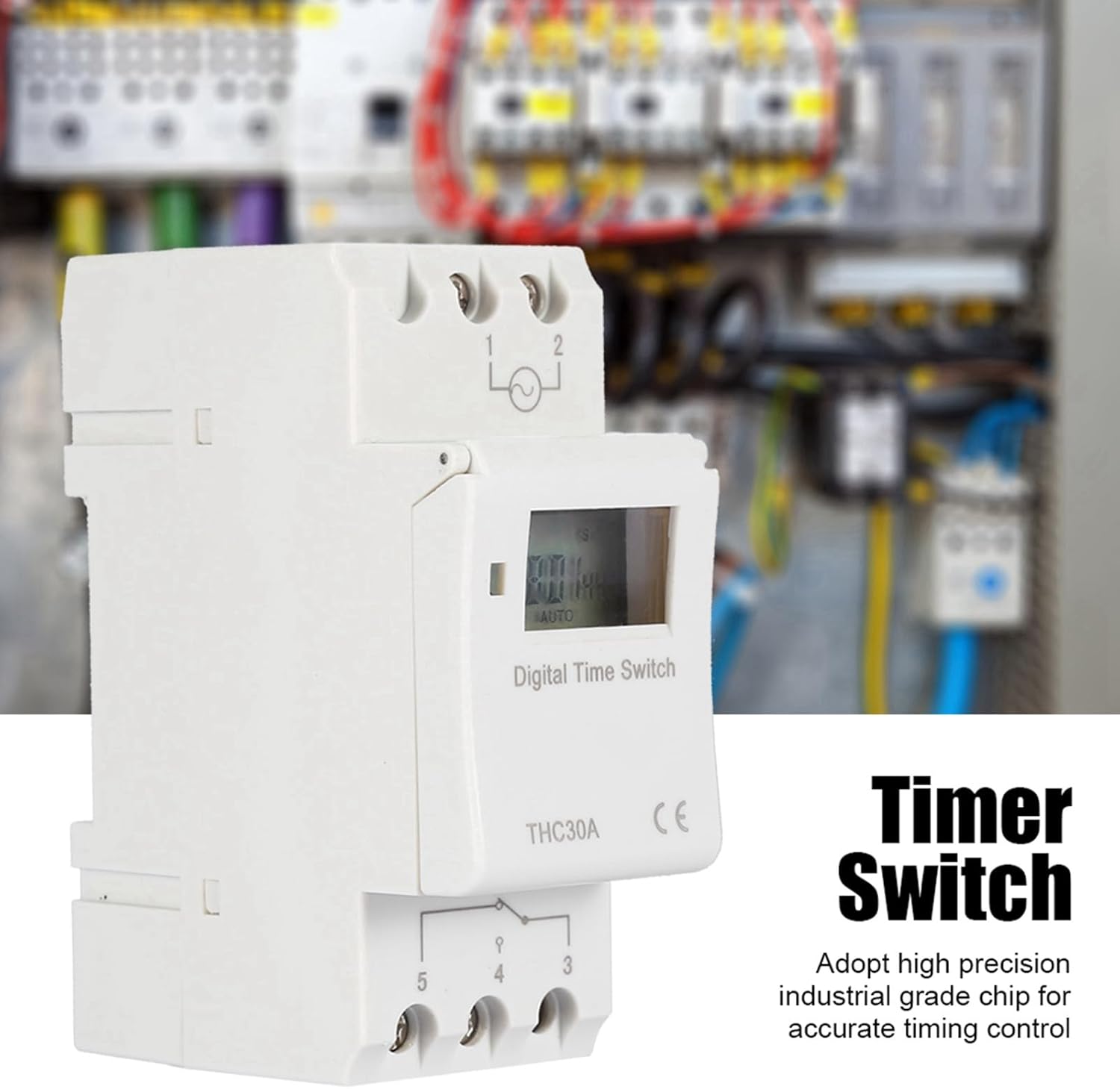
The Walfront THC30A features a high-precision industrial-grade chip for accurate timing control, shown here installed in an electrical panel.
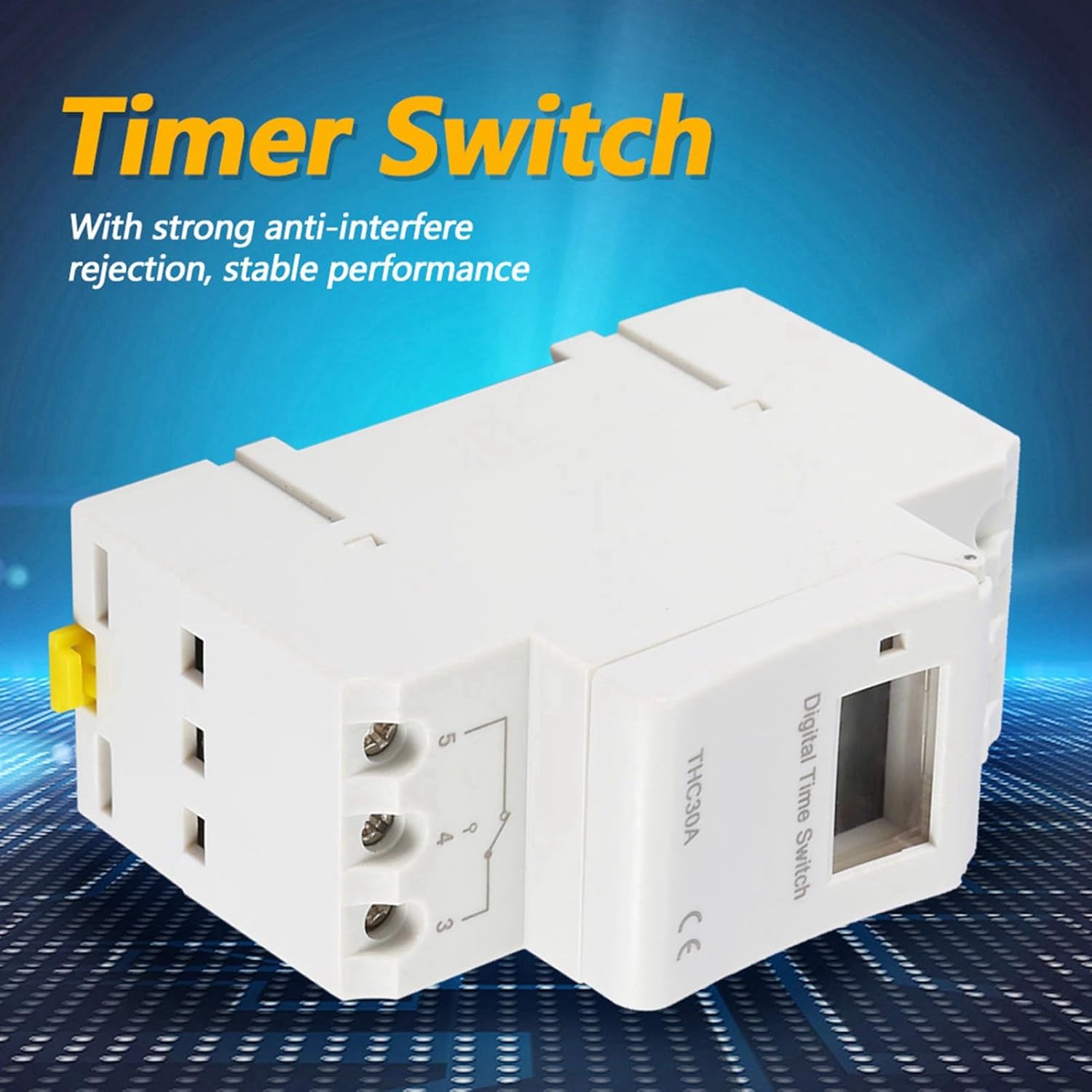
Strana view of the Walfront THC30A, illustrating its robust design for strong anti-interference rejection and stable performance.
2. Bezpečnostní informace
Před instalací nebo provozem tohoto zařízení si prosím přečtěte a pochopte všechny bezpečnostní pokyny. Nedodržení těchto pokynů může vést k úrazu elektrickým proudem, požáru nebo vážnému zranění.
- Doporučená profesionální instalace: Instalaci by měl provést kvalifikovaný elektrikář v souladu se všemi místními a národními elektrotechnickými předpisy.
- Odpojit napájení: Always disconnect power at the circuit breaker or fuse box before installing or servicing the timer switch.
- svtage Kompatibilita: Ensure the timer switch's voltage rating (220V) matches your electrical system.
- Kapacita zatížení: Do not exceed the maximum load capacity of 30A for this switch. Overloading can cause overheating and fire hazards.
- Dry Location Use Only: This device is intended for indoor, dry location use only. Do not expose to moisture or extreme temperatures.
- Zabezpečená připojení: Ensure all wire connections are tight and secure to prevent loose connections and potential hazards.
3. Technické specifikace
| Funkce | Specifikace |
|---|---|
| Model | THC30A |
| Pracovní svtage | AC-DC 220V |
| Přepínací kapacita | 30A |
| Počet nastavení | 16 ON/OFF times (per day/week) |
| Nastavení časového rozsahu | 1 minuta - 168 hodin |
| Time-keeping Error | ≤ 1 second / 24 hours |
| Vypínací paměť | ≥ 180 days (via built-in battery) |
| Baterie | Built-in 1.2V 40mA rechargeable battery |
| Způsob montáže | Screw mounting or Rail mounting |
| Rozměry (D x Š x V) | 86 x 36 x 66 mm (3.4 x 1.4 x 2.6 palce) |
| Hmotnost | Cca. 145 g (5.1 oz) |
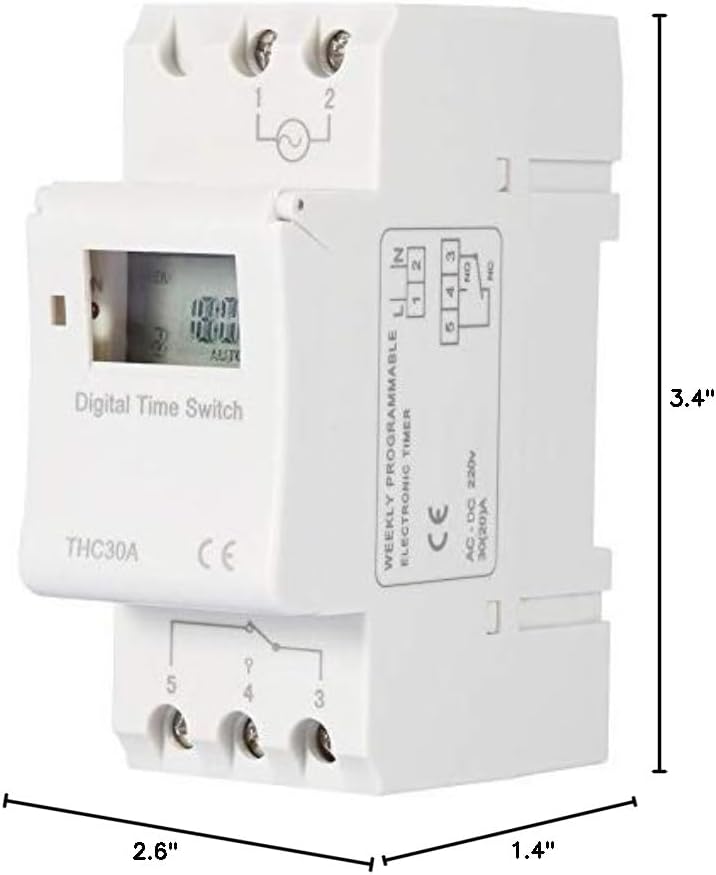
Dimensions of the Walfront THC30A Digital Timer Switch.
4. Instalace a nastavení
4.1 Montáž
The THC30A timer switch supports two mounting methods:
- Šroubová montáž: Secure the device to a flat surface using appropriate screws through the designated mounting holes.
- Montáž na lištu: The device can be mounted on a standard DIN rail for electrical enclosures.
4.2 Schéma zapojení
VAROVÁNÍ: Ensure power is disconnected at the main circuit breaker before performing any wiring. Incorrect wiring can cause damage to the device, electrical shock, or fire.

Wiring diagram for the Walfront THC30A Digital Timer Switch. Connect the Live (FireWire) and Neutral (Zero Line) to terminals 1 and 2 respectively for power input. Connect the electrical equipment to terminals 3, 4, and 5. Terminal 3 is the common terminal, terminal 4 is normally open (NO), and terminal 5 is normally closed (NC).
Refer to the diagram above for proper connection:
- Připojte Live (FireWire) do terminálu 1.
- Připojte Neutral (Zero Line) do terminálu 2.
- For the controlled electrical equipment, connect its power input to terminals 3 (Common) and 4 (Normally Open) for standard ON/OFF operation. If a Normally Closed circuit is required, use terminal 5 instead of 4.
- Ujistěte se, že všechny spoje jsou bezpečné a izolované.
5. Návod k obsluze
5.1 Počáteční zapnutí a nastavení času
- After successful wiring and power connection, the digital display will illuminate.
- The built-in battery will maintain the internal clock. If the display is off or shows incorrect time, allow the unit to charge for a few minutes.
- Stiskněte tlačítko "CLOCK" button (or similar button for time setting) to enter time setting mode.
- Použijte "HODINA", "MINUTA"a "DAY" buttons to set the current time and day of the week.
- Stiskněte "CLOCK" again to save and exit time setting mode.
5.2 Programování cyklů ZAP/VYP
The THC30A allows for up to 16 ON/OFF programs. Each program consists of an ON time and an OFF time.
- Stiskněte tlačítko "PROG" button to enter programming mode. The display will show "1 ON".
- Použijte "DAY" button to select the day(s) of the week for this program (e.g., Mon-Fri, Sat-Sun, every day, or specific days).
- Použijte "HODINA" a "MINUTA" tlačítky nastavte požadovaný čas zapnutí pro program 1.
- Stiskněte "PROG" znovu. Na displeji se zobrazí „1 VYP“.
- Použijte "DAY", "HODINA"a "MINUTA" buttons to set the desired OFF time for program 1.
- Repeat steps 1-5 for additional ON/OFF programs (up to 16). Press "PROG" repeatedly to cycle through "2 ON", "2 OFF", etc.
- Po nastavení všech požadovaných programů stiskněte tlačítko "CLOCK" tlačítko pro ukončení programovacího režimu a návrat k zobrazení aktuálního času.
5.3 Ruční ovládání
The timer switch typically includes a manual override function to temporarily or permanently change the output state.
- Look for a button labeled "MANUÁL" or "ON/AUTO/OFF".
- Pressing this button usually cycles through modes like ON (always on), AUTO (follows programs), and OFF (always off).
- In AUTO mode, the timer will execute the programmed ON/OFF cycles.
5.4 Resetování zařízení
To clear all settings and return the device to factory defaults, locate the "RESET" button (often a small recessed button requiring a pointed object to press). Pressing this button will erase all programmed times and reset the clock.
6. Údržba
- Čištění: Disconnect power before cleaning. Wipe the exterior of the timer switch with a soft, dry cloth. Do not use liquid cleaners or abrasive materials.
- Baterie: The built-in rechargeable battery is designed for long-term use and typically does not require replacement. If the power-off memory function degrades significantly, the unit may need servicing.
- Inspekce: Periodically inspect the wiring connections to ensure they remain secure. Check for any signs of damage or wear on the device.
7. Řešení problémů
| Problém | Možná příčina | Řešení |
|---|---|---|
| Zařízení se nezapne. | Žádné napájení; nesprávné zapojení; vypnutý jistič. | Check power connections; verify wiring according to diagram; reset circuit breaker. |
| Programy se nespouští. | Device is in manual ON/OFF mode; incorrect program settings; current time is wrong. | Ensure device is in AUTO mode; re-check program settings; verify current time and day. |
| Output is always ON or always OFF. | Manual override engaged; wiring issue (e.g., using NC instead of NO). | Switch to AUTO mode; verify wiring to controlled equipment (terminals 3 and 4 for NO). |
| Time display is incorrect after power outage. | Internal battery low or depleted. | Allow device to remain powered for several hours to recharge the internal battery. Reset and set time if necessary. |
8. Záruka a podpora
For warranty information, technical support, or service inquiries, please contact Walfront customer service through your original point of purchase or visit the official Walfront website. Please have your product model (THC30A) and purchase details available when contacting support.
Ask a question about this manual
Ask about setup, troubleshooting, compatibility, parts, safety, or missing instructions. Manuals+ will review the question and use this page’s manual context to help answer it.