
Zavedení
This manual provides instructions for the Speedlink PIAVO Wireless Ergonomic Vertical Mouse (Model SL-630019-BK-01). This ergonomic mouse is designed to promote a natural, relaxed wrist posture, reducing strain on the hand, arm, shoulder, and neck during extended computer use. It features 5 buttons, adjustable DPI settings, and wireless 2.4 GHz connectivity.

Obrázek 1: Speedlink PIAVO Wireless Ergonomic Vertical Mouse, front view. This image shows the overall ergonomic design of the mouse.
Obsah balení
Prosím, ověřte, zda jsou v balení přítomny všechny položky:
- Speedlink PIAVO Wireless Ergonomic Vertical Mouse
- USB-A přijímač
- Baterie (předinstalovaná nebo dodávaná samostatně)
- Návod k použití (tento dokument)

Obrázek 2: Packaging of the Speedlink PIAVO Wireless Ergonomic Vertical Mouse. The box indicates "Wireless Vertical Mouse" and "10m Range".
Nastavení
- Vložte baterii: If the battery is not pre-installed, open the battery compartment on the underside of the mouse and insert the included battery, ensuring correct polarity.
- Připojení USB přijímače: Locate an available USB-A port on your computer or laptop. Insert the USB-A receiver into the port.
- Zapnutí myši: Locate the On/Off switch on the underside of the mouse. Slide the switch to the "On" position.
- Instalace ovladače: The mouse is designed for plug-and-play operation. Your operating system (e.g., Windows) should automatically detect and install the necessary drivers. This process typically takes a few seconds.
- Testování: Once installed, move the mouse to test cursor movement. If the cursor does not respond, ensure the mouse is powered on and the USB receiver is securely connected.

Obrázek 3: Underside of the mouse, illustrating the battery compartment and the On/Off switch. Ensure the switch is in the 'On' position for operation.
Návod k obsluze
The Speedlink PIAVO mouse features 5 buttons and adjustable DPI settings for optimal control.
- Levé tlačítko myši: Standardní funkce primárního kliknutí.
- Kliknutí pravým tlačítkem: Standardní funkce sekundárního kliknutí.
- Rolovací kolečko: For scrolling through documents and web pages. Can also be pressed for a middle-click function.
- Tlačítko přepínání DPI: Located near the scroll wheel. Press this button to cycle through the available DPI settings (800, 1200, 1600 DPI). This adjusts the cursor speed and sensitivity.
- Tlačítka vpřed/vzad: Located on the side of the mouse, typically used for navigation in web prohlížeče popř file průzkumníci.
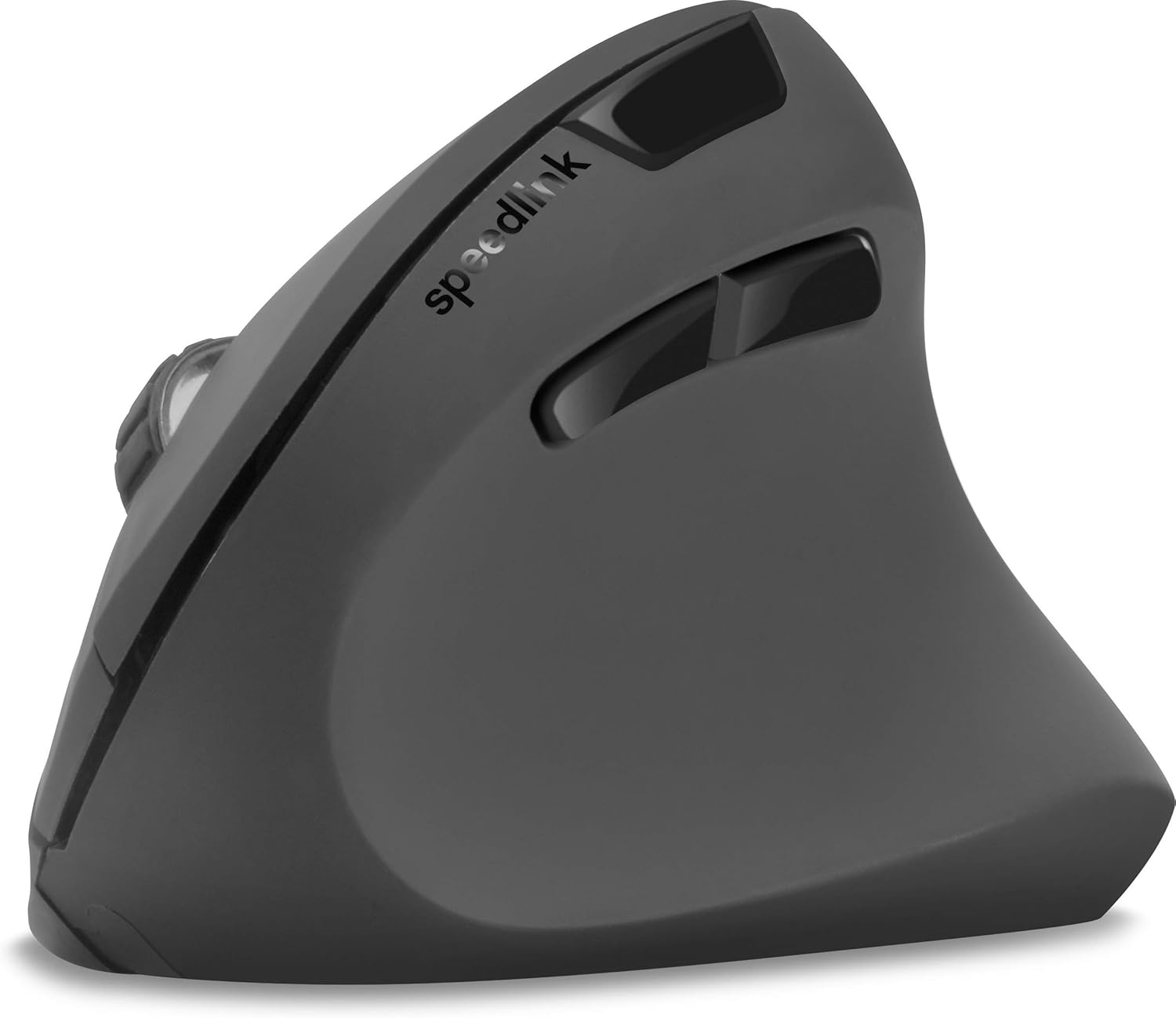
Obrázek 4: Shora dolů view of the mouse, highlighting the left/right click buttons, scroll wheel, and DPI switch button.

Obrázek 5: Strana view of the mouse, illustrating the ergonomic grip and the forward/backward navigation buttons.
Režim úspory energie
The mouse features an energy-saving mode to conserve battery life. If the mouse is inactive for a period, it will enter a sleep state. To wake it up, simply move the mouse or press any button.
Údržba
To ensure the longevity and optimal performance of your Speedlink PIAVO mouse, follow these maintenance guidelines:
- Čištění: K čištění vnější strany myši použijte měkký, suchý hadřík. V případě odolných nečistot použijte lehceamp Lze použít hadřík, ale dbejte na to, aby se do myši nedostala vlhkost. Nepoužívejte agresivní chemikálie ani abrazivní čisticí prostředky.
- Čištění senzoru: Occasionally, dust or debris may accumulate around the optical sensor on the underside of the mouse. Use a soft brush or compressed air to gently clean the sensor area.
- Výměna baterie: When the mouse performance degrades or it stops responding, it may be time to replace the battery. Open the battery compartment, remove the old battery, and insert a new one of the same type, observing polarity.
- Skladování: When not in use for extended periods, it is recommended to switch off the mouse using the On/Off switch to conserve battery life. Store the mouse and USB receiver in a dry, dust-free environment.
Odstraňování problémů
| Problém | Možná příčina | Řešení |
|---|---|---|
| Myš nereaguje / Kurzor se nepohybuje. |
|
|
| Nepravidelný pohyb kurzoru. |
|
|
| DPI setting resets after sleep/reboot. | This is a known characteristic for some mice; the DPI setting may revert to default. | Press the DPI switch button to select your preferred sensitivity after waking the mouse or restarting the computer. |
Specifikace
| Číslo modelu | SL-630019-BK-01 |
| Konektivita | Wireless 2.4 GHz via USB-A Receiver |
| Detekce pohybu | Optický |
| Počet tlačítek | 5 |
| Nastavení DPI | 800, 1200, 1600 DPI (nastavitelné) |
| Orientace rukou | Pravoruký |
| Bezdrátové Dosah | Až 10 metrů |
| Zdroj napájení | Battery-powered (Battery included) |
| Kompatibilní operační systémy | Windows |
| Hmotnost | 106 gramů |
| Barva | Černý |
Záruka a podpora
Informace o konkrétních záručních podmínkách a kontaktních údajích zákaznické podpory nejsou k dispozici v poskytnutých produktových údajích. Prostudujte si prosím obal produktu nebo oficiální informace od výrobce. webweb s nejaktuálnějšími informacemi o záruce a možnostmi podpory.
Pro další pomoc můžete navštívit Speedlink official webmísto.