
1. Úvod
The Unitek Y-3036 is a tool-free external enclosure designed for 2.5-inch SATA I/II/III Hard Disk Drives (HDDs) and Solid State Drives (SSDs). It provides a convenient solution for connecting your 2.5-inch drives to a computer via USB 3.0, offering fast data transfer speeds and easy portability. This manual provides detailed instructions for the proper installation, operation, and maintenance of your Unitek Y-3036 enclosure.
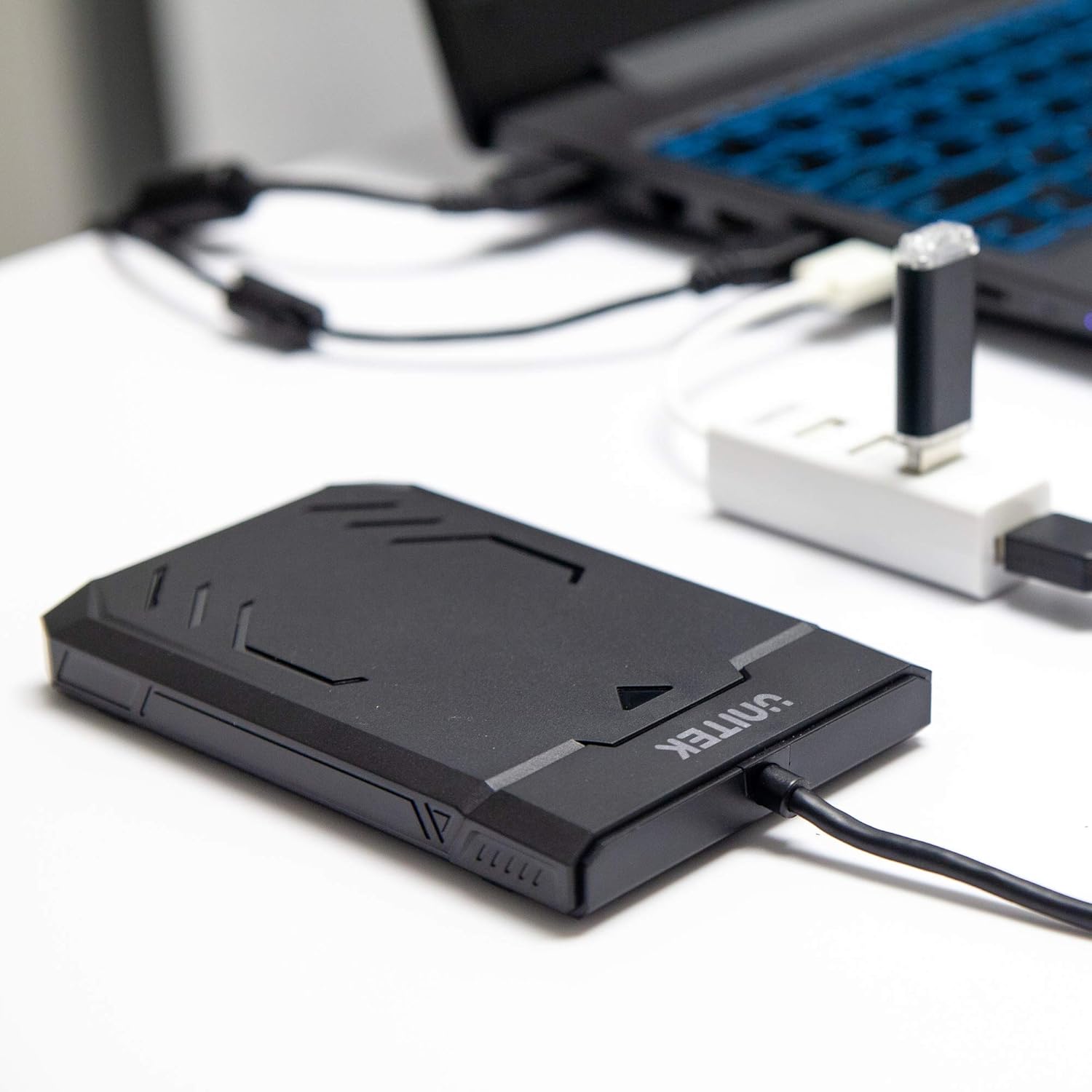
Image 1.1: Unitek Y-3036 enclosure connected to a laptop.
2. Obsah balení
Prosím, ověřte, zda jsou v balení přítomny všechny položky:
- Unitek Y-3036 2.5-inch Hard Drive Enclosure with integrated USB 3.0 cable
- Foam pad for drive stability
- Návod k použití (tento dokument)

Image 2.1: Enclosure with integrated cable and foam pad.
3. Specifikace
| Model | Unitek Y-3036 |
| Kompatibilní typ disku | 2.5-inch SATA I/II/III HDD/SSD (up to 9.5mm thickness) |
| Rozhraní | USB 3.0 (zpětně kompatibilní s USB 2.0) |
| Rychlost přenosu dat | Up to 6Gbps (SATA III), supports UASP |
| Rozměry (D x Š x V) | 130 mm x 85 mm x 15 mm (5.12" x 3.27" x 0.59") |
| Materiál | Plast |
| Vlastnosti | Tool-free assembly, Plug & Play, LED indicator, Sleep function, Built-in USB cable |

Obrázek 3.1: Rozměry produktu.
4. Nastavení a instalace
The Unitek Y-3036 enclosure features a tool-free design for easy installation of your 2.5-inch HDD or SSD.
- Otevřete kryt: Jemně posuňte horní kryt skříně a otevřete jej.
- Vložte disk: Zarovnejte 2.5palcový SATA HDD nebo SSD disk s konektorem SATA uvnitř skříně. Opatrně zatlačte disk do konektoru, dokud pevně nezapadne. Ujistěte se, že je disk správně orientován.
- Add Foam Pad (Optional): If your drive is thinner than 9.5mm, you may use the included foam pad to secure it snugly within the enclosure and prevent movement. Place the foam pad on top of the drive before closing the cover.
- Zavřete kryt: Slide the top cover back into place until it clicks securely.

Image 4.1: Enclosure open with a 2.5-inch HDD inserted.

Obrázek 4.2: Detailní view of drive insertion.
5. Návod k obsluze
Once your drive is installed in the enclosure, follow these steps to use it with your computer:
- Připojení k počítači: Plug the integrated USB 3.0 cable from the enclosure into an available USB port on your computer. For optimal performance, use a USB 3.0 port.
- LED indikátor: The enclosure features an LED indicator. When connected, the LED will illuminate, indicating power. It will flash during data transfer activity.
- Rozpoznávání pohonu: Your operating system should automatically detect the new drive. If it's a new drive, you may need to initialize and format it through your operating system's disk management utility before it appears in 'My Computer' or 'Finder'.
- Bezpečné odstranění: Před odpojením kabelu USB vždy bezpečně vyjměte disk z operačního systému, abyste zabránili poškození dat.
6. Údržba
To ensure the longevity and optimal performance of your Unitek Y-3036 enclosure:
- Čištění: K čištění vnější strany krytu použijte měkký, suchý hadřík. Nepoužívejte tekuté čisticí prostředky ani rozpouštědla.
- Skladování: Pokud kryt nepoužíváte, skladujte jej na chladném a suchém místě mimo dosah přímého slunečního záření a extrémních teplot.
- Zacházení: Handle the enclosure with care to avoid drops or impacts, which could damage the internal drive or the enclosure itself.
7. Řešení problémů
If you encounter issues with your Unitek Y-3036 enclosure, refer to the following common problems and solutions:
- Disk nebyl detekován:
- Ujistěte se, že je kabel USB bezpečně připojen k pouzdru i k počítači.
- Zkuste se připojit k jinému portu USB na počítači.
- Verify that the 2.5-inch HDD/SSD is properly seated in the enclosure's SATA connector.
- Zkontrolujte v počítači Správu disků (Windows) nebo Diskovou utilitu (macOS), zda je disk rozpoznán, ale není inicializován nebo naformátován.
- Test the enclosure with a different 2.5-inch SATA drive, or test your drive directly with another enclosure/adapter if available.
- Pomalé přenosové rychlosti:
- Ujistěte se, že jste připojeni k portu USB 3.0 na počítači. Porty USB 2.0 budou fungovat pomaleji.
- Ověřte, zda máte aktuální operační systém a ovladače.
- The actual speed depends on the performance of the installed HDD/SSD.
- LED indikátor nesvítí:
- Confirm the USB cable is fully plugged into a powered USB port.
- Vyzkoušejte jiný port USB.
8. Bezpečnostní informace
Dodržujte prosím následující bezpečnostní pokyny:
- Do not expose the enclosure to water, moisture, or extreme temperatures.
- Avoid dropping or subjecting the enclosure to severe impacts.
- Do not attempt to open or modify the enclosure beyond the intended drive installation. This may void any warranty and could cause damage.
- Uchovávejte mimo dosah dětí.
9. Záruka a podpora
Unitek products are designed for reliability and performance. For warranty information or technical support, please refer to the official Unitek webnebo se obraťte na místního prodejce. Uschovejte si účtenku jako doklad o koupi pro případ reklamace.