
Uten 2685A
Uživatelská příručka k elektronickému šicímu stroji Uten 2685A
Model: 2685A
1. Úvod
Welcome to the Uten 2685A Electronic Sewing Machine user manual. This guide provides essential information for the safe and effective operation, maintenance, and troubleshooting of your new sewing machine. Please read this manual thoroughly before using the machine to ensure optimal performance and longevity.
The Uten 2685A is an advanced electronic sewing machine designed for durability and versatility. It features 200 unique built-in stitches, including alphanumeric characters, and 8 types of one-step auto-size buttonholes. Its user-friendly design, including an LCD screen and convenient control buttons, makes it suitable for various sewing projects.

Image 1.1: The Uten 2685A Electronic Sewing Machine, a versatile tool for various sewing tasks.
2. Důležité bezpečnostní pokyny
To reduce the risk of electric shock, burns, fire, or injury to persons, always follow basic safety precautions when using an electrical appliance.
- Před použitím tohoto šicího stroje si přečtěte všechny pokyny.
- Uschovejte si tyto pokyny na vhodném místě v blízkosti stroje.
- Vždy odpojte stroj od elektrické zásuvky ihned po použití a před čištěním, sejmutím krytů nebo prováděním jakýchkoli uživatelských servisních úprav.
- Nikdy nenechávejte stroj zapojený do zásuvky bez dozoru.
- Nepoužívejte stroj, pokud má poškozený kabel nebo zástrčku, pokud nefunguje správně nebo pokud upadl či byl poškozen.
- Držte prsty mimo všechny pohyblivé části. Jehla je obzvláště opatrná.
- Používejte pouze příslušenství doporučené výrobcem.
- Nepoužívejte venku.
3. Identifikace dílů
Familiarize yourself with the components of your Uten 2685A sewing machine for efficient operation.

Image 3.1: Labeled diagram illustrating the key components of the Uten 2685A sewing machine.
Klíčové komponenty:
- Zacházet s: Pro přenášení stroje.
- Bobbin Winder Shaft: Used for winding bobbins.
- LCD displej: Zobrazuje vybraná nastavení stehu, délky a šířky.
- Operation Buttons for Pattern Selection: Buttons to navigate and select stitch patterns.
- Nastavení délky a šířky stehu: Buttons to modify stitch dimensions.
- Letter Mode Switch/BH Selection: Toggles between letter mode and buttonhole selection.
- Twin Needle Button: Activates twin needle sewing mode.
- Vypínač/spínač osvětlení: Turns the machine and LED light on/off.
- Cord Socket: For power cord connection.
- Feed Dog Control: Adjusts the feed dogs for different fabric types or free-motion sewing.
- Zvedák přítlačné patky: Zvedá a spouští přítlačnou patku.
- Tlačítko Start/Stop: Initiates and halts sewing without the foot pedal.
- Reverse Stitch/Needle Position Button: For reverse stitching and adjusting needle up/down position.
- Thread Tension Control: Upravuje napětí horní nitě.
- Regulace rychlosti šití: Slider to adjust sewing speed.
- Automatický navlékač jehel: Pomáhá s navlékáním nitě do jehly.
4. Nastavení
4.1 Vybalení a umístění
- Opatrně vyjměte stroj z obalu.
- Umístěte stroj na stabilní, rovný povrch.
- Ensure adequate lighting for your workspace. The machine includes an LED work light.
4.2 Připojení napájení
- Insert the power cord into the cord socket on the machine.
- Plug the other end into a suitable electrical outlet.
- Use the Power/Light switch to turn the machine on.
4.3 Navíjení cívky
The Uten 2685A features a quick and automatic bobbin winding system.
- Place an empty bobbin onto the bobbin winder shaft.
- Follow the threading path indicated on the machine for bobbin winding.
- Push the bobbin winder shaft to the right.
- Start the machine (using the Start/Stop button or foot pedal) to wind the thread onto the bobbin.
- Once full, stop the machine, cut the thread, and push the shaft back to the left.

Obrázek 4.1: Nahoře view of the machine showing the bobbin winding area.
4.4 Navlékání nitě do stroje
Správné navlékání nitě je zásadní pro dobrou kvalitu stehu.
- Zvedněte zvedák přítlačné patky.
- Umístěte špulku nitě na špulku.
- Follow the numbered threading guides on the machine for the upper thread.
- Use the automatic needle threader to easily thread the needle.
- Insert the wound bobbin into the bobbin case, ensuring the thread feeds correctly.

Image 4.2: Close-up of the automatic needle threader mechanism.
4.5 Attaching Presser Feet
The Uten 2685A comes with several quick-change presser feet for various sewing tasks.
- To change a presser foot, raise the presser foot lifter.
- Press the release button at the back of the presser foot holder to detach the current foot.
- Align the new presser foot with the holder and lower the presser foot lifter until it snaps into place.
Included presser feet typically include:
- Univerzální noha
- Patka na zip
- Patka se saténovým stehem
- Button Foot
- Patka pro slepý steh
- Patka na knoflíkovou dírku

Image 4.3: A selection of quick-change presser feet included with the machine.
5. Návod k obsluze
5.1 Základy šití
- Umístěte látku pod přítlačnou patku.
- Spusťte přítlačnou patku.
- Select your desired stitch pattern using the operation buttons.
- Press the Start/Stop button or use the foot pedal to begin sewing.
- Adjust the sewing speed with the speed control slider.
5.2 Výběr a nastavení stehu
The Uten 2685A offers 200 built-in stitches, displayed on the machine's body and selected via the LCD screen.

Image 5.1: Visual representation of the 200 available stitch patterns, including decorative and utility stitches.
- Use the stitch selection buttons to scroll through the available patterns. The selected stitch number will appear on the LCD.
- Adjust stitch length (0mm to 7mm) and stitch width (0mm to 4.5mm) using the dedicated adjustment buttons.
- The LCD screen provides real-time feedback on your selections.

Image 5.2: Close-up of the LCD display and control buttons for stitch selection and adjustment.
5.3 Buttonholes and Lettering
- knoflíkové dírky: Select one of the 8 one-step auto-size buttonhole patterns. Attach the buttonhole foot and follow the machine's instructions for automatic buttonhole creation.
- Lettering and Numbers: Switch to letter mode to access the 100 alphanumeric patterns. These can be used for basic monogramming or labeling.
5.4 Pokročilé funkce
- Twin Needle Sewing: Use the twin needle button to activate this mode for decorative stitching with two threads.
- Free Arm Sewing: Vyjměte přihrádku na příslušenství a odhalte volné rameno, ideální pro šití manžet, rukávů a dalších malých kulatých předmětů.
- Obrácené šití: Press the reverse stitch button to sew backwards, securing the beginning and end of seams.
- Adjustable Thread Tension: Fine-tune the thread tension control to achieve balanced stitches on different fabric types.
- Needle Up/Down Position: Use the needle position button to stop the needle in the up or down position, useful for pivoting fabric.
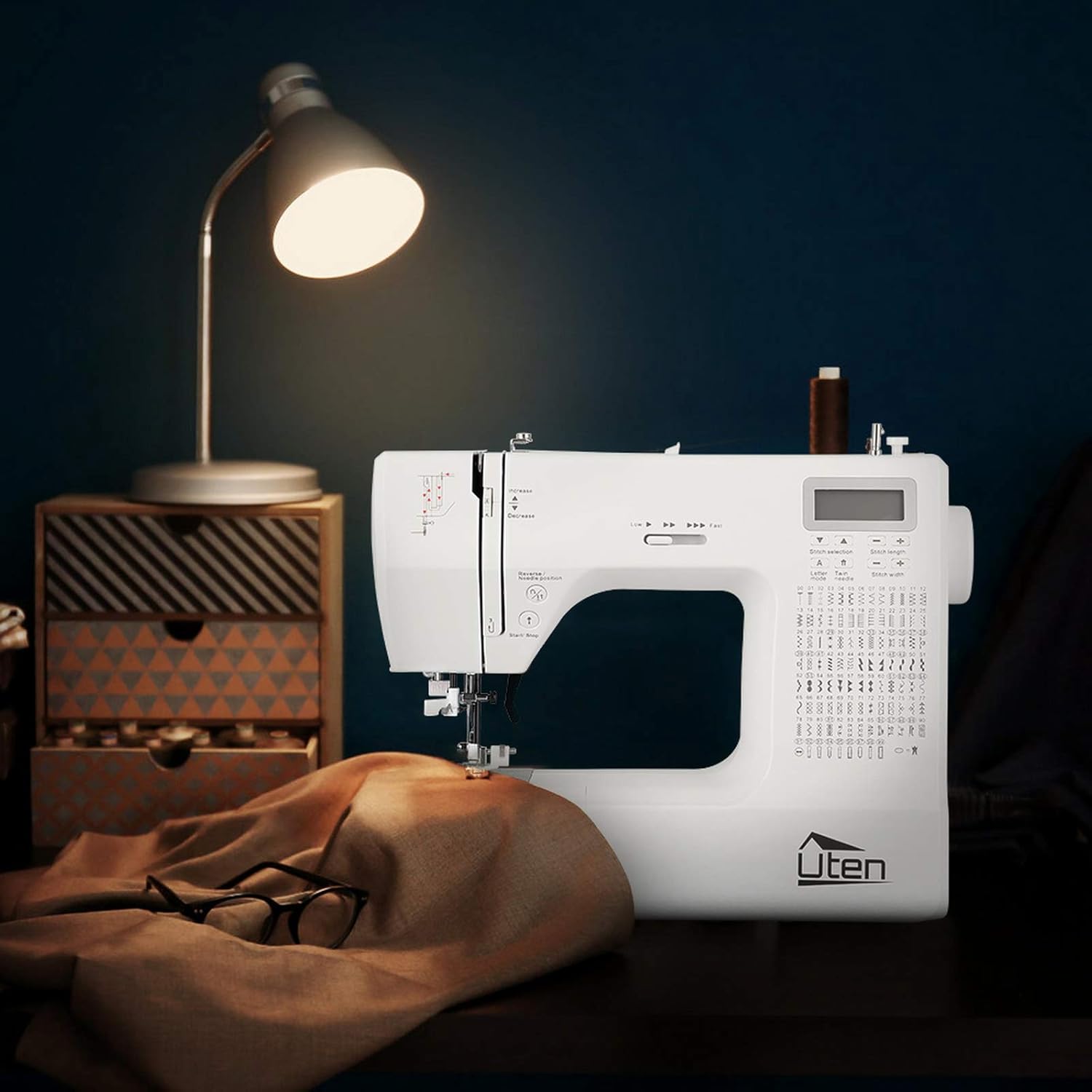
Image 5.3: Demonstrating the free arm feature for sewing cylindrical items like pant legs.
6. Údržba
Regular maintenance ensures your sewing machine remains in optimal working condition.
6.1 Čištění
- Před čištěním stroj vždy odpojte.
- Use a soft brush to remove lint and dust from the bobbin area, feed dogs, and needle plate.
- Wipe the exterior of the machine with a soft, dry cloth. Do not use liquid cleaners or harsh chemicals.
6.2 Výměna jehly
Jehlu pravidelně vyměňujte, zejména pokud se ohne, ztupí nebo pokud se vám vynechávají stehy.
- Vypněte a odpojte zařízení ze zásuvky.
- Povolte jehlu třamp šroub.
- Odstraňte starou jehlu.
- Vložte novou jehlu plochou stranou k zadní straně stroje a zatlačte ji nahoru až nadoraz.
- Utáhněte jehlu třamp pevně zašroubujte.
6.3 Skladování
- Pokud stroj nepoužíváte, zakryjte jej, abyste jej chránili před prachem.
- Skladujte na suchém a chladném místě mimo dosah přímého slunečního záření.
7. Řešení problémů
Tato část se zabývá běžnými problémy, se kterými se můžete setkat při používání šicího stroje.
| Problém | Možná příčina | Řešení |
|---|---|---|
| Vynechané stehy | Nesprávná jehla, ohnutá jehla, nesprávné navlékání nitě. | Vyměňte jehlu, znovu navlékněte nit do stroje a ujistěte se, že je pro danou látku správný typ jehly. |
| Přetržení nitě | Incorrect thread tension, poor quality thread, burr on needle/machine part. | Adjust tension, use good quality thread, check for rough spots. |
| Tkanina se nekrmí | Feed dogs lowered, presser foot not down, stitch length set to zero. | Zvedněte podávací zoubky, spusťte přítlačnou patku, nastavte délku stehu. |
| Stroj se nespouští | Nezapojeno do zásuvky, vypnutý vypínač, aktivovaný bezpečnostní mechanismus. | Zkontrolujte připojení napájení, zapněte vypínač a ujistěte se, že je přítlačná patka dole. |
8. Specifikace
| Funkce | Detail |
|---|---|
| Značka | Uten |
| Číslo modelu | FR-2685A / E1097-2685A |
| Barva | Bílý |
| Rozměry (D x Š x V) | 31.5 x 14.5 x 27 cm |
| Hmotnost | 5.9 kg |
| Moc | 36 wattů |
| Materiál | Plast |
| Stehové vzory | 200 (100 utility/decorative, 100 alphanumeric) |
| Typy knoflíkových dírek | 8 (one-step auto-size) |
| Maximální rychlost šití | 700 ± 50 stitches per minute |
| Nastavení délky stehu | 0 mm až 7 mm |
| Nastavení šířky stehu | 0 mm až 4.5 mm |
| UPC | 841834113951 |
| Země původu | Čína |
9. Záruka a podpora
9.1 Záruka na produkt
The Uten 2685A Electronic Sewing Machine comes with a Záruka 24 měsíců od data nákupu. Tato záruka se vztahuje na výrobní vady a zajišťuje, že výrobek splňuje standardy kvality při běžném používání.
9.2 Zákaznická podpora
Uten is committed to providing lifetime customer service for your product. If you encounter any issues or have questions regarding your sewing machine, please do not hesitate to contact our support team. We will offer technical support to resolve any problems you may experience.
For assistance, please refer to the contact information provided with your purchase documentation or visit the official Uten webmísto.
Ask a question about this manual
Ask about setup, troubleshooting, compatibility, parts, safety, or missing instructions. Manuals+ will review the question and use this page’s manual context to help answer it.