
HyperGear BT15104
HyperGear LYTE Mini Wireless LED Speaker User Manual
Model: BT15104
1. Úvod
Děkuji za nákupasing the HyperGear LYTE Mini Wireless LED Speaker. This portable Bluetooth speaker is designed to deliver powerful HD sound with dynamic, beat-driven LED light effects, enhancing your audio experience. It features a built-in microphone for hands-free calls and intuitive controls for easy operation. Please read this manual carefully before using the device to ensure proper operation and to maximize its lifespan.
2. Bezpečnostní informace
- Do not expose the speaker to extreme temperatures, moisture, or direct sunlight.
- Do not disassemble, repair, or modify the device. This will void the warranty.
- Udržujte reproduktor mimo dosah dětí a domácích zvířat.
- Používejte pouze dodaný nabíjecí kabel nebo jeho certifikovaný ekvivalent.
- Vyvarujte se pádu reproduktoru nebo jej nevystavujte silným nárazům.
- Clean the speaker with a soft, dry cloth. Do not use harsh chemicals or abrasive materials.
3. Konec produktuview
The HyperGear LYTE Mini Wireless LED Speaker combines high-definition audio with captivating visual effects. Its compact design makes it ideal for both home and outdoor use.

Figure 3.1: HyperGear LYTE Mini Wireless LED Speaker showcasing various LED color options.
Klíčové vlastnosti:
- HD stereo zvuk: Zažijte čistý a silný zvuk.
- Výkonný výstup: Delivers robust sound for its size.
- Top-Firing Design: Projects sound upwards for a wider audio dispersion.
- Přizpůsobitelné LED světelné efekty: Features 4 dazzling, beat-driven light modes.
- Vestavěný mikrofon: For convenient hands-free calling.
- Prodloužená životnost baterie: Enjoy up to 4 hours of continuous playback.

Figure 3.2: Detail of the speaker's top-firing audio design.

Figure 3.3: The speaker's 360-degree multi-colored LED lightshow in action.
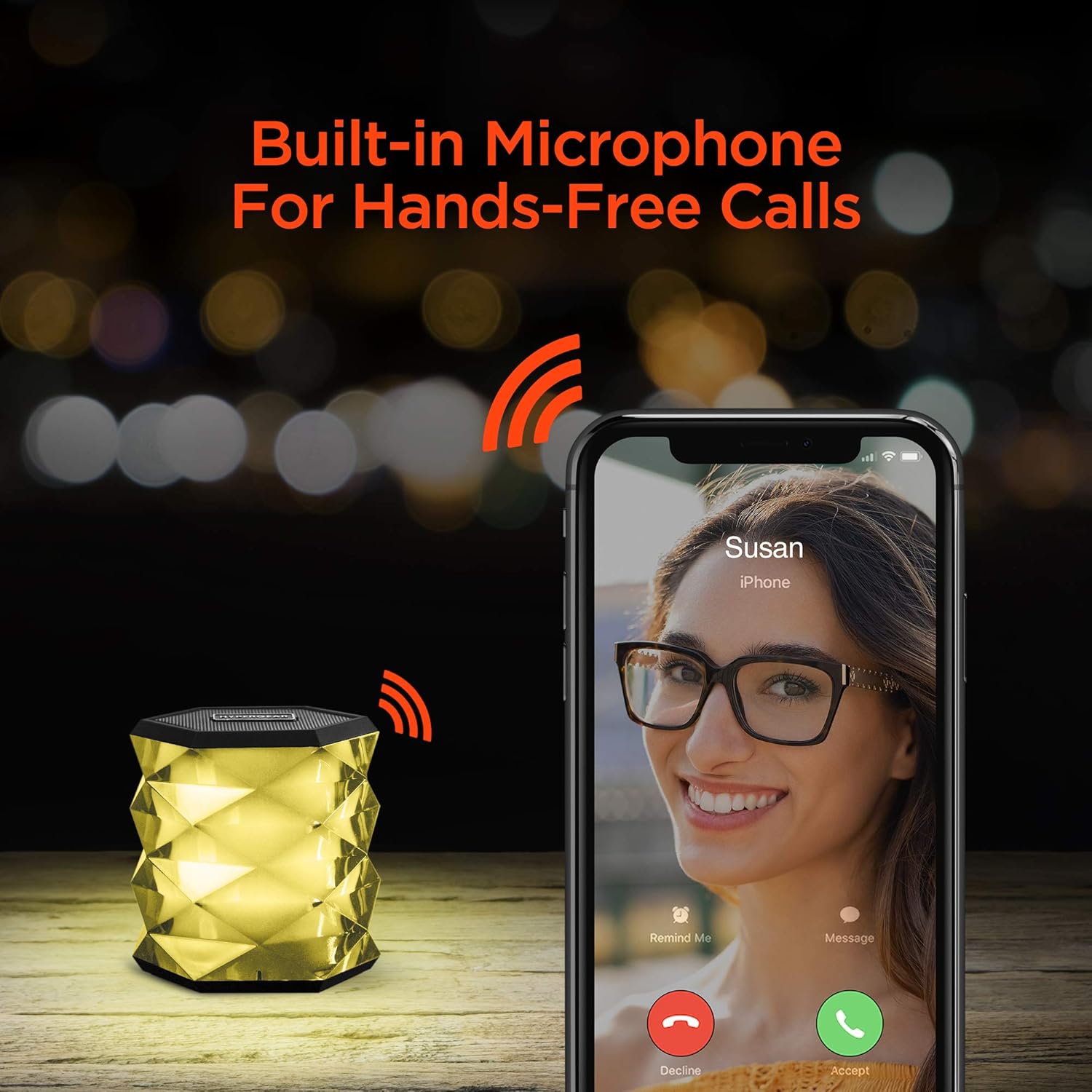
Figure 3.4: Hands-free calling feature with the built-in microphone.

Figure 3.5: Integrated controls for managing playback, calls, and volume.
4. Co je v krabici
Zkontrolujte prosím obsah balení. Mělo by obsahovat:
- 1 x HyperGear LYTE Mini Wireless LED Speaker
- 1 x nabíjecí kabel
- 1 x Uživatelská příručka

Figure 4.1: Product packaging of the HyperGear LYTE Mini Speaker.
5. Nastavení
5.1 Nabíjení reproduktoru
- Locate the 5V charging port on the speaker.
- Připojte dodaný nabíjecí kabel k nabíjecímu portu reproduktoru.
- Druhý konec nabíjecího kabelu zapojte do USB napájecího adaptéru (není součástí balení) nebo do USB portu počítače.
- LED indikátor bude zobrazovat stav nabíjení (podrobnosti naleznete v části o LED indikátorech).
- Po úplném nabití odpojte nabíjecí kabel.
5.2 Zapnutí/vypnutí
- To power on, slide the power switch to the 'ON' position. You will hear an audible prompt.
- Chcete-li přístroj vypnout, přepněte vypínač do polohy „VYPNUTO“.
6. Návod k obsluze
6.1 Párování Bluetooth
- Ujistěte se, že je reproduktor zapnutý a v režimu párování Bluetooth (indikováno blikající LED diodou).
- Na svém mobilním zařízení povolte Bluetooth.
- Hledat available Bluetooth devices and select "HyperGear LYTE Mini" from the list.
- Po spárování se LED indikátor rozsvítí nepřerušovaně a uslyšíte potvrzovací zvuk.
- Reproduktor se po zapnutí automaticky znovu připojí k poslednímu spárovanému zařízení, pokud je v dosahu.
6.2 Přehrávání hudby
- After successful pairing, open your music application on your device and begin playback.
- Use your device's controls to play, pause, skip tracks, and adjust volume.
6.3 Nastavení hlasitosti
Volume is primarily controlled via your connected Bluetooth device. Ensure your device's volume is set appropriately.
6.4 Controlling LED Lights
- Stiskněte tlačítko Tlačítko světelného režimu (often indicated by a sun or star icon) to cycle through the available LED light effects.
- There are 4 dazzling customizable light effects.
- Press and hold the Light Mode Button to turn the LED lights off.

Figure 6.1: The speaker's extended battery life, providing up to 4 hours of playback.
6.5 Uskutečňování/přijímání hovorů
- Při příchozím hovoru zazvoní reproduktor. Stiskněte tlačítko Volací tlačítko (often indicated by a phone icon) to answer the call.
- To end a call, press the Call Button again.
- To reject an incoming call, press and hold the Call Button.
- To redial the last number, double-press the Call Button.
7. Údržba
- Udržujte reproduktor suchý. Vlhkost může poškodit vnitřní obvody.
- Do not use abrasive cleaning agents or solvents to clean the speaker.
- Pokud reproduktor delší dobu nepoužíváte, skladujte jej na chladném a suchém místě.
- Charge the speaker at least once every three months to maintain battery health if not used regularly.
8. Řešení problémů
| Problém | Možná příčina | Řešení |
|---|---|---|
| Reproduktor se nezapne. | Baterie je vybitá. | Plně nabijte reproduktor. |
| Nelze spárovat se zařízením Bluetooth. | Reproduktor není v režimu párování nebo je příliš daleko. | Ensure speaker is on and in pairing mode. Move device closer to speaker. |
| Z reproduktoru není slyšet žádný zvuk. | Hlasitost je příliš nízká nebo zařízení není připojeno. | Zvyšte hlasitost na reproduktoru i připojeném zařízení. Znovu spárujte Bluetooth. |
| LED světla nefungují. | Lights turned off or malfunction. | Press the Light Mode Button to activate. If still not working, contact support. |
9. Specifikace
- Značka: HyperGear
- Model: BT15104
- Hmotnost položky: 12.3 unce
- Rozměry produktu: 3.88 x 7.88 x 4.07 palce
- Země původu: Čína
- Speciální vlastnosti: Portable, Wireless, Bluetooth, LED Lights, Built-in Microphone
- Životnost baterie: Až 4 hodin (přibližně, může se lišit v závislosti na používání)
10. Záruka a podpora
HyperGear products are designed with quality and reliability in mind. For specific warranty information and support inquiries, please refer to the warranty card included with your purchase or visit the official HyperGear webUschovejte si doklad o koupi pro případné reklamace.
For further assistance, please contact HyperGear Customer Support:
- Webmísto: www.hypergear.com (Napřampodkaz, prosím ověřte oficiální webweb)
- E-mail: Viz webstránky pro kontaktní údaje
- Telefon: Viz webstránky pro kontaktní údaje
Ask a question about this manual
Ask about setup, troubleshooting, compatibility, parts, safety, or missing instructions. Manuals+ will review the question and use this page’s manual context to help answer it.