
Zavedení
This manual provides comprehensive instructions for the safe and efficient installation, operation, and maintenance of your LogiLink BP0074 Dual Monitor Desk Mount. Please read this manual thoroughly before beginning installation to ensure correct setup and to prevent damage to the product or injury. Keep this manual for future reference.
Bezpečnostní informace
- Před montáží se ujistěte, že jsou všechny součásti přítomny a nepoškozené. Nepoužívejte, pokud některé součásti chybí nebo jsou vadné.
- Verify that the desk surface can support the combined weight of the mount and two monitors.
- Do not exceed the maximum load capacity of 6 kg (13.22 lbs) per arm.
- Use appropriate tools and follow all steps carefully. Improper installation may result in product failure or personal injury.
- Během instalace držte děti a domácí zvířata mimo dosah.
Obsah balení
Please check the package to ensure all items listed below are included:
- 1 x Dual Monitor Desk Mount Assembly
- 2 x VESA Monitor Plates
- 1 x Stůl třamp Shromáždění
- 1 x Hardware Kit (screws, washers, spacers, Allen keys)
- 1 x Návod k použití
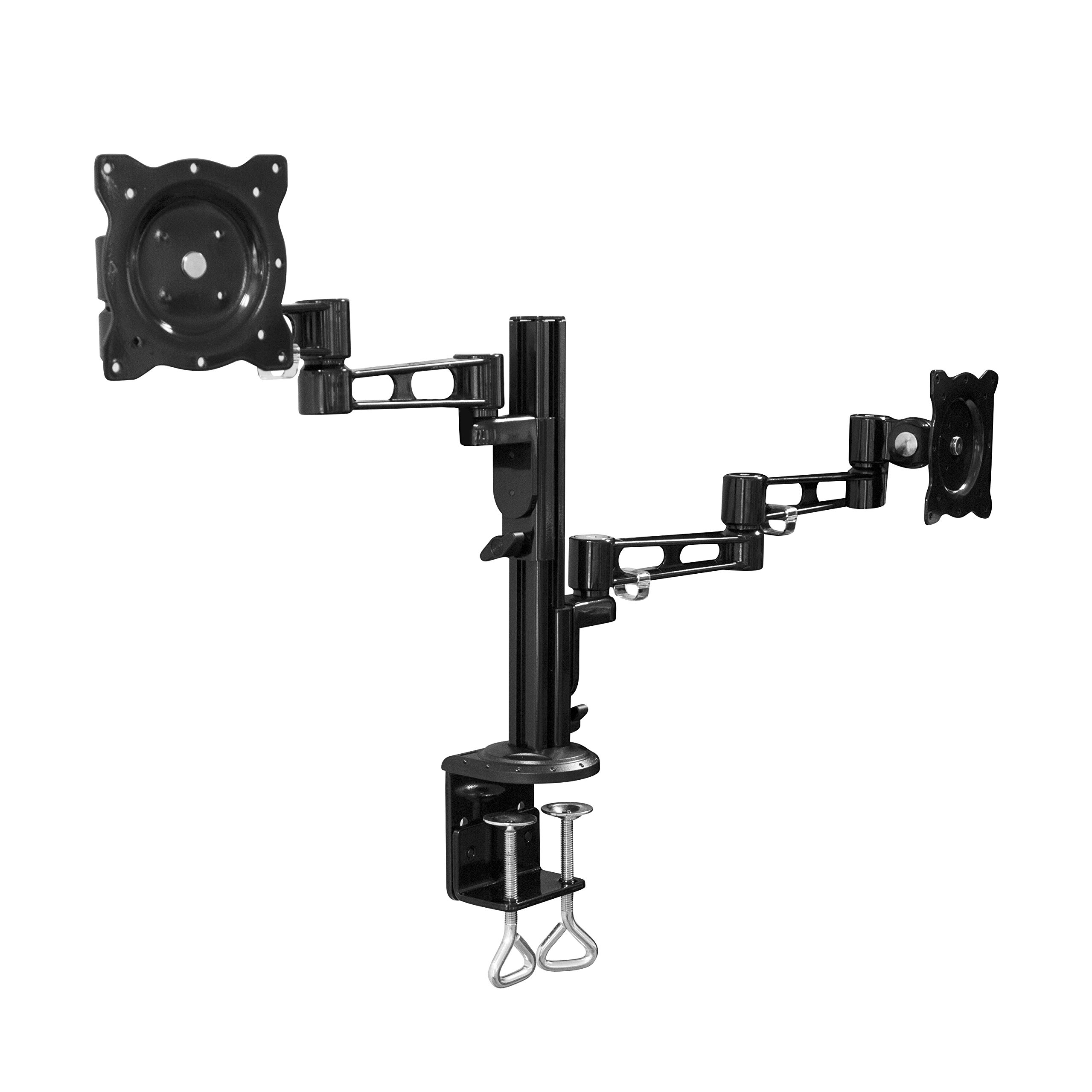
Image: All components of the LogiLink BP0074 Dual Monitor Desk Mount.
Pokyny pro nastavení
Krok 1: Připevnění psacího stoluamp na stůl
Umístěte stůl třamp assembly on the edge of your desk. Tighten the clamp screws securely until the mount is stable. Ensure the clamp is flush with the desk surface for maximum stability.
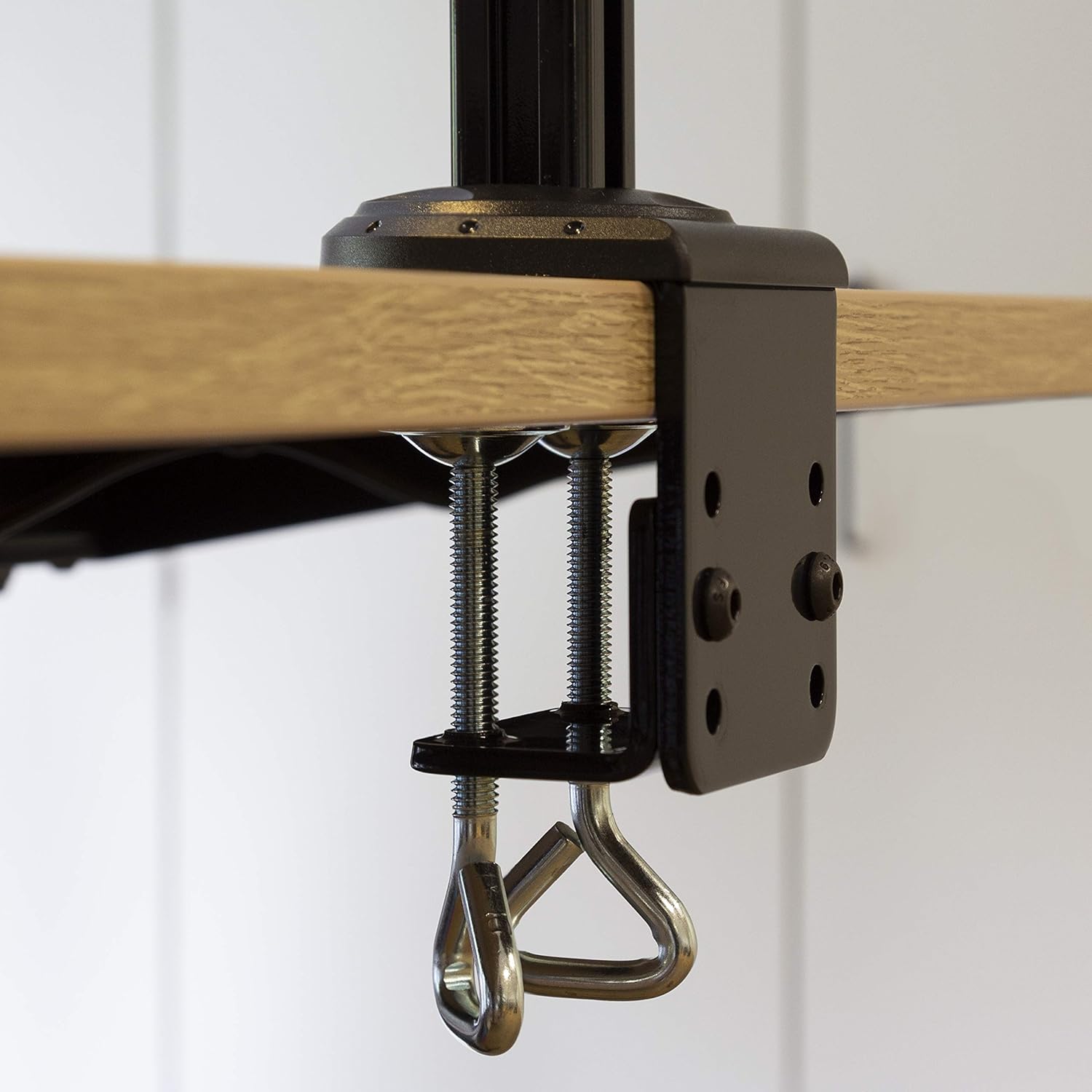
Image: Close-up of the desk clamp mechanism securely attached to a desk.
Step 2: Assemble Monitor Arms
Slide the monitor arms onto the main pole of the desk clamp assembly. Adjust their height to your desired position and secure them using the provided locking mechanisms. Ensure both arms are at a similar height for ergonomic viewIng.
Krok 3: Připojte desky VESA k monitorům
Align the VESA monitor plates with the mounting holes on the back of your monitors. Use the appropriate screws, washers, and spacers from the hardware kit to secure the plates to each monitor. Ensure the screws are tightened firmly but do not overtighten.

Image: VESA plate attached to the back of a monitor.
Krok 4: Montáž monitorů na ramena
Carefully slide the monitors (with VESA plates attached) onto the ends of the monitor arms. Secure them in place using the quick-release or locking mechanisms on the arms. Ensure both monitors are firmly attached before releasing je.

Image: Two monitors mounted on the LogiLink BP0074 desk mount.
Návod k obsluze
Nastavení polohy monitoru
The LogiLink BP0074 mount offers full motion capabilities:
- Náklon: Adjust the monitor vertically (up/down) to reduce glare and optimize viewing úhly.
- Otočný: Rotate the monitor horizontally (left/right) to share your screen or change viewsměr.
- Otáčení: Otočením monitoru o 360 stupňů přepínáte mezi orientací na šířku a na výšku.
Loosen the adjustment screws slightly with the provided Allen key before making adjustments, then tighten them once the desired position is achieved.

Image: Demonstrating the flexible positioning of monitors on the mount.
Správa kabelů
Utilize the integrated cable management clips on the monitor arms to route and organize your cables. This helps maintain a tidy workspace and prevents cable damage.

Image: Cable management clips on the monitor arm.

Image: Detail of cables routed through the clips for organization.
Údržba
Regular maintenance ensures the longevity and safe operation of your monitor mount:
- Čištění: Otřete držák měkkým hadříkemamp hadříkem. Nepoužívejte abrazivní čisticí prostředky ani rozpouštědla.
- Zkontrolujte těsnost: Periodically check all screws and bolts, especially the desk clamp and VESA plate attachments, to ensure they remain tight. Retighten if necessary.
- Mazání: No lubrication is typically required for this type of mount.
Odstraňování problémů
Pokud narazíte na problémy, podívejte se na následující běžné problémy a jejich řešení:
| Problém | Možná příčina | Řešení |
|---|---|---|
| Monitor is unstable or sags | Screws are loose; monitor weight exceeds capacity | Tighten all connection screws. Verify monitor weight is within 6 kg per arm. |
| Difficulty adjusting monitor position | Adjustment screws are too tight | Slightly loosen the relevant adjustment screws with the Allen key. |
| Mount slides on desk | Psací stůl třamp is not tight enough | Zajistěte stůl třamp is fully tightened and flush against the desk surface. |
Specifikace
| Funkce | Detail |
|---|---|
| Číslo modelu | BP0074 |
| Podporovaná velikost obrazovky | 13 - 26 inches (per monitor) |
| Počet monitorů | 2 |
| Maximální nosnost | 6 kg (13.22 lbs) per arm |
| Kompatibilita VESA | 75x75mm, 100x100mm |
| Rozsah pohybu | Full Motion (Tilt, Swivel, Rotation) |
| Materiál | Kov |
| Rozměry produktu (DxŠxV) | 55.3 x 79.2 x 11.6 cm (overall package/product dimensions) |
| Hmotnost položky | 4.1 kg |
| Délka paže | Each 358 mm |

Image: Technical drawing showing key dimensions and VESA patterns.
Záruka a podpora
LogiLink products are designed for reliability and performance. For warranty information or technical support, please refer to the contact details provided with your purchase documentation or visit the official LogiLink webstránky. Uschovejte si prosím doklad o koupi pro případ reklamace.