
Zavedení
This manual provides detailed instructions for the installation, operation, and maintenance of your Foscam D2EP IP Camera. The D2EP is a high-definition 2-megapixel outdoor security camera designed for reliable surveillance with features such as infrared night vision, smart motion detection, and wired connectivity. Please read this manual thoroughly before using the product to ensure correct setup and optimal performance.
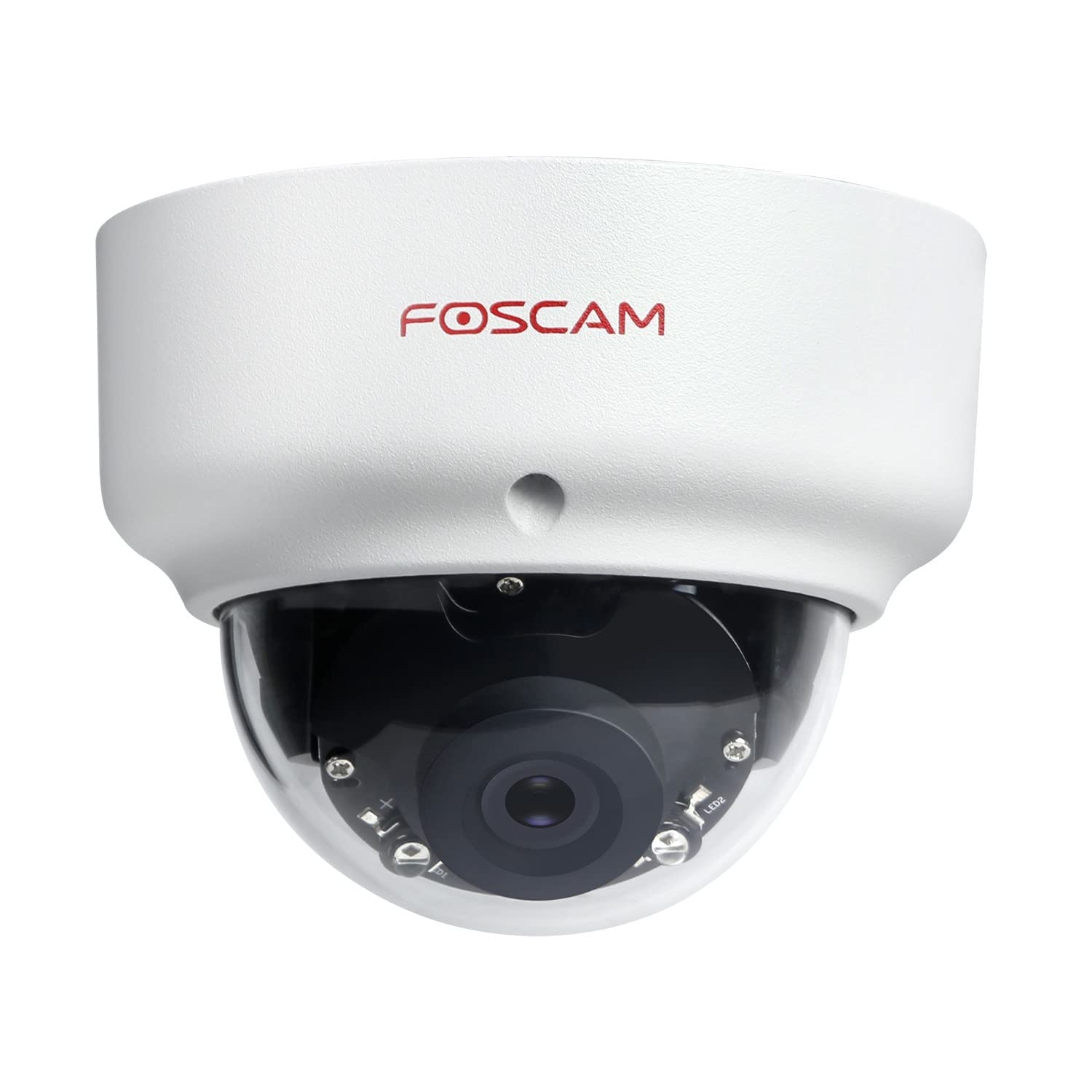
Image: The Foscam D2EP IP Camera, showcasing its compact, dome-shaped design suitable for outdoor environments.
1. Nastavení a instalace
1.1 Obsah balení
Před zahájením instalace se prosím ujistěte, že balení obsahuje všechny komponenty:
- Foscam D2EP IP Camera
- Montážní šrouby a hmoždinky
- Ethernetový kabel
- Napájecí adaptér
- Průvodce rychlou instalací

Image: Foscam D2EP IP Camera with its power and Ethernet cables, illustrating the main components included in the box.
1.2 Fyzická instalace
The Foscam D2EP camera is designed for outdoor use with an IP66 waterproof rating. Choose a suitable location that provides the desired viewing angle and is within reach of a power source and network connection.
- Místo montáže: Identify a secure mounting surface, such as a wall or ceiling, that offers a clear view oblasti, kterou chcete monitorovat.
- Vrtací otvory: Use the provided mounting template (if included) or the camera base to mark and drill pilot holes for the mounting screws. Insert wall plugs if mounting on masonry.
- Bezpečná kamera: Attach the camera base securely to the mounting surface using the provided screws.
- Upravit úhel: Loosen the adjustment screws on the camera body to position the lens for the optimal viewing angle. Tighten the screws once the desired angle is achieved.

Image: Foscam D2EP IP Camera mounted under an outdoor patio roof, demonstrating a typical installation scenario for outdoor surveillance.
1.3 Připojení k síti a napájení
- Připojení ethernetového kabelu: Connect one end of the Ethernet cable to the camera's network port and the other end to your router or network switch.
- Připojte napájecí adaptér: Plug the power adapter into the camera's power input and then into a suitable electrical outlet.
- Kontrolka: Wait for the camera's indicator light to show a stable status, indicating it is powered on and connected to the network. Refer to the Quick Installation Guide for specific indicator light behaviors.
1.4 Počáteční konfigurace
To access and configure your camera, download the Foscam app on your smartphone or use the Foscam client software on your computer.
- Download App/Software: Hledat "Foscam" in your app store (iOS/Android) or visit the official Foscam website for desktop software.
- Přidat fotoaparát: Follow the in-app or software instructions to add your D2EP camera. This typically involves scanning a QR code on the camera or manually entering its UID.
- Nastavit heslo: For security, change the default password immediately upon first access.
- Nastavení sítě: Configure any necessary network settings, such as static IP (if required by your network).
2. Návod k obsluze
2.1 Živě View a Nahrávání
Once configured, you can access the live video feed from your Foscam D2EP camera through the Foscam app or desktop client.
- Žít View: Vyberte fotoaparát ze seznamu zařízení, view the real-time 1080p HD video stream.
- Ruční nahrávání: Most Foscam applications allow you to manually start and stop video recordings directly from the live view rozhraní.
- Momentka: Zachyťte statické snímky z živého vysílání.
2.2 Detekce pohybu
The D2EP features smart motion detection to alert you to activity in the monitored area.
- Povolit detekci pohybu: Navigate to the camera settings in the Foscam app/software and enable motion detection.
- Configure Detection Area: Definujte specifické oblasti v záběru kamery view where motion should be detected, ignoring irrelevant zones.
- Upravit citlivost: Set the motion detection sensitivity to minimize false alarms while ensuring important events are captured.
- Nastavení upozornění: Configure how you receive alerts (e.g., push notifications, email).
2.3 Denní a noční vidění
The camera automatically switches between day (color) and night (infrared black and white) vision modes based on ambient light conditions. The infrared LEDs provide clear vision up to 20 meters in low-light environments.
2.4 Kompatibilita s Amazon Alexou
The Foscam D2EP camera is compatible with Amazon Alexa, allowing for voice control and integration into your smart home system. Refer to the Foscam website or Alexa app for detailed instructions on linking your Foscam account and controlling your camera via Alexa commands.
3. Údržba
3.1 Čištění fotoaparátu
Regularly clean the camera lens and housing to ensure optimal image quality and prevent debris buildup, especially for outdoor installations.
- Použijte měkký, damp hadřík k otření těla fotoaparátu.
- Na čočky použijte speciální hadřík a roztok na čištění čoček, abyste zabránili poškrábání.
- Nepoužívejte agresivní chemikálie nebo abrazivní materiály.
3.2 aktualizací firmwaru
Foscam regularly releases firmware updates to improve camera performance, add new features, and enhance security. It is recommended to keep your camera's firmware up to date.
- Check for updates through the Foscam app or desktop client.
- Follow the on-screen instructions carefully during the update process. Do not power off the camera during an update.
4. Řešení problémů
4.1 Kamera se nepřipojuje k síti
- Zkontrolujte kabely: Ensure the Ethernet cable is securely connected to both the camera and the router/switch.
- Moc: Verify the camera is powered on and the power adapter is working correctly.
- Stav routeru: Confirm your router is functioning and providing network access.
- Konflikt IP adres: If using a static IP, ensure it does not conflict with other devices on your network. Try DHCP first.
- Resetovat kameru: If issues persist, perform a factory reset (refer to the Quick Installation Guide for reset button location and procedure).
4.2 Špatná kvalita obrazu
- Čistá čočka: Ujistěte se, že objektiv fotoaparátu je čistý a bez nečistot nebo šmouh.
- Osvětlení: Verify adequate lighting in the monitored area during the day.
- Noční vidění: In night mode, ensure there are no obstructions blocking the infrared LEDs.
- Nastavení rozlišení: Check that the camera's resolution is set to 1080p (2MP) in the app/software settings.
4.3 Detekce pohybu nefunguje nebo je příliš mnoho falešných poplachů
- Povolit funkci: Confirm motion detection is enabled in the camera settings.
- Detekční oblast: Adjust the detection zone to cover only relevant areas.
- Citlivost: Increase sensitivity if events are missed; decrease if there are too many false alarms (e.g., from moving trees, shadows).
- Naplánovat: Check if motion detection is scheduled to be active during the desired times.
5. Specifikace
| Název modelu | D2EP |
| Značka | Foscam |
| Rezoluce | 2 Megapixel (1080p) |
| Technologie připojení | Kabelové |
| Doporučené použití | Venkovní bezpečnostní kamera |
| Odolnost vůči povětrnostním vlivům | IP66 Vodotěsný |
| Rozsah nočního vidění | Až 20 metrů (infračervené) |
| Klíčové vlastnosti | Motion Sensor, Day/Night Vision, Amazon Alexa Compatible |
6. Informace o záruce
The Foscam D2EP IP Camera comes with a 2-letá záruka from the date of purchase. This warranty covers manufacturing defects and ensures the product functions as described under normal use. Please retain your proof of purchase for warranty claims. For detailed warranty terms and conditions, please visit the official Foscam webmísto.
7. Zákaznická podpora
If you encounter any issues or have questions regarding your Foscam D2EP IP Camera that are not covered in this manual, please refer to the following resources:
- Oficiální Foscam Webmísto: Návštěva www.foscam.com for FAQs, support articles, and the latest firmware.
- Technická podpora: Contact Foscam technical support directly via their webwebu nebo kontaktních informací uvedených na obalu produktu.