
TecTake 800747
Návod k obsluze otočné kancelářské židle TecTake 403238 / 800747
Model: 800747
Zavedení
This manual provides detailed instructions for the assembly, operation, and maintenance of your TecTake 403238 / 800747 Swivel Office Chair. Please read these instructions carefully before assembly and use to ensure proper function and longevity of your product. This ergonomic office chair is designed for comfort and support during extended periods of sitting, featuring a padded seat, backrest, and headrest, along with adjustable height and tilt functions.
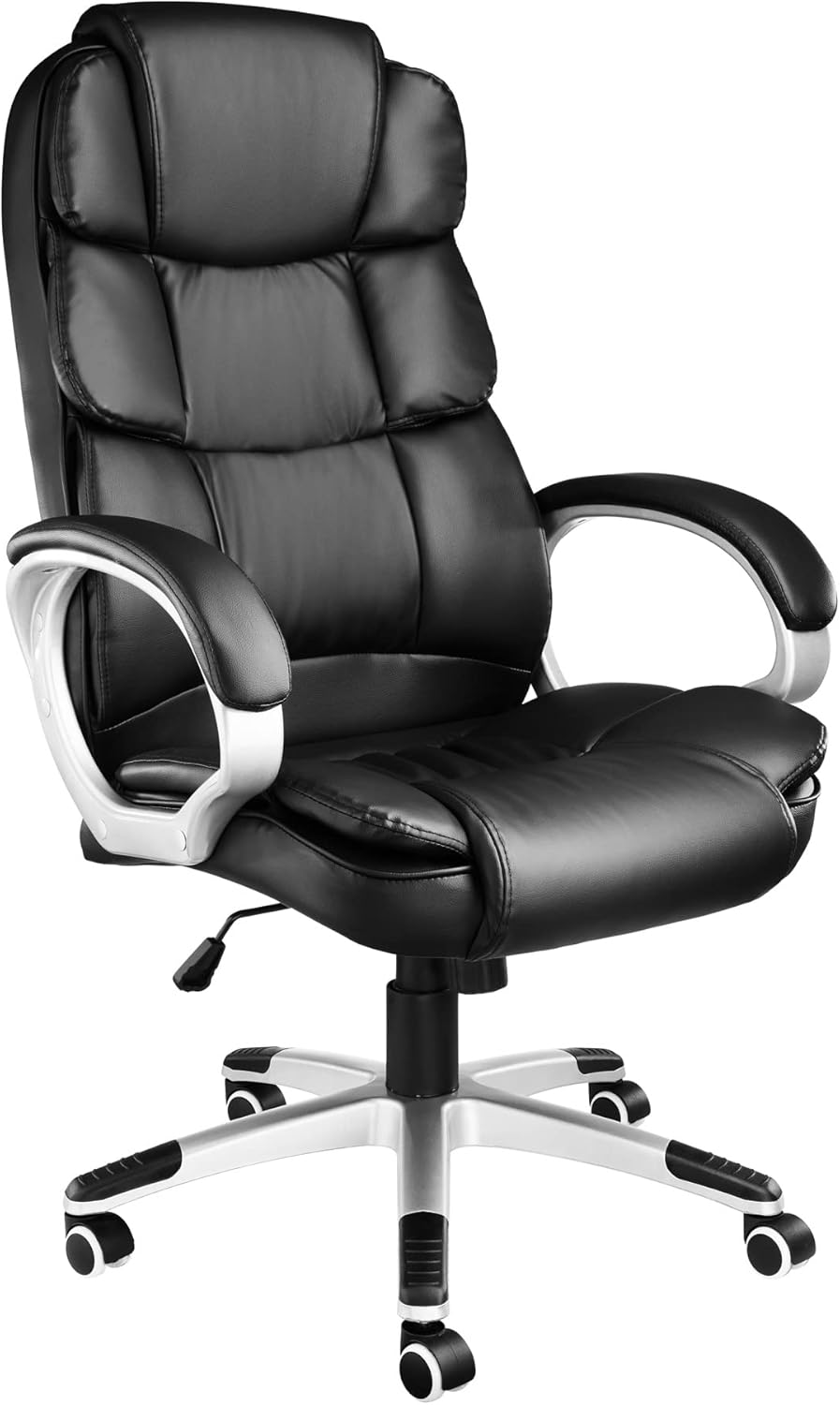
Image: The TecTake 403238 / 800747 Swivel Office Chair, showcasing its black faux leather upholstery, padded armrests, and five-star base with casters.
Bezpečnostní pokyny
Abyste předešli zranění nebo poškození židle, dodržujte prosím následující bezpečnostní pokyny:
- Ensure all components are securely fastened before use. Regularly check and tighten screws.
- Do not exceed the maximum weight capacity of the chair (refer to specifications).
- Nestávejte na židli ani ji nepoužívejte jako schůdky.
- Keep hands and fingers clear of moving parts, especially during height and tilt adjustments.
- Židli používejte na rovném povrchu, aby se nepřevrhla.
- Uchovávejte obalové materiály mimo dosah dětí, abyste předešli nebezpečí udušení.
- Do not expose the chair to direct sunlight or extreme temperatures, as this may damage the material.
Seznam komponent
Before beginning assembly, verify that all parts are present and undamaged. If any parts are missing or damaged, do not proceed with assembly and contact customer support.
- Opěradlo
- Sedák
- Loketní opěrky (levá a pravá)
- Deska mechanismu (pod sedadlem)
- Plynový výtahový válec
- Kryt plynového výtahu
- Pětihvězdičková základna
- Kolečka (5 kusů)
- Hardware (screws, washers, Allen key)
Montážní návod
Follow these steps to assemble your office chair. It is recommended to assemble the chair on a soft, clean surface to prevent scratches.
Step 1: Attach Casters to the Base
Vložte všechna pět koleček do otvorů na konci každé nohy pětihvězdného podstavce. Pevně zatlačte, dokud nezacvaknou na místo.
Step 2: Insert Gas Lift
Place the gas lift cylinder into the central hole of the five-star base. Then, slide the gas lift cover over the gas lift cylinder.
Step 3: Attach Mechanism Plate to Seat
Align the mechanism plate with the pre-drilled holes on the underside of the seat cushion. Ensure the adjustment lever faces the front of the seat. Secure it with the provided screws and tighten them using the Allen key.

Image: Close-up of the chair's adjustment lever, indicating its function for height and tilt control. This lever is part of the mechanism plate that attaches to the seat.
Step 4: Attach Armrests to Seat and Backrest
Attach the armrests to the sides of the seat cushion using the designated screws. Do not fully tighten yet. Then, align the backrest with the armrests and secure it with screws. Once all screws are in place, tighten them evenly and securely.
Krok 5: Připojení sestavy sedadla k plynovému zvedáku
Carefully place the assembled seat and backrest onto the gas lift cylinder. The tapered end of the gas lift will fit into the central hole of the mechanism plate. Press down firmly on the seat to ensure a secure connection.

Obrázek: Přední strana view of the fully assembled TecTake office chair, highlighting the padded seat, backrest, and armrests.
Your TecTake office chair is now assembled. Before use, ensure all connections are tight and the chair is stable.
Návod k obsluze
Your TecTake office chair offers several adjustments to customize your seating experience:
Nastavení výšky
To adjust the seat height, locate the lever on the right side, beneath the seat.
- Chcete-li zvednout sedadlo: Lift the lever while taking your weight off the seat. The seat will rise automatically. Release the lever at the desired height.
- Pro snížení sedadla: Lift the lever while remaining seated. The seat will lower. Release the lever at the desired height.
Tilt Function and Lock
The chair features a tilt mechanism allowing the backrest and seat to recline together.
- To enable tilt: Pull the same lever (used for height adjustment) outwards from the chair. The chair will now allow you to recline.
- To lock tilt: Push the lever inwards towards the chair. The chair will lock in its upright position.

Image: An illustration demonstrating the range of height adjustment and the reclining tilt function of the office chair.
Nastavení napětí náklonu
Beneath the seat, at the front, there is a round knob. This knob controls the tension of the tilt mechanism.
- To increase tension (harder to recline): Otočte knoflíkem ve směru hodinových ručiček.
- To decrease tension (easier to recline): Turn the knob counter-clockwise.
Údržba
Pravidelná údržba pomůže prodloužit životnost a vzhled vaší kancelářské židle.
- Čištění: Čalounění z umělé kůže otřete měkkým hadříkem.amp hadříkem. Na odolné skvrny použijte jemný mýdlový roztok a ihned otřete dosucha. Nepoužívejte abrazivní čisticí prostředky, rozpouštědla ani agresivní chemikálie, protože by mohly materiál poškodit.
- Rám a základna: Wipe metal and plastic parts with a damp tkanina.
- Kolečka: Periodically clean casters to remove hair, dust, and debris that may hinder smooth movement.
- Železářské zboží: Every 3-6 months, check all screws and bolts to ensure they are tight. Retighten as necessary to maintain stability and safety.
- Vyhněte se přetížení: Do not exceed the chair's stated weight capacity.
Odstraňování problémů
Pokud narazíte na jakékoli problémy s vaší židlí, podívejte se na následující běžné problémy a jejich řešení:
- Vrzání židle:
Check all screws and bolts and tighten them. A small amount of silicone lubricant can be applied to moving metal parts, avoiding contact with plastic or upholstery.
- Židle se nedá nastavit na výšku:
Ensure the gas lift lever is fully engaged. If the issue persists, the gas lift cylinder may be faulty and require replacement. Contact customer support.
- Židle se zdá nestabilní/vraskavá:
Verify that all screws, especially those connecting the armrests to the seat and backrest, are securely tightened. Ensure the gas lift is properly seated in the base and mechanism plate.
- Casters Do Not Roll Smoothly:
Remove any hair, dust, or debris that may be caught in the caster wheels. Clean the wheels and axles. Ensure the casters are fully inserted into the base.
Specifikace
| Značka | TecTake |
| Číslo modelu | 800747 |
| Barva | Černý |
| Materiál | Polyurethane, Faux Leather, Pine Wood (frame) |
| Hmotnost položky | 16.7 kg |
| Doporučené použití | Kancelář |
| Speciální funkce | Pevná konstrukce |
Rozměry (přibližné)

Image: Technical drawing illustrating the approximate dimensions of the TecTake office chair in centimeters. Key measurements include seat width (55 cm), seat depth (52 cm), backrest width (48 cm), adjustable seat height (47-55 cm), and overall height (115-123 cm).
- Overall Height: 115-123 cm
- Seat Height (adjustable): 47-55 cm
- Šířka sedáku: 55 cm
- Hloubka sedu: 52 cm
- Backrest Width: 48 cm
- Armrest Height (from seat): 68.5-76.5 cm
- Base Diameter: 67 cm
Záruka a podpora
Specific warranty information for the TecTake 403238 / 800747 Swivel Office Chair is not provided in this document. For details regarding warranty coverage, spare parts availability, or technical support, please refer to the official TecTake website or contact their customer service directly. Information regarding spare parts availability was not provided in the product data.
Můžete navštívit Značkový obchod TecTake na Amazonu pro více informací.
Ask a question about this manual
Ask about setup, troubleshooting, compatibility, parts, safety, or missing instructions. Manuals+ will review the question and use this page’s manual context to help answer it.