
Zavedení
Thank you for choosing the Conceptronic REGAS01B Optical Desktop Mouse. This manual provides essential information for setting up, operating, and maintaining your new mouse. Please read these instructions carefully before use to ensure proper functionality and longevity of your device.
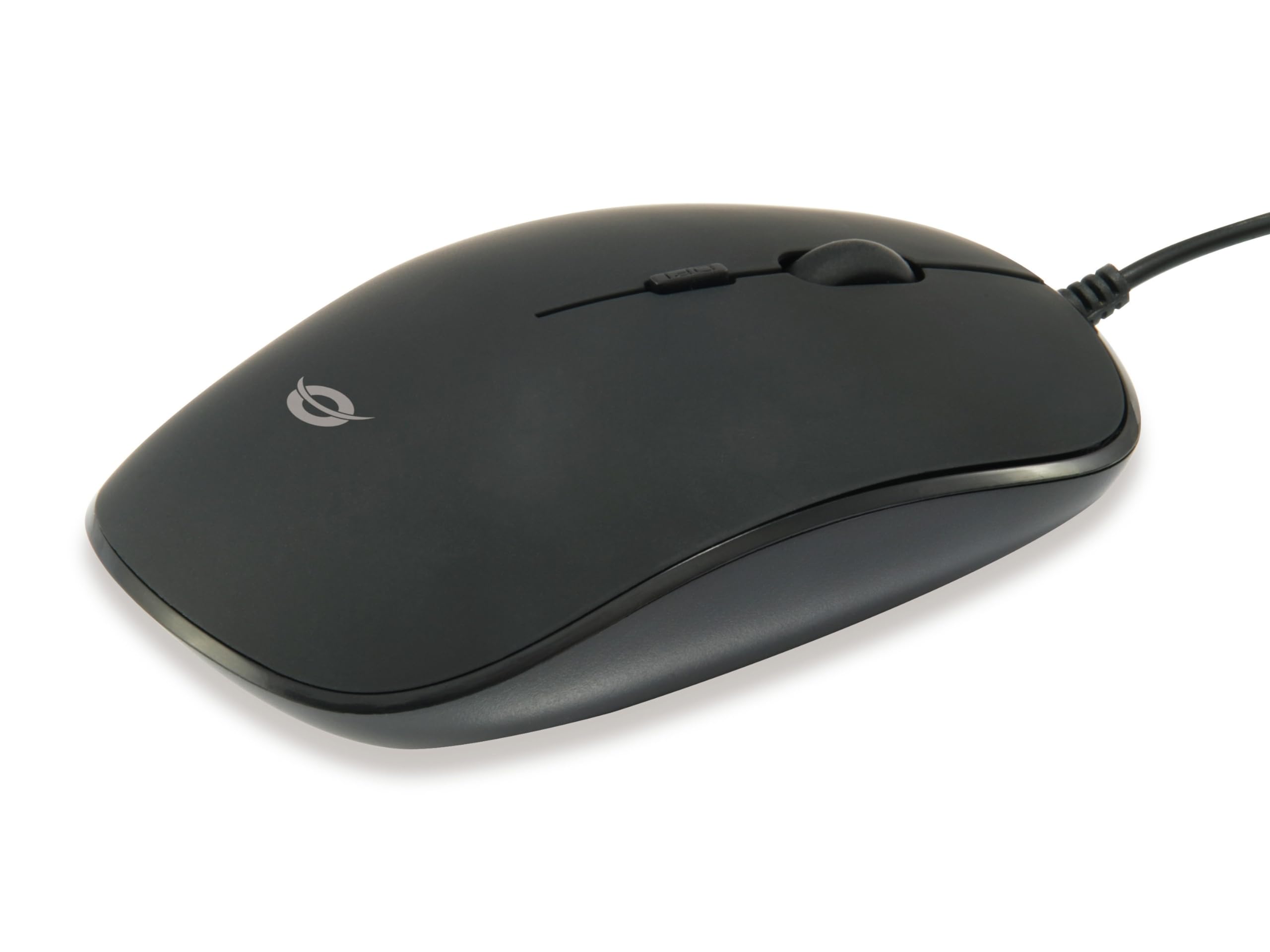
Obrázek: Nahoře view of the Conceptronic REGAS01B Optical Desktop Mouse, showcasing its ergonomic black design.
Obsah balení
Ujistěte se, že v balení jsou přítomny všechny položky:
- Conceptronic REGAS01B Optical Desktop Mouse
- Uživatelská příručka (tento dokument)
- Note: This is a wired USB mouse and does not require external batteries for operation, despite some generic product data indicating otherwise.
Vlastnosti
- Přepínač DPI: Adjustable sensitivity (800/1000/1200 DPI) for precise control.
- Plug and Play: Snadná instalace bez nutnosti dalších ovladačů.
- Oboustranný design: Pohodlné pro leváky i praváky.
- Rubberized Surface: Provides enhanced grip and comfort during extended use.
- Optické sledování: Reliable and accurate cursor movement.
- USB připojení: Standard wired connection for stable performance.
Nastavení
- Připojte myš: Locate an available USB port on your computer. Insert the USB connector of the Conceptronic REGAS01B mouse into the USB port.
- Automatická instalace: Your operating system (Windows, Linux, etc.) will automatically detect and install the necessary drivers. This process typically takes a few seconds.
- Připraven k použití: Once the installation is complete, the mouse is ready for immediate use. No additional software is required.

Obrázek: Detail view of the mouse's scroll wheel and the DPI switch button, located behind the scroll wheel.
Návod k obsluze
Základní funkce
- Levé kliknutí: Stisknutím levého tlačítka vyberete položky, otevřete filenebo aktivovat funkce.
- Klikněte pravým tlačítkem myši: Stisknutím pravého tlačítka otevřete kontextové nabídky nebo zobrazíte další možnosti.
- Rolovací kolečko: Otáčením kolečka nahoru nebo dolů můžete procházet dokumenty a web stránky. V závislosti na konfiguraci softwaru lze také stisknout rolovací kolečko pro funkci kliknutí prostředním tlačítkem myši.
Nastavení citlivosti DPI
The Conceptronic REGAS01B mouse features a DPI switch to adjust cursor sensitivity on the fly. This allows you to quickly change between different tracking speeds for various tasks, such as precise editing or fast-paced gaming.
- Tlačítko přepínání DPI: Located behind the scroll wheel.
- Úrovně citlivosti: Press the DPI switch button to cycle through 800, 1000, and 1200 DPI settings.
- Výběr: Each press will change the sensitivity, allowing you to find the optimal speed for your current activity.
Údržba
- Čištění: K čištění povrchu myši použijte měkký, suchý hadřík. V případě odolných nečistot lehceampOtřete hadřík vodou nebo jemným čisticím roztokem. Vyhněte se agresivním chemikáliím nebo abrazivním materiálům.
- Optický senzor: Udržujte optický senzor na spodní straně myši čistý a bez prachu nebo nečistot, abyste zajistili přesné sledování.
- Skladování: Pokud myš nepoužíváte, skladujte ji v čistém a suchém prostředí.
- Vyhněte se tekutinám: Nevystavujte myš nadměrné vlhkosti ani ji neponořujte do tekutin.
Odstraňování problémů
Myš nereaguje
- Zkontrolujte připojení USB: Ujistěte se, že je kabel USB bezpečně zapojený do funkčního portu USB v počítači. Zkuste jiný port USB.
- Restartujte počítač: Někdy může problémy s připojením vyřešit jednoduchý restart počítače.
- Test na jiném počítači: If possible, test the mouse on another computer to determine if the issue is with the mouse or your computer's setup.
Inaccurate Cursor Movement
- Čistý optický senzor: Ensure the optical sensor on the bottom of the mouse is clean and free of dust or debris.
- Podložka/povrch pod myš: Používejte myš na čistém, nereflexním a rovnoměrném povrchu. Vyhněte se vysoce reflexním nebo průhledným povrchům.
- Úprava DPI: Experiment with the DPI switch to find a sensitivity setting that provides accurate tracking for your needs.
Specifikace
| Funkce | Detail |
|---|---|
| Značka | Koncepční |
| Název modelu | REGAS01B |
| Barva | Černý |
| Technologie připojení | USB (kabelové) |
| Technologie detekce pohybu | Optický |
| Nastavení DPI | 800 / 1000 / 1200 DPI (nastavitelné) |
| Množství tlačítek | 3 (Left, Right, Scroll Wheel/Middle Click) + DPI Switch |
| Orientace rukou | Obouruký |
| Kompatibilní zařízení | Osobní počítač |
| Kompatibilita operačního systému | Linux, Windows 7, Windows XP (a novější verze) |
| Hmotnost položky | 61 gramů |
| Speciální funkce | Ergonomic Design, Rubberized Surface, Plug & Play |
| Číslo dílu výrobce | REGAS01B |
| GTIN (UPC) | 04015867208526 |
Záruka a podpora
Informace o záruce a technickou podporu získáte od oficiálního poskytovatele Conceptronic. webnebo se obraťte na místního prodejce. Uschovejte si doklad o koupi pro případ reklamace.
- Online podpora: Návštěva www.concepttronic.net (Poznámka: Toto je zástupný symbol URL, please replace with the actual support URL pokud je k dispozici.)
- Kontakt: Refer to the contact information provided on the product packaging or the Conceptronic webstránky pro zákaznický servis.