
1. Úvod
The ThermoPro TP200B is a digital indoor/outdoor thermometer designed to monitor temperature and humidity levels in your environment. This manual provides detailed instructions for setting up, operating, and maintaining your device to ensure accurate readings and optimal performance.
2. Obsah balení
- 1 x ThermoPro TP200B Main Unit (Indoor Display)
- 1 x Outdoor Temperature Sensor (Wireless)
- 5 x AAA baterie (součástí balení)
- 1 x Uživatelská příručka
3. Klíčové vlastnosti
- Large Backlit Display with Large Digits: Features a 3.3-inch LCD display with large digits for easy readability, even in low light conditions.
- Max/Min Records: Stores and displays maximum and minimum temperature and humidity records for the past 24 hours.
- Color Air Comfort Indicator: A visual indicator with an arrow shows current air conditions (Dry/Comfort/Wet), allowing for environmental adjustments.
- Vysoce přesné čtení: Equipped with a premium sensor for precise temperature and humidity measurements, accurate to ±2°F and ±2-3%RH.
- Uživatelsky přívětivý design: Easily adjust settings with three front-facing buttons.
- Více možností umístění: Can be wall-mounted, placed on a tabletop, or attached via magnetic back.
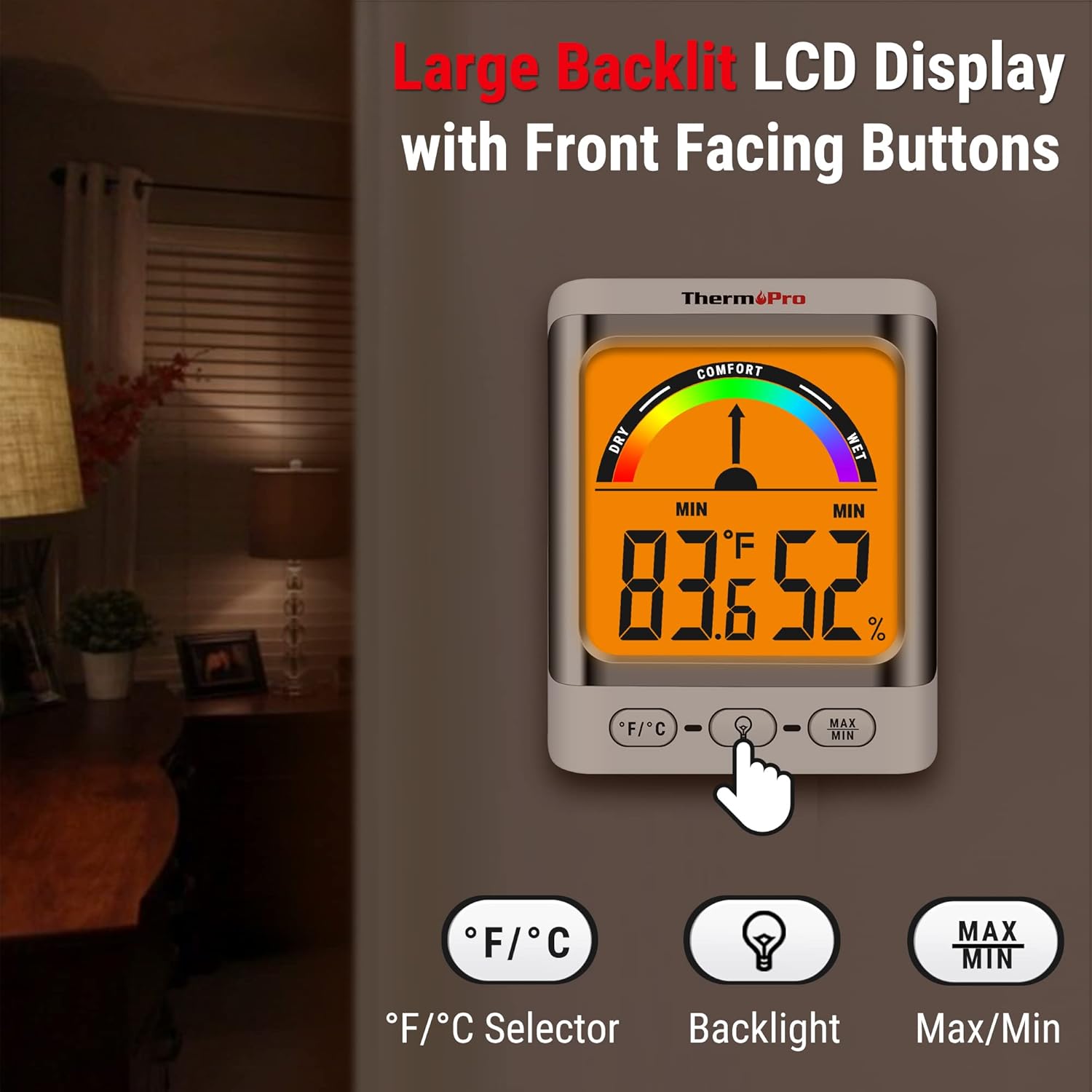
Image: The ThermoPro TP200B main unit display, highlighting the large digits, comfort indicator, and the three control buttons: °F/°C selector, Backlight, and Max/Min.
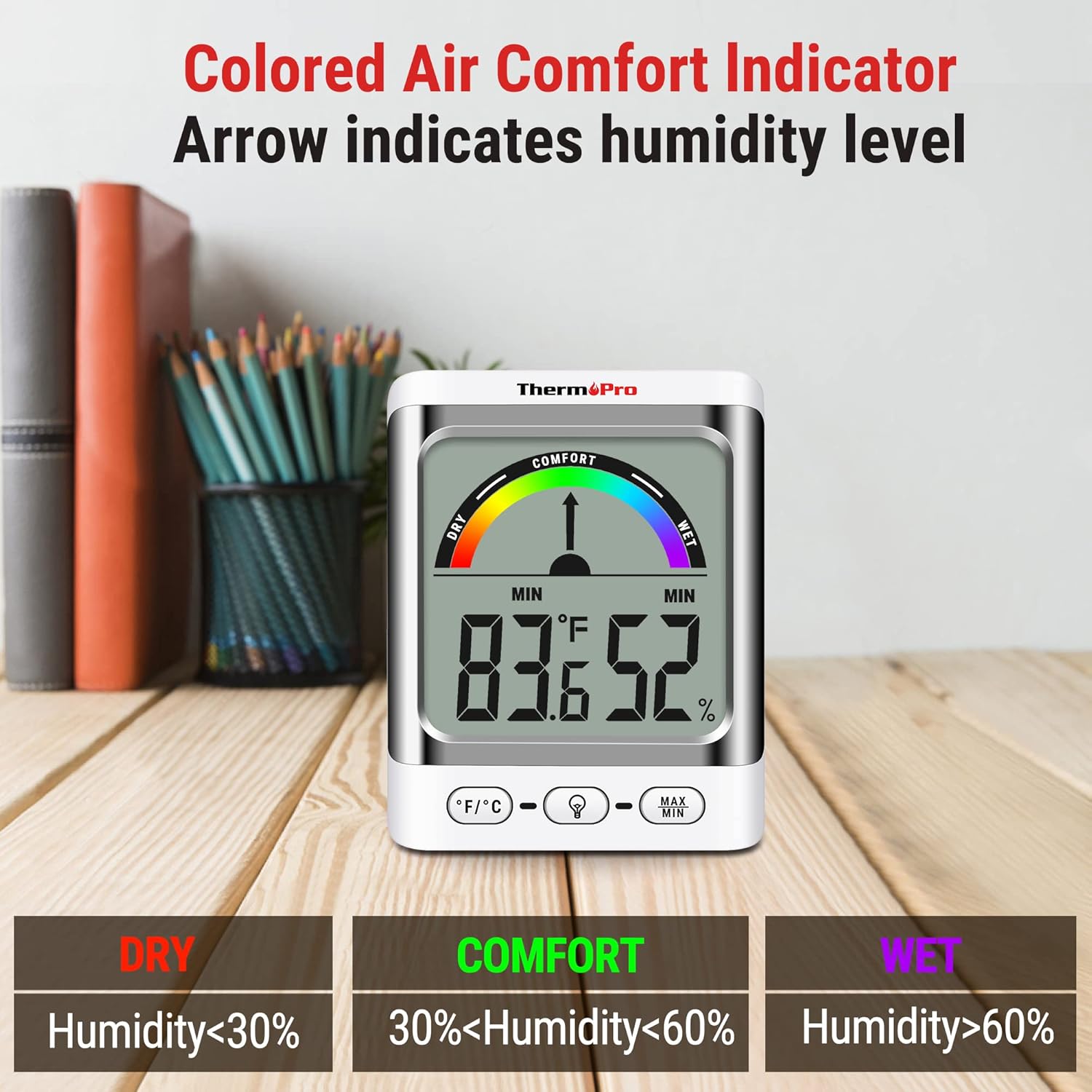
Image: A close-up of the ThermoPro TP200B display, illustrating the colored comfort indicator that visually represents dry (humidity <30%), comfort (30% < humidity < 60%), and wet (humidity >60%) conditions.
4. Nastavení
- Instalace baterie:
- Otevřete kryt baterií na zadní straně hlavní jednotky i venkovního senzoru.
- Vložte dodané baterie AAA a dbejte na správnou polaritu (+/-).
- Přihrádky na baterie bezpečně uzavřete.
- Umístění senzoru:
- Place the outdoor sensor in a location that is protected from direct sunlight and precipitation for accurate readings.
- Ensure the sensor is within the 500ft wireless range of the main unit.
- Umístění hlavní jednotky:
- The main unit can be placed on a tabletop using its integrated stand, mounted on a wall, or attached to a metallic surface via its magnetic back.
- Position the main unit in a central location indoors for optimal signal reception from the outdoor sensor.

Obrázek: Přamples of flexible placement options for the ThermoPro TP200B, including wall mounting, magnetic attachment to a refrigerator, and freestanding on a countertop.
5. Návod k obsluze
5.1 Zobrazení nadview
The large LCD display shows indoor temperature, humidity, and the comfort level indicator. The outdoor temperature is displayed from the wireless sensor.
5.2 Funkce tlačítek
- Tlačítko °F/°C: Press to switch between Fahrenheit and Celsius temperature units.
- Tlačítko podsvícení: Press to activate the backlight for 15 seconds, improving visibility in dim conditions.
- Tlačítko MAX/MIN: Stiskněte pro view the maximum and minimum temperature and humidity recorded over the past 24 hours. Press again to cycle through current, MAX, and MIN readings. Hold to reset MAX/MIN records.

Image: The ThermoPro TP200B displaying maximum and minimum temperature and humidity values, accompanied by a conceptual graph showing how these values fluctuate over a 24-hour period.
6. Údržba
- Čištění: Otřete jednotku a senzor měkkým hadříkemamp tkanina. Nepoužívejte abrazivní čisticí prostředky ani je neponořujte do vody.
- Výměna baterie: Replace batteries when the low battery indicator appears on the display. Ensure to use fresh AAA batteries.
- Skladování: Pokud zařízení skladujete delší dobu, vyjměte baterie, abyste zabránili jejich vytečení.
7. Řešení problémů
- Indikátor chybějícího displeje/vybité baterie: Replace all batteries in both the main unit and the outdoor sensor.
- Nepřesná čtení:
- Ujistěte se, že venkovní senzor není vystaven přímému slunečnímu záření ani extrémním povětrnostním podmínkám.
- Verify the main unit and sensor are within effective range and not obstructed by thick walls or electronic interference.
- Allow both units to stabilize for 30 minutes after initial setup or battery replacement.
- No Signal from Outdoor Sensor:
- Relocate the main unit or sensor closer to each other.
- Zkontrolujte baterie v obou jednotkách.
- Reset the connection by removing batteries from both units, waiting a few minutes, then reinserting them.
8. Specifikace
| Funkce | Detail |
|---|---|
| Název modelu | TP200B |
| Značka | ThermoPro |
| Speciální funkce | Vysoká přesnost |
| Barva | Bílý |
| Typ zobrazení | Digitální |
| Zdroj napájení | Napájení na baterie (5 AAA baterie jsou součástí balení) |
| Přesnost teploty | ± 2 ° C |
| Přesnost vlhkosti | ±2% from 30% to 80% RH; ±3% outside this range |
| Doba odezvy | 0.5 sekund |
| Hmotnost položky | 4.2 unce |
| Délka položky | 3.9 palce |

Image: Multiple ThermoPro TP200B units demonstrating consistent temperature and humidity readings, highlighting the specified accuracy tolerances of ±2°F (±1.1°C) for temperature and ±2% RH (30-80% range) for humidity.

Image: A visual comparison showcasing the large, compact display of the ThermoPro TP200B (3.3 inches) next to a smaller, generic thermometer (1.7 inches), emphasizing its enhanced readability.
9. Záruka a podpora
Společnost ThermoPro poskytuje na tento produkt záruku proti vadám materiálu a zpracování. Podrobné informace o záruce, registraci produktu nebo technickou podporu naleznete na oficiálních stránkách společnosti ThermoPro. webnebo kontaktujte jejich zákaznický servis. Uschovejte si účtenku jako doklad o koupi.
Official ThermoPro Webmísto: www.thermopro.com