
1. Úvod
Thank you for choosing the ORICO 5-Port USB Charging Station. This device is designed to efficiently charge multiple electronic devices simultaneously while keeping your space organized. Please read this manual carefully before use to ensure proper operation and to maximize the lifespan of your product.
2. Vlastnosti produktu
- 5 USB porty: Equipped with five smart USB ports for charging multiple devices.
- Rychlé nabíjení: Each port can deliver up to 2.4A, with a total output of 40W, ensuring faster charging speeds.
- Smart Identification Chip: Automatically recognizes connected devices and adjusts output for optimal charging speed.
- Fixed Dividers: Features thick, all-in-one undetachable partitions to keep devices upright and stable during charging.
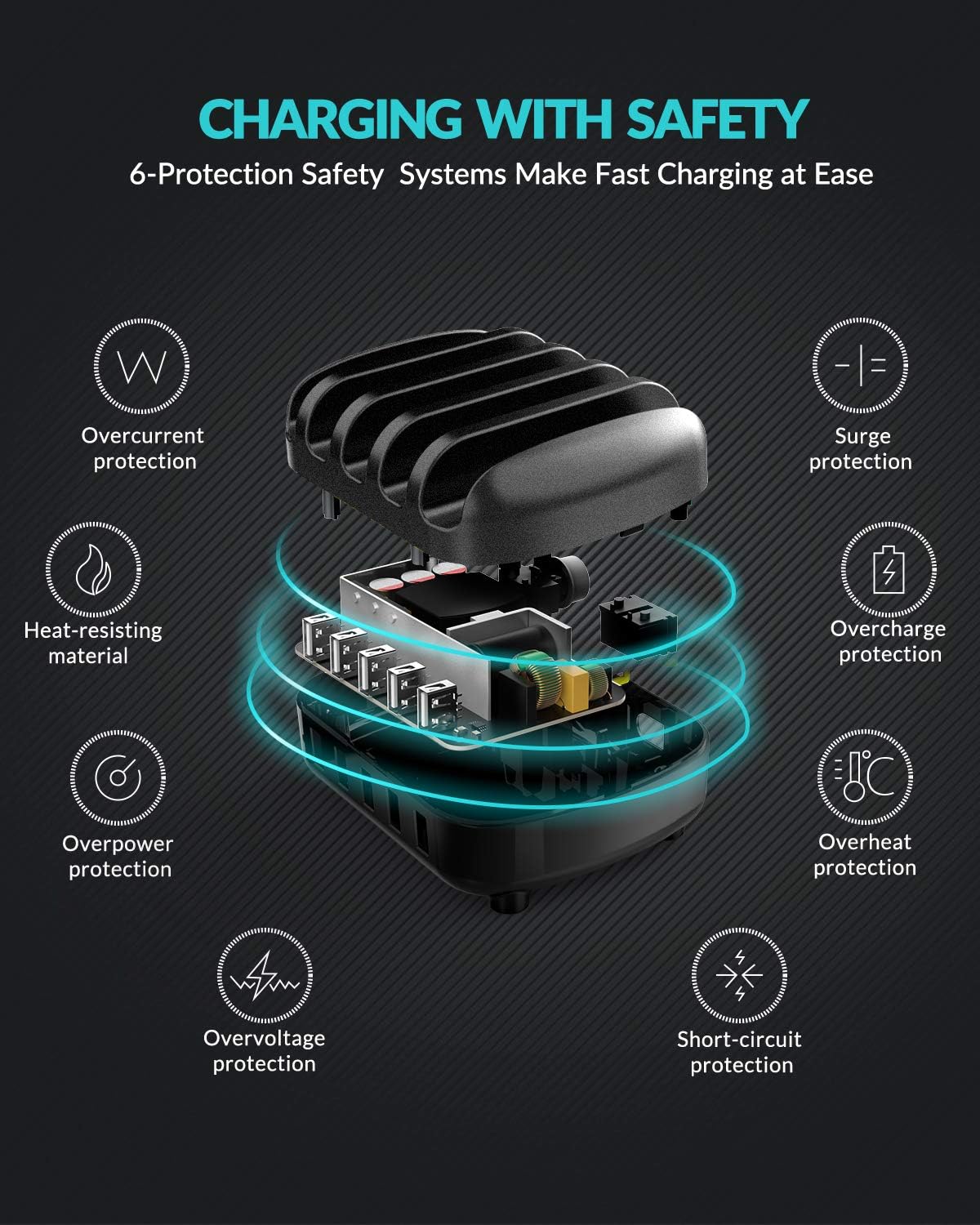
- Komplexní bezpečnostní ochrana: Built-in safeguards against overcharge, surges, overheating, short circuits, and overload.
- Odolný materiál: Constructed from industrial fireproof PC material, resistant to temperatures up to 750℃.
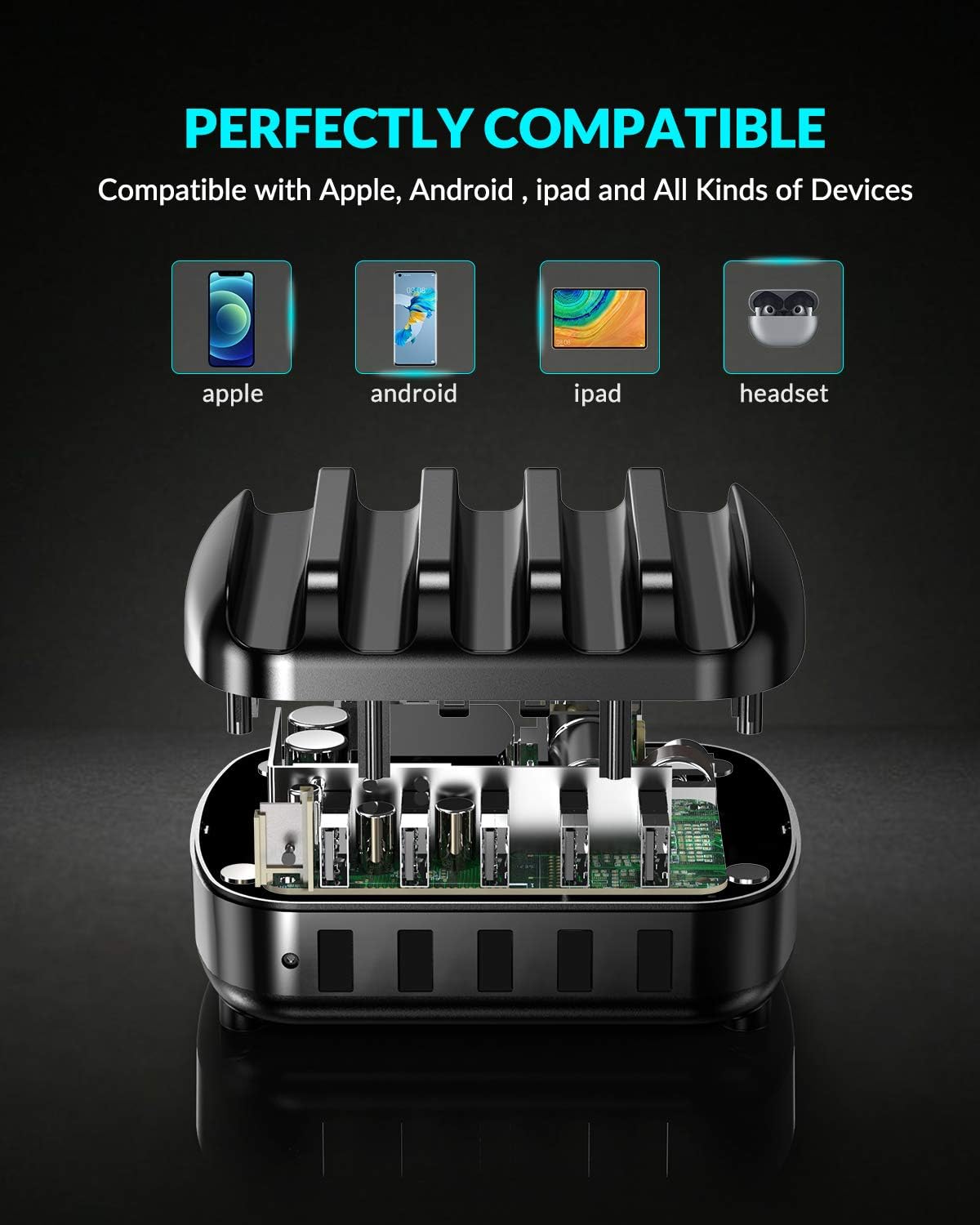
- Univerzální kompatibilita: Supports a wide range of devices including iPhones, iPads, Android smartphones, tablets, power banks, cameras, and more.
3. Obsah balení
Zkontrolujte prosím balení, zda neobsahuje následující položky:
- 1 x ORICO 5-Port USB Charging Station
- 1 x 5ft Power Cable
- 1 x Uživatelská příručka
- 5 x Short Charger Cables (for various devices)
4. Pokyny k nastavení
- Připojte napájení: Insert the provided 5ft power cable into the power input port on the back of the charging station. Plug the other end into a standard wall outlet.
- Umístění zařízení: Place your smartphones, tablets, or other compatible devices into the designated slots between the fixed dividers.
- Připojení nabíjecích kabelů: Use the included short charging cables or your own USB charging cables to connect your devices to the USB output ports on the front of the charging station.
- Zahájit nabíjení: The charging station will automatically detect your devices and begin charging.

5. Návod k obsluze
The ORICO 5-Port USB Charging Station is designed for simple plug-and-play operation.
- Chytré nabíjení: Each USB port features an intelligent chip that automatically identifies the connected device and delivers the optimal charging current (up to 2.4A per port, 40W total). This ensures efficient and safe charging for all your devices.
- Kompatibilita zařízení: The charging station is compatible with a wide range of USB-powered devices.

6. Bezpečnostní informace
Pro zajištění bezpečného provozu a prevenci poškození zařízení nebo zranění dodržujte prosím následující bezpečnostní pokyny:
- Nevystavujte nabíjecí stanici vodě ani nadměrné vlhkosti.
- Zabraňte pádu zařízení nebo jeho vystavení silným nárazům.
- Do not disassemble, modify, or attempt to repair the device yourself. Contact qualified service personnel if needed.
- Chraňte zařízení před extrémními teplotami a přímým slunečním zářením.
- Během používání zajistěte dostatečné větrání v okolí nabíjecí stanice.
- The charging station is equipped with multiple safety protections including overcurrent, surge, heat-resisting material, overcharge, overpower, overvoltage a ochranu proti zkratu.
7. Údržba
Pro zachování výkonu a vzhledu vaší nabíjecí stanice:
- Zařízení čistěte měkkým, suchým hadříkem. Nepoužívejte tekuté čisticí prostředky ani aerosoly.
- Ujistěte se, že nabíjecí porty jsou bez prachu a nečistot.
- Pokud zařízení delší dobu nepoužíváte, skladujte jej na chladném a suchém místě.
8. Řešení problémů
Zařízení se nenabíjí:
- Ensure the power cable is securely connected to both the charging station and the wall outlet.
- Ověřte, zda zásuvka ve zdi funguje správně, připojením jiného zařízení.
- Check if the USB charging cable is properly connected to both the charging station and your device. Try a different cable if necessary.
- Confirm that your device is compatible with USB charging.
Pomalé nabíjení:
- Ensure you are using a high-quality USB charging cable.
- Některá zařízení mohou mít specifické požadavky na nabíjení. Viz návod k obsluze vašeho zařízení.
- The charging station provides up to 2.4A per port. If your device requires higher amperage for its fastest charging, it will charge at the maximum supported by the station.
9. Specifikace
| Značka | ORICO |
| Model | Nabíjecí stanice USB s 5 porty |
| Typ konektoru | USB typ A |
| Celkový počet portů USB | 5 |
| Vstupní objemtage | 5 voltů |
| Amperage (Per Port) | 2.4 Amps (Max) |
| Celkový výstupní výkon | 40W |
| Speciální funkce | Fast Charging, Smart Identification, Multi-Protection |
| Kompatibilní zařízení | iPhone, Samsung Galaxy, iPad, Android smartphones, tablets, power banks, cameras, speakers, headsets, and other USB-powered devices. |
10. Záruka a podpora
This ORICO 5-Port USB Charging Station comes with a 12-month warranty from the date of purchase. If you encounter any issues or have questions regarding the product, please contact ORICO customer service for assistance. Please retain your proof of purchase for warranty claims.
11. Organize Your Space
The ORICO 5-Port USB Charging Station is designed not only for efficient charging but also to help declutter your desk or nightstand, providing a neat and organized charging solution for all your devices.

