
Zavedení
Thank you for choosing TRANYA B530 True Wireless Earbuds. This manual provides essential information for setting up, operating, and maintaining your earbuds. Please read it thoroughly before use to ensure optimal performance and longevity of your device.
The TRANYA B530 earbuds feature Bluetooth 5.0 technology, Aptx/AAC compatibility for high-quality audio, CVC8.0 noise cancellation for clear calls, and an IPX5 waterproof rating, making them suitable for various activities including sports and exercise.
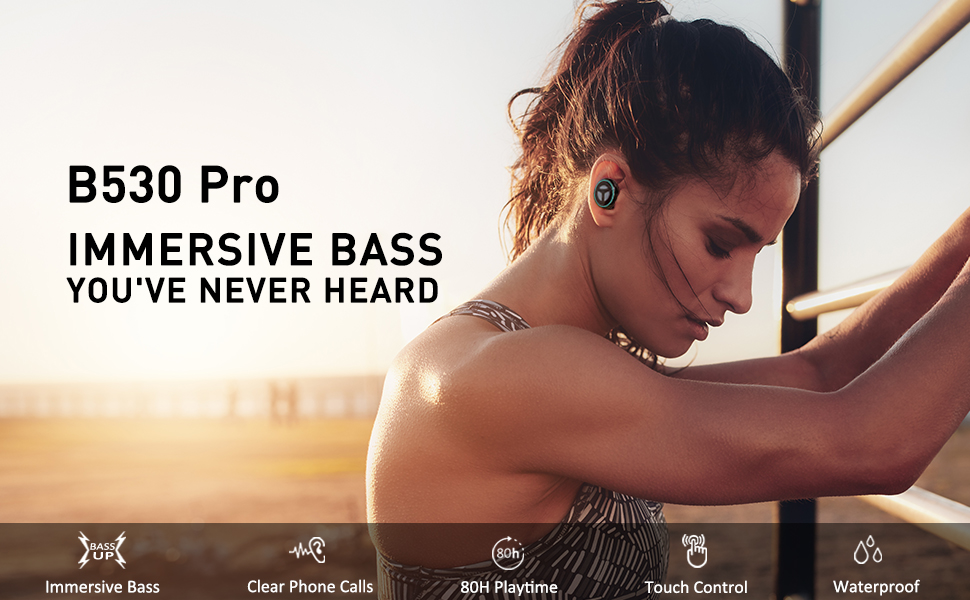
Image: TRANYA B530 True Wireless Earbuds and their charging case, showcasinelegantní černý design.
Obsah balení
Ujistěte se, že máte v balení všechny položky:
- TRANYA B530 True Wireless Earbuds (Left & Right)
- Nabíjecí pouzdro
- Silicone Eartips (3 pairs: Small, Medium, Large)
- Micro USB nabíjecí kabel
- Uživatelská příručka


Image: Micro USB charging cable and various sizes of silicone eartips included in the package.
Nastavení
1. Nabíjení sluchátek a pouzdra
Before first use, fully charge the earbuds and the charging case. Connect the Micro USB charging cable to the charging port on the case and a power source. The LED indicators on the case will show the charging status.
- Nabíjecí pouzdro: Celková doba přehrávání až 80 hodin.
- Sluchátka: Až 10 hodin přehrávání na jedno nabití.

Image: TRANYA B530 earbuds shown with their charging case, highlighting the ultra-long playtime of up to 80 hours.
2. Párování s vaším zařízením
The earbuds support effortless pairing and automatic on/off functionality.
- Vyjměte obě sluchátka z nabíjecího pouzdra. Automaticky se zapnou a přejdou do režimu párování.
- On your device (smartphone, tablet, etc.), go to Bluetooth settings and select "TRANYA B530" from the list of available devices.
- Po připojení uslyšíte potvrzovací tón a kontrolky sluchátek zhasnou.
The earbuds support both Sync Mode (stereo) and Mono Mode (single earbud use).

Image: Illustration showing TRANYA B530 earbuds in both Sync Mode (stereo) and Mono Mode (single earbud), with a smartphone screen displaying successful Bluetooth pairing.
Návod k obsluze
The TRANYA B530 earbuds feature multi-functional touch controls for easy management of music and calls.

Image: A person using TRANYA B530 earbuds, demonstrating the multi-functional touch controls for volume, calling, voice assistance, and audio playback.
Ovládání hudby
- Přehrát/pozastavit: Jediným klepnutím na jedno sluchátko.
- Zvýšit hlasitost: Dvakrát klepněte na pravé sluchátko.
- Snížit hlasitost: Dvakrát klepněte na levé sluchátko.
- Další skladba: Trojitě klepněte na pravé sluchátko.
- Předchozí skladba: Trojité poklepání na levé sluchátko.
Správa hovorů
- Přijmout/ukončit hovor: Jediným klepnutím na jedno sluchátko.
- Odmítnout hovor: Stiskněte a podržte jedno ze sluchátek po dobu 2 sekund.
Hlasový asistent
- Aktivace hlasového asistenta (Siri, Google Assistant): Stiskněte a podržte jedno ze sluchátek po dobu 3 sekund.
Údržba
Proper maintenance ensures the longevity and performance of your TRANYA B530 earbuds.
- Čištění: Pravidelně čistěte sluchátka a nabíjecí pouzdro měkkým, suchým hadříkem. Nepoužívejte agresivní chemikálie ani abrazivní materiály.
- Skladování: Pokud sluchátka nepoužíváte, uložte je do nabíjecího pouzdra, abyste je chránili před prachem a poškozením.
- Vystavení vodě: While IPX5 waterproof, avoid prolonged exposure to water or submersion. Ensure earbuds are dry before placing them back in the charging case.
Odstraňování problémů
Pokud máte problémy se sluchátky, vyzkoušejte následující řešení:
| Problém | Řešení |
|---|---|
| Sluchátka se nespárují | Ensure earbuds are fully charged. Turn off and on your device's Bluetooth. Try resetting the earbuds (refer to user manual for specific reset instructions). |
| Funkční pouze jedno sluchátko | Place both earbuds back in the case, then remove them simultaneously to re-establish stereo connection. Check battery levels of both earbuds. |
| Špatná kvalita zvuku | Ensure earbuds are properly seated in your ears with the correct size eartips for a good seal. Check for obstructions in the earbud nozzles. Ensure your device is within Bluetooth range. |
| Problémy s nabíjením | Ensure the charging cable is securely connected. Try a different charging cable or power adapter. Clean the charging contacts on the earbuds and inside the case. |
Specifikace
- Model: B530
- Verze Bluetooth: 5.0
- Bezdrátová technologie: Bluetooth
- Rozsah Bluetooth: 10 metrů
- Audio kodeky: Aptx, AAC
- Kontrola hluku: Potlačení hluku CVC8.0 (pro hovory)
- Řidič: Nano-Ti Diaphragm
- Úroveň odolnosti proti vodě: IPX5 (vodotěsný)
- Doba přehrávání sluchátek (na jedno nabití): Až 10 hodin
- Celková doba přehrávání (s nabíjecím pouzdrem): Až 80 hodin
- Typ ovládání: Touch Control (Media, Call, Voice Assistant, Volume)
- Hmotnost: 4.54 gramů (na jedno sluchátko)
- Materiál: Plast
Záruka a podpora
TRANYA B530 True Wireless Earbuds come with a standard 12-month warranty. You can extend your warranty to 15 months by registering your product on the official TRANYA webwebu do 14 dnů od nákupu.
For product information, support, or warranty claims, please visit www.tranya.com nebo kontaktujte zákaznickou podporu na podpora@tranya.com.
Oficiální video produktu
Video: Oficiální produkt u konceview of the TRANYA B530 Pro Wireless Earbuds, highlighting key features and design.