
1. Úvod
Děkuji za nákupasing the Aputure LS C300d II LED Light. This professional-grade constant light is designed for broadcast video, photography, TV production, and studio shooting, offering exceptional color accuracy and powerful illumination. This manual provides detailed instructions for the safe and effective operation of your device.

Figure 1.1: The Aputure LS C300d II LED light and its included carrying case, showcasing its portability and comprehensive kit.
2. Vlastnosti produktu
- Perfect Color Fidelity: The LS C300d II features a 5500K color temperature and stepless dimming from 0% to 100%. With CRI 96+ and TLCI 97+, it ensures natural and accurate colors for broadcast video, photography, TV production, and studio shooting. The 5500K color temperature matches sunlight, providing a natural white light appearance.
- Ultravysoký jas: Delivers 55000 Lux at 0.5m, making it 20% brighter than the original Aputure 300D. When paired with the Aputure Fresnel 2X lens mount, it can achieve 285,000 lux at 0.5m, comparable to a 2K watt tungsten light.
- 8 Lighting Effects & New 512DMX Lighting Function: The Aputure 300D II is equipped with 8 types of lighting effect modes, including Paparazzi, Spark, Lightning, Bad Bulb, TV, Breathing, Flash, and Explosion, allowing for creative freedom.
- Metody duální kontroly: Control brightness, channel, fan speed, and more with the 100m remote control or the intuitive control box. The fanless controller and integrated power supply unit reduce connections and save effort.
- Nový design: Firmware upgradeable via USB interface. The U-frame structure allows for flexible 360-degree rotation. The handbrake locking yoke securely supports the light's rotation angle.
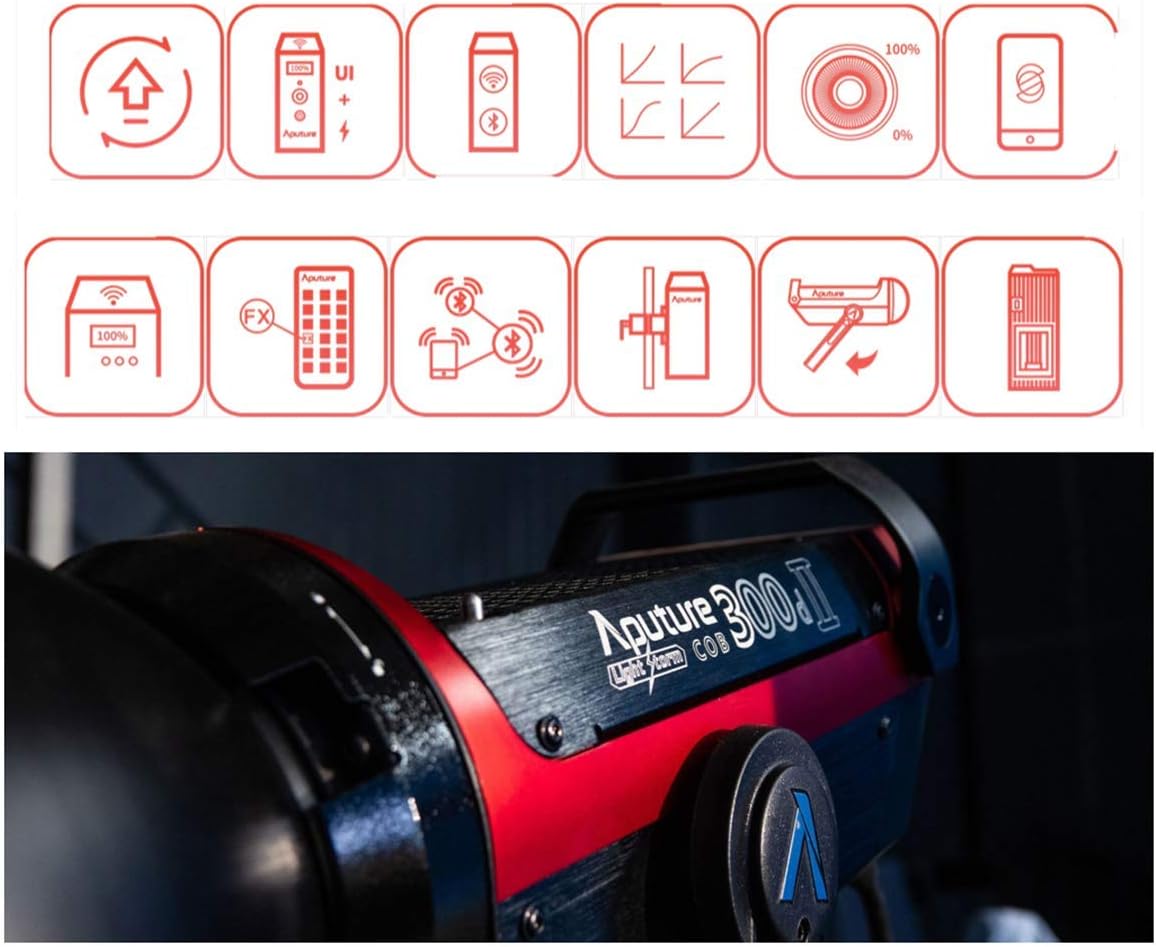
Figure 2.1: Feature icons demonstrating the light's capabilities, such as remote control, app integration, and various lighting effects.
3. Obsah balení
Po otevření balení se prosím ujistěte, že jsou všechny následující položky obsaženy a v dobrém stavu:
- Aputure LS C300d II LED Light Head
- Control Box / Power Supply Unit
- Reflektor
- Connecting Cables (Power Cable, 5-pin XLR Cable)
- Dálkové ovládání
- Přepravní pouzdro
- Uživatelská příručka (tento dokument)
- Čisticí hadřík

Obrázek 3.1: Komplexní view of all items included in the Aputure LS C300d II product package.
4. Nastavení
- Mounting the Light Head: Attach the Aputure LS C300d II light head to a compatible light stand using its U-frame yoke. Secure it firmly with the handbrake locking mechanism.
- Připevnění reflektoru: Align the reflector with the Bowens mount on the front of the light head. Twist clockwise until it clicks into place.
- Connecting the Control Box: Connect the 5-pin XLR cable from the light head to the corresponding port on the control box. Ensure a secure connection.
- Připojení napájení: Connect the power cable to the control box, then plug the other end into a suitable power outlet.
- Volitelné napájení z baterie: For portable operation, the control box supports V-Mount or Gold Mount batteries. Insert two high-capacity batteries into the designated slots on the control box. The light can also operate at half output with a single battery.

Figure 4.1: The Aputure LS C300d II with an optional Fresnel 2X attachment, illustrating how accessories can be mounted.
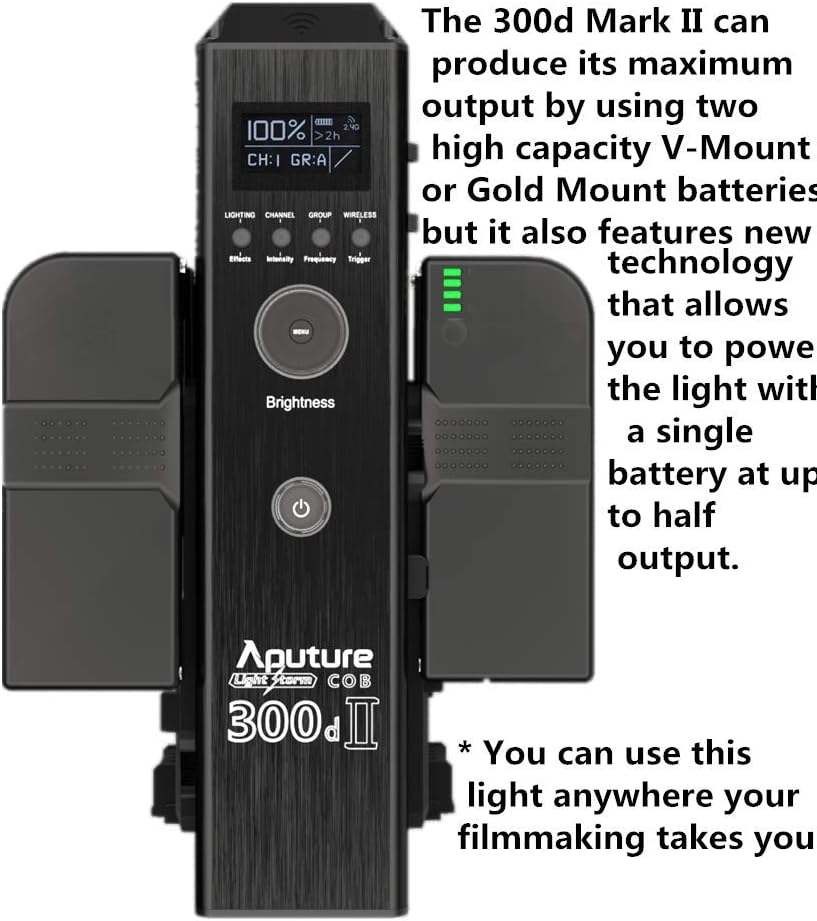
Figure 4.2: The control box, capable of powering the light using V-Mount or Gold Mount batteries for maximum output, or a single battery for half output.
5. Návod k obsluze
5.1 Základní obsluha
- Zapnutí/vypnutí: Press the power button on the control box to turn the light on or off.
- Nastavení jasu: Use the control knob on the control box to adjust the light intensity from 0% to 100%.
- Výběr kanálu: The control box allows selection of different channels for multi-light setups. Refer to the display for current channel information.
5.2 Special Effects Modes
The Aputure LS C300d II includes 8 built-in lighting effects to enhance your creative productions.
- Accessing Effects: Navigate through the menu on the control box to select the "Effects" mode.
- Available Effects: Paparazzi, Spark, Lightning, Bad Bulb, TV, Breathing, Flash, Explosion.
- Adjusting Effects: Some effects may have adjustable parameters (e.g., speed, intensity). Refer to the control box display for specific options.
5.3 Dálkové ovládání a ovládání pomocí aplikace
- Dálkové ovládání: The included remote control allows for wireless adjustment of brightness, channel, and effects from up to 100m away. Ensure line of sight for optimal performance.
- Aplikace Sidus Link: Download the Sidus Link app on your smartphone or tablet for advanced control via Bluetooth. The app provides comprehensive control over all light functions and effects.

Figure 5.1: The Sidus Link app provides intuitive control over the Aputure LS C300d II from your mobile device.
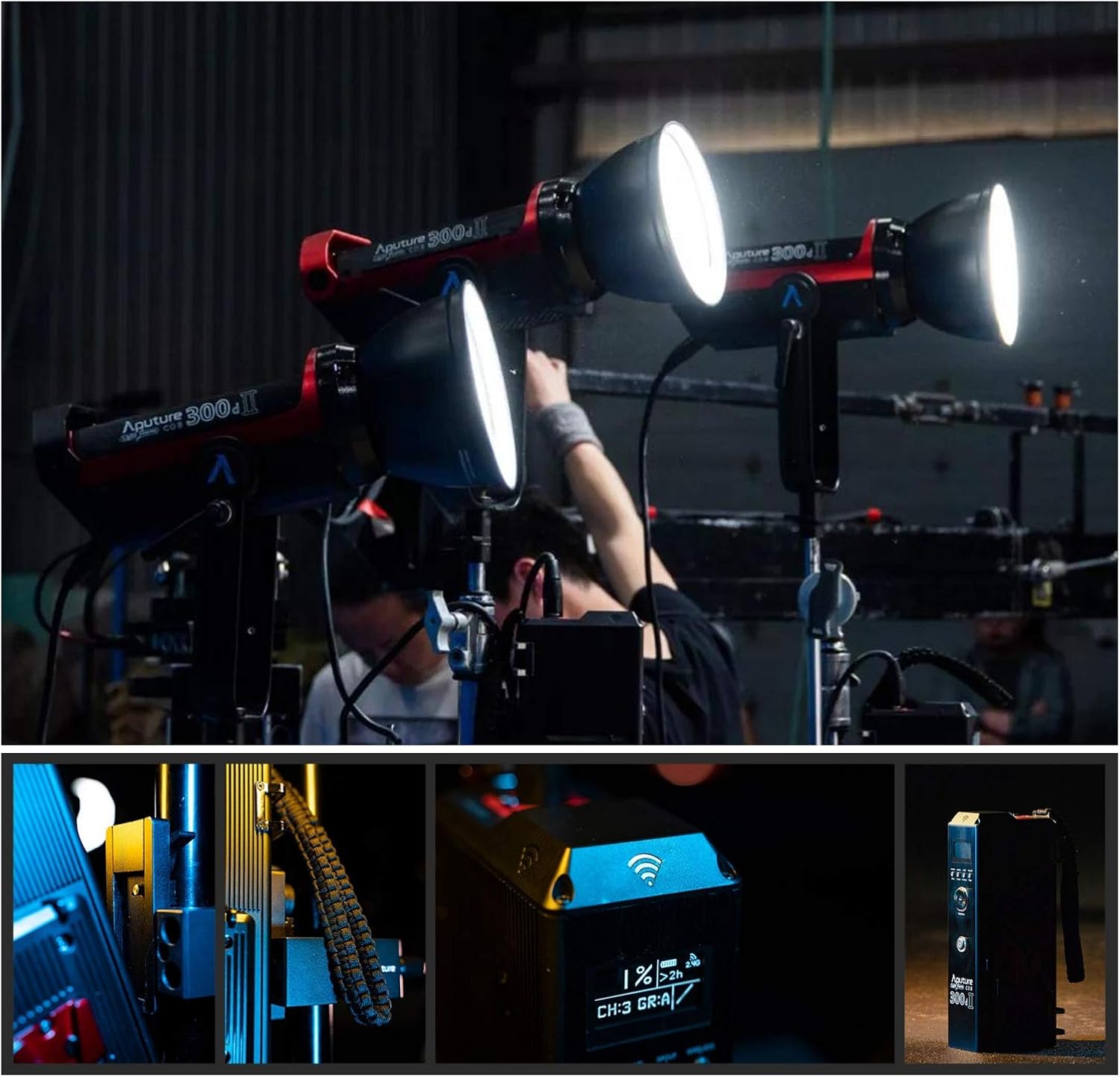
Figure 5.2: The Aputure LS C300d II in action, demonstrating its use in a professional environment and highlighting the clear display on the control box.
6. Údržba
- Čištění: Regularly clean the light head and control box with a soft, dry cloth. For stubborn dirt, use a slightly damp hadříkem a poté důkladně osušte. Nepoužívejte agresivní chemikálie ani abrazivní čisticí prostředky.
- Skladování: When not in use, store the light and its components in the provided carrying case in a cool, dry place, away from direct sunlight and excessive humidity.
- Aktualizace firmwaru: Periodically check the Aputure website for firmware updates. Updates can be installed via the USB interface on the control box to improve performance and add new features.
7. Řešení problémů
| Problém | Možná příčina | Řešení |
|---|---|---|
| Světlo se nerozsvítí. | No power, loose cable connection, faulty power supply. | Check power cable connection. Ensure power outlet is functional. Verify control box is securely connected to the light head. |
| Dálkové ovládání nereaguje. | Out of range, depleted remote battery, interference. | Move closer to the light. Replace remote battery. Minimize sources of interference. |
| Světelný výstup je nekonzistentní nebo bliká. | Loose cable, overheating, power fluctuations. | Check all cable connections. Ensure adequate ventilation around the light and control box. Use a stable power source. |
| Sidus Link app cannot connect. | Bluetooth off, app not updated, light not in pairing mode. | Ensure Bluetooth is enabled on your device. Update the Sidus Link app. Refer to the app's instructions for pairing the light. |
8. Specifikace
| Funkce | Detail |
|---|---|
| Model | LS C300d II |
| Výkon | 350W |
| Teplota barev | 5500 tis |
| CRI | 96+ |
| TLCI | 97+ |
| Osvětlení (0.5 m) | 55000 Lux (without Fresnel 2X) |
| Kontrolní metody | Control Box, 2.4G Remote, Sidus Link App (Bluetooth), 512DMX |
| Rozměry (produkt) | 34.5 cm (d) x 21.6 cm (š) x 29.8 cm (v) |
| Velikost balení | 63.2 x 32 x 27.4 cm |
| Hmotnost balení | 11.6 kg |
| Reference výrobce | 712350137328 |
9. Záruka a podpora
Aputure provides a limited warranty for this product against defects in materials and workmanship under normal use. Please refer to the warranty card included in your package for specific terms and conditions. For technical support, service, or warranty claims, please contact Aputure customer service through their official webmístě nebo autorizovaným distributorům.
Official Aputure Webmísto: www.aputure.com