
1. Úvod
The Reloop Groove Blaster BT is a portable 100W loudspeaker designed for high sound pressure levels and robust bass performance. It features a built-in Bluetooth 4.0 interface for wireless audio streaming up to 30 meters and an integrated, rechargeable Li-ion battery providing up to 10 hours of music playback. NFC connectivity simplifies pairing with supported devices. The speaker's 3-way frequency separation, with two 3-inch midrange drivers, one 1-inch tweeter, and a 6-inch low-frequency driver, ensures a balanced and wide stereo sound.

Figure 1.1: Reloop Groove Blaster BT in use, highlighting its 10-hour battery life.
2. Obsah balení
Ujistěte se, že v balení jsou přítomny všechny položky:
- Groove Blaster BT Portable Bluetooth Speaker
- Detachable Carrying Handle
- Power Supply Unit (located in the adapter compartment)
3. Ovládací prvky a připojení
3.1 Horní ovládací panel
The top panel provides access to all primary playback and pairing functions.
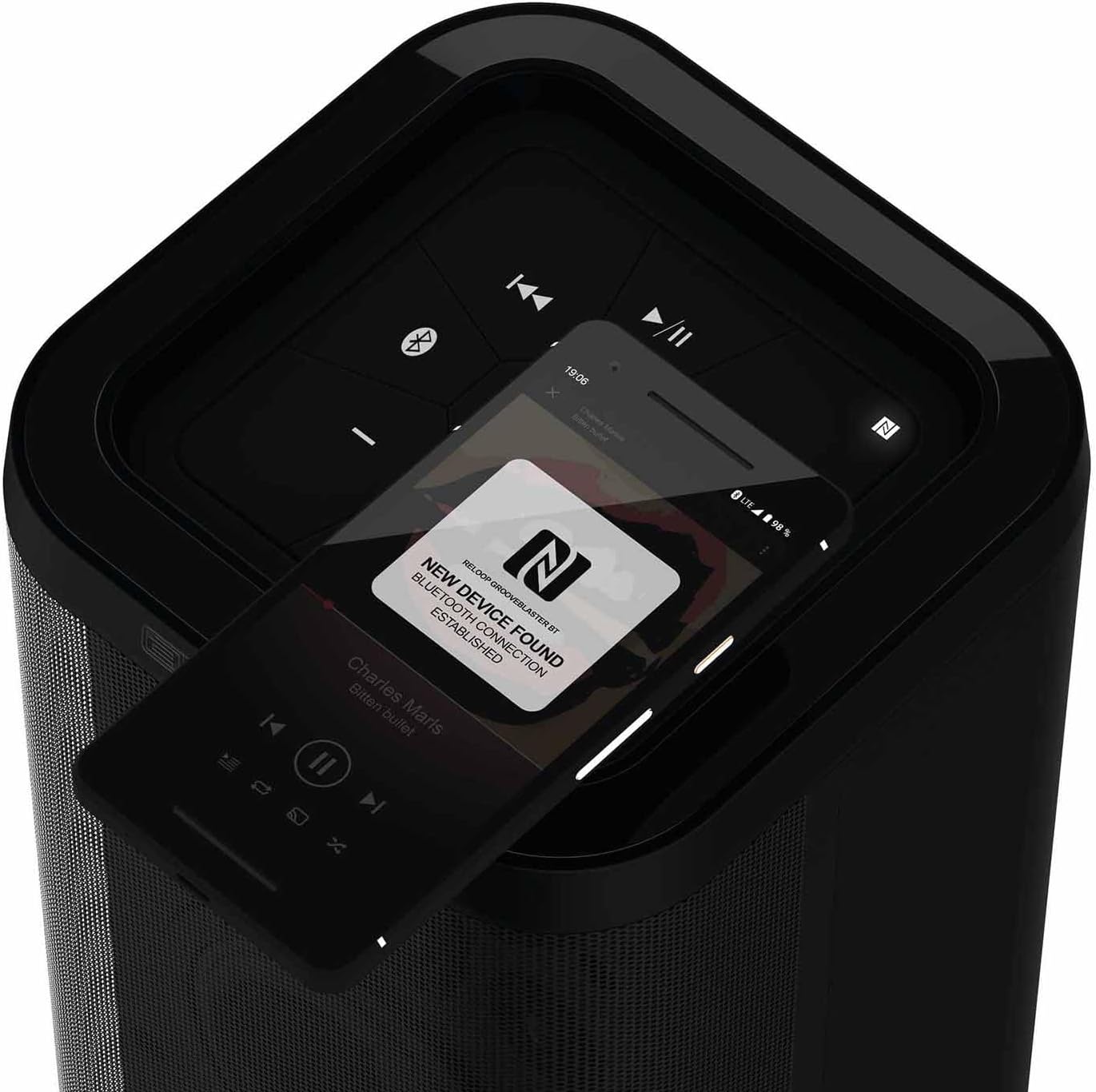
Obrázek 3.1: Detailní view of the top control panel.
- Tlačítko napájení (ⓘ): Stisknutím a podržením zapnete nebo vypnete reproduktor.
- Play/Pause (▶/‖‖): Ovládá přehrávání médií.
- Předchozí skladba (⏮): Přeskočí na začátek aktuální nebo předchozí skladby.
- Další skladba (⏭): Přeskočí na další skladbu.
- Snížit hlasitost (-): Snižuje hlasitost reproduktoru.
- Zvýšení hlasitosti (+): Zvyšuje hlasitost reproduktoru.
- Bluetooth Pairing Button (ⓘ): Zahájí režim párování Bluetooth.
- NFC Area (N): Touch NFC-enabled devices here for quick pairing.
- Speaker Pairing Button (Speaker Pairing): Activates Smart Link function to connect two Groove Blaster BT speakers.
3.2 Zadní připojení
The rear panel houses the power input, USB charging port, and auxiliary input, protected by an adapter compartment.

Figure 3.2: Rear connection panel with adapter compartment open.
- DC IN: Power input for the included power supply unit.
- Battery Level LEDs: Indicate the current battery charge status.
- USB POWER OUT (5V DC 1A): USB port for charging external devices.
- AUX IN: 3.5mm pomocný vstup pro kabelové audio připojení.
- Power Supply Holder: Compartment to store the power supply unit.
4. Nastavení
4.1 Nabíjení baterie
Before first use, fully charge the integrated Li-ion battery. Connect the included power supply unit to the DC IN port on the rear of the speaker and plug it into a wall outlet. The battery level LEDs will indicate charging status. A full charge provides up to 10 hours of playback, depending on usage and volume.
4.2 Zapnutí/vypnutí
Press and hold the Power button (ⓘ) on the top control panel for approximately 2 seconds to turn the speaker on or off. An audible cue will confirm the action.
5. Návod k obsluze
5.1 Párování Bluetooth
- Ensure the Groove Blaster BT is powered on.
- Press the Bluetooth Pairing button (ⓘ) on the top panel. The Bluetooth indicator LED will flash, indicating pairing mode.
- On your audio device (smartphone, tablet, laptop), enable Bluetooth and search for available devices.
- Select "Groove Blaster BT" from the list of devices.
- Once connected, the Bluetooth indicator LED will glow solid, and an audible confirmation will sound.
The speaker has a Bluetooth range of up to 30 meters.
5.2 Párování NFC
For NFC-enabled devices, pairing is simplified:
- Ensure NFC is enabled on your audio device.
- Gently tap your NFC-enabled device against the NFC area (N) on the top control panel of the Groove Blaster BT.
- Follow any on-screen prompts on your device to confirm the connection.
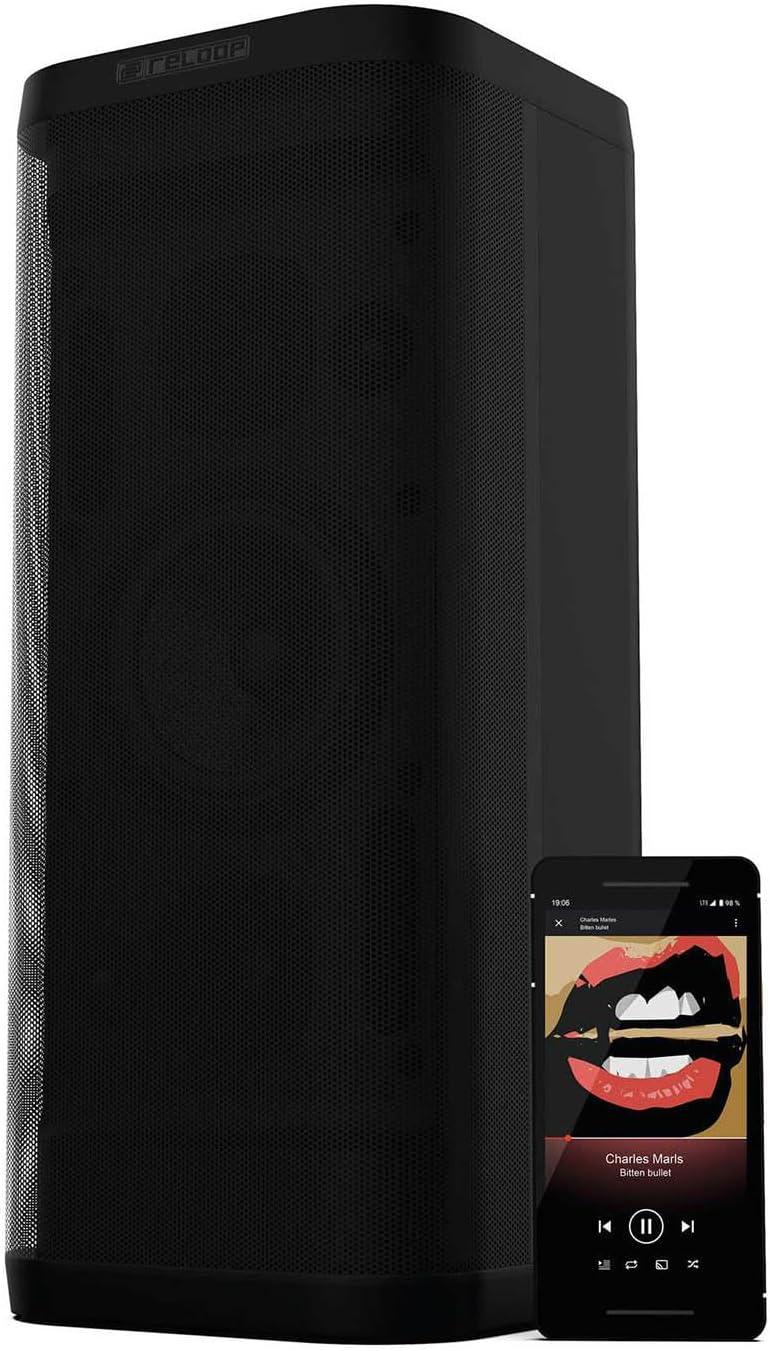
Figure 5.1: NFC pairing in progress.
5.3 Smart Link (Speaker Pairing)
The Smart Link function allows you to wirelessly connect two Groove Blaster BT speakers for a stereo experience or to double the overall volume across multiple rooms.
- Ensure both Groove Blaster BT speakers are powered on and not connected to any Bluetooth device.
- On the first speaker, press the "Speaker Pairing" button. The LED will flash.
- Opakujte postup u druhého reproduktoru.
- The speakers will automatically search and connect to each other. Once connected, an audible confirmation will sound, and the LEDs will glow solid.
- Now, connect your audio device to one of the paired speakers via Bluetooth (as described in Section 5.1). Audio will play through both speakers.

Figure 5.2: Two Groove Blaster BT speakers connected using Smart Link.
5.4 Ovládací prvky přehrávání
Use the buttons on the top control panel to manage your audio playback:
- Stiskněte Play/Pause (▶/‖‖) to start or pause music.
- Stiskněte Předchozí skladba (⏮) pro přechod na předchozí skladbu.
- Stiskněte Další skladba (⏭) pro přeskočení na další skladbu.
- Stiskněte Snížit hlasitost (-) or Zvýšení hlasitosti (+) pro nastavení úrovně zvuku.
5.5 Funkce USB nabíjení
The USB POWER OUT port (5V DC 1A) on the rear of the speaker can be used to charge external devices such as smartphones or tablets. Connect your device's USB charging cable to this port.
6. Údržba
6.1 Čištění
Otřete vnější povrch reproduktoru měkkým, suchým hadříkem. Nepoužívejte abrazivní čisticí prostředky, vosky ani rozpouštědla. Zajistěte, aby se do otvorů reproduktoru nedostaly žádné kapaliny.
6.2 Péče o baterii
To prolong battery life, avoid fully discharging the speaker frequently. If storing the speaker for an extended period, charge it to approximately 50% every few months.
7. Řešení problémů
| Problém | Možná příčina | Řešení |
|---|---|---|
| Reproduktor se nezapne. | Baterie je vybitá. | Connect the speaker to the power supply and charge the battery. |
| Z reproduktoru není slyšet žádný zvuk. | Hlasitost je příliš nízká nebo ztlumená. Zařízení není připojeno. | Increase volume on speaker and connected device. Ensure Bluetooth or AUX connection is established. |
| Zařízení Bluetooth se nemůže spárovat. | Reproduktor není v režimu párování. Zařízení je příliš daleko. Rušení. | Press Bluetooth pairing button. Move device closer. Avoid obstacles. Restart both devices. |
| Smart Link not connecting. | Speakers already paired to a device. | Ensure both speakers are disconnected from any Bluetooth devices before initiating Smart Link. |
| Špatná kvalita zvuku. | Low battery. Device too far. Source audio quality. | Charge speaker. Move device closer. Use high-quality audio files. |
8. Specifikace
| Funkce | Specifikace |
|---|---|
| Značka | Reloop |
| Číslo modelu | GROOVE-BLASTER-BT |
| Maximální výstupní výkon reproduktoru | 100 wattů |
| Frekvenční odezva | 50 Hz (dolní limit, plný rozsah není specifikován) |
| Technologie připojení | Bluetooth, NFC |
| Dosah Bluetooth | 30 metrů |
| Režim zvukového výstupu | Stereo |
| Materiál pouzdra | Kov |
| Průměr subwooferu | 6 palce |
| Průměr výškového reproduktoru | 1 palce |
| Typ baterie | Lithium Ion (součástí balení) |
| Kapacita baterie | 6600 miliamp hodiny |
| Průměrná životnost baterie | 10 hodiny |
| USB Power Out | 5 V DC 1A |
| Hmotnost položky | 4.65 kg |
| Kontrolní metoda | Dotek |
| Vodotěsný | Žádný |
9. Záruka a podpora
The Reloop Groove Blaster BT comes with a 1letá omezená záruka. For warranty claims or technical support, please contact your retailer or visit the official Reloop webstránky pro kontaktní informace.