
Zavedení
Thank you for choosing the Nanlite LumiPad 25 LED Panel. This manual provides essential information for the safe and effective operation of your device. Please read it thoroughly before use and retain it for future reference.
Bezpečnostní opatření
- Nevystavujte zařízení vodě ani vysoké vlhkosti.
- Zabraňte přímému vystavení očí LED světlu.
- Používejte pouze schválené napájecí adaptéry a baterie.
- Nepokoušejte se jednotku rozebírat nebo upravovat.
- Uchovávejte mimo dosah dětí.
Obsah balení
Prosím, ověřte, zda jsou v balení přítomny všechny položky:
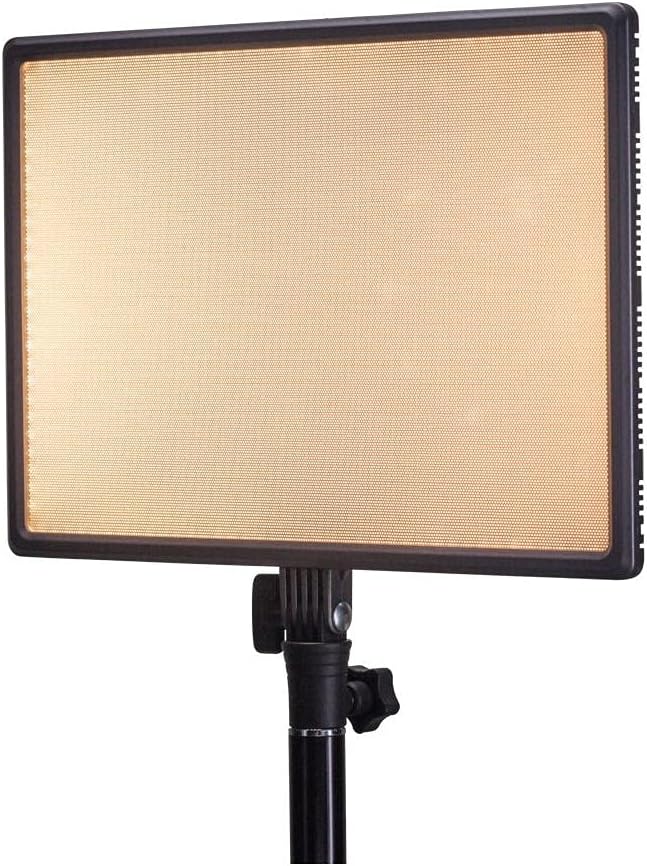
- Nanlite LumiPad 25 LED Panel
- Montážní adaptér
- AC Power Adapter (may be sold separately)
- Uživatelská příručka
Nastavení
1. Mounting the Light Panel
- Attach the included mounting adapter to the 1/4-inch screw thread located at the bottom of the LumiPad 25.
- Secure the mounting adapter to a compatible light stand or tripod.
- Adjust the angle of the LED panel using the tilt mechanism on the mounting adapter.

2. Napájení zařízení
The LumiPad 25 offers multiple power options:
- Napájení střídavým proudem: Connect the AC power adapter to the DC IN port on the back of the panel, then plug the adapter into a wall outlet.
- Napájení baterie: Insert two compatible NP-F style batteries (sold separately) into the battery slots on the back of the panel. Ensure correct polarity.


Operace
1. Zapnutí/vypnutí
Locate the power switch on the back of the panel. Flip the switch to the 'ON' position to power on the light. Flip it to 'OFF' to power off.
2. Nastavení jasu
Use the 'DIMMER' control knob on the back of the panel to adjust the light output from 0% to 100% brightness. Rotate clockwise to increase brightness and counter-clockwise to decrease.
3. Úprava teploty barev
Use the '5600K' control knob on the back of the panel to adjust the color temperature from warm (3200K) to cool (5600K). Rotate clockwise for cooler temperatures and counter-clockwise for warmer temperatures.

Údržba
Čištění
To clean the LED panel, use a soft, dry cloth. For stubborn marks, a slightly damp Lze použít hadřík s jemným čisticím prostředkem, ale dbejte na to, aby se do zařízení nedostala žádná tekutina. Nepoužívejte abrazivní čisticí prostředky ani rozpouštědla.
Skladování
When not in use, store the LumiPad 25 in a cool, dry place, away from direct sunlight and extreme temperatures. If storing for extended periods, remove batteries.
Odstraňování problémů
| Problém | Možná příčina | Řešení |
|---|---|---|
| Světlo se nerozsvítí. | No power, faulty connection, or depleted batteries. | Check power adapter connection or replace/recharge batteries. Ensure power switch is ON. |
| Brightness not adjusting. | Dimmer knob not functioning or at minimum/maximum setting. | Rotate the dimmer knob fully in both directions. If issue persists, contact support. |
| Color temperature not changing. | Color temperature knob not functioning or at minimum/maximum setting. | Rotate the color temperature knob fully in both directions. If issue persists, contact support. |
Specifikace
| Funkce | Detail |
|---|---|
| Číslo modelu | 11-2002 |
| Rozměry produktu | 13.58 x 37 x 9 inches (overall packaging) / 1.2"L x 1.2"W x 1.2"H (unit) |
| Hmotnost položky | 7.1 unce |
| Jas | 2140 lumenů (max.) |
| Teplota barev | 3200K - 5600K |
| Možnosti napájení | AC Adapter, NP-F style batteries, DC via D-tap cable |
Záruka a podpora
Nanlite products are covered by a limited warranty. For detailed warranty information, technical support, or service inquiries, please visit the official Nanlite webstránky nebo se obraťte na svého místního distributora.
Official Nanlite Webmísto: www.nanlite.com


