
Zavedení
This manual provides detailed instructions for the safe and efficient use of your Maxcom MM426 Dual SIM Mobile Phone. Designed for simplicity and ease of use, this GSM mobile phone features a 1.8-inch color display, Dual SIM capability, Bluetooth connectivity, and an essential SOS function for emergencies. Please read this manual thoroughly before operating your device.
Obsah balení
Ujistěte se, že v balení produktu jsou přítomny všechny následující položky:
- Maxcom MM426 Mobile Phone
- Baterie (Lithium-Ion)
- Nabíječka
- USB kabel
- Nabíjecí kolébka
- Uživatelská příručka
- Záruční list
Telefon přesview
Familiarize yourself with the key components of your Maxcom MM426 mobile phone.
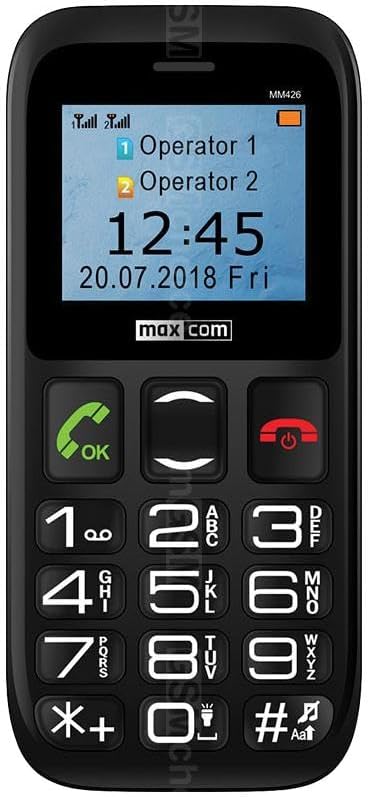
Obraz: Přední view of the Maxcom MM426 mobile phone, showing its 1.8-inch color display and large, easy-to-read keypad with clearly marked buttons for calls, navigation, and numbers.
- Zobrazit: 1.8-inch color LCD screen for clear visibility of menus, contacts, and messages.
- Klávesnice: Large, tactile buttons for easy dialing and navigation.
- Tlačítka pro volání/ukončení: Samostatná tlačítka pro zahájení a ukončení hovorů.
- Navigační klávesy: For moving through menus and options.
- SOS tlačítko: Located on the back for emergency calls (see Special Features section).
- 3.5mm konektor pro sluchátka: Pro připojení sluchátek.
Nastavení
1. Instalace baterie
- Opatrně sejměte zadní kryt telefonu.
- Insert the Lithium-ion battery into the battery compartment, ensuring the gold contacts align with the phone's terminals.
- Nasaďte zadní kryt zpět, dokud bezpečně nezacvakne na místo.
2. SIM Card Installation (Dual SIM)
The Maxcom MM426 supports two SIM cards, allowing you to manage two different numbers simultaneously.
- With the battery removed, locate the SIM card slots.
- Insert your SIM cards into the designated slots (SIM1 and SIM2) with the gold contacts facing down and the cut corner aligned as shown in the diagram (refer to the physical manual for diagram).
- Ensure the SIM cards are fully seated.
3. Instalace karty MicroSD (volitelné)
To expand storage for photos, music, or other files, you can install a MicroSD card (up to 32 GB, sold separately).
- Locate the MicroSD card slot, usually near the SIM card slots.
- Insert the MicroSD card into the slot until it clicks into place.
4. Nabíjení telefonu
Before first use, fully charge the phone's battery. Charging takes approximately 3 hours.
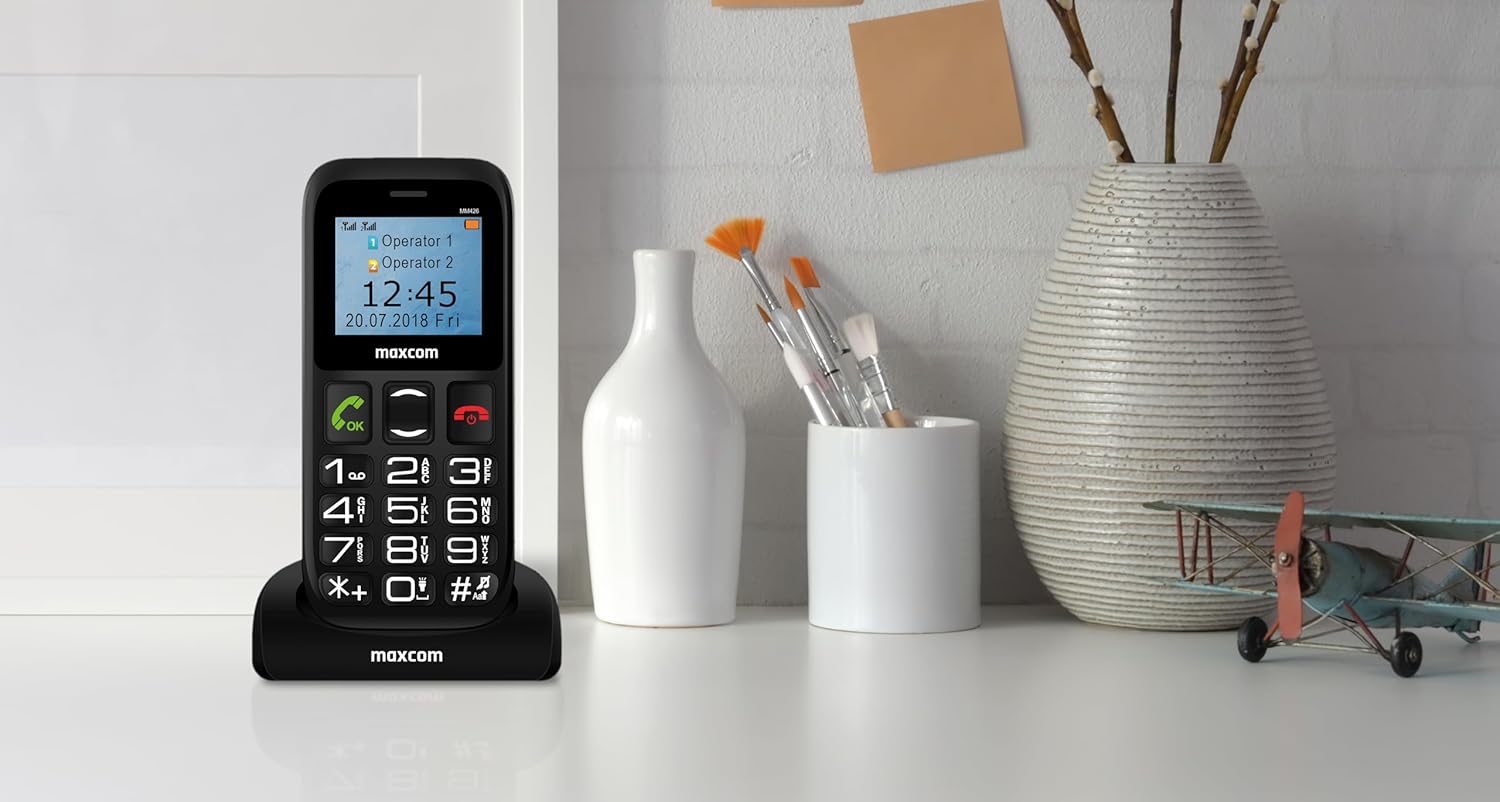
Obraz: The Maxcom MM426 mobile phone placed in its dedicated charging cradle, ready for charging. The phone's screen displays network and time information.
- Connect the USB cable to the charger and plug the charger into a power outlet.
- Place the phone into the charging cradle, ensuring it is properly seated. The charging indicator on the phone's screen should activate.
- Nebo můžete kabel USB připojit přímo k nabíjecímu portu telefonu.
- Po úplném nabití odpojte nabíječku.
Základní operace
1. Zapnutí/vypnutí
- Zapnutí: Stiskněte a podržte Ukončit hovor/Napájení tlačítko (červené tlačítko), dokud se obrazovka nerozsvítí.
- Vypnutí: Stiskněte a podržte Ukončit hovor/Napájení tlačítko, dokud se nezobrazí možnosti vypnutí, a poté vyberte „Vypnout“.
2. Telefonování
- Zadejte telefonní číslo pomocí klávesnice.
- Stiskněte tlačítko Volání tlačítko (zelené tlačítko) pro zahájení hovoru.
- Chcete-li hovor ukončit, stiskněte tlačítko Ukončit hovor tlačítko.
- To call from contacts, navigate to the "Contacts" menu, select a contact, and press the Volání tlačítko.
3. Přijímání hovorů
- When a call comes in, the phone will ring and display the caller's information.
- Stiskněte tlačítko Volání button (green button) to answer.
- Stiskněte tlačítko Ukončit hovor button (red button) to reject or end the call.
4. Odesílání SMS zpráv
- Go to the "Messages" menu.
- Vyberte „Napsat zprávu“ nebo „Nová SMS“.
- Enter your message using the keypad. Press the # key to switch input modes (e.g., ABC, abc, 123).
- Zadejte telefonní číslo příjemce nebo jej vyberte z kontaktů.
- Vyberte možnost „Odeslat“.
5. Nastavení hlasitosti
During a call or when navigating menus, use the dedicated volume keys (if present) or the navigation keys to adjust the volume. You can also adjust ringtone and media volumes in the "Settings" menu.
Speciální funkce
1 Funkce SOS
The SOS button provides a quick way to contact pre-set emergency numbers in critical situations.

Obraz: Zadní view of the Maxcom MM426 mobile phone, highlighting the prominent orange SOS button designed for quick access in emergencies.
- Nastavení tísňových čísel: Přejít na Nastavení > Nastavení SOS to add up to five emergency contact numbers.
- Použití funkce SOS: V případě nouze stiskněte a podržte SOS tlačítko on the back of the phone for a few seconds. The phone will automatically call and send an emergency SMS to the pre-set numbers in sequence until one is answered.
2. Připojení Bluetooth
Connect your phone to other Bluetooth-enabled devices like headsets or car kits.
- Přejít na Nastavení > Bluetooth.
- Zapněte Bluetooth On.
- Vyberte "Hledat zařízení“ nebo „Spárování nového zařízení“.
- Choose your desired device from the list and follow the on-screen prompts to pair.
3. FM rádio
Užijte si poslech svých oblíbených rozhlasových stanic.
- Plug in a 3.5mm headset (acts as an antenna).
- Go to the "FM Radio" application from the main menu.
- Pomocí navigačních tlačítek můžete vyhledávat stanice nebo je ladit ručně.
4. MP3 přehrávač
Přehrávejte zvuk MP3 fileje uloženo na vaší kartě MicroSD.
- Ensure an MicroSD card with MP3 fileJe vloženo s.
- Go to the "Music" or "MP3 Player" application from the main menu.
- Browse and select your desired audio files hrát.
Údržba
1. Čištění telefonu
- Use a soft, dry cloth to wipe the phone's surface.
- Avoid using liquid cleaners, aerosols, or harsh chemicals, as these can damage the device.
- The phone is not water-resistant; keep it away from liquids.
2. Péče o baterie
- Nevystavujte baterii extrémním teplotám.
- Use only the original charger and battery provided with the phone.
- Pokud telefon nebudete delší dobu používat, nabijte baterii před uskladněním přibližně na 50 %.
Odstraňování problémů
If you encounter problems with your phone, refer to the following common issues and solutions:
| Problém | Možné řešení |
|---|---|
| Telefon se nezapne. | Ujistěte se, že je baterie správně vložena a plně nabitá. Zkuste telefon nabíjet alespoň 30 minut. |
| Nelze uskutečňovat ani přijímat hovory. | Check if SIM cards are properly inserted. Ensure you have network signal. Contact your mobile operator if the issue persists. |
| Žádný síťový signál. | Move to an open area. Check network settings in the phone menu. Restart the phone. |
| Baterie se rychle vybíjí. | Reduce screen brightness. Close unused applications. Limit background data usage (if applicable). Ensure the battery is not old or damaged. |
| Neslyším volajícího / Volající neslyší mě. | Check volume settings. Ensure microphone and speaker are not blocked. Test with another call. |
If these solutions do not resolve your issue, please contact Maxcom customer support.
Specifikace
| Model | MM426 |
| Značka | Maxcom |
| Rozměry | 12 x 0.8 x 0.8 cm |
| Hmotnost | 72 g |
| Zobrazit | 1.8palcový LCD displej, rozlišení 240 x 320 |
| BERAN | 4 MB |
| Model CPU | Kůra |
| Buněčná technologie | 2G (GSM) |
| Sloty pro SIM karty | Duální SIM |
| Konektivita | Bluetooth |
| Rozšiřitelná paměť | MicroSD až 32 GB |
| Typ baterie | Lithium-iontová |
| Kapacita baterie | 600 XNUMX mAh |
| Doba hovoru | Až 3 hodin |
| Doba nabíjení | Přibl. 3 hodin |
| Fotoaparát | 3 MP (Rear) |
| Speciální funkce | SOS button, FM Radio, MP3 Player, Keypad input |
| Voděodolnost | Není odolný proti vodě |
Záruka a podpora
Your Maxcom MM426 mobile phone comes with a warranty. Please refer to the included Warranty Card for details on coverage and terms. For technical assistance, troubleshooting beyond this manual, or warranty claims, please contact Maxcom customer support. Keep your purchase receipt and warranty card handy.
You can find more information and support on the official Maxcom webwebu nebo návštěvou Maxcom Store on Amazon.