
2BOOM BX390
Uživatelská příručka k bezdrátovému Bluetooth boomboxu 2BOOM BX390 Bass King
Model: BX390
1. Úvod
Děkuji za nákupasing the 2BOOM BX390 Bass King Wireless Bluetooth Boombox Stereo Speaker. This manual provides essential information for setting up, operating, and maintaining your speaker to ensure optimal performance and longevity. Please read this manual thoroughly before using the product.

Image 1.1: The 2BOOM BX390 Bass King Wireless Bluetooth Boombox Stereo Speaker.
This image shows the 2BOOM BX390 Bass King speaker in blue, featuring a cylindrical design with a handle/strap attached. The front panel displays the control interface and speaker grille.
2. Obsah balení
Zkontrolujte prosím balení, zda neobsahuje následující položky:
- 1 x 2BOOM BX390 Bass King Speaker
- 1 x 3.5 mm Aux kabel
- 1 x USB nabíjecí kabel
- 1 x Uživatelská příručka (tento dokument)
- 1 x Attachable Shoulder Strap

Image 2.1: The 2BOOM BX390 speaker shown with its detachable shoulder strap, 3.5mm Aux cable, and USB charging cable.
This image displays the blue 2BOOM BX390 speaker from an angled perspective, highlighting the included shoulder strap attached to its side rings. The USB charging cable and 3.5mm Aux cable are visible in the foreground.
3. Vlastnosti produktu
- Powerful Bass Sound: Equipped with 4-inch subwoofers and vibrating disks for crisp, clear, loud sound, booming low tones, and dynamic sound effects.
- Bluetooth připojení: Connects wirelessly to smartphones, tablets, and other Bluetooth-enabled devices up to 33 ft.
- Vestavěný mikrofon: Supports hands-free calls.
- Odolný a přenosný design: Features a rugged, rubberized exterior and an attachable strap for easy carrying.
- Více možností vstupu: Includes FM Radio, Aux-in Line, USB port, and SD Card slot.
- Integrovaný ovládací panel: Direct control over volume, bass, and sound equalizer.

Image 3.1: The 2BOOM BX390 speaker with visual callouts for Deep Digital Bass, FM Radio, Long-Lasting Battery, and Straps Included.
This image shows the blue 2BOOM BX390 speaker from the front, with graphic overlays pointing out its key features: deep digital bass, FM radio capability, long-lasting battery, and the inclusion of straps for portability.
4. Ovládací prvky a porty
Familiarize yourself with the control panel and input ports of your BX390 speaker:

Image 4.1: Detailed diagram of the 2BOOM BX390 control panel and input ports.
Tento obrázek nabízí detailní záběr view of the speaker's front panel, clearly labeling each button, port, and indicator. Labels include USB, DC 5V (charging), AUX, Previous, Play/Pause, Next, Mode, EQ, SD card slot, LED display, Power ON/OFF switch, Volume controls, and Bass controls.
- USB port: Pro přehrávání z USB disku.
- DC 5V (nabíjecí port): Připojte sem nabíjecí kabel USB pro nabíjení reproduktoru.
- Vstup AUX: 3.5mm jack for connecting external audio devices via an Aux cable.
- Previous / Volume -: Short press for previous track; long press to decrease volume.
- Přehrát/pozastavit: Press to play or pause audio. In FM mode, short press to auto-scan.
- Next / Volume +: Short press for next track; long press to increase volume.
- režim: Press to switch between Bluetooth, FM Radio, USB, SD Card, and AUX modes.
- EQ (ekvalizér): Press to cycle through different equalizer presets.
- Slot pro SD kartu: Insert an SD card for audio playback.
- LED displej: Zobrazuje aktuální režim, číslo skladby nebo frekvenci FM.
- Vypínač ON/OFF: Slide to turn the speaker on or off.
- Hlasitost +/-: Tlačítka pro zvýšení nebo snížení celkové hlasitosti.
- Baskytara +/-: Buttons to increase or decrease the bass level.
5. Nastavení
5.1 Nabíjení reproduktoru
Before first use, fully charge the speaker. Connect the supplied USB charging cable to the DC 5V port on the speaker and the other end to a USB power adapter (not included) or a computer's USB port. The LED display may indicate charging status.
- Doba nabíjení se může lišit.
- Po úplném nabití odpojte nabíječku, abyste šetřili životnost baterie.
5.2 Zapnutí/vypnutí
Zapnutí reproduktoru ON, slide the Power ON/OFF switch to the 'ON' position. You will hear an audible prompt, and the LED display will light up.
Zapnutí reproduktoru VYPNUTO, slide the Power ON/OFF switch to the 'OFF' position.
6. Návod k obsluze
6.1 Režim Bluetooth
The speaker automatically enters Bluetooth pairing mode when powered on if no other input source is connected, or after pressing the MODE button until "Bluetooth" is indicated.
- Ujistěte se, že je reproduktor zapnutý.
- Na zařízení s podporou Bluetooth (chytrý telefon, tablet atd.) povolte Bluetooth a vyhledejte dostupná zařízení.
- Vyberte "2BOOM BX390" or similar from the list.
- Once paired, the speaker will confirm with an audible prompt.
- Nyní můžete přehrávat zvuk ze zařízení přes reproduktor.
Poznámka: Reproduktor se automaticky znovu připojí k poslednímu spárovanému zařízení, pokud je v dosahu a je zapnutá funkce Bluetooth.
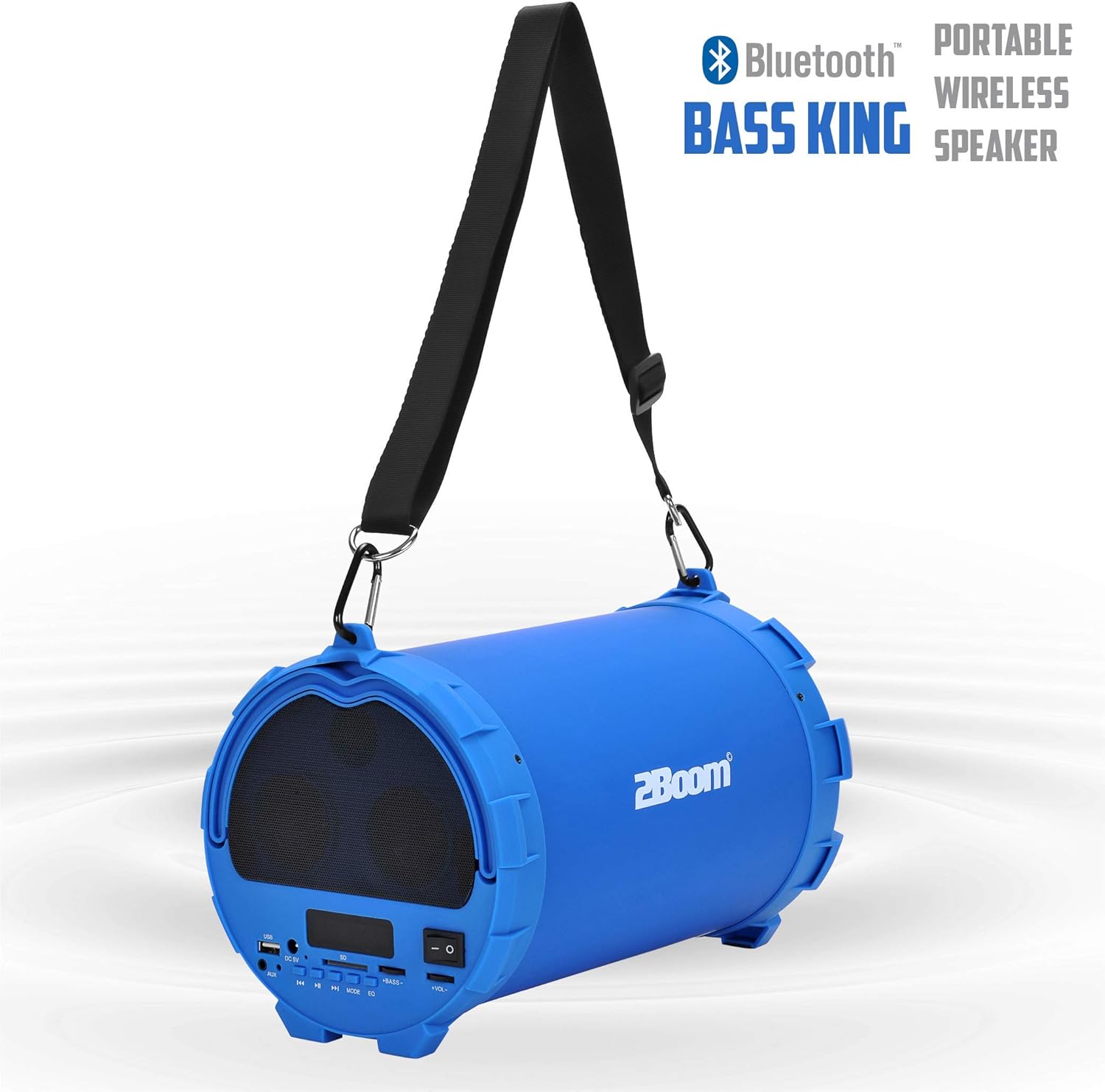
Image 6.1: The 2BOOM BX390 speaker highlighting its Bluetooth connectivity.
This image shows the blue 2BOOM BX390 speaker with a prominent "Bluetooth" logo and "PORTABLE WIRELESS BASS KING SPEAKER" text, emphasizing its wireless audio capabilities.
6.2 Režim rádia FM
To switch to FM Radio mode, press the MODE button until "FM" or the radio frequency is displayed.
- V režimu FM krátce stiskněte Přehrát/Pozastavit button to automatically scan and save available FM stations. The speaker will cycle through frequencies and store them.
- Použijte Předchozí a Další tlačítka pro navigaci mezi uloženými stanicemi.
- For better reception, extend the antenna (if applicable, or reposition the speaker).
6.3 Režim USB / SD karty
The speaker supports audio playback from USB flash drives and SD cards.
- Vložte USB flash disk do USB port nebo SD kartu do Slot pro SD kartu.
- The speaker will automatically switch to the corresponding mode (USB or SD) and begin playing audio files. Pokud ne, stiskněte tlačítko MODE tlačítko pro výběr.
- Použijte Předchozí, Přehrát/Pozastavita Další tlačítka pro ovládání přehrávání.
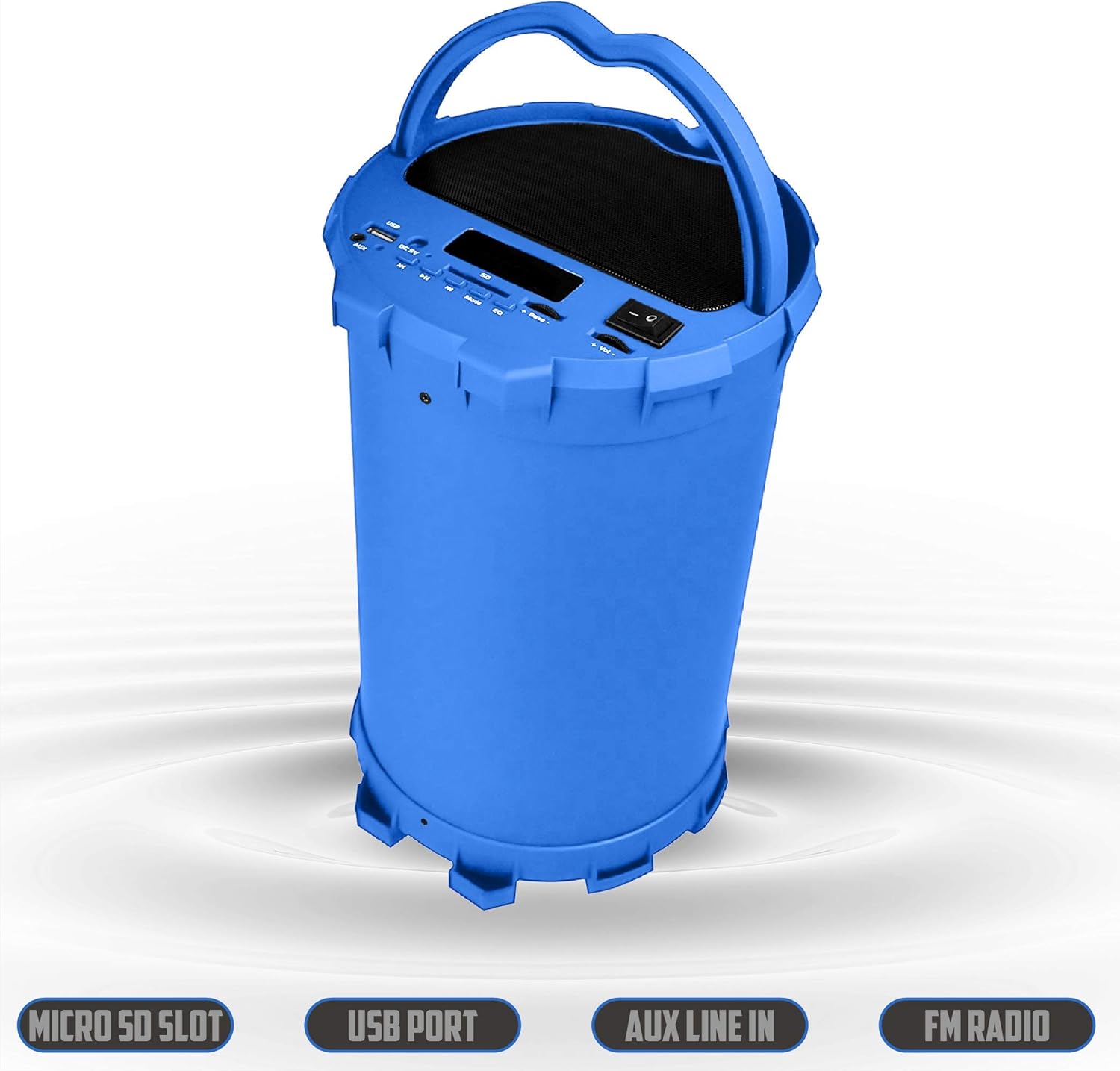
Image 6.2: The 2BOOM BX390 speaker shown upright, emphasizing the Micro SD Slot, USB Port, Aux Line In, and FM Radio capabilities.
This image displays the blue 2BOOM BX390 speaker in an upright position, with graphic overlays highlighting the Micro SD Slot, USB Port, Aux Line In, and FM Radio features on its control panel.
6.4 Režim AUX vstupu
Connect external audio devices (e.g., MP3 players, computers) using the supplied 3.5mm Aux cable.
- Connect one end of the 3.5mm Aux cable to the Vstup AUX port na reproduktoru.
- Druhý konec připojte k výstupnímu audio konektoru vašeho externího zařízení.
- Reproduktor se automaticky přepne do režimu AUX. Pokud ne, stiskněte tlačítko MODE tlačítko pro výběr.
- Ovládejte přehrávání z externího zařízení.
6.5 Adjusting Volume, Bass, and Equalizer
- Objem: Použijte Svazek +/- buttons (long press Previous/Next) to increase or decrease the overall volume.
- Bas: Použijte Basy +/- buttons to adjust the bass level to your preference.
- Ekvalizér (EQ): Stiskněte tlačítko EQ button to cycle through various preset equalizer modes (e.g., Pop, Rock, Jazz, Classical, Normal) to optimize sound for different music genres.
7. Údržba
- Čištění: K čištění vnější strany reproduktoru používejte měkký, suchý hadřík. Nepoužívejte abrazivní čisticí prostředky ani rozpouštědla.
- Skladování: Pokud reproduktor delší dobu nepoužíváte, skladujte jej na chladném a suchém místě mimo dosah přímého slunečního záření a extrémních teplot.
- Péče o baterie: Chcete-li prodloužit životnost baterie, vyvarujte se častého úplného vybíjení. Reproduktor pravidelně nabíjejte, i když jej nepoužíváte.
- Voděodolnost: Tento reproduktor není vodotěsný. Zabraňte vystavení vodě nebo nadměrné vlhkosti.
8. Řešení problémů
| Problém | Možná příčina | Řešení |
|---|---|---|
| Žádná síla | Baterie je slabá nebo vybitá. | Reproduktor plně nabijte pomocí dodaného kabelu USB. |
| Žádný zvuk | Hlasitost je příliš nízká; zvolen nesprávný režim; zařízení není správně připojeno. | Increase volume on speaker and connected device. Press MODE to select correct input. Reconnect Bluetooth or Aux cable. |
| Párování Bluetooth se nezdařilo | Reproduktor není v režimu párování; zařízení je příliš daleko; rušení. | Ensure speaker is in Bluetooth mode. Move device closer to speaker. Turn off other Bluetooth devices. Forget "2BOOM BX390" on your device and re-pair. |
| Špatný příjem FM | Weak signal; speaker position. | Reposition the speaker. Try auto-scanning again. |
| USB/SD karta se nepřehrává | Nepodporováno file formát; karta/mechanika nebyla správně vložena; poškozeno files. | Zajistit files are in a supported format (e.g., MP3). Reinsert the USB drive/SD card. Try a different drive/card. |
9. Specifikace
| Funkce | Detail |
|---|---|
| Značka | 2BOOM |
| Model | BX390 Bass King |
| Technologie připojení | Pomocný, Bluetooth, USB |
| Typ reproduktoru | Stereo |
| Kompatibilní zařízení | Notebook, chytrý telefon, tablet |
| Subwoofery | 4-inch (Quantity not specified, but implied by "subwoofers" and "dual subwoofers" in image) |
| Dosah Bluetooth | Až 33 stop (10 metrů) |
| Vstupní porty | USB, SD Card, 3.5mm AUX |
| Rádio | FM rádio |
10. Záruka a podpora
The 2BOOM BX390 Bass King speaker comes with an UNLIMITED 2BOOM WARRANTY.
For warranty claims or technical support, please contact 2BOOM customer service. Refer to the product packaging or 2BOOM's official webstránky pro kontaktní informace.
Uschovejte si prosím doklad o koupi pro účely záruky.
Ask a question about this manual
Ask about setup, troubleshooting, compatibility, parts, safety, or missing instructions. Manuals+ will review the question and use this page’s manual context to help answer it.